

Your subscription and billing overview in HotelFriend
The Contract module allows you to easily manage your HotelFriend subscription and all related billing information in one place. Here, you can view your active plan, check upcoming charges, review past payments, and update your billing or contact details at any time.
This module is designed to make subscription management simple and transparent, helping you stay informed about your payments and ensuring uninterrupted access to HotelFriend’s services.
Overview tab
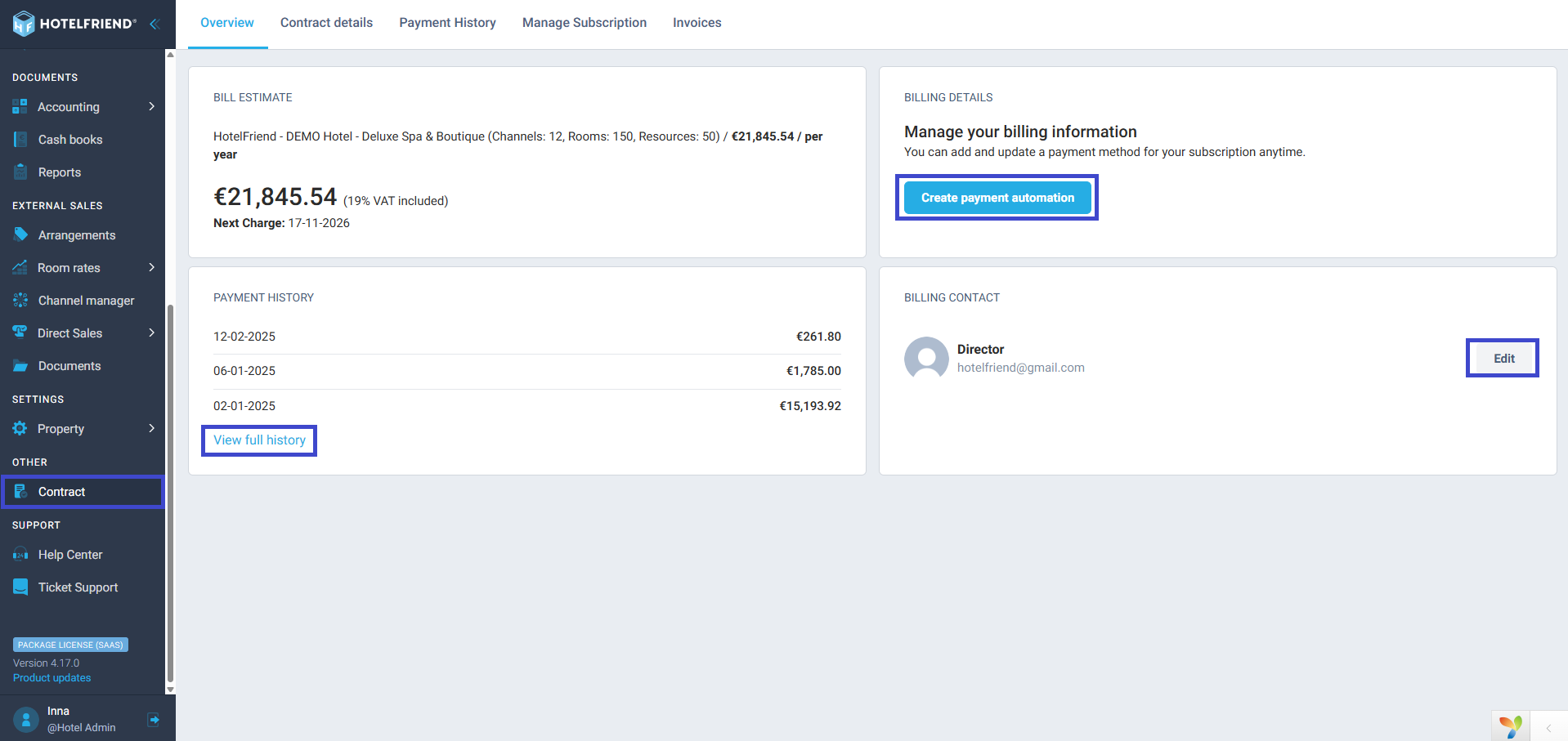
The Overview tab displays general billing information and payment history. It is divided into four main sections.
1. Bill Estimate
This section shows your current subscription plan, including the number of channels, rooms, and resources. You can also see the total annual or monthly cost (with VAT included) and the date of your next charge.
2. Billing Details
Here you can manage your billing information and add or update a payment method. To do so, click on Create payment automation.
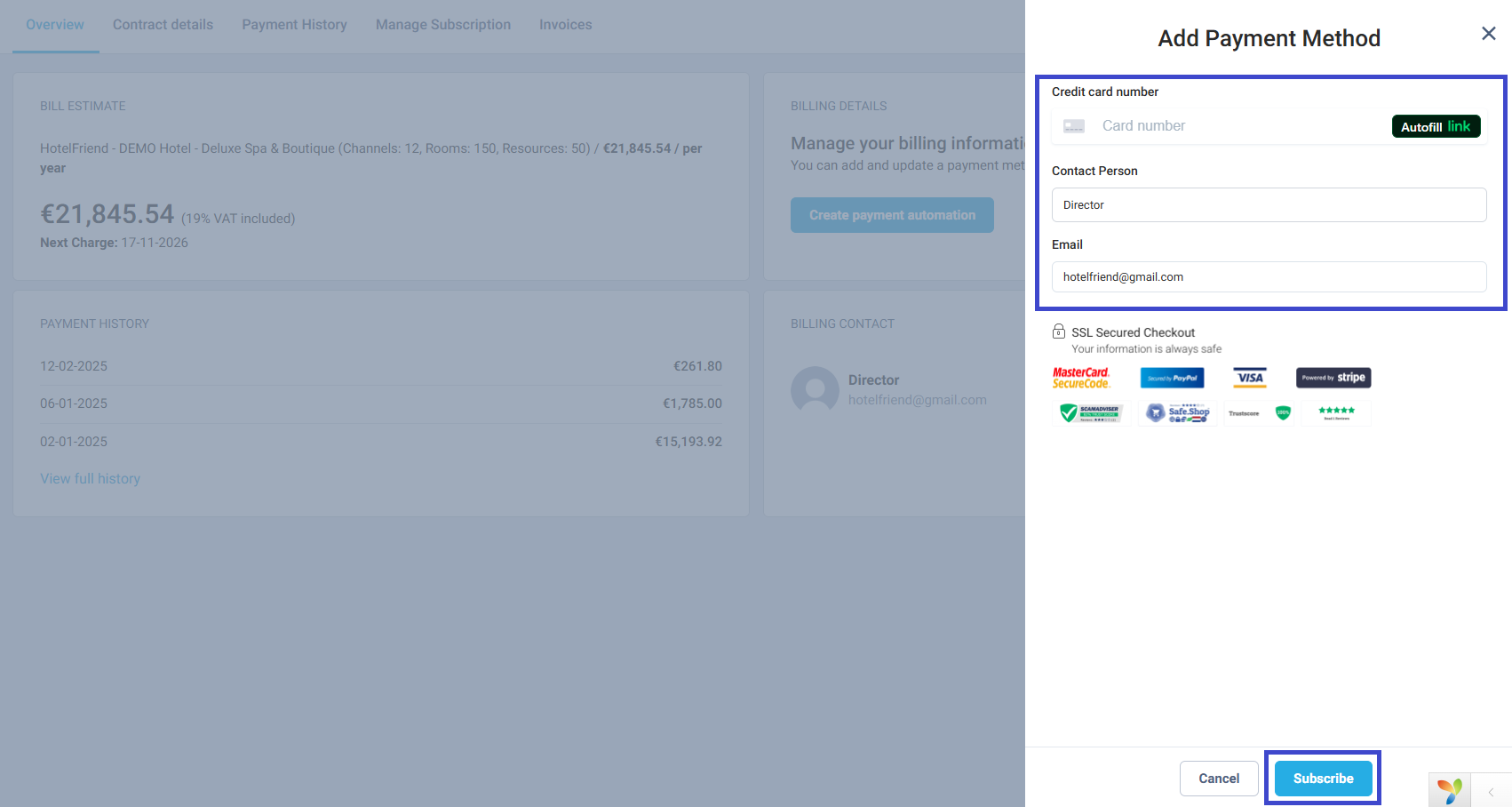
In the Add Payment Method window, enter your credit card number, contact person, and email.
The system supports secure online payments via Stripe, PayPal, Visa, and Mastercard. After filling in the required fields, click Subscribe to save the payment method.
The Overview tab displays general billing information and payment history. It is divided into four main sections.
3. Payment History
This section shows the dates and amounts of your last three payments. To see all transactions, click View full history – you’ll be redirected to the Payment History tab with detailed records.
4. Billing Contact
Displays the contact person and email address for billing purposes. To update this information, click Edit, make the necessary changes, and save them.

