

How to set a Cancellation policy for Deals
This article shows how to select a cancellation policy for deals (packages). From now on, you can set the appropriate cancellation policy directly on the deal creation page. This new setting simplifies the process and provides more flexibility in managing your deals.
Here are step-by-step instructions on how to select a cancellation policy for a deal:
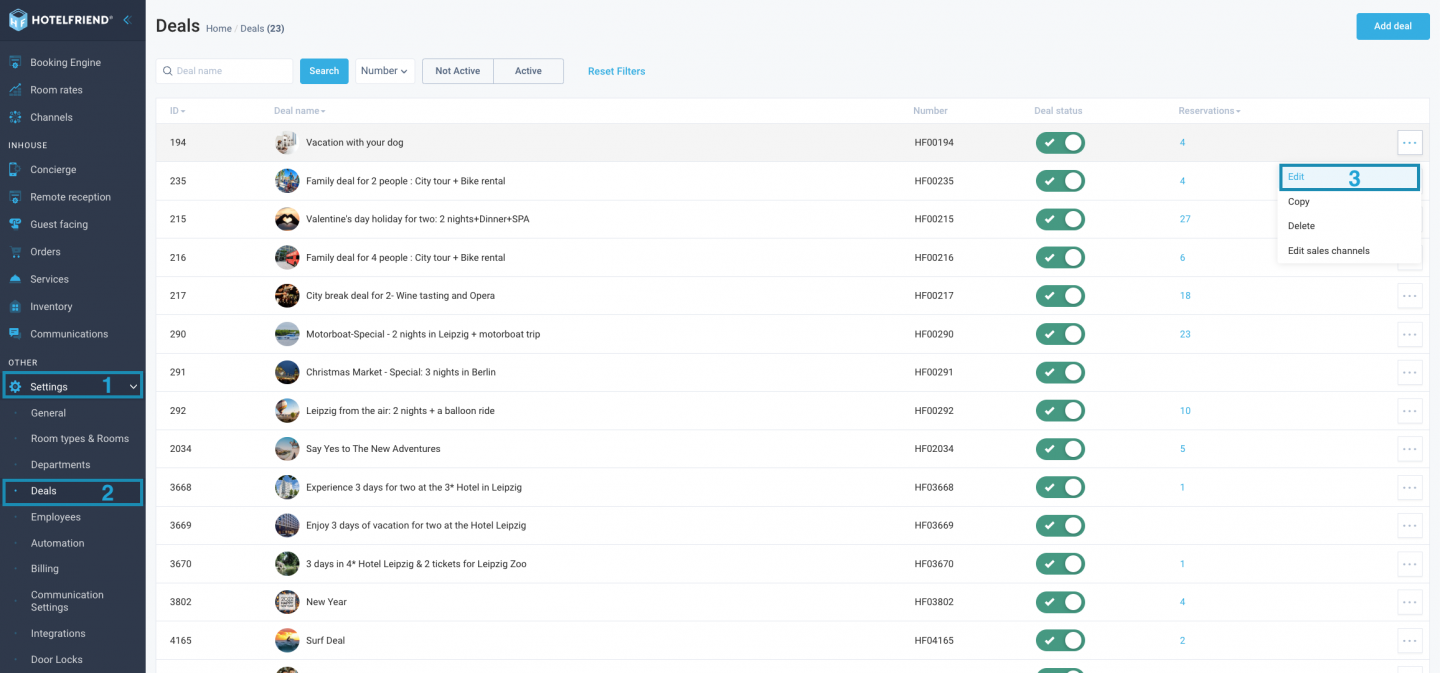
- Navigate to Settings.
- Click on the Deals tab.
- Choose the deal you wish to edit and click “Edit”.
- In the Cancellation policy field select the cancellation policy from the drop-down list.
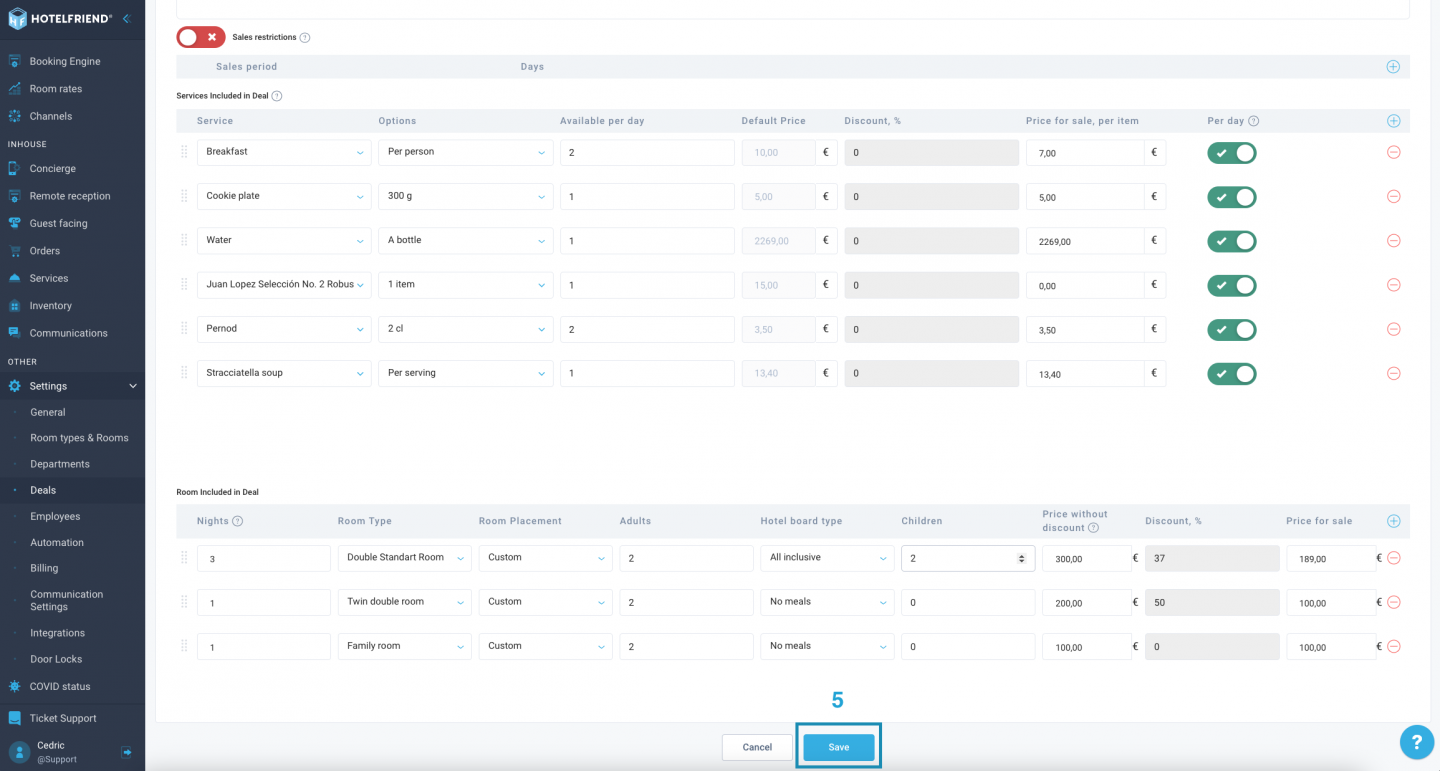
- Click the “Save” button to apply the cancellation policy.
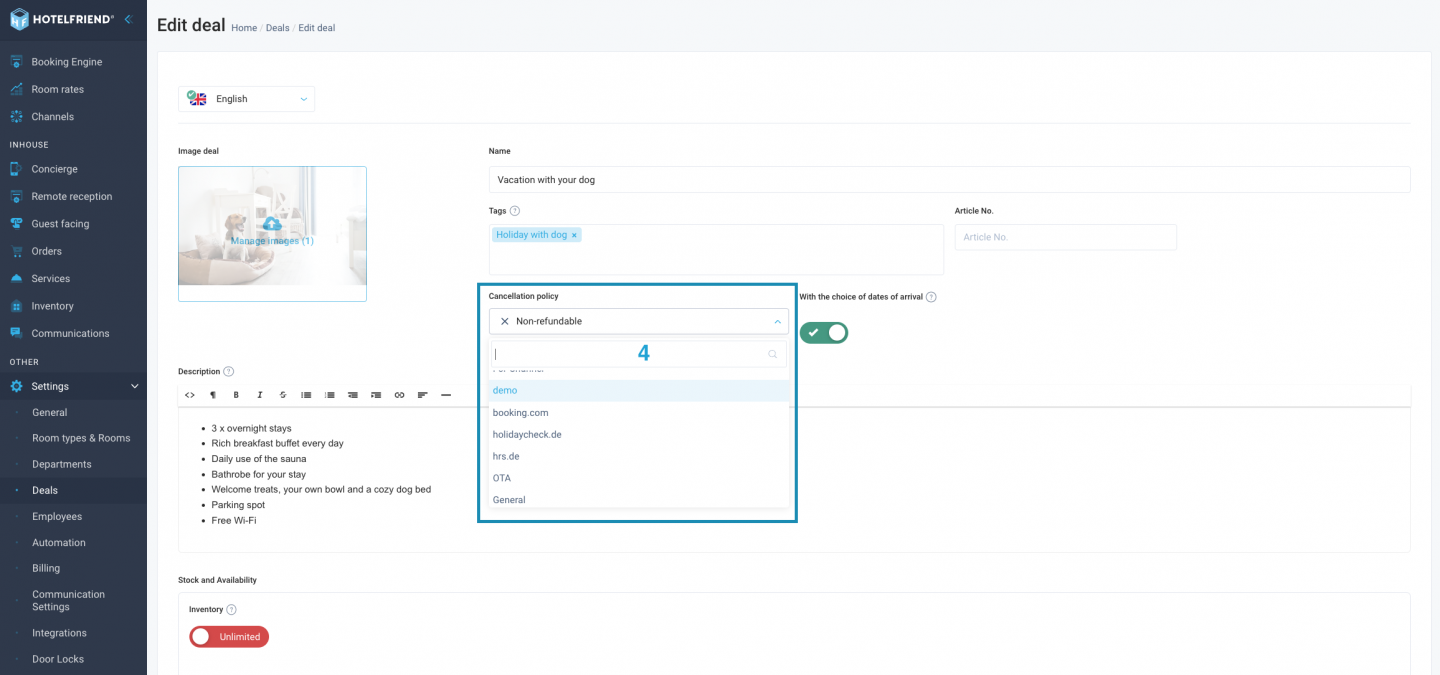
All Cancellation Policies are pulled from the Room Rates module > Cancellation Policy tab.
Author:

Uliana Karakhanian
Head of Customer Support
Uliana is an influential voice behind our blog's informative content. With 5 years of experience, she takes pride in empowering our clients and witnessing their success with our solutions. Beyond her role in customer support, Uliana finds joy in sports and exploring the depths of psychology. Expect insightful articles reflecting her commitment to simplifying your daily workflow.
