

Viewing and understanding your contract details
The Contract details tab in the Contract module provides an overview of the main terms of your agreement and important related information. To access it, go to Contract → Contract details. Here you can review your contract information, payment terms, and related documents.
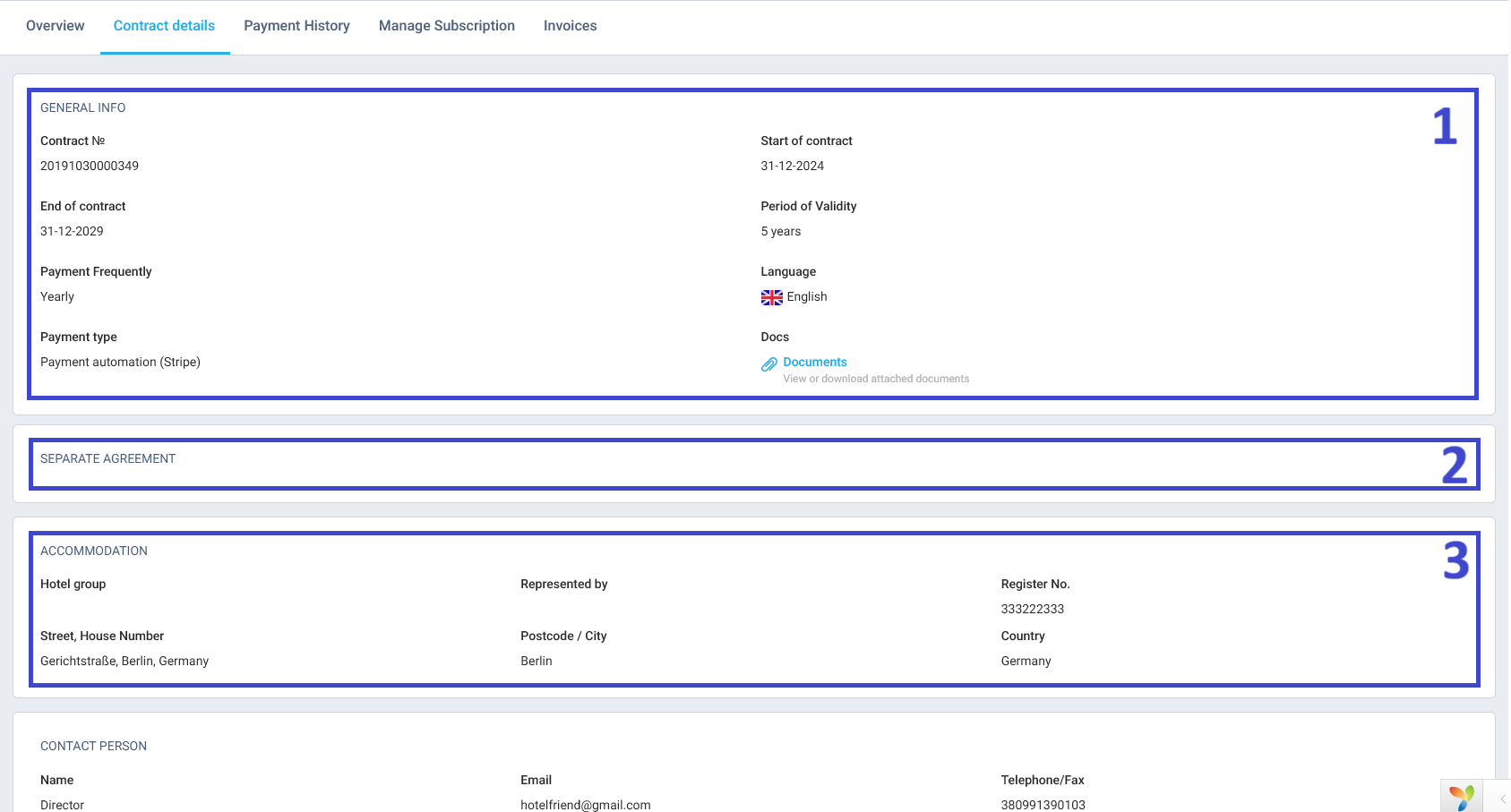
The tab contains the following sections:
1. General info
Displays key details about the contract, including:
- Contract number
- Start and end dates
- Period of validity
- Payment frequency (e.g., yearly)
- Payment type (e.g., payment automation via Stripe)
- Language
- Documents — click the Documents link to view or download attached files (such as the Terms and Conditions or Service Agreement).
2. Separate agreement
This section is reserved for any additional or customized contractual conditions (if applicable).
3. Accommodation
Contains information about your hotel or hotel group, including:
- Name of the hotel group
- Legal representative
- Register number
- Address (street, city, country)
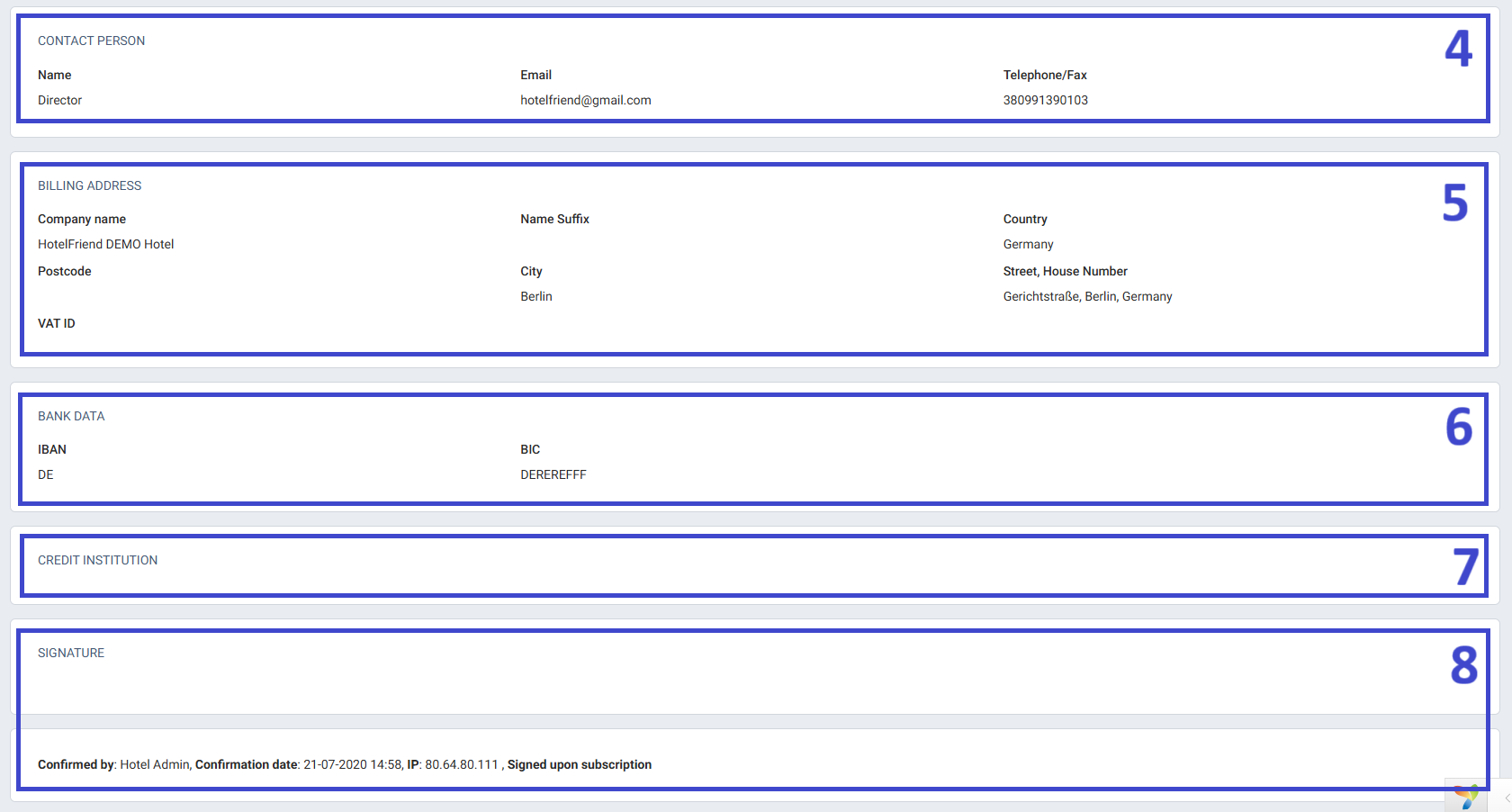
4. Contact person
Lists the details of the person responsible for the contract, including:
- Name and position
- Email address
- Telephone or fax number
5. Billing address
Displays the company’s billing details:
- Company name
- Address (street, postcode, city, country)
- VAT ID (if applicable)
6. Bank data
Includes payment-related information:
- IBAN
- BIC
7. Credit institution
Indicates the name of the bank or financial institution associated with your payment details.
8. Signature
At the bottom of the page, you can see the confirmation date, IP address, and the Hotel Admin who verified the contract. The note “Signed upon subscription” confirms that the agreement was accepted digitally when you subscribed.
Important notes:
● Ensure all data entered in the Accommodation, Contact person, Billing address, and Bank data sections is correct.
● Contract confirmation is completed upon subscription and verified by the system administrator.

