

How to customize guest Genders in HotelFriend
HotelFriend helps you easily adjust your records to include various gender identities, making sure that every guest feels acknowledged and respected. This guide will show you how to add new gender options to your HotelFriend system and how to edit or delete existing ones.
How to add a guest gender identity option
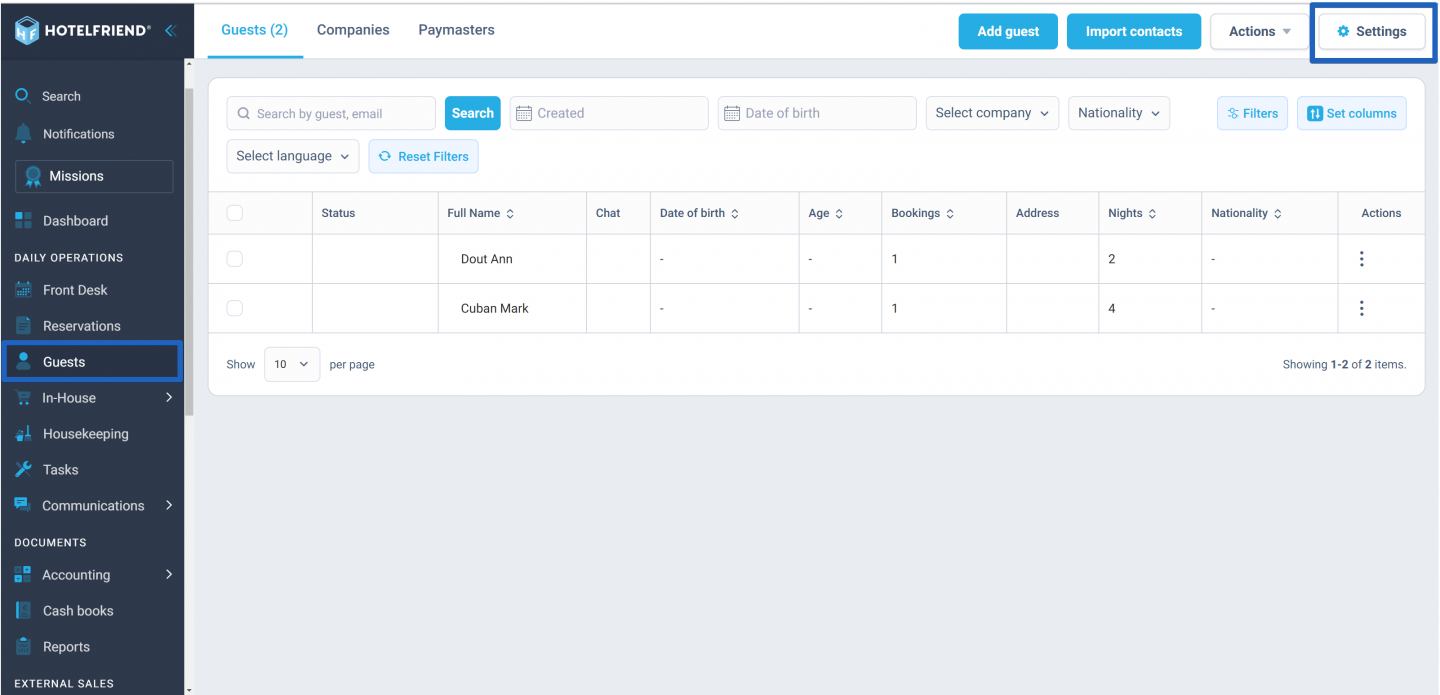
- In the menu on the left side of your dashboard, click on Guests module and select Settings.
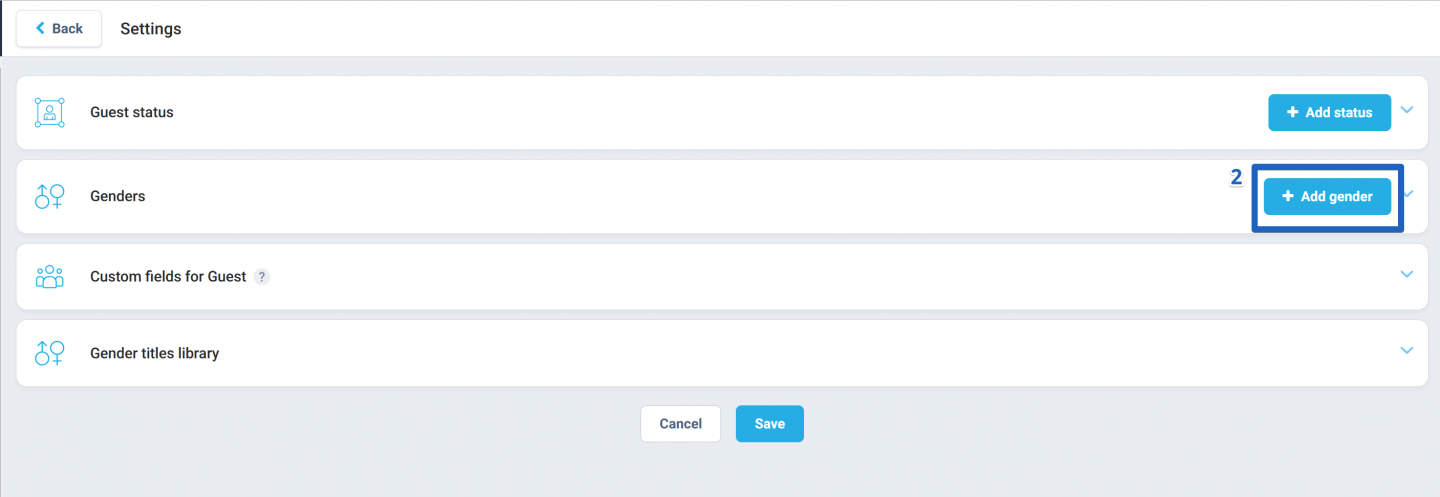
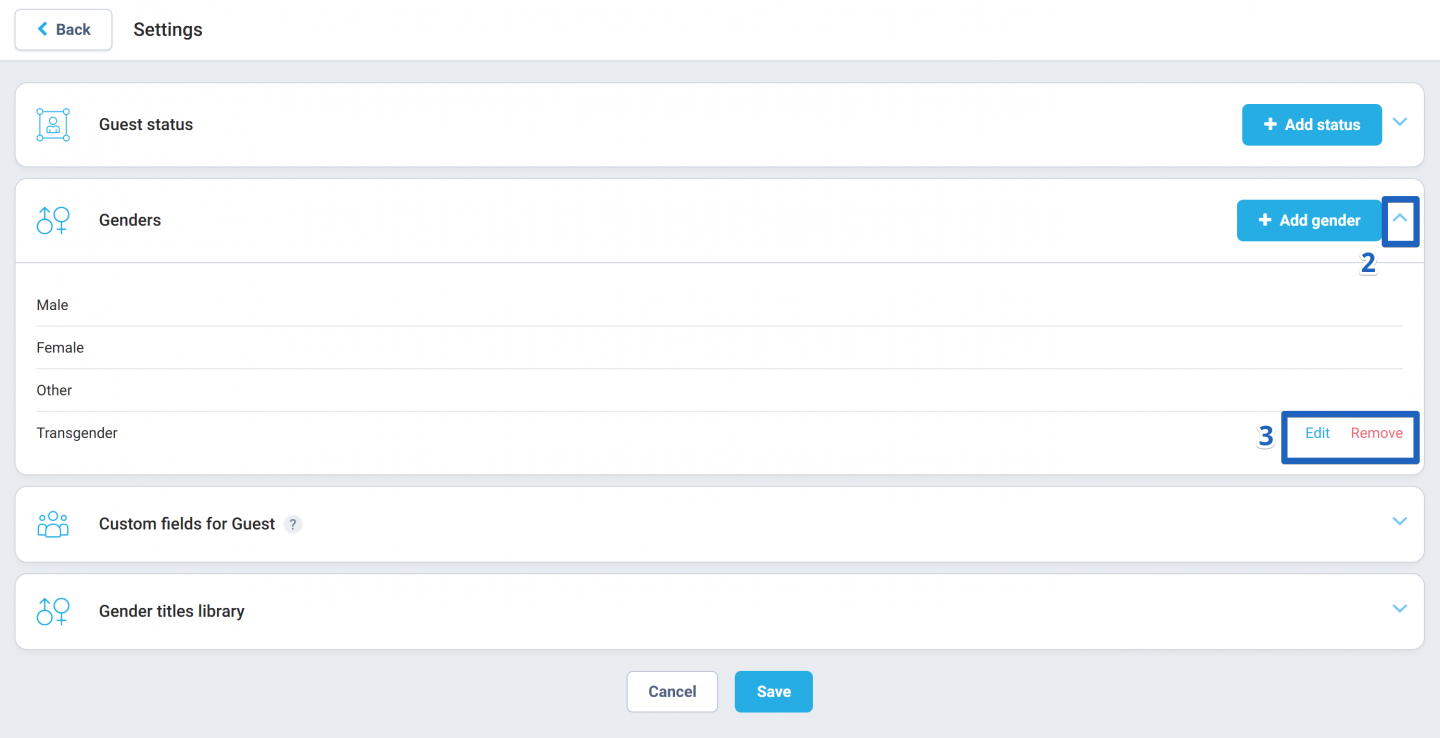
- In the Genders block, locate the + Add gender button and click on it.
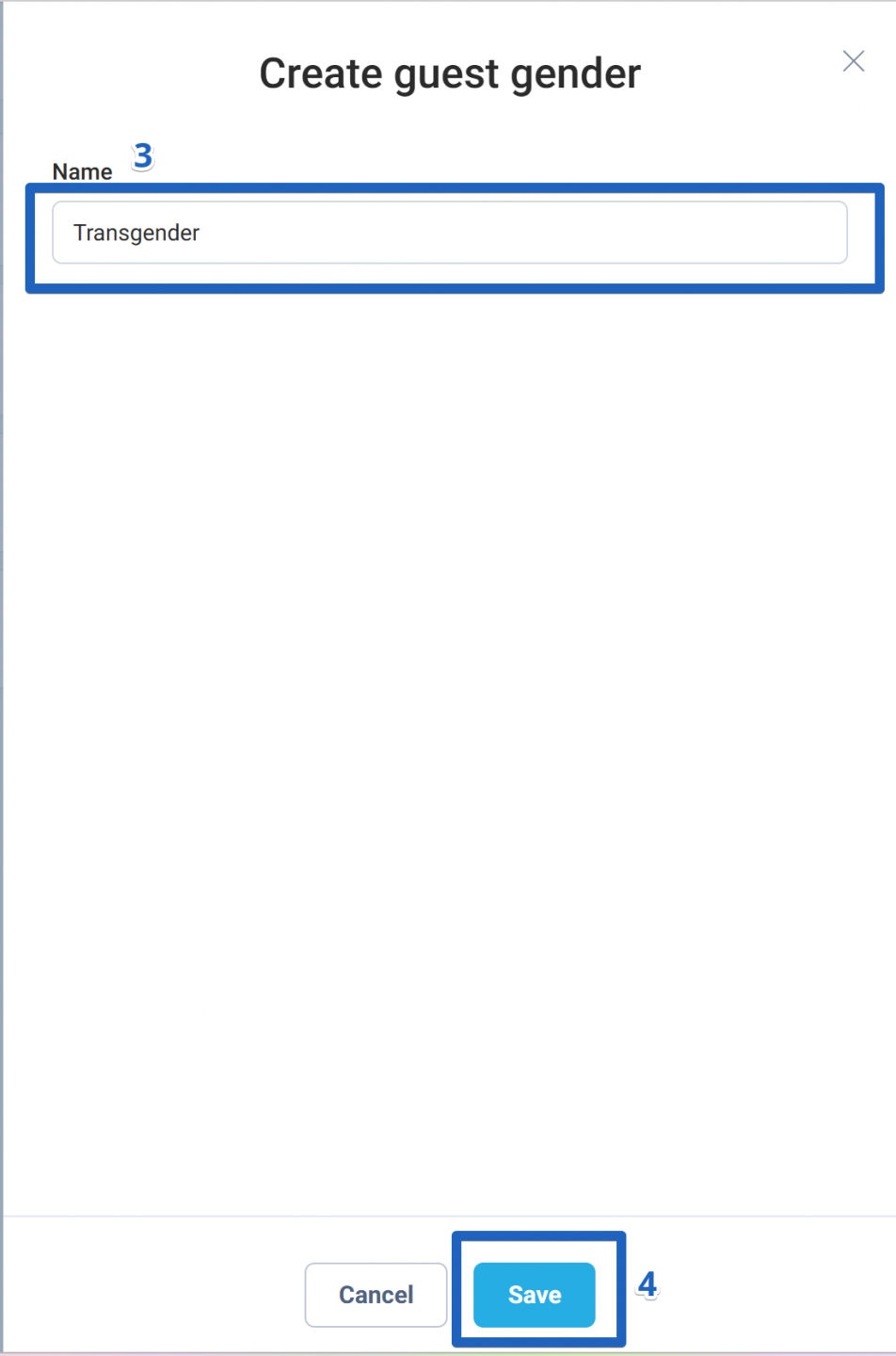
- A new window will appear where you can enter the desired gender identity term.
- Click Save to apply your changes.
After adding new gender identities, you can assign them to guests within their individual guest cards. These gender options can also be edited or removed from the system.
Editing or deleting gender options
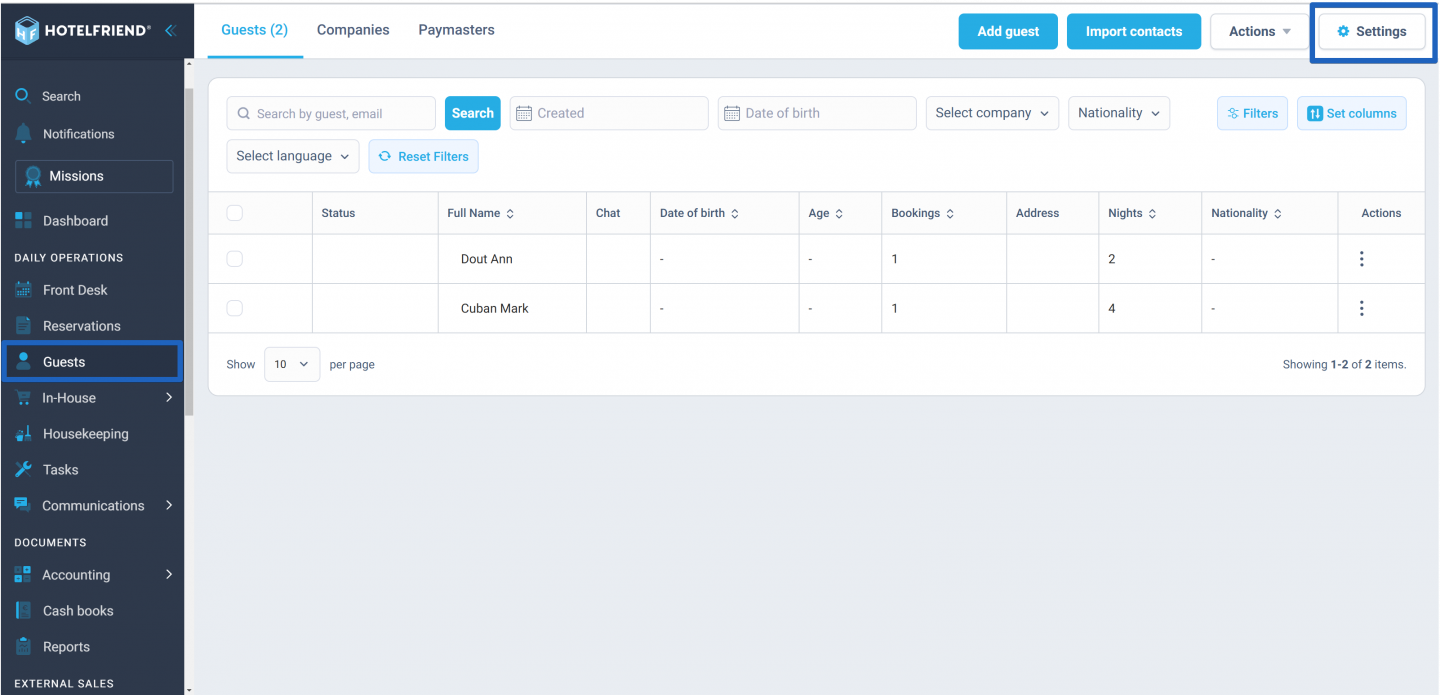
- In the menu on the left side of your dashboard, click on Guests and select Settings.
- Find the dropdown arrow near the + Add status button in the Genders block and click on it.
- Use the Edit and Remove buttons next to each gender option to make any necessary changes.
Author:

