

Customizing Emails in HotelFriend
You can improve how your emails look and feel by customizing them. In the Email Customization tab, you can adjust the color scheme and add unique text along with your business details to the email footer.
To customize your emails, follow these instructions:
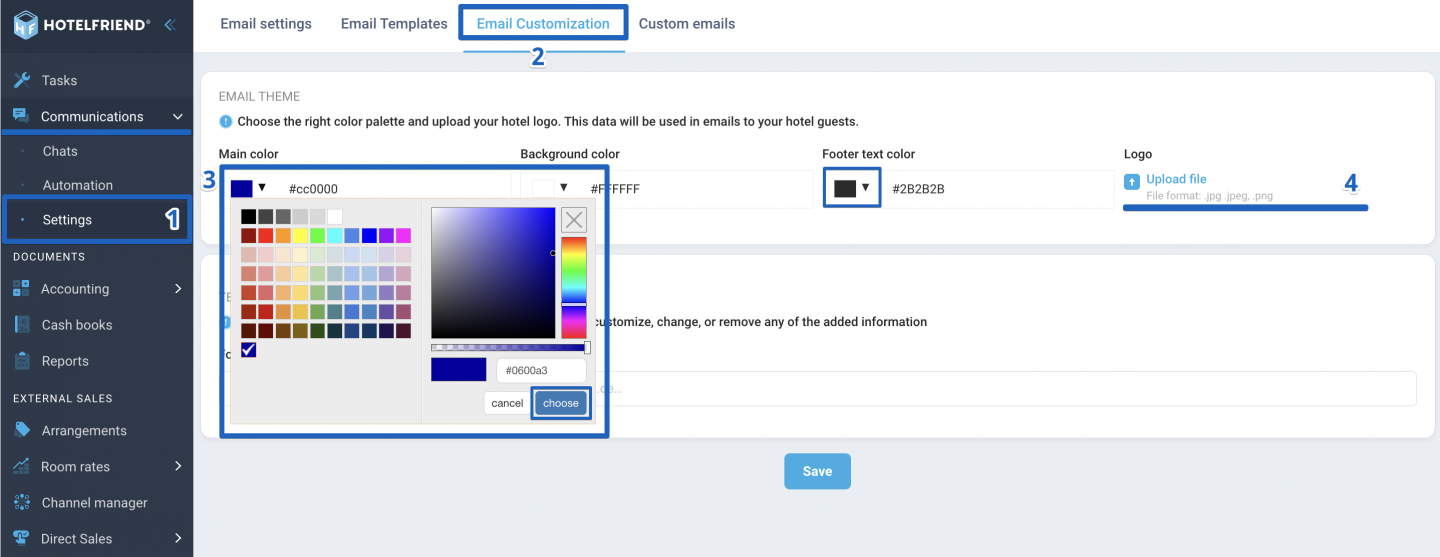
- From the menu on the left side, select Communications and then click on Settings.
- Go to the Email Customization tab.
- In the Email Theme block, select a preferred color scheme by either entering a color code or choosing your desired shade from the grid.
- Upload your logo by clicking on the Upload file and selecting the image from your device.
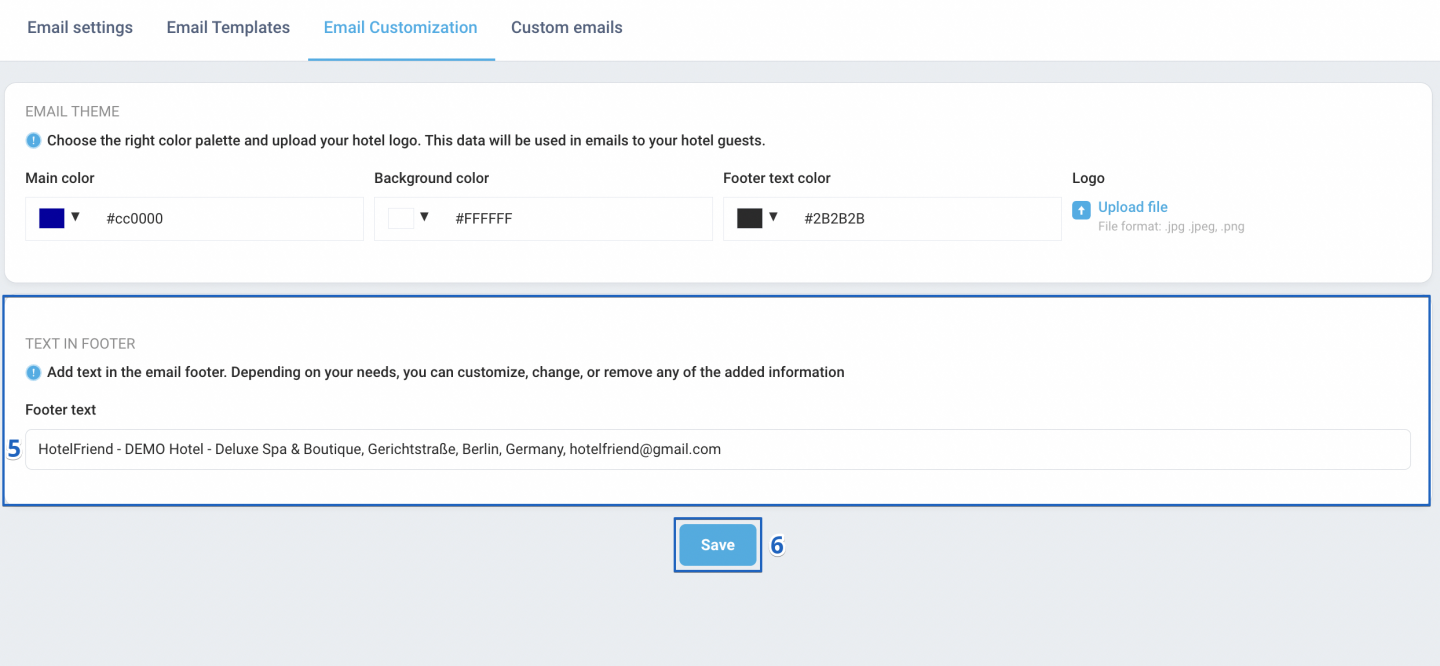
- Enter your desired text in the Text in footer block.
- Click the Save button to apply the changes.
Customizing emails is simple and straightforward with these steps. With all the necessary tools at your disposal, you're ready to start personalizing your email communications.
Author:

