

How to generate a City Tax Report
The City Tax Report is essential for informed decision-making and transparency. It provides a comprehensive analysis of current tax structures, revenue streams, and expenditures. This article will guide you through the steps to generate this report.
Follow these steps to create your City Tax Report:
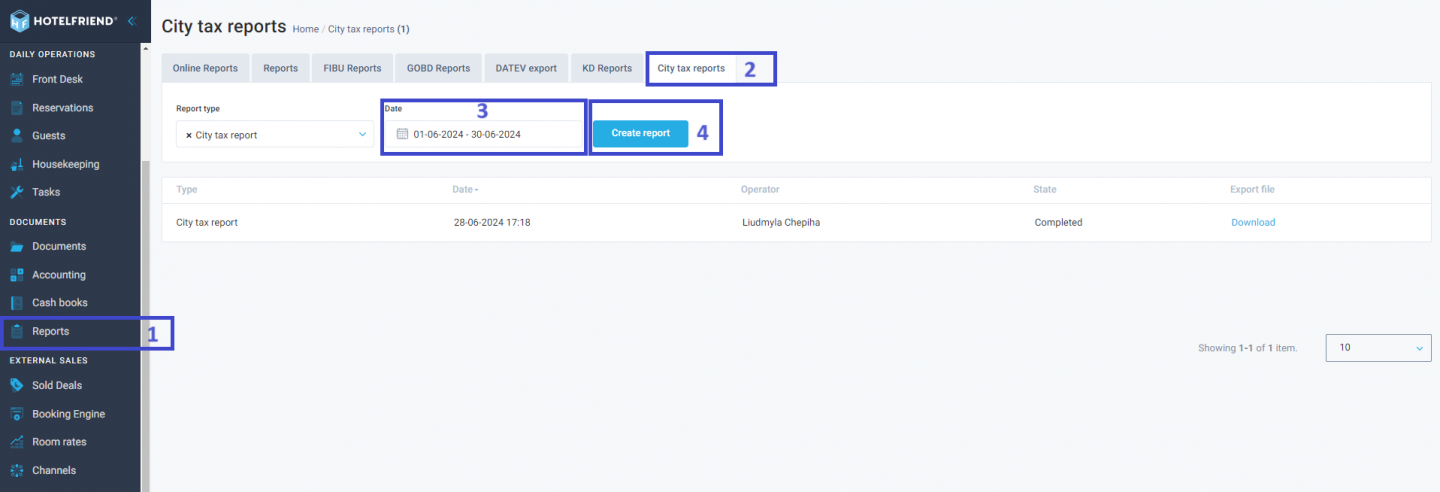
- Go to the main menu and select the Reports section.
- Within the Reports section, click on the City Tax Reports tab.
- Choose the Date parameter to configure the date range of the report.
- Click the Create Report button to generate the report.
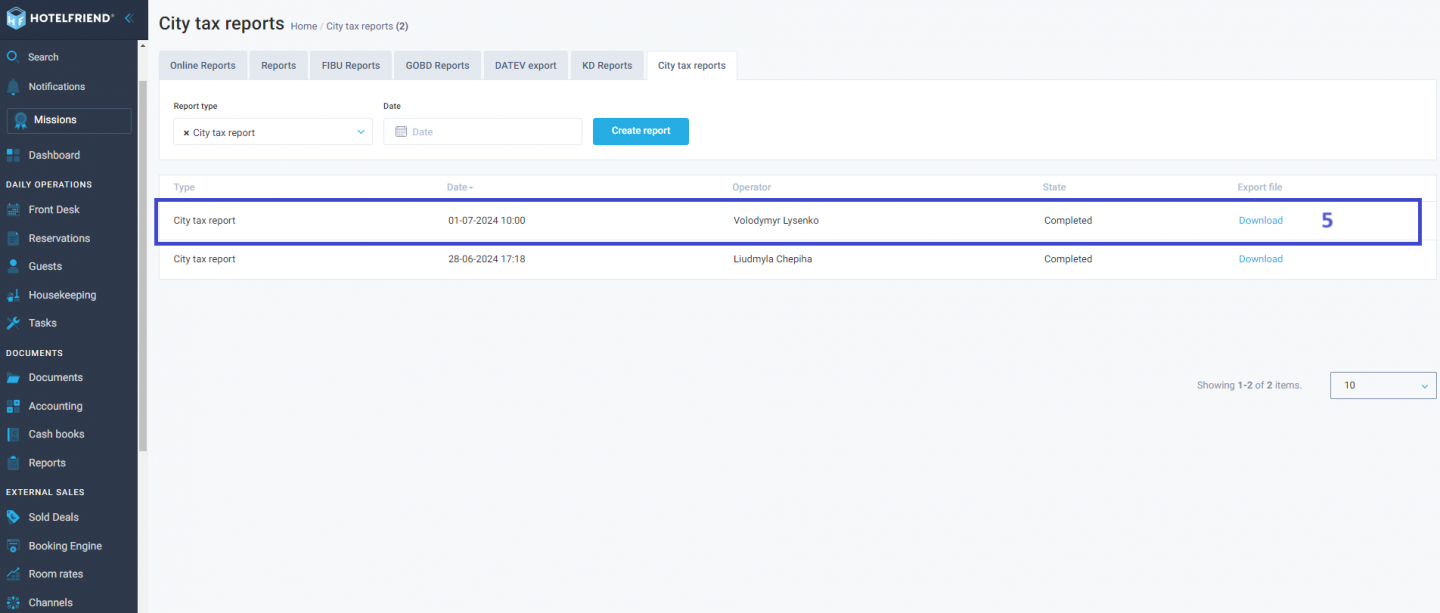
- Once the report is generated, click the Download button to view it.
Author:

