

How to add service categories
To manage your hotel's services more efficiently, you can group them into service categories. This makes it easier for both staff and guests to navigate available offerings. Creating service categories in HotelFriend hotel software is quick and straightforward.
Before you begin:
Make sure all necessary Departments have been created in your HotelFriend account under the Profile Settings section. You won’t be able to assign a category without the corresponding department in place.
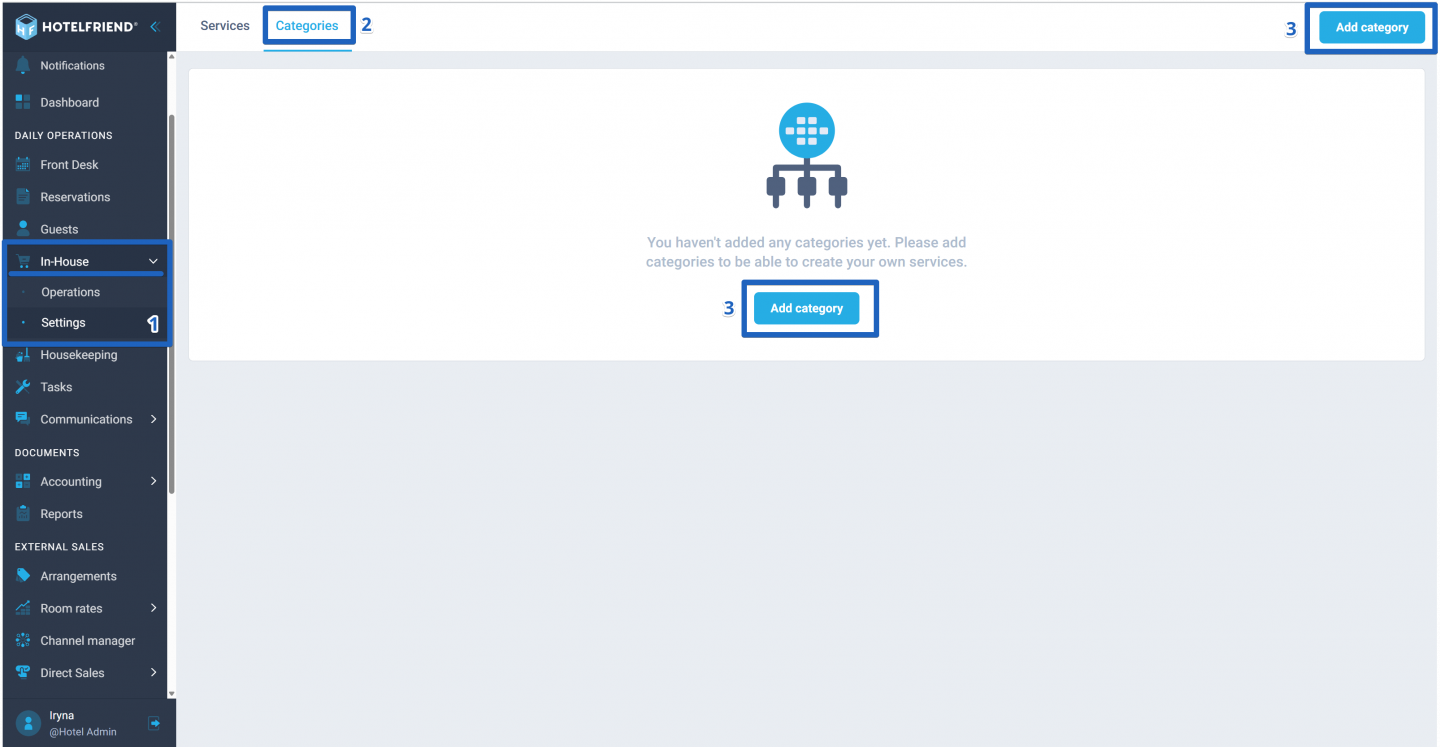
- In the menu on the left, click on the In-House module and choose Settings.
- Select the tab Categories.
- Click on the Add category button.
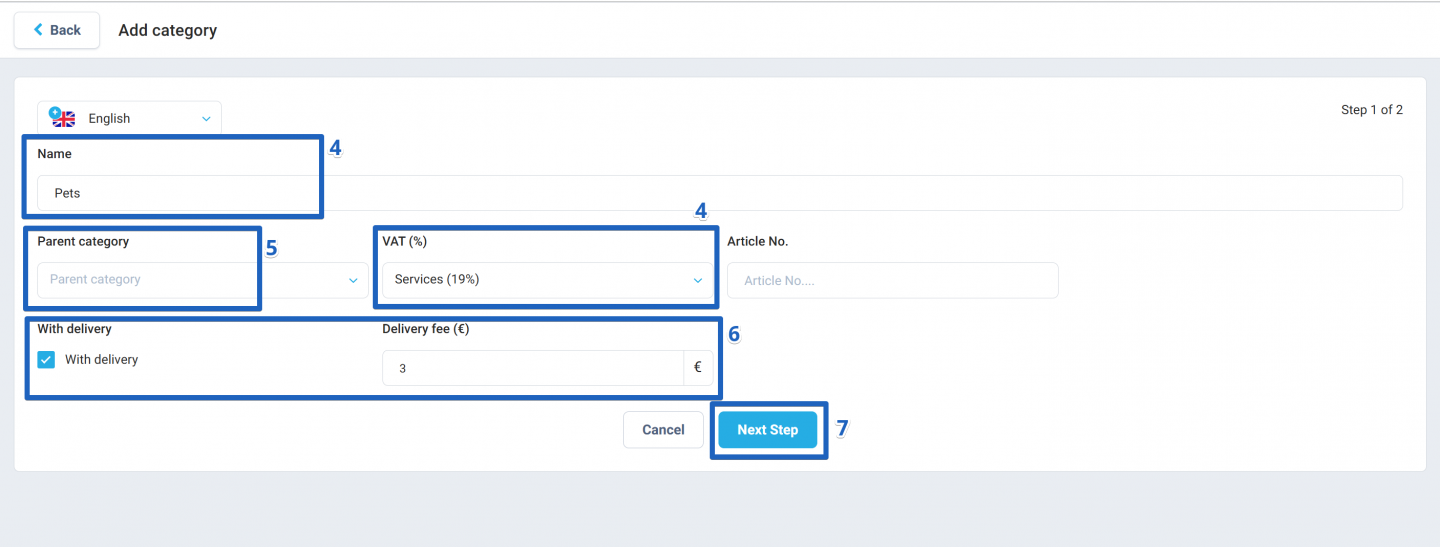
- Fill in the following fields: Name of category and VAT (%).
- You can nest this category under an existing one by selecting a Parent Category from the dropdown menu (e.g., Food, Wellness).
- If this category includes delivery services, tick the box With delivery and enter the Delivery Fee.
- Click on the Next Step button.
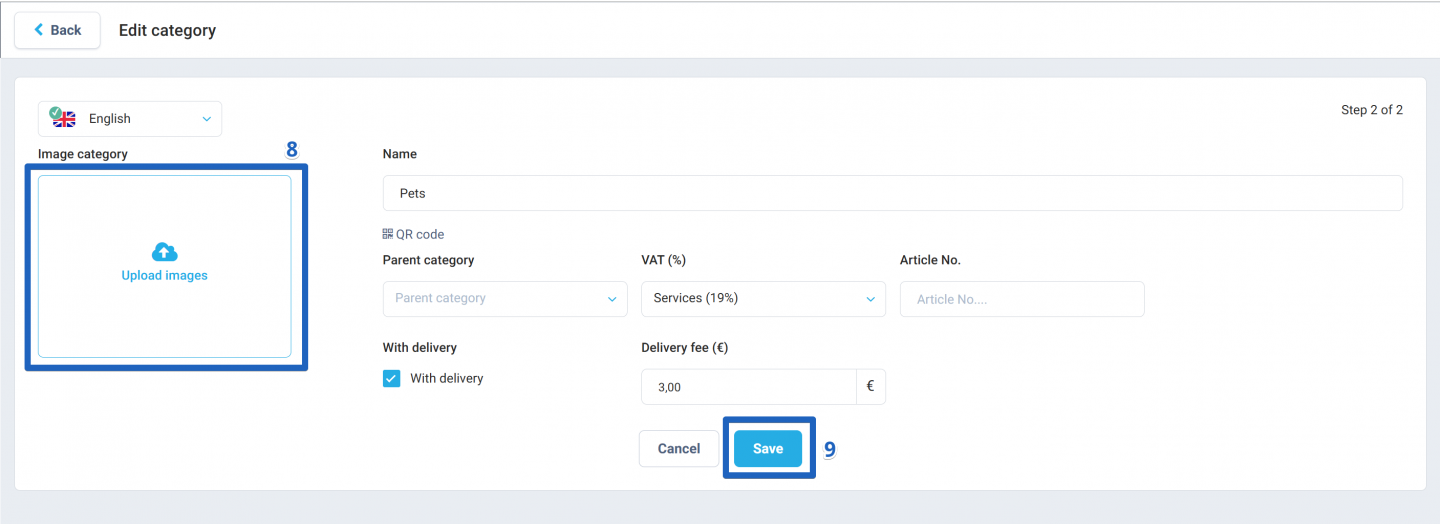
- The next step is to upload a photo to the category by clicking on the "Upload images" button.
- Click on the Save button.
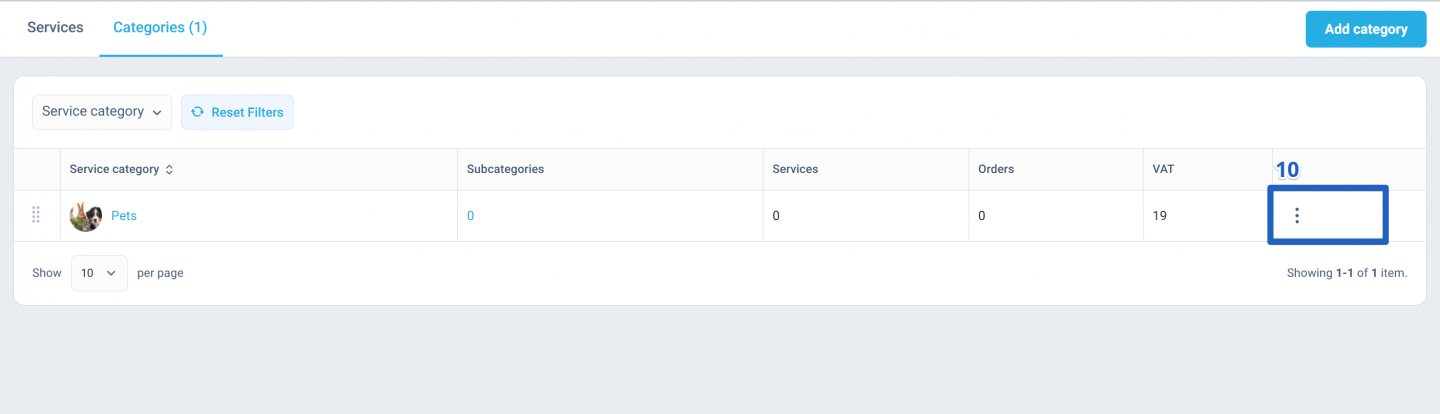
- Once created, categories can be edited or deleted at any time.
Important: Parent categories must already exist in the list to be selectable.
Author:

