

How to add a subcategory in Services
For the convenience of both guests and employees, you can organize all the services available in your hotel into categories and subcategories. This way you will be able to arrange services in the system just like in your hotel menu. For example, if you already have a service category called "Food", you can create a "Hot meals" subcategory for easier navigation.
Here is how to create a subcategory for any service category:
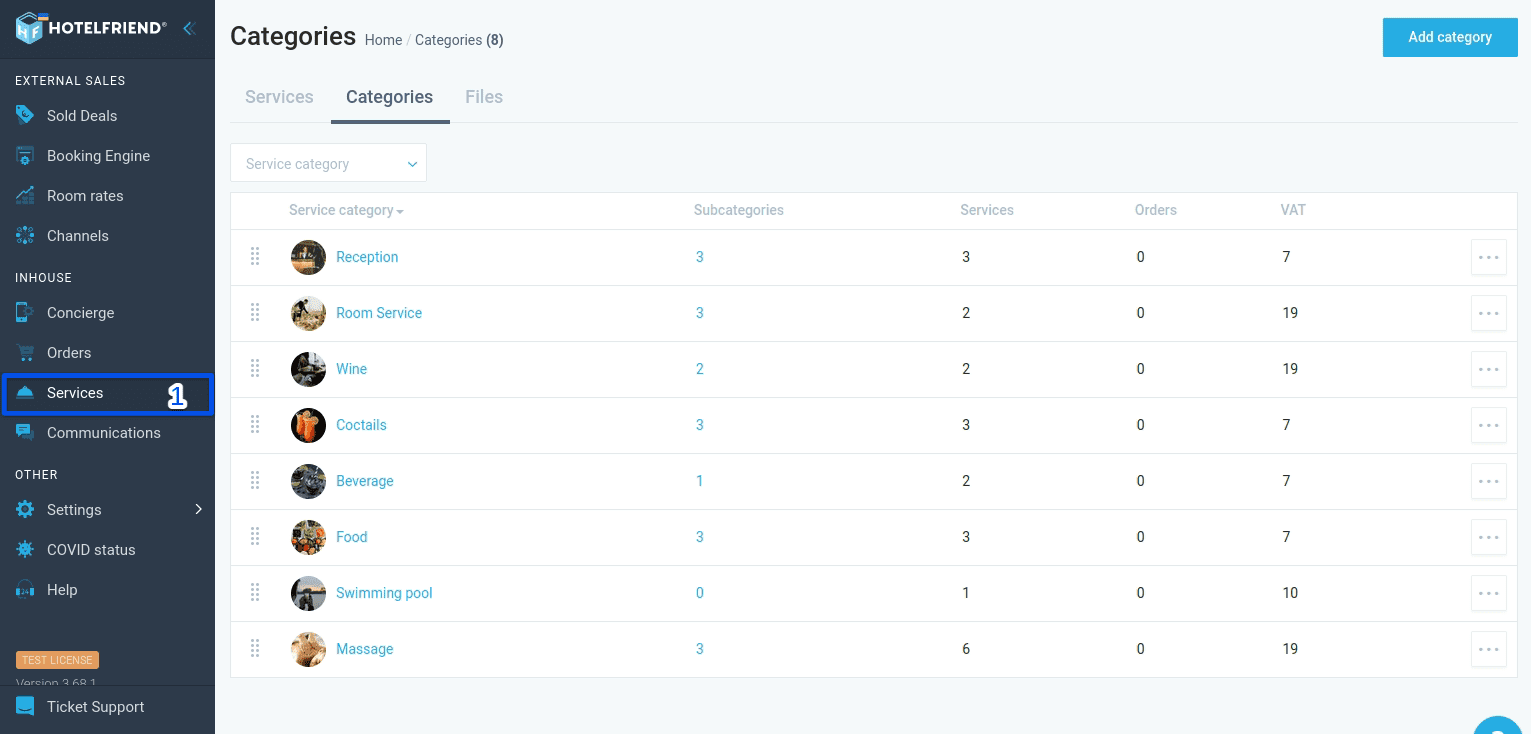
- Select Services in the menu on the left.
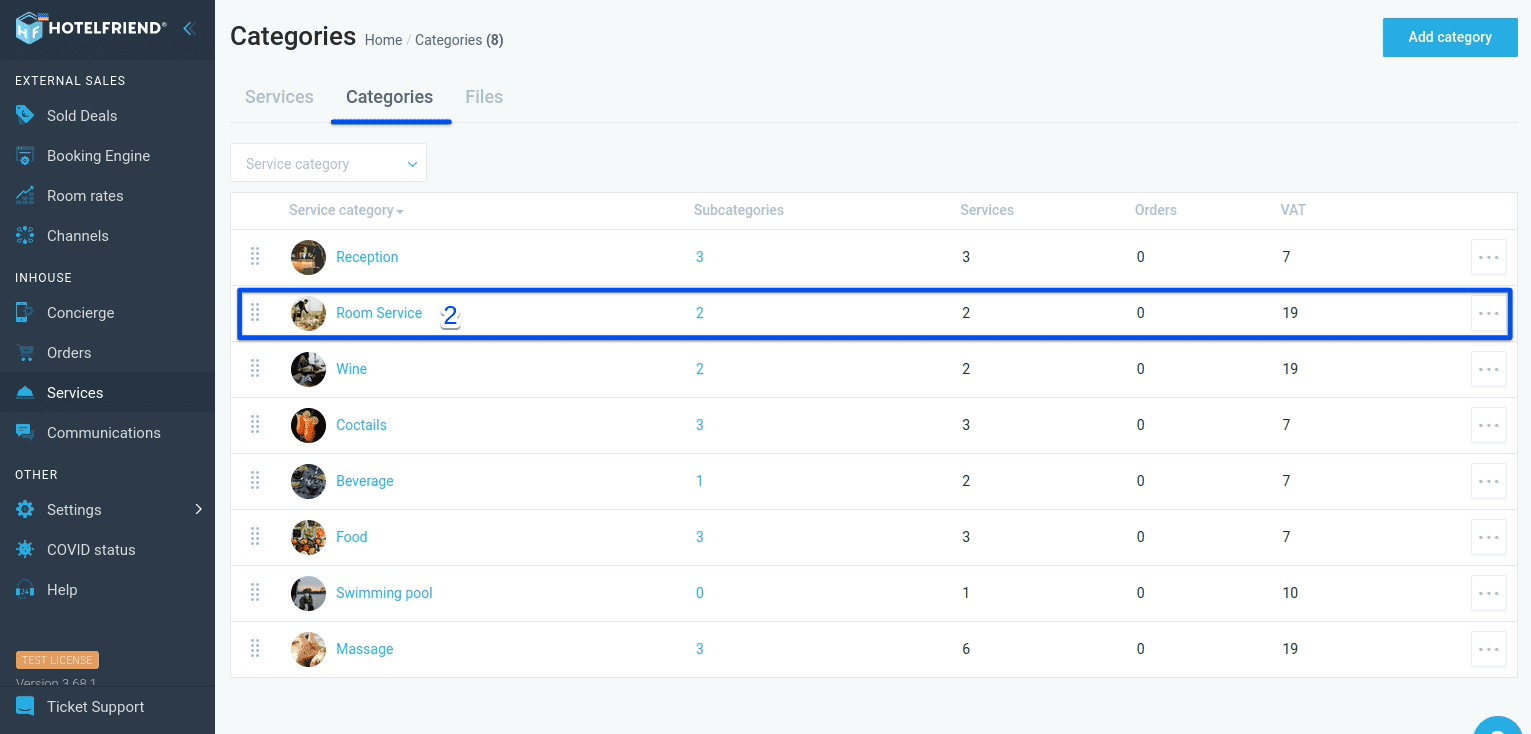
- Select the Categories tab and then choose the category that you want to add to a subcategory.
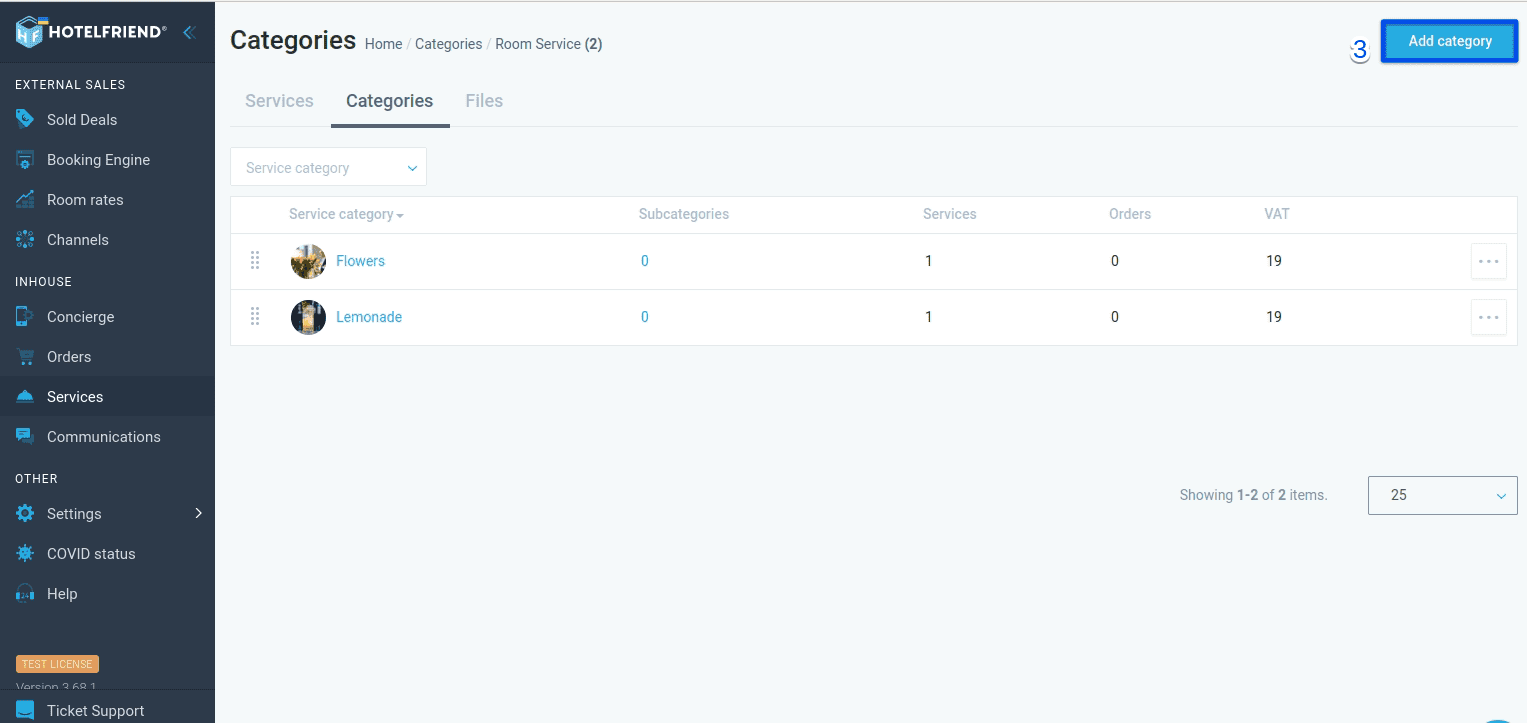
- Click Add category in the upper right corner.
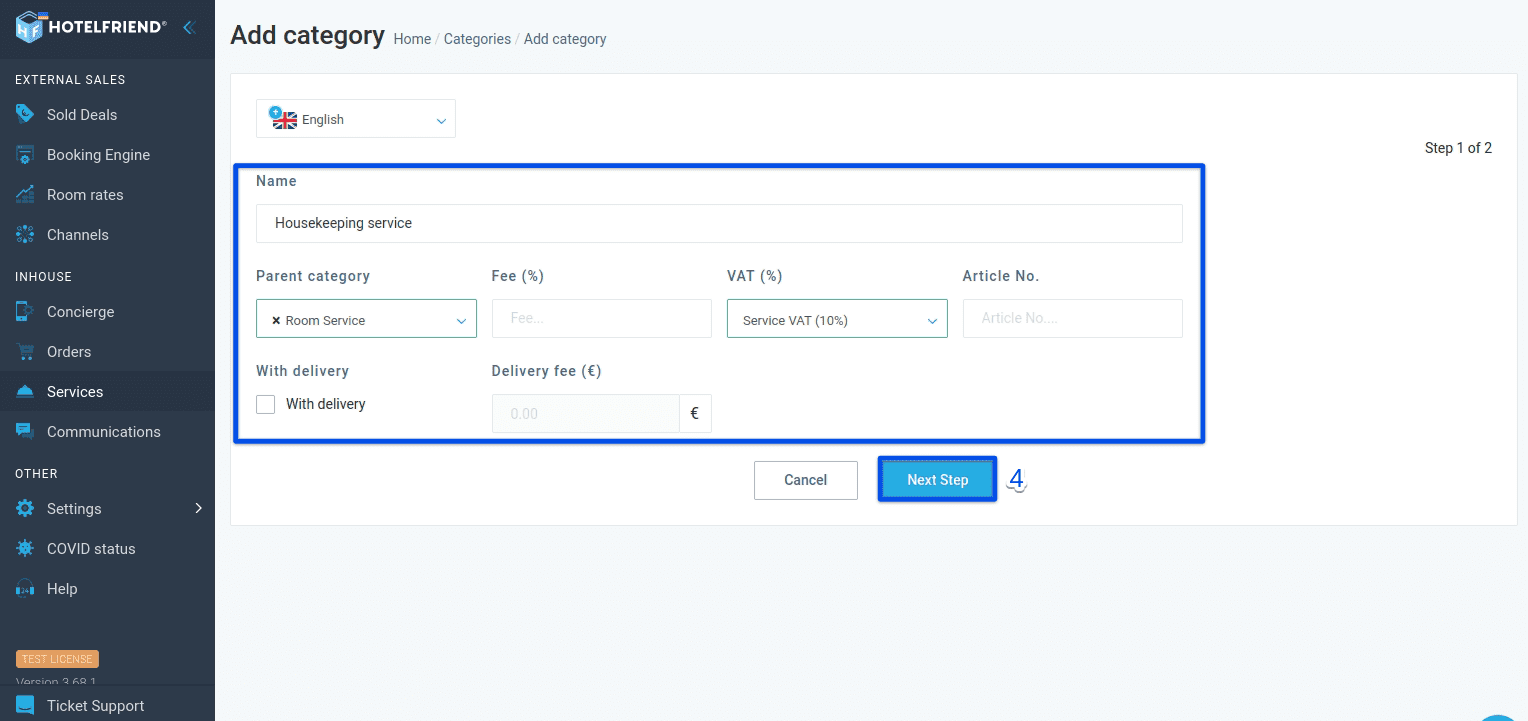
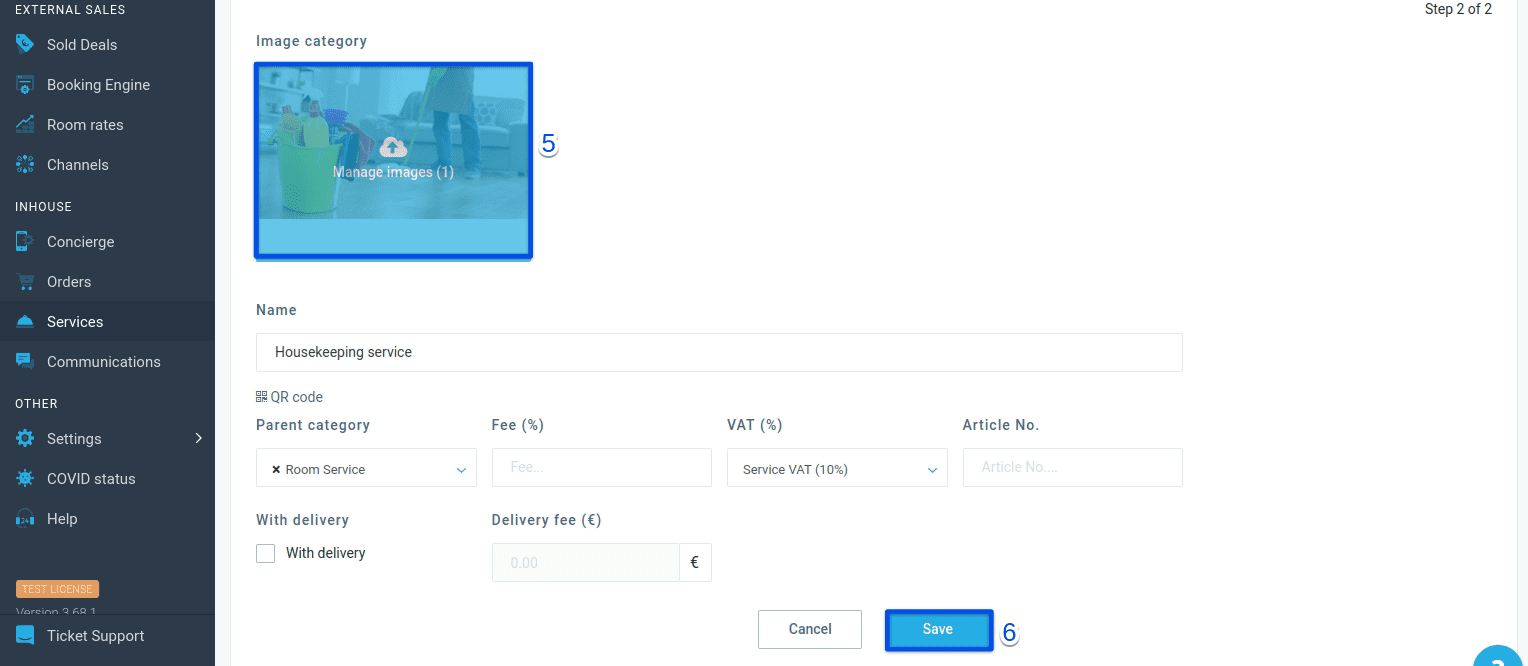
- Fill in the Name, VAT (%), select Parent Category from the drop-down list, and click Next Step.
- Upload photos for the subcategory by clicking Manage images.
- Select Save.
If you need any help or advice in creating subcategories for better service management, please contact our support team and we’ll do our best to assist you.
Author:

