

How to change VAT% in categories and subcategories of services
The variety of services offered in accommodation facilities is quite wide and the VAT of certain categories/subcategories of services may differ from each other. You can always edit this information in the settings of categories and subcategories of services.
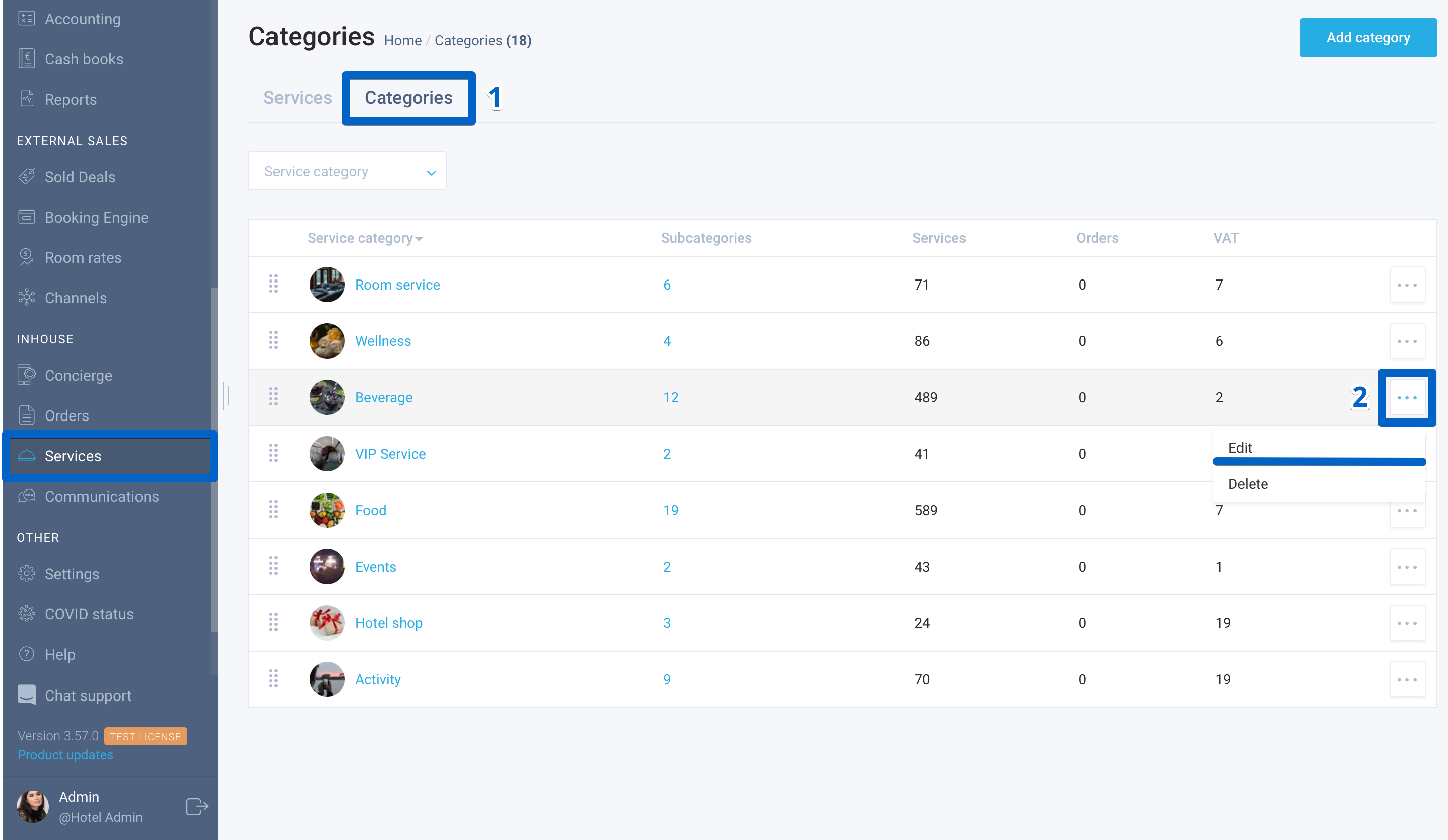
Here is how to edit VAT% in a service category
- Select the Services module in the left-side menu and go to the Categories tab.
- In the action menu, select the Edit function near the category.
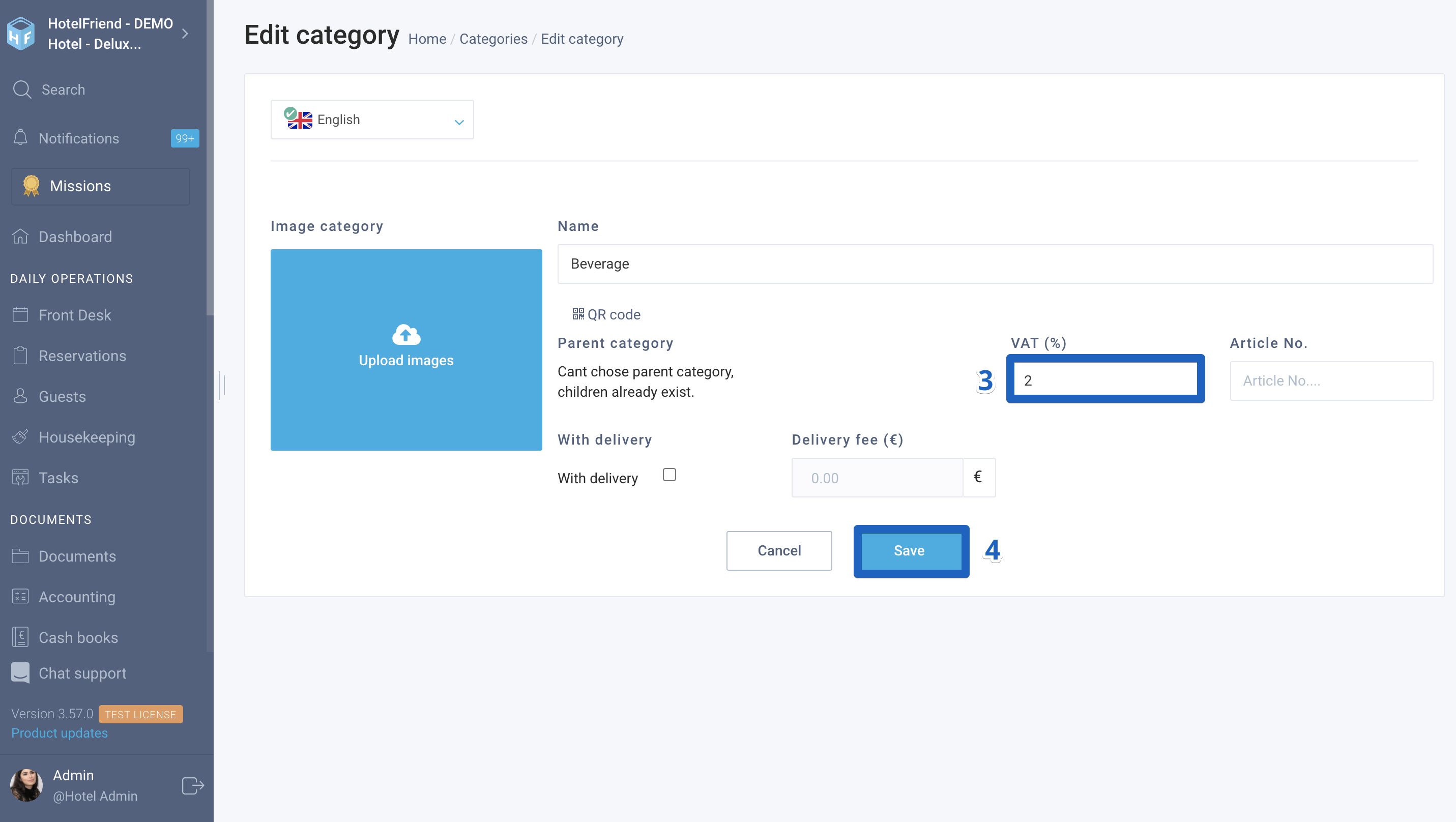
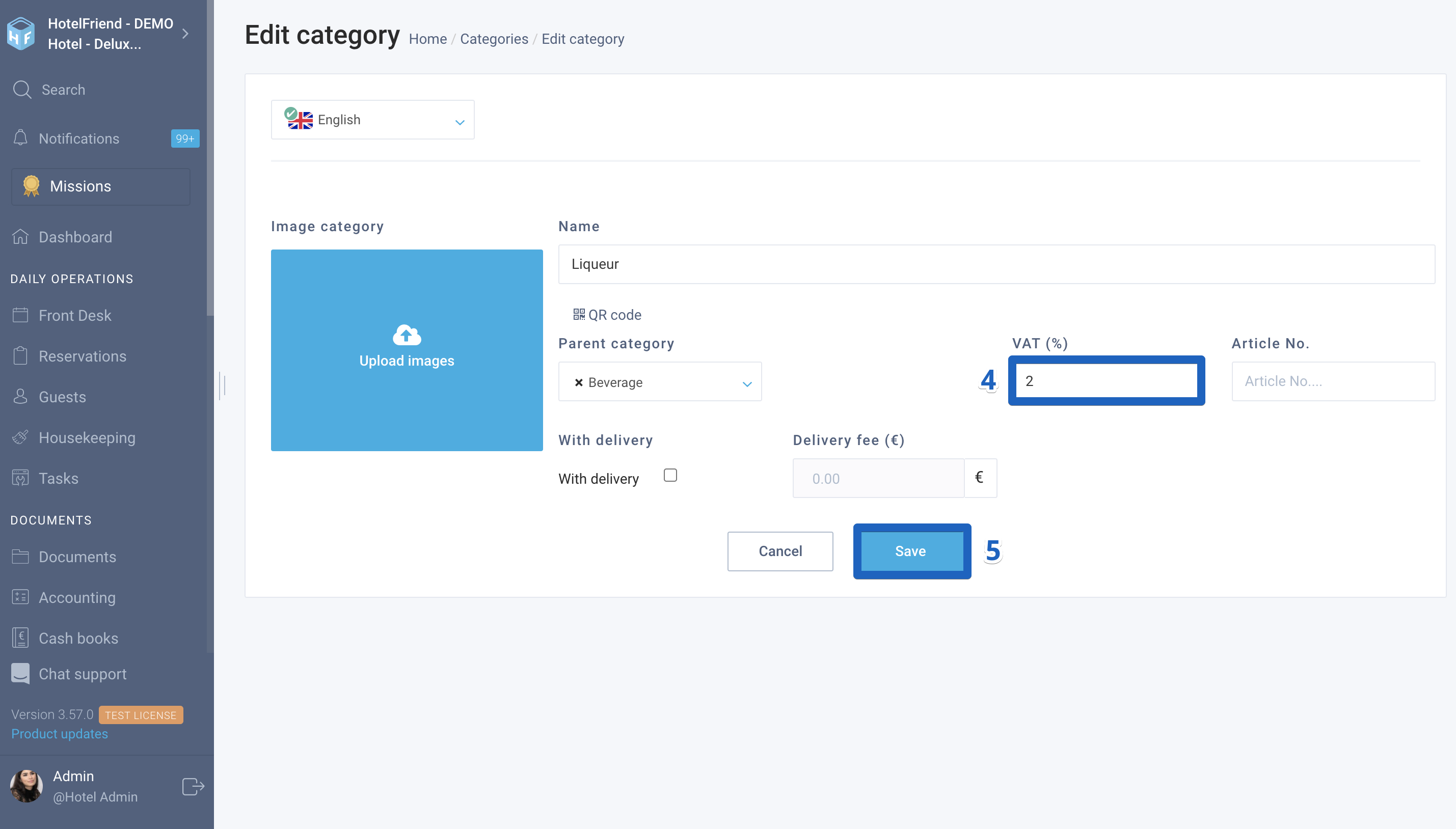
- In the window that opens, specify the actual percentage in the VAT% field.
- Click on the Save button.
Here is how to edit VAT% in a service subcategory
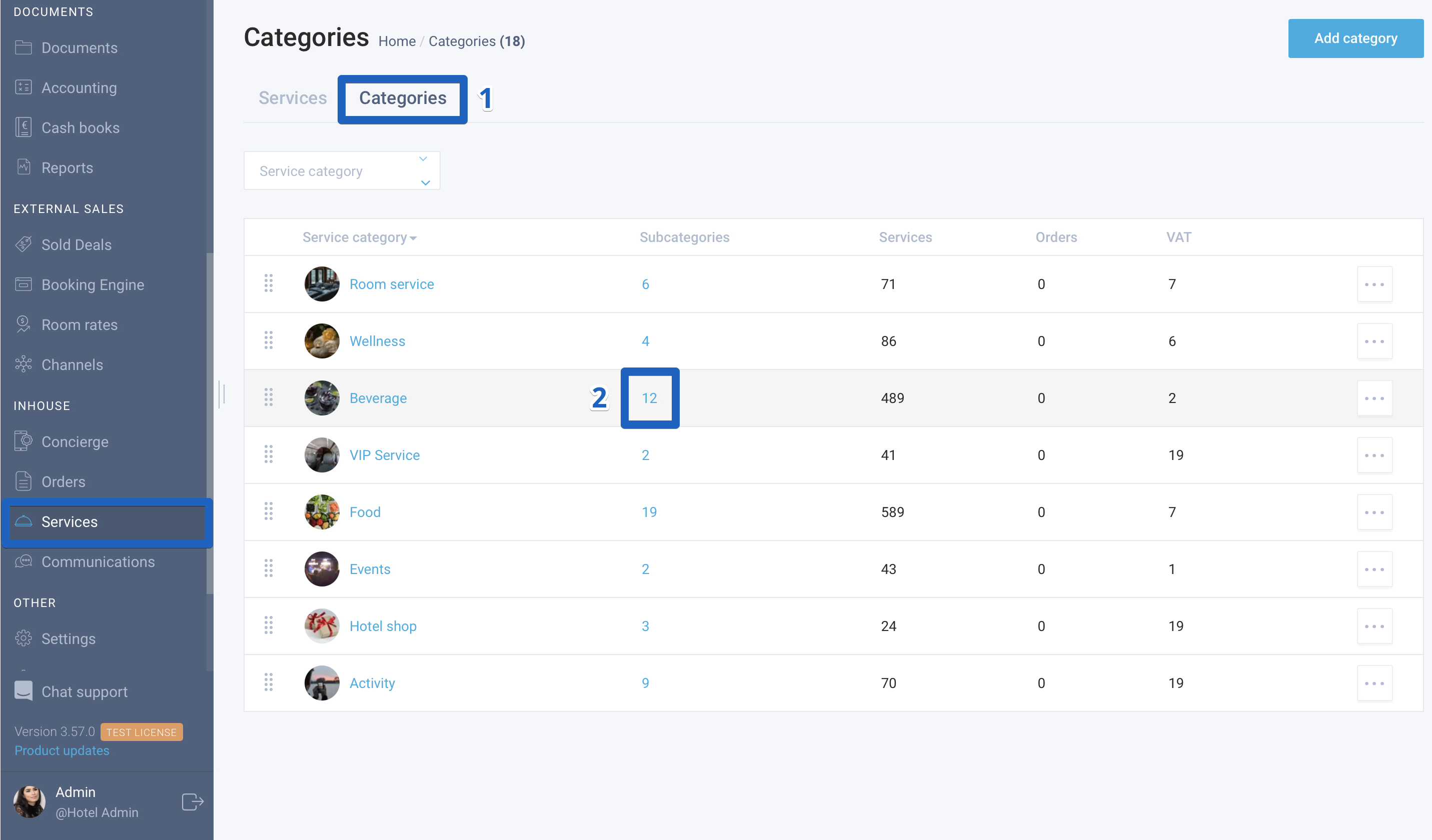
- Select the Services module in the left-side menu and go to the Categories tab.
- Near the category, click on the number of the subcategory to see the entire list of subcategories that belong to the selected category.
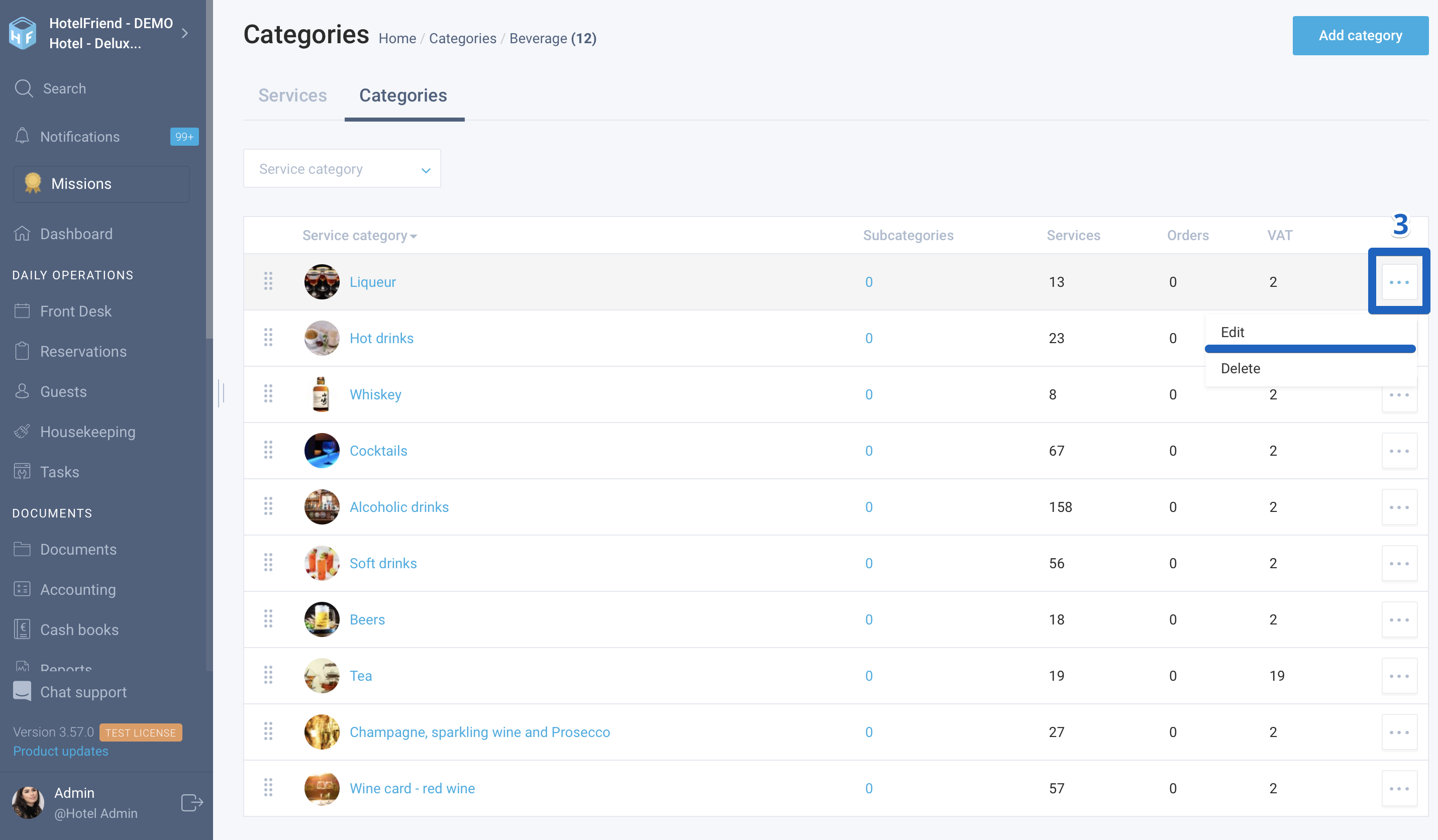
- Select the Edit function in the action menu.
- In the window that opens, specify the actual percentage in the VAT% field.
- Click on the Save button.
Author:

