

How to configure Sales restrictions and Stock availability for Packages & Arrangements
When creating or editing a package or arrangement in the HotelFriend system, you can define stock availability and set sales restrictions. These settings help you manage the number of packages available for sale and determine specific periods or days when the package can or cannot be booked.
To configure these settings, here is what you need to do:
- Navigate to the Arrangements module.
- Go to the Packages tab.
- Select the desired package from the list, or use the search field to find it quickly.
- Click on the three-dot menu next to the package and choose Edit.
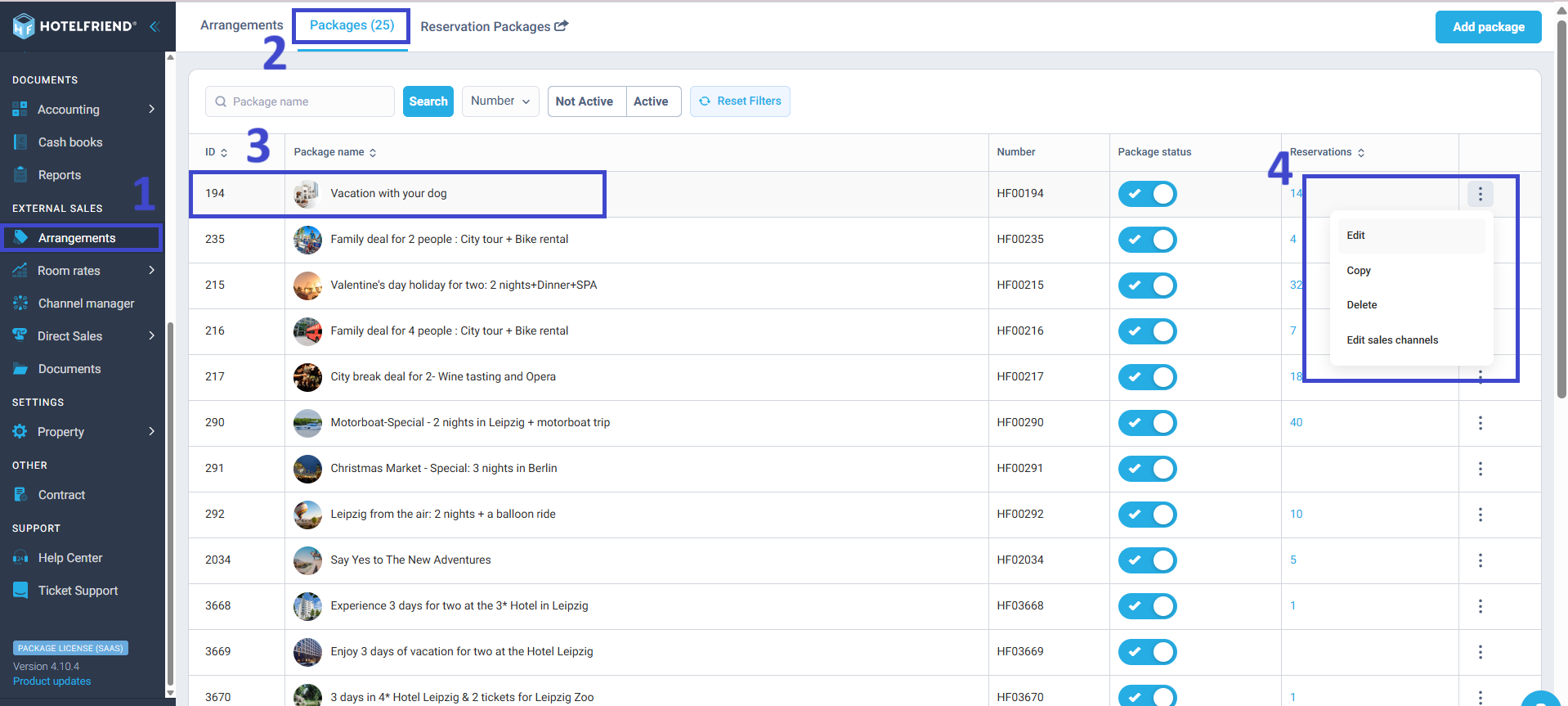
Setting up sales restrictions
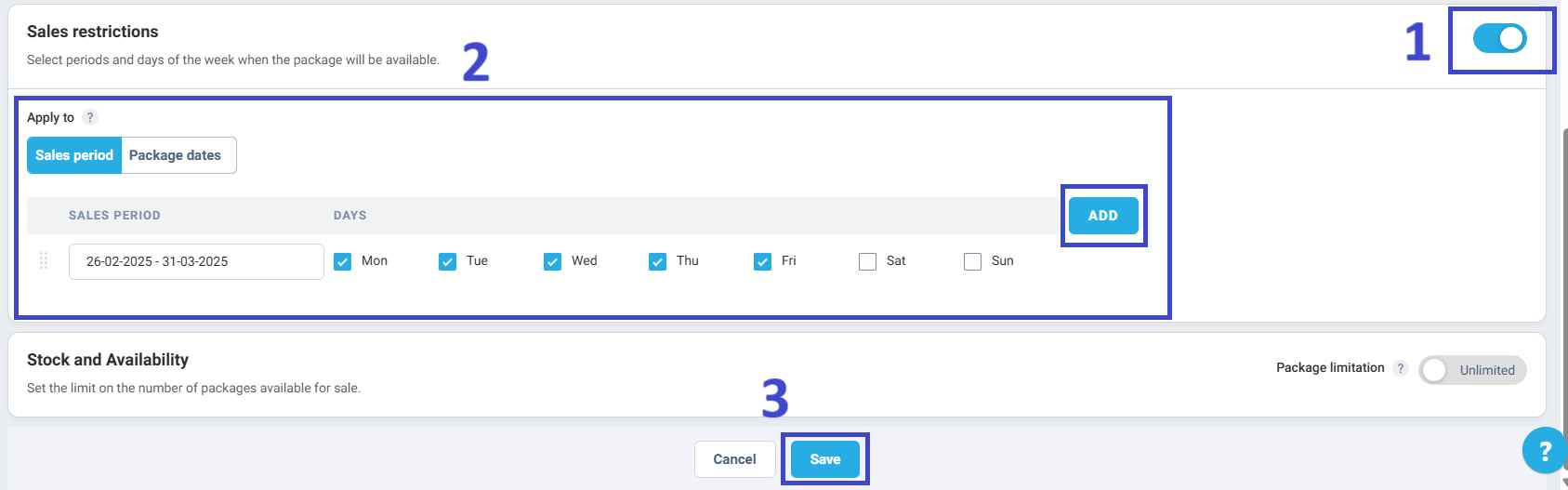
- Scroll down to the Sales restrictions section and enable the toggle to activate this option.
- Under “Apply to,” choose one of the following restriction types:
- Sales period – allows the guest to freely choose check-in and check-out dates within the specified range.
- Package dates – fixes the check-in and check-out dates for all guests within the defined timeframe.
- Click Save to apply the changes.
Enter the desired date range and/or select the weekdays when the package should be available.
You can add more sales periods by clicking the Add button. To remove any, simply click the minus (-) icon beside them.
Defining stock and availability limits
- Scroll to the Stock and Availability section and enable the
Package limitation toggle. - In the Quantity field, enter the maximum number of packages available for sale.
- From the Limit period dropdown, choose whether this limit applies per day or in total.
- Click Save to apply your changes.

Author:

