

How to create a deferred payment
A deferred payment is an agreement to delay a payment partly or completely until a later date.
You can specify a date of a deferred payment when creating an invoice. However, keep in mind that this feature is only available for the “Bank Transfer” payment method.
Here is how to create a deferred payment in our system:
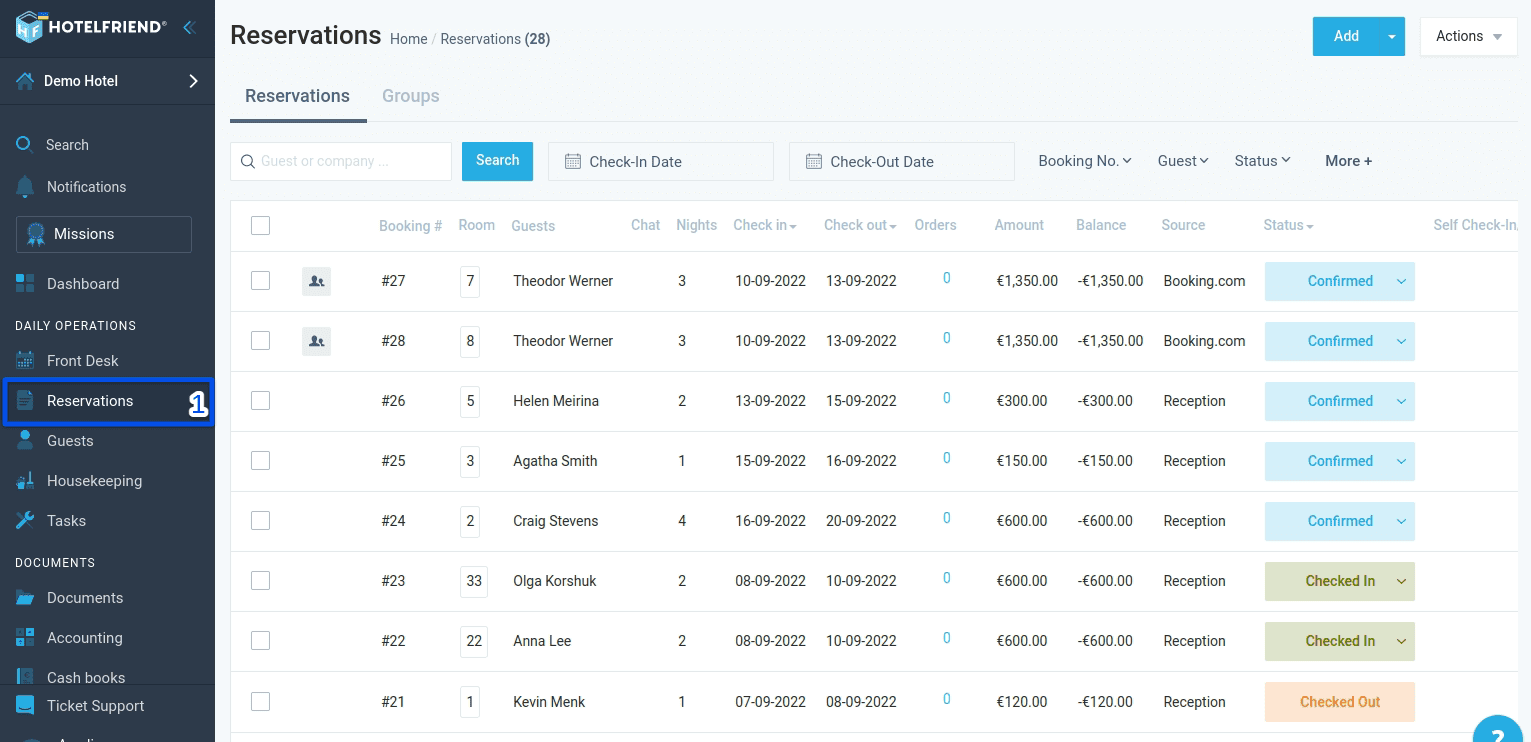
- Select Reservations in the menu on the left.
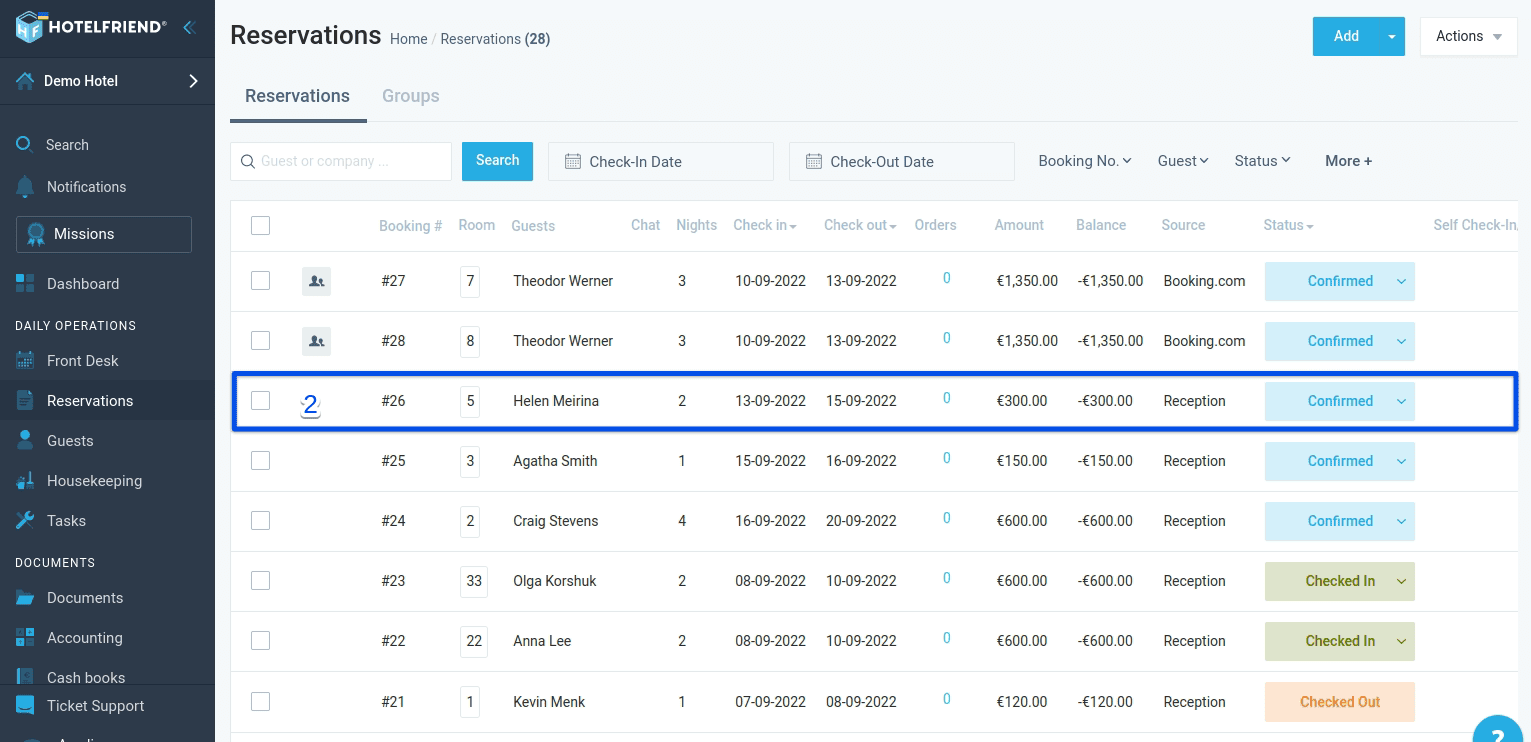
- Find the necessary booking in the list and click on it.
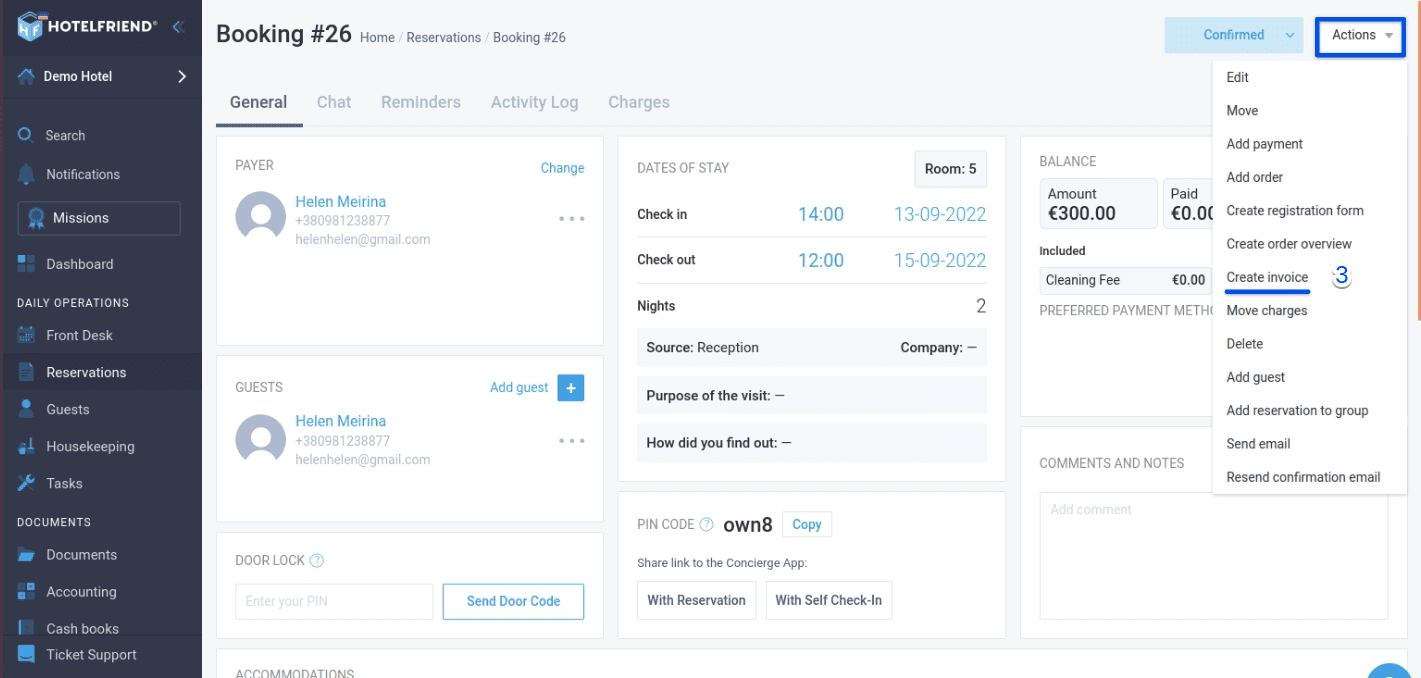
- Select Create invoice in the action menu.
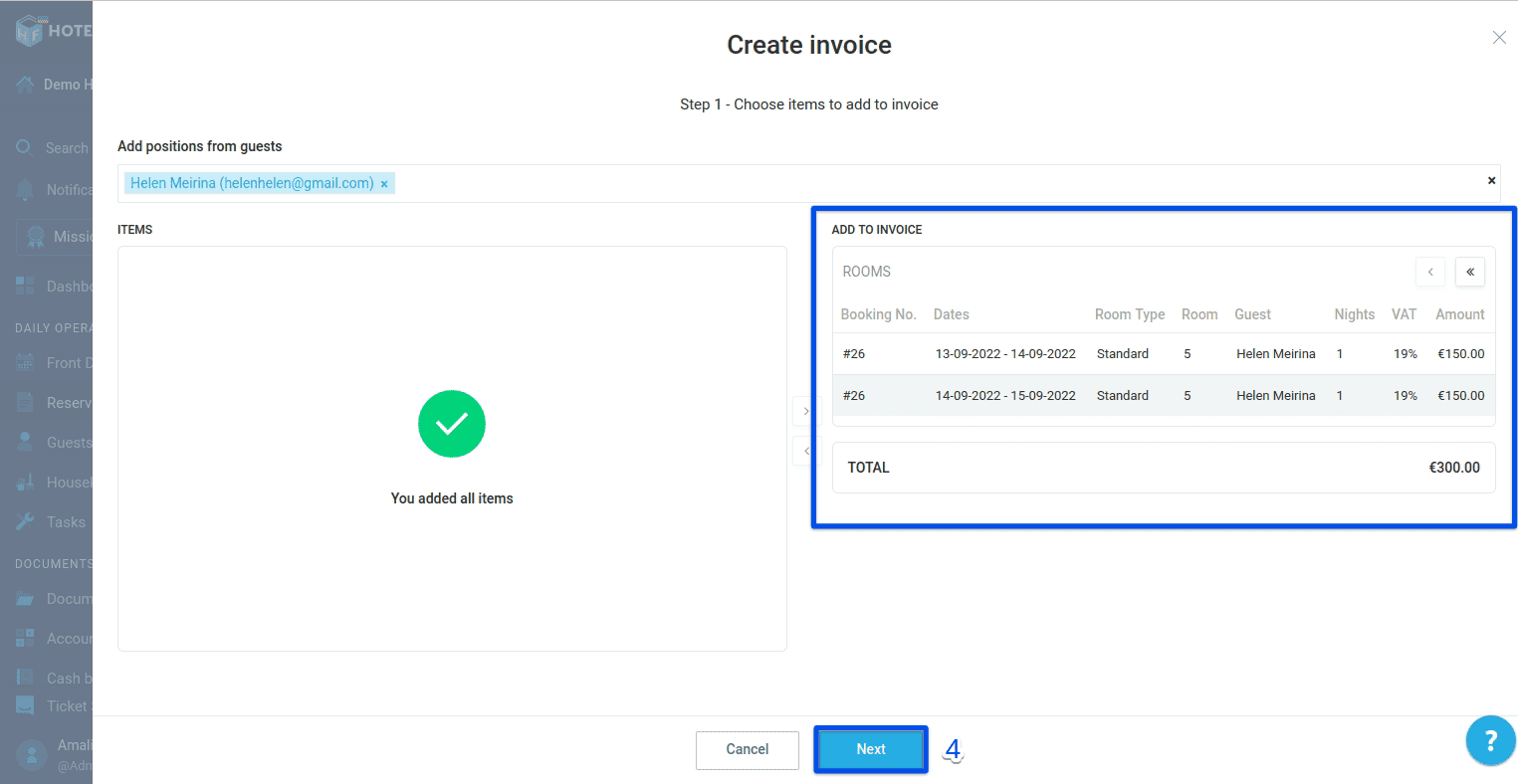
- Select the services that you want to include in the invoice and click Next.
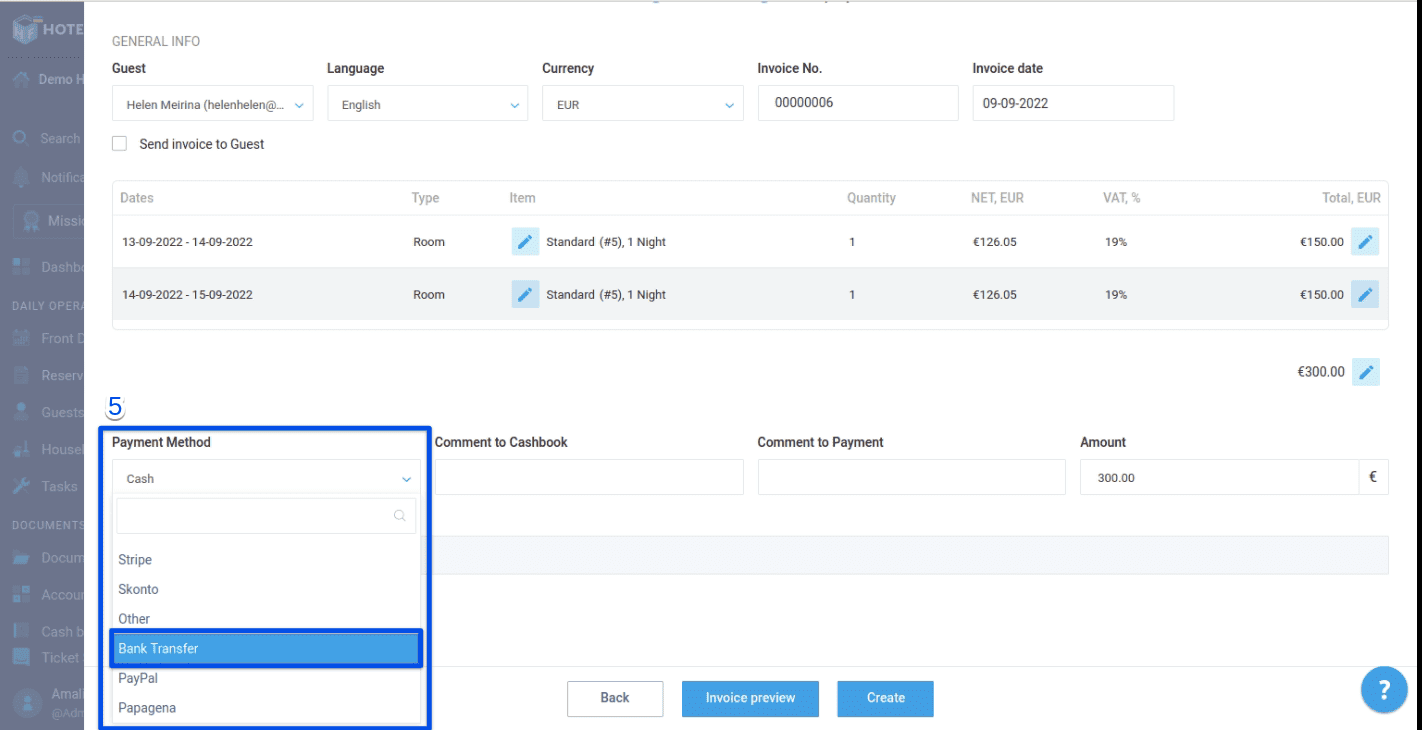
- In the “Payment Method'' field, select Bank Transfer.
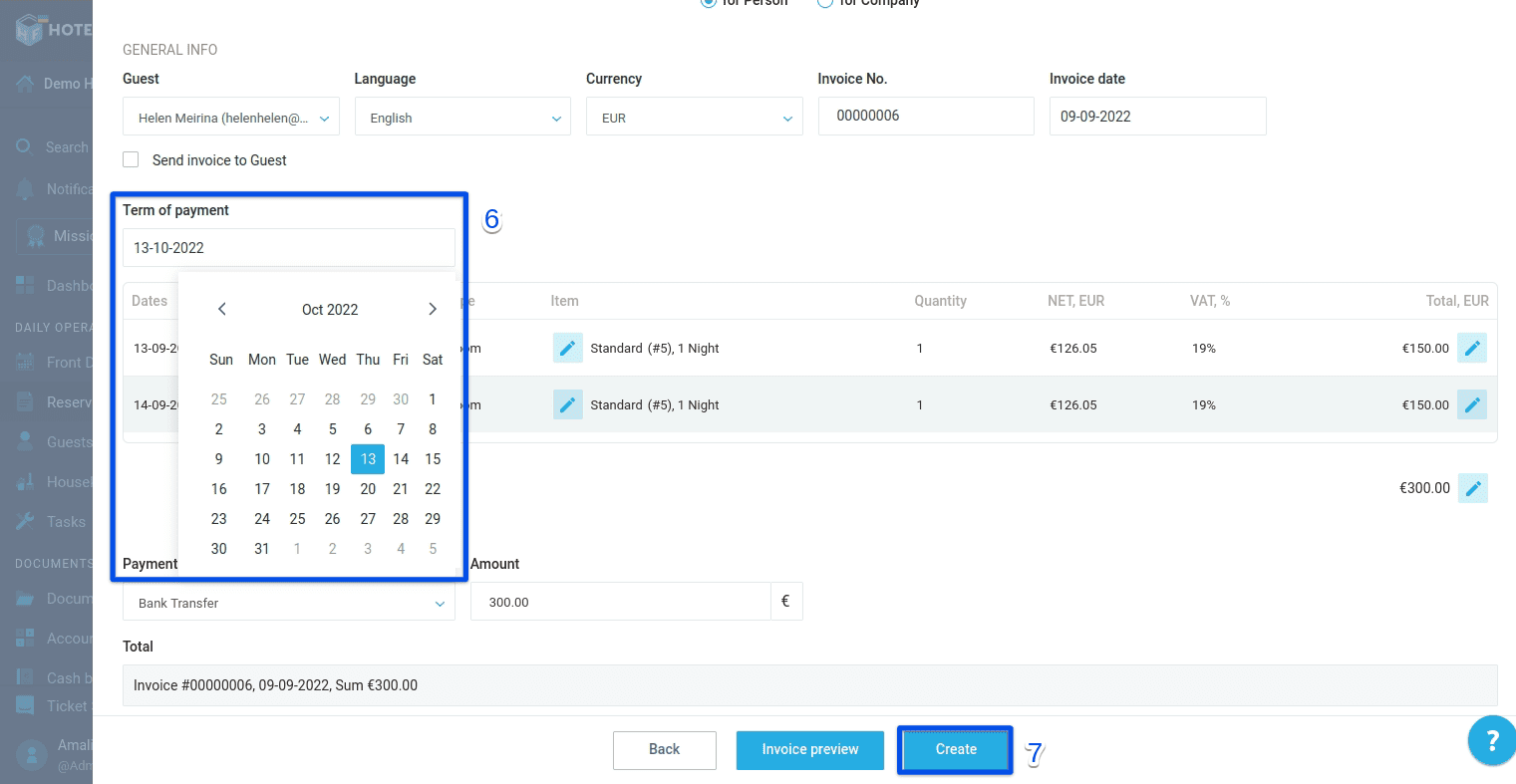
- In the “Term of payment” field, specify the date of the deferred payment.
- Verify the information and click Create.
If you need any help or advice in managing payments and invoices, please contact our support team and we’ll do our best to assist you.
Author:

