

Guest Import
To import guest data, you must first prepare it.
- File Structure: The imported file (CSV preferred, XLS, XLSX) can contain the following fields:
- First name; Last name; E-Mail; Phone;
- Country; Region; City; Address; Postal code;
- Date of birth; Language; Nationality;
- Place of issue; Remark;
- Housekeeping note; Meal note;
- Gender; Title; Guest ID.
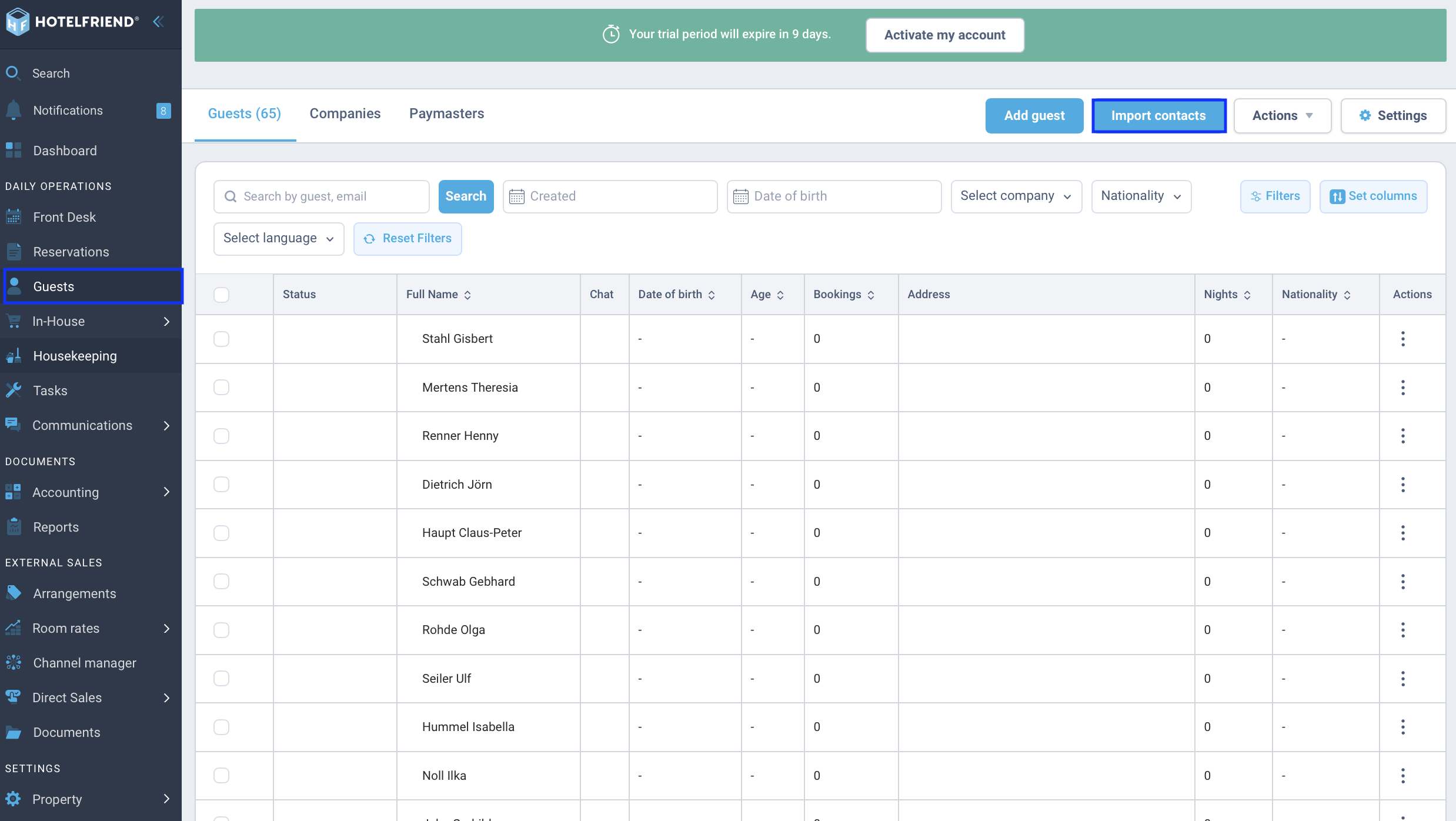
- In the menu, click on Guests and then on the Import contacts button.
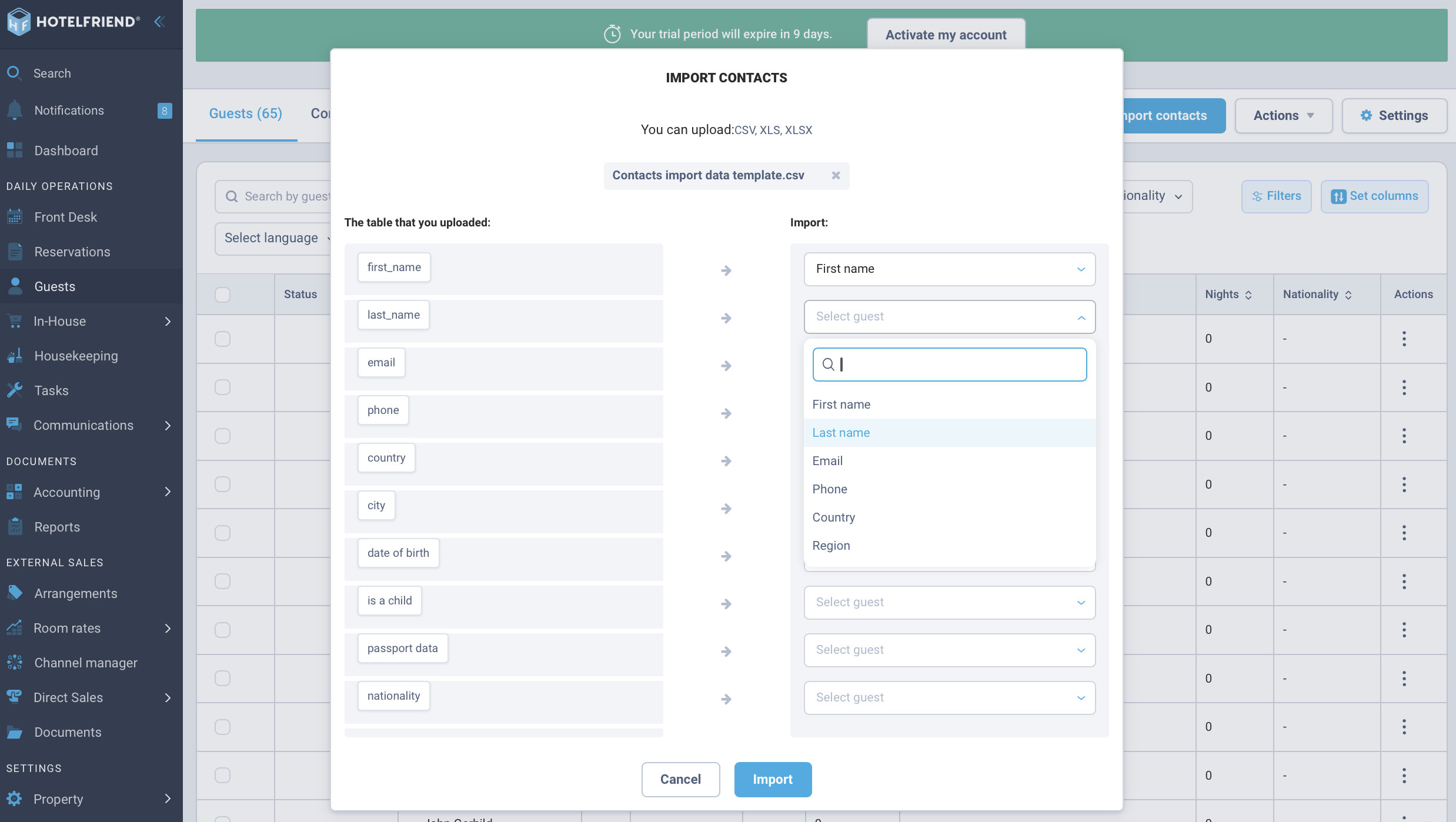
- In the following window, you must manually assign the fields from your file to the system fields.
- Then click on Import. Wait a brief moment until the process is complete. All guests should now be imported.
You can download an example template here: Guest_import_EN.csv
Author:

