

How to integrate Smart pricing with the HotelFriend system
A "Smart pricing" system is an advanced pricing mechanism that uses algorithms, machine learning, and data analytics to dynamically adjust prices based on various factors such as market demand, competitor pricing, customer behavior, inventory levels, and time of day. It aims to optimize pricing strategies to maximize revenue and profit while staying competitive.
To integrate a Smart pricing solution with your HotelFriend system, follow these steps:
- In the menu on the left go to Settings > Integrations
- In the search field enter “Smart pricing“ and click “Connection Request”.
- In the new open window click on the “Pay 0 & Connect” button.
STEP 1: Send the integration request
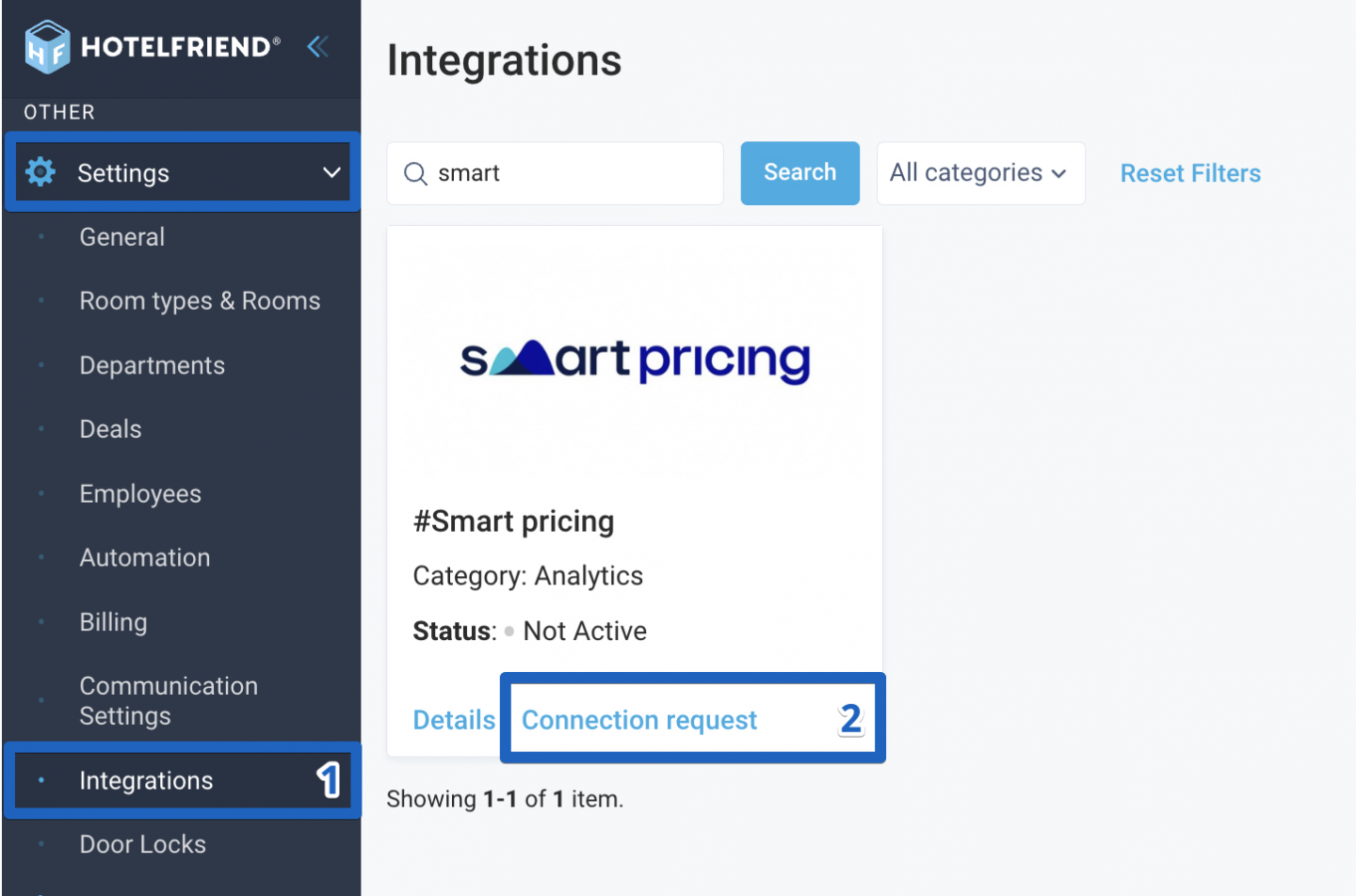
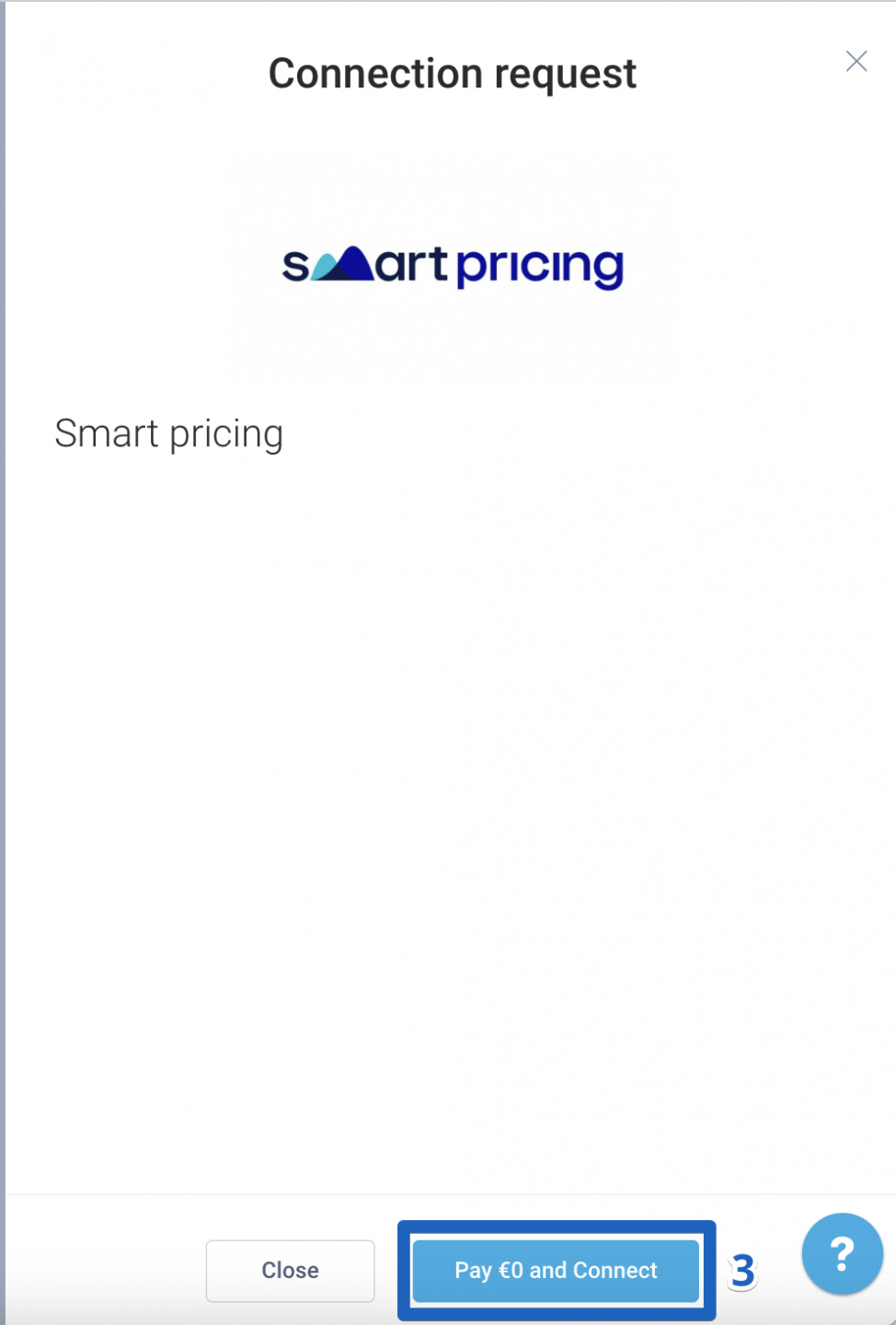
STEP 2: Wait till the connection status is changed from “In request” to “Settings Required”
If you have any questions, contact our support team via the Ticket Support form.
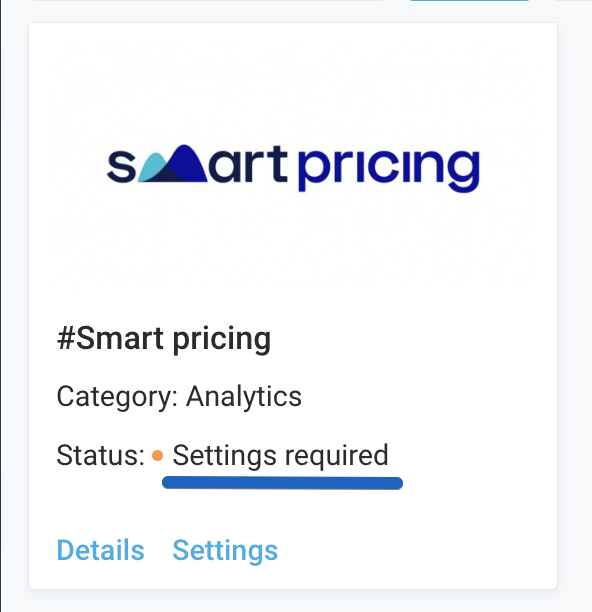
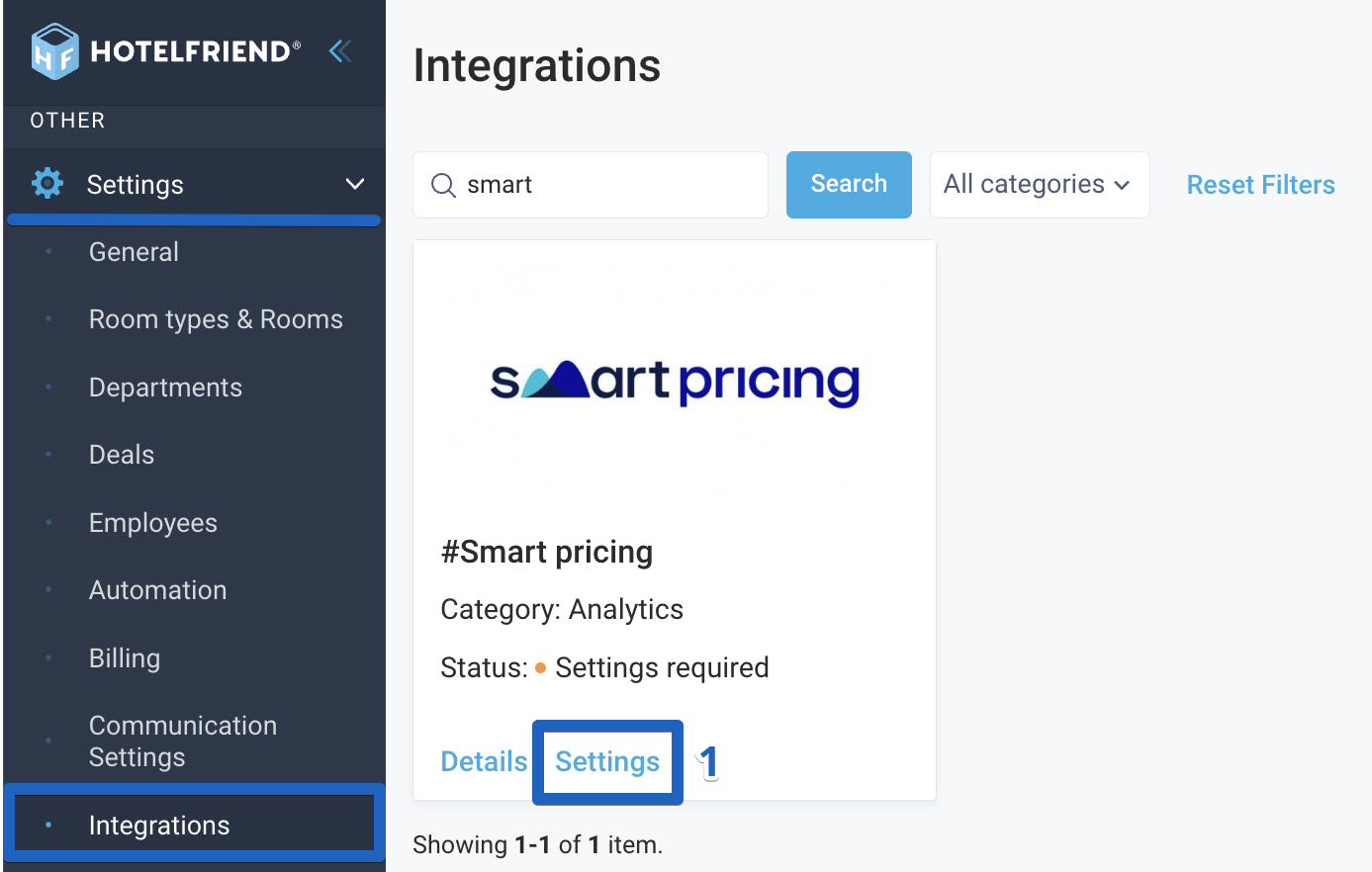
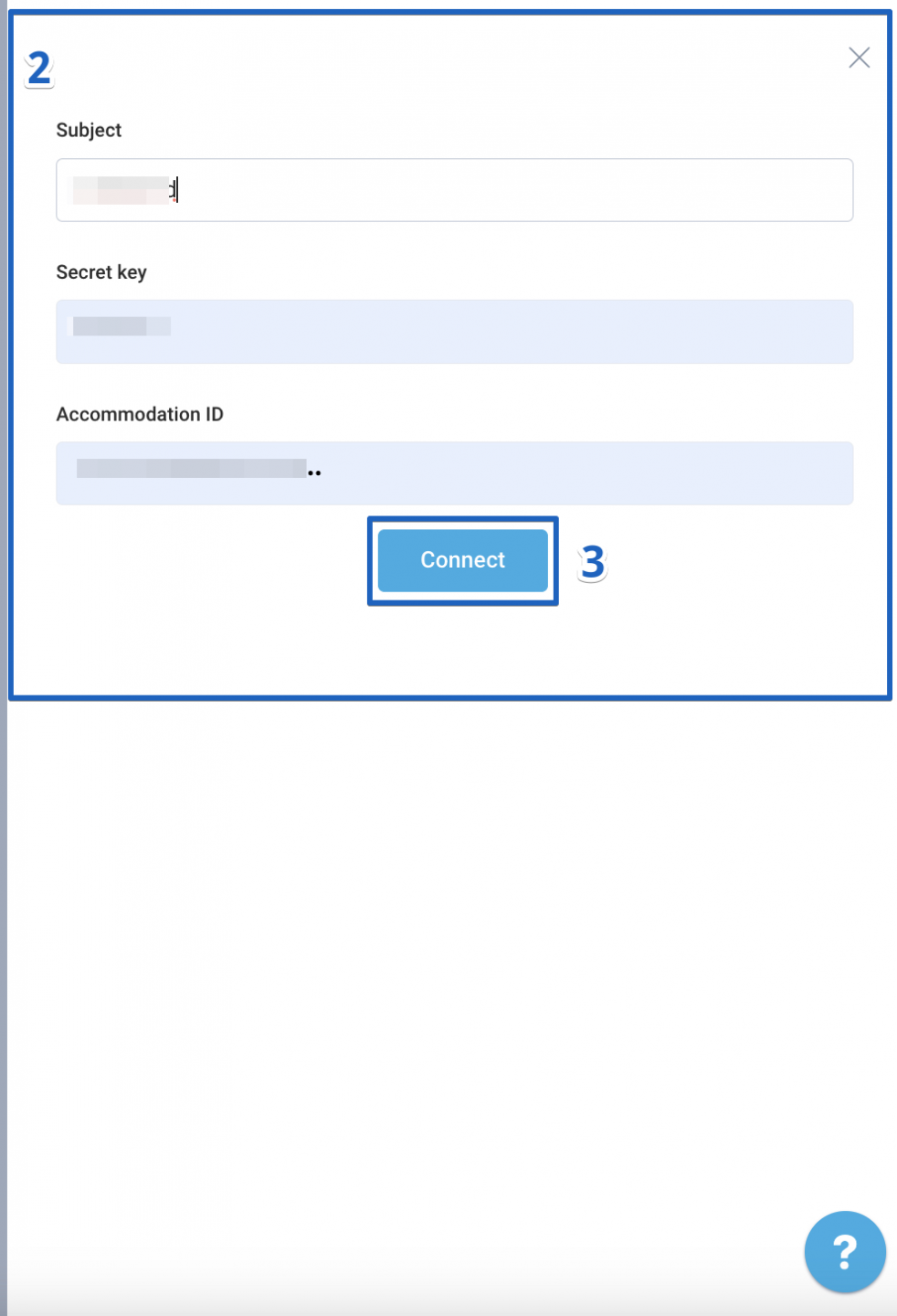
- Go to Settings > Integrations > search for Smart pricing > click on the “Settings” link on the Smart pricing connection block.
- In a newly opened window enter the required data (Subject, Secret key, Accommodation ID).
- Click on the “Connect” button.
STEP 3: Add credentials to integrate Smart pricing
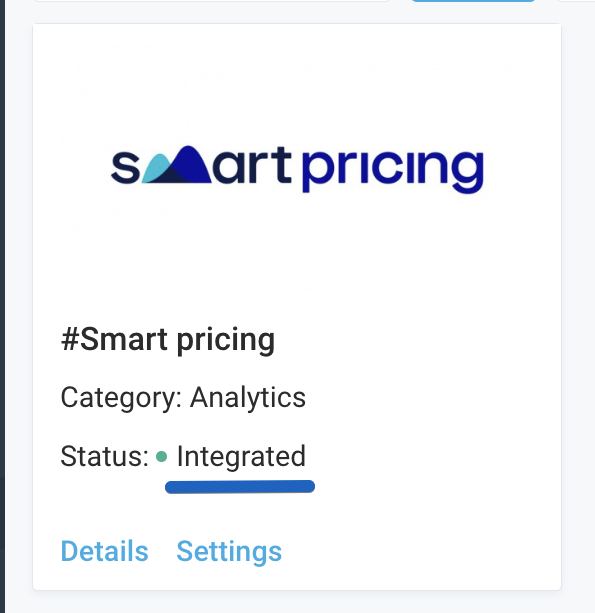
Check if the integration status has changed to "Integrated."
If you don’t know the details for integration, please contact the Smart pricing support team and ask for the information you need. Please note that after the integration, HotelFriend sends information to Smart pricing. To receive the results of the analyzed data, contact the Smart pricing team.
Author:

