

How to make an online payment for your HotelFriend subscription
HotelFriend PMS provides a convenient and secure way to manage your subscription and make payments online through the Contract module. Follow the steps below to complete your payment quickly and safely.
How to pay for your subscription
- In the left-side menu, go to the Contract module.
- Select the Invoices tab.
- Find the invoice that needs to be paid and click the Pay Now button.
- In the opened window, review the details and choose your preferred payment method:
- Credit Card (MasterCard, Visa)
- PayPal
- Klarna
- Enter your card number, expiry date, and security code, or complete the payment using PayPal or Klarna.
- Click Pay to finalize the transaction.
Here you will see a list of all your invoices, including their status and total amount due.
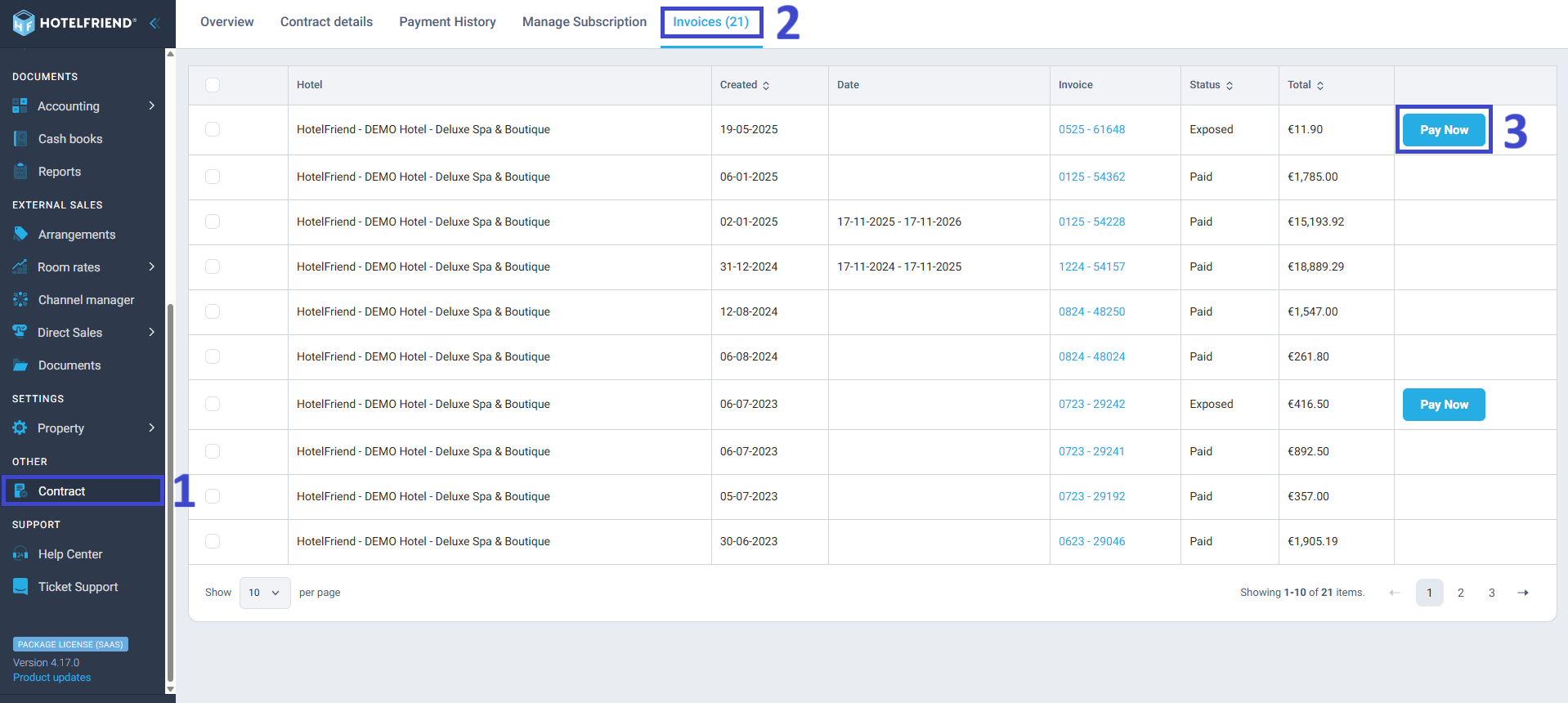
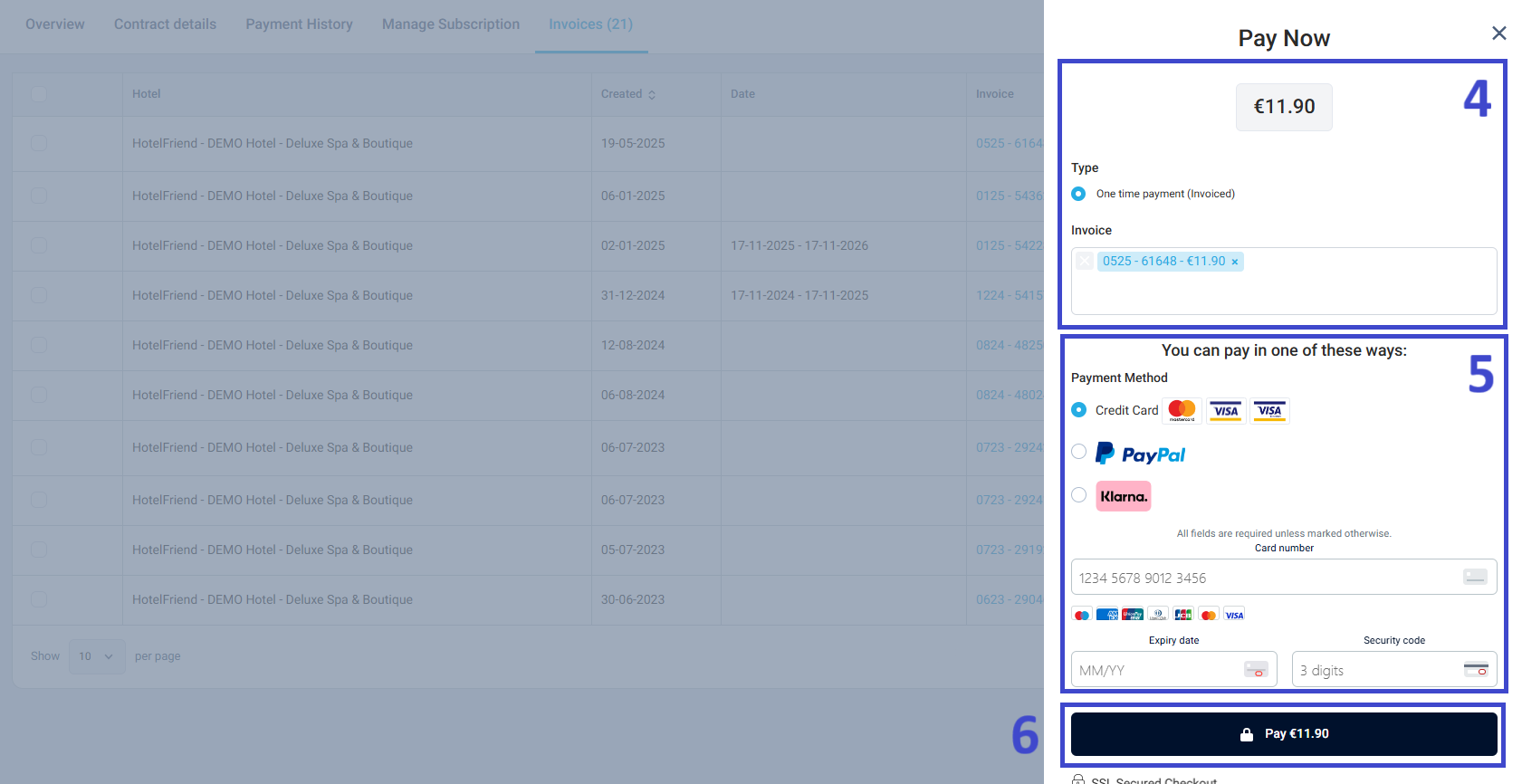
Once the payment is processed, the invoice status will automatically change to Paid.
Managing your payment methods and automation
You can also save or update your payment information for future payments:
- Open the Contract module.
- Go to the Overview tab.
- Under Billing Details, click Create payment automation.
- In the Add Payment Method window, enter your credit card details, contact name, and email.
- Click Subscribe to save the payment method securely.
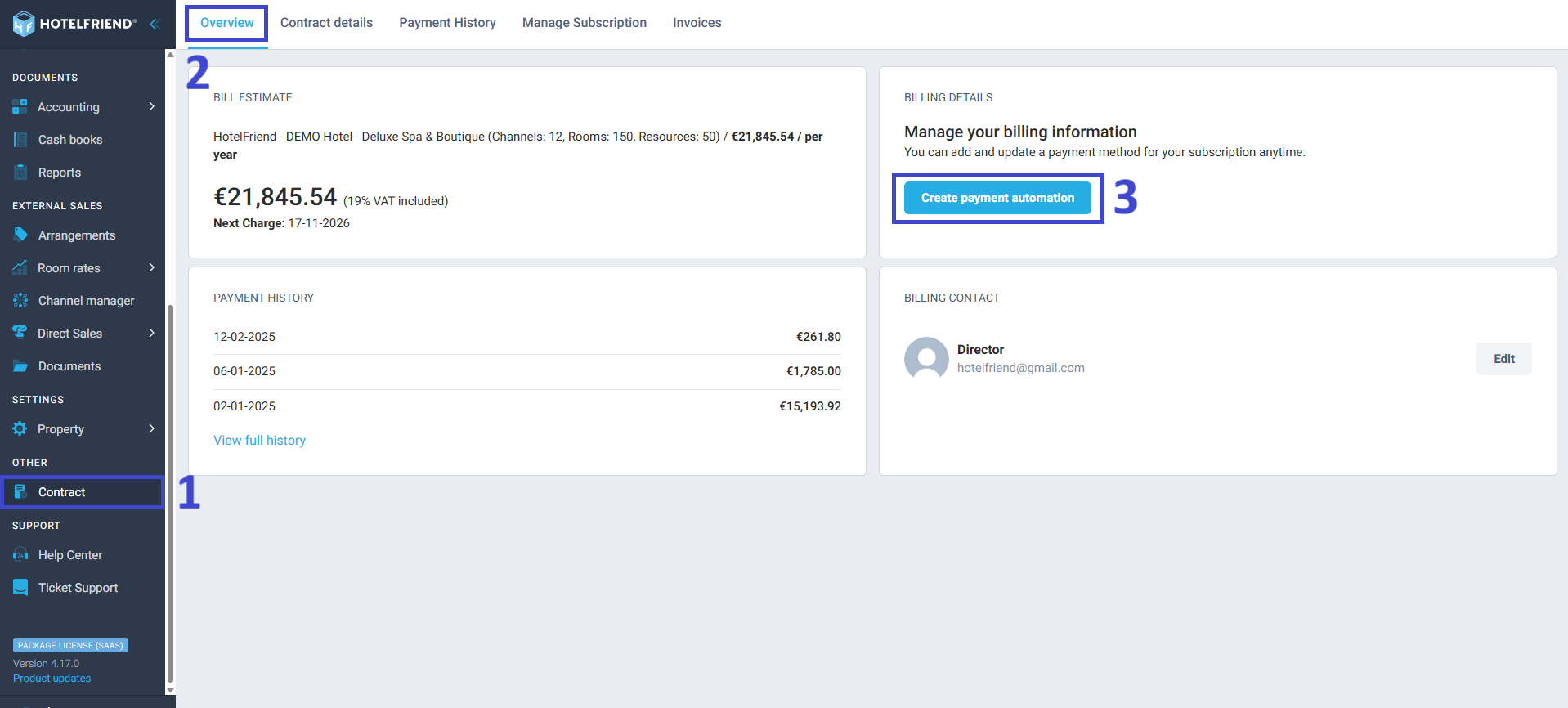
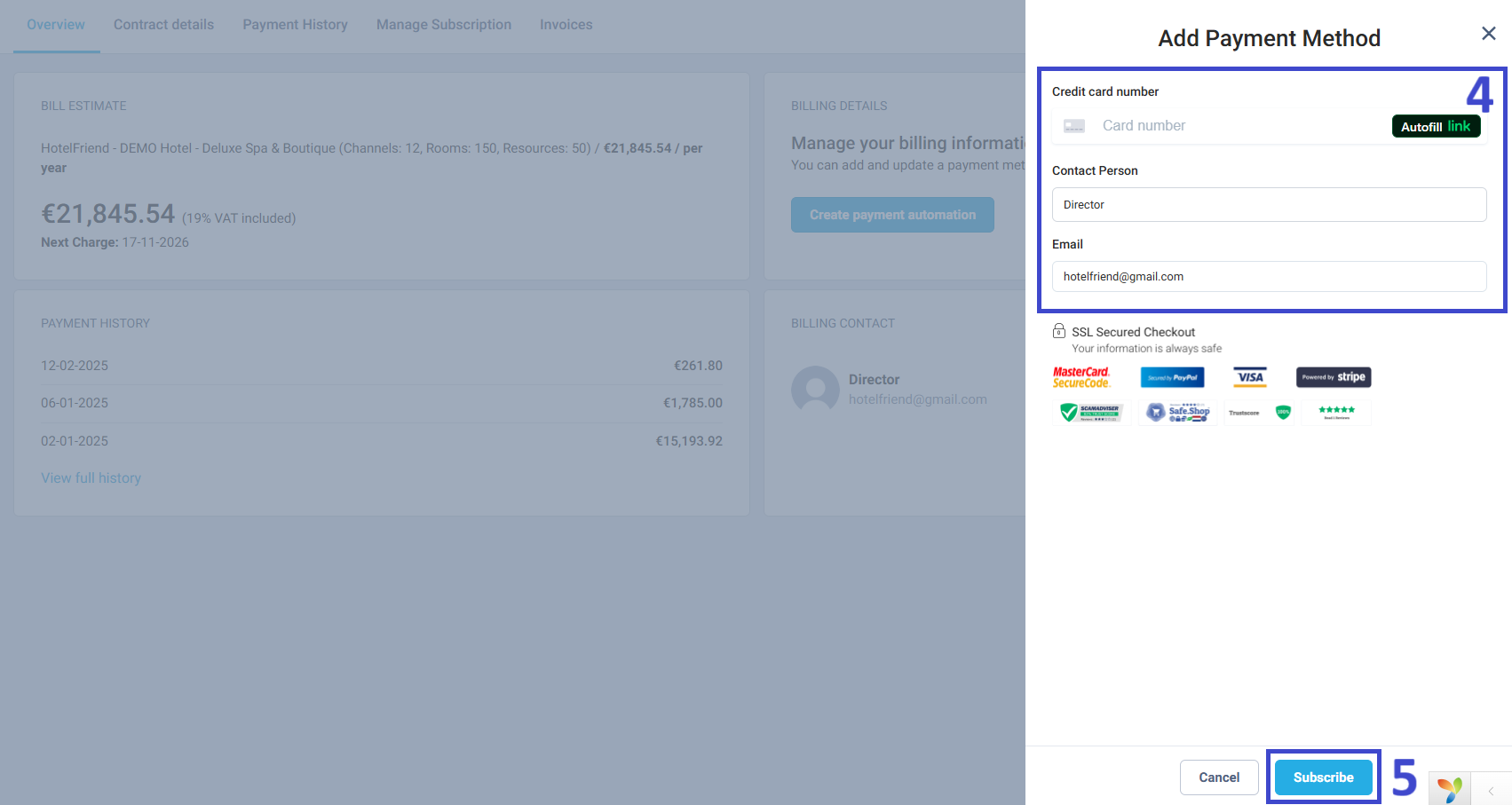
Your payment data is encrypted and processed via SSL Secured Checkout (MasterCard SecureCode, PayPal, Visa, and Stripe).
Congratulations! You’ve successfully made an online payment for your HotelFriend PMS subscription. If you experience any issues or have questions, please contact our Support Team via the Help Center or Ticket Support.
Author:

