

How to make custom guest settings in HotelFriend
HotelFriend provides users with Hotel Admin access with the flexibility to tailor the guest experience by customizing various settings within the guest module. With these custom settings, hotel admins can effectively manage guest statuses, genders, and create custom fields, ensuring a personalized interaction for each guest.
Configuring guest customizations in Guests module
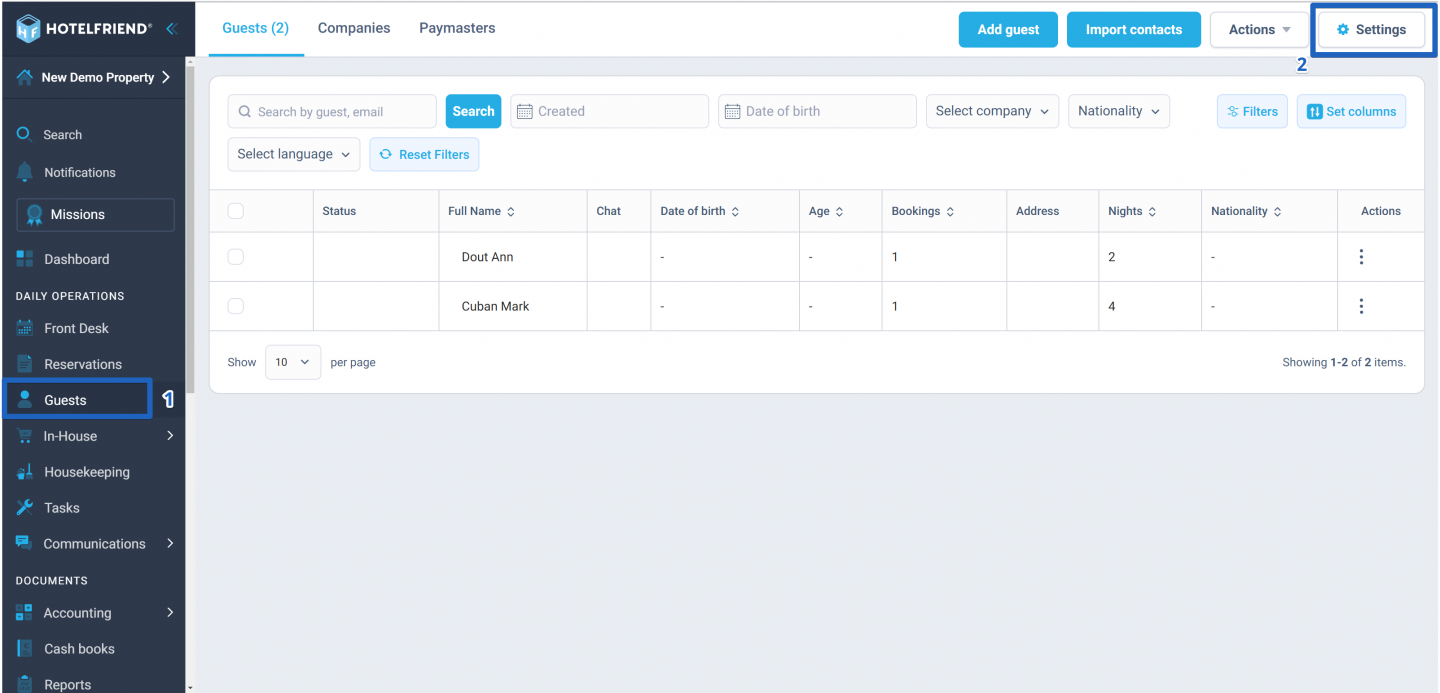
- In the menu on the left, click on the Guests module.
- In the upper right corner, click on the Settings button.
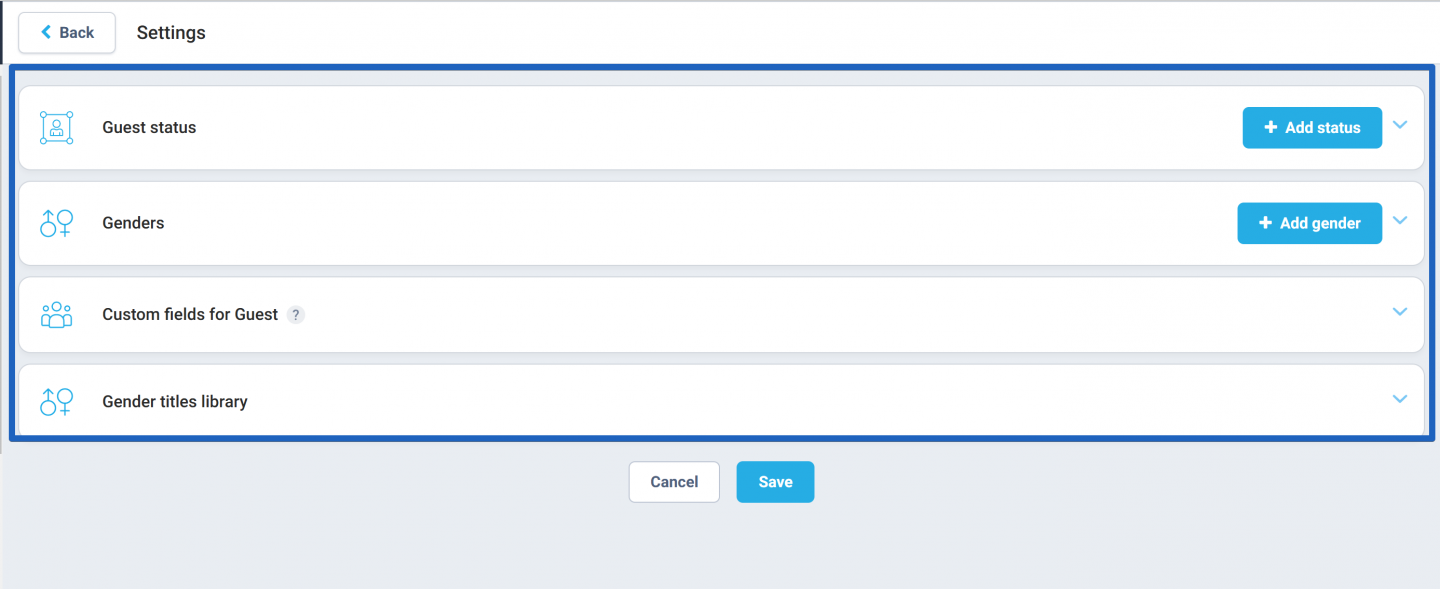
- The system will display various customization options. These include:
- Guest Status: Manage and define different statuses for your guests.
- Genders: Set up and modify gender options as required.
- Custom fields for Guest: Create and customize fields to capture specific guest information.
- Gender titles library: Access and edit the library of titles relevant to gender, enhancing respectful and accurate guest interactions.
Author:

