

How to set up Extras
Selling additional services is a great way to boost revenue in the hotel. If you offer any extras in addition to the main service, you can set them up in the HotelFriend system as well.
To do this, please follow the next steps:
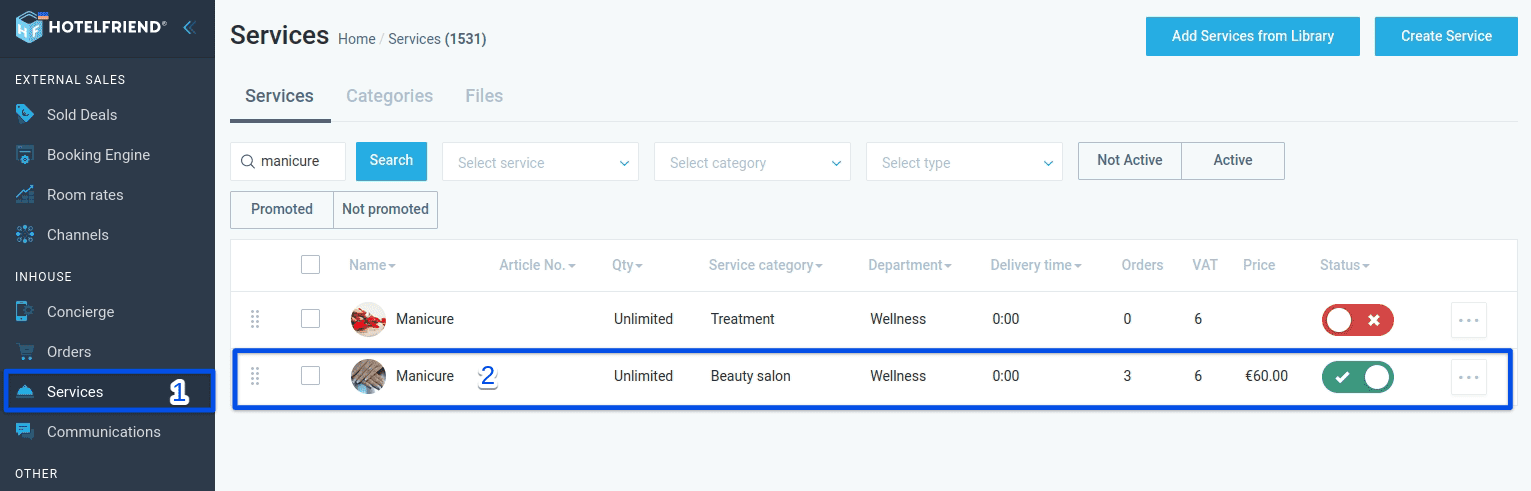
- In the menu on the left, select Services.
- Choose the required service from the list or find it via the search box.
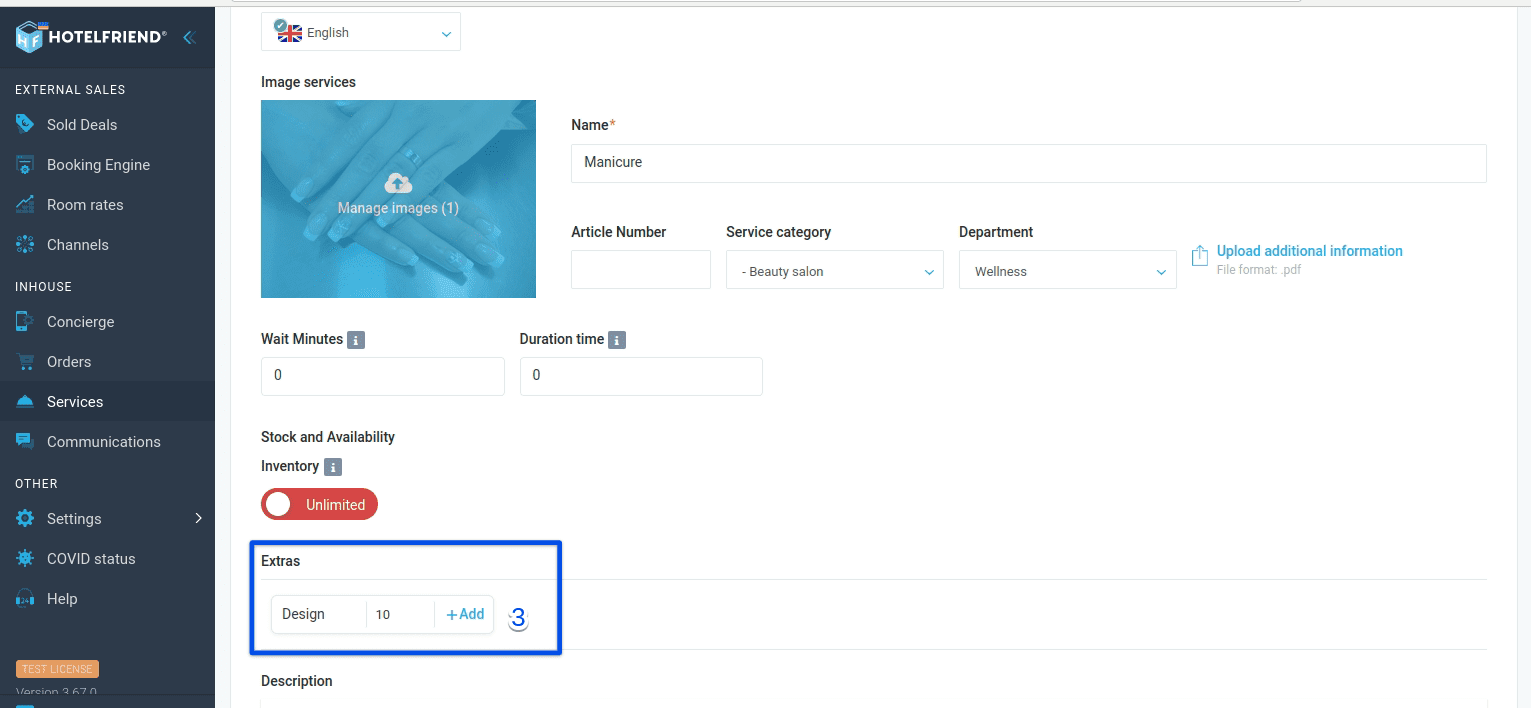
- In the Extras section, enter the name and price of the service and click Add.
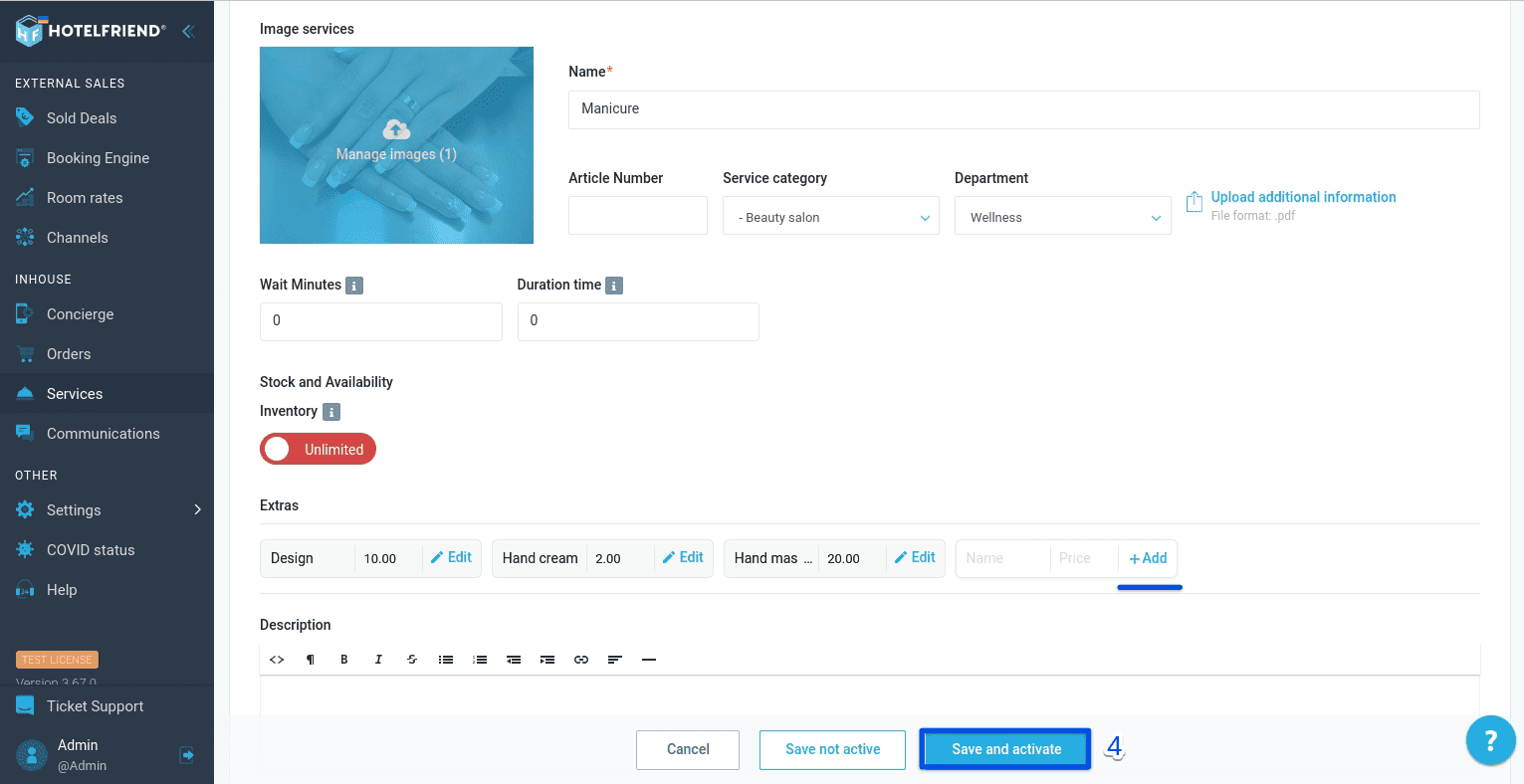
- Verify the information and select Save.
You can add other Extras in the same way. To remove any Extra, select Edit and click Delete.
If you need any additional help or advice in setting up extras, please contact our support team and we’ll do our best to assist you.
Author:

