

How to set up services
Here you will learn how to set up your services. You can create them manually or add them from our library, where categories, images, and descriptions are already prepared.
Option 1: Create services manually
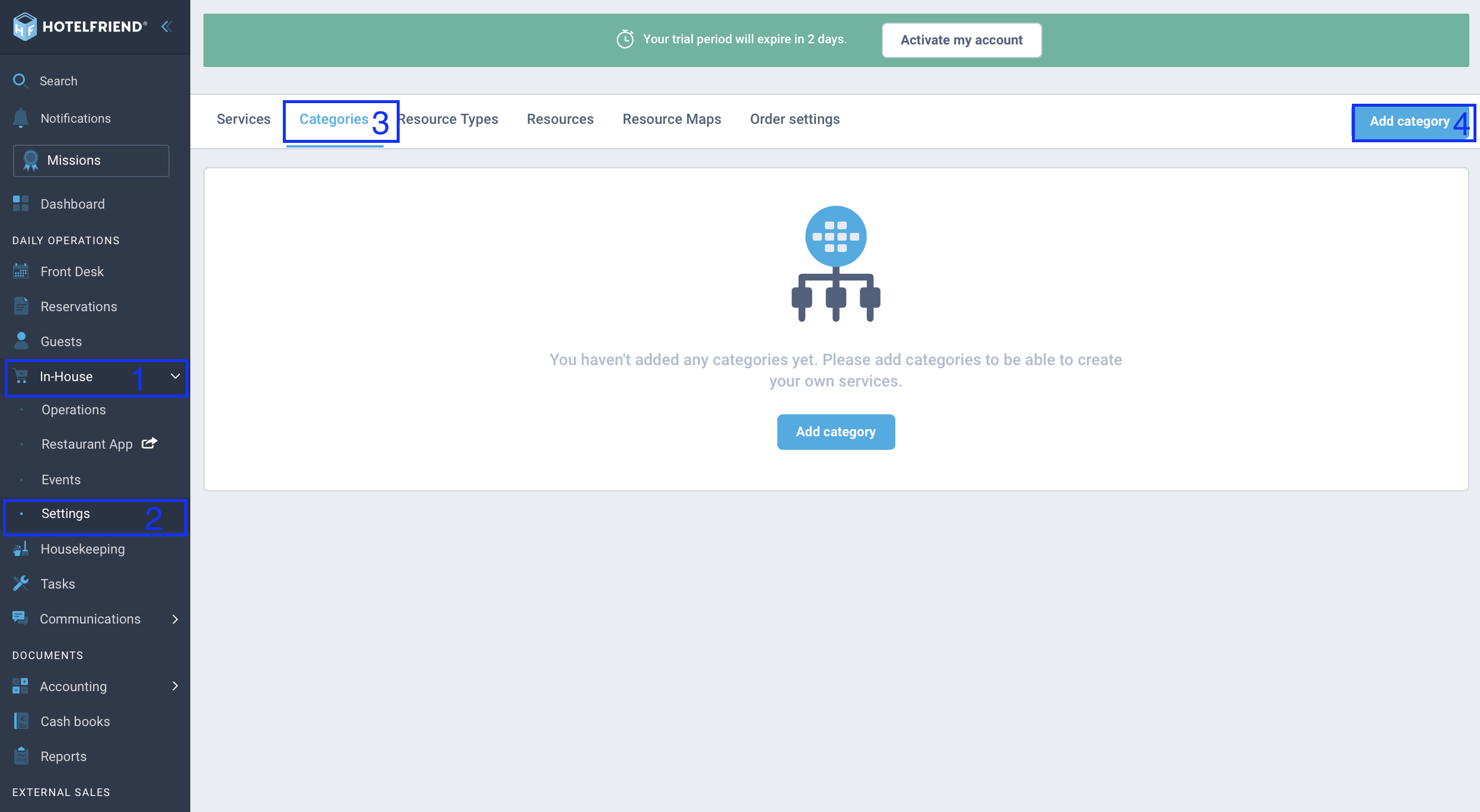
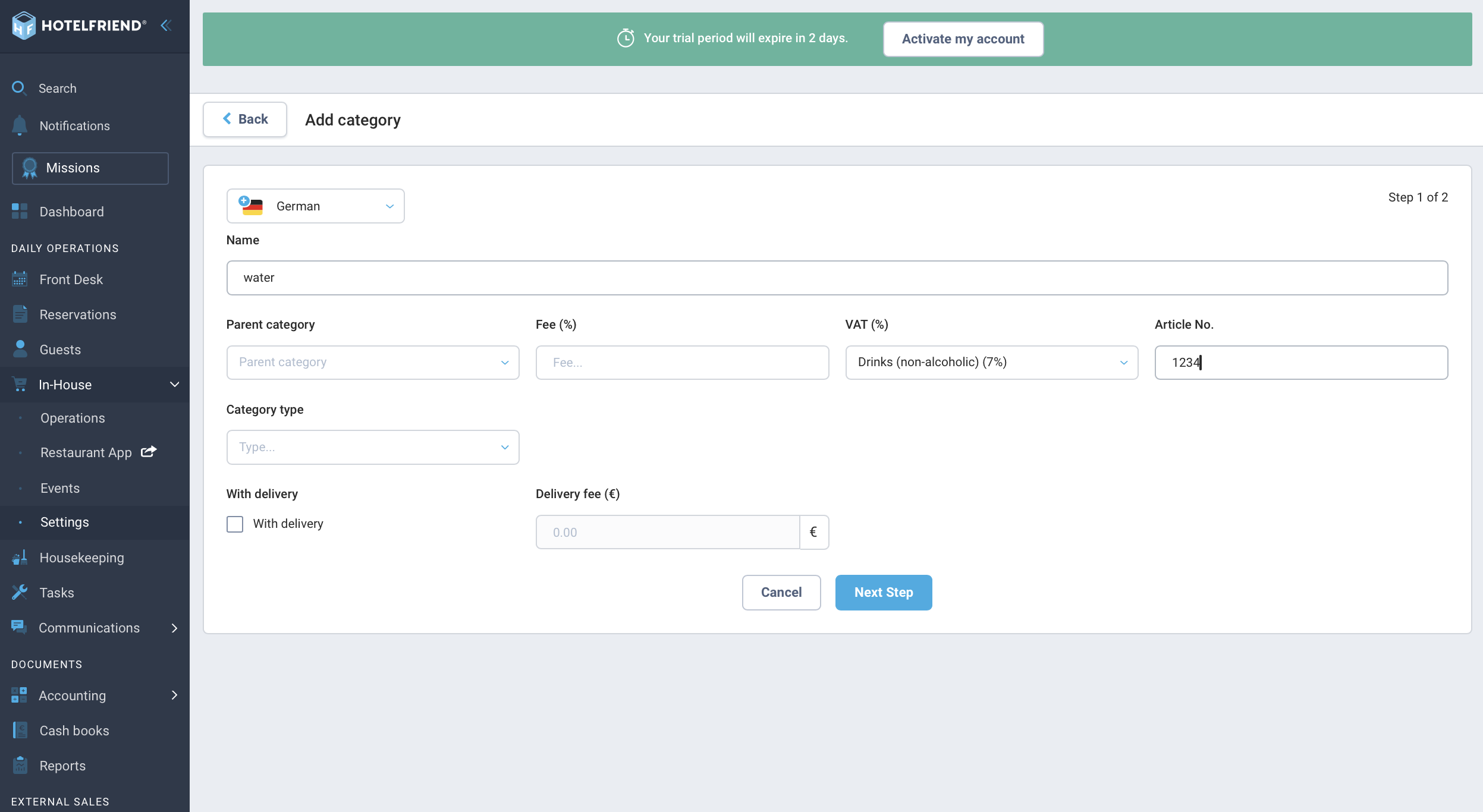
- Click on In-House -> Settings -> Categories. Here you first have to create a New Category.
- For a better overview, it is recommended to upload an image here. Important: when you create a category, you must enter the VAT correctly.
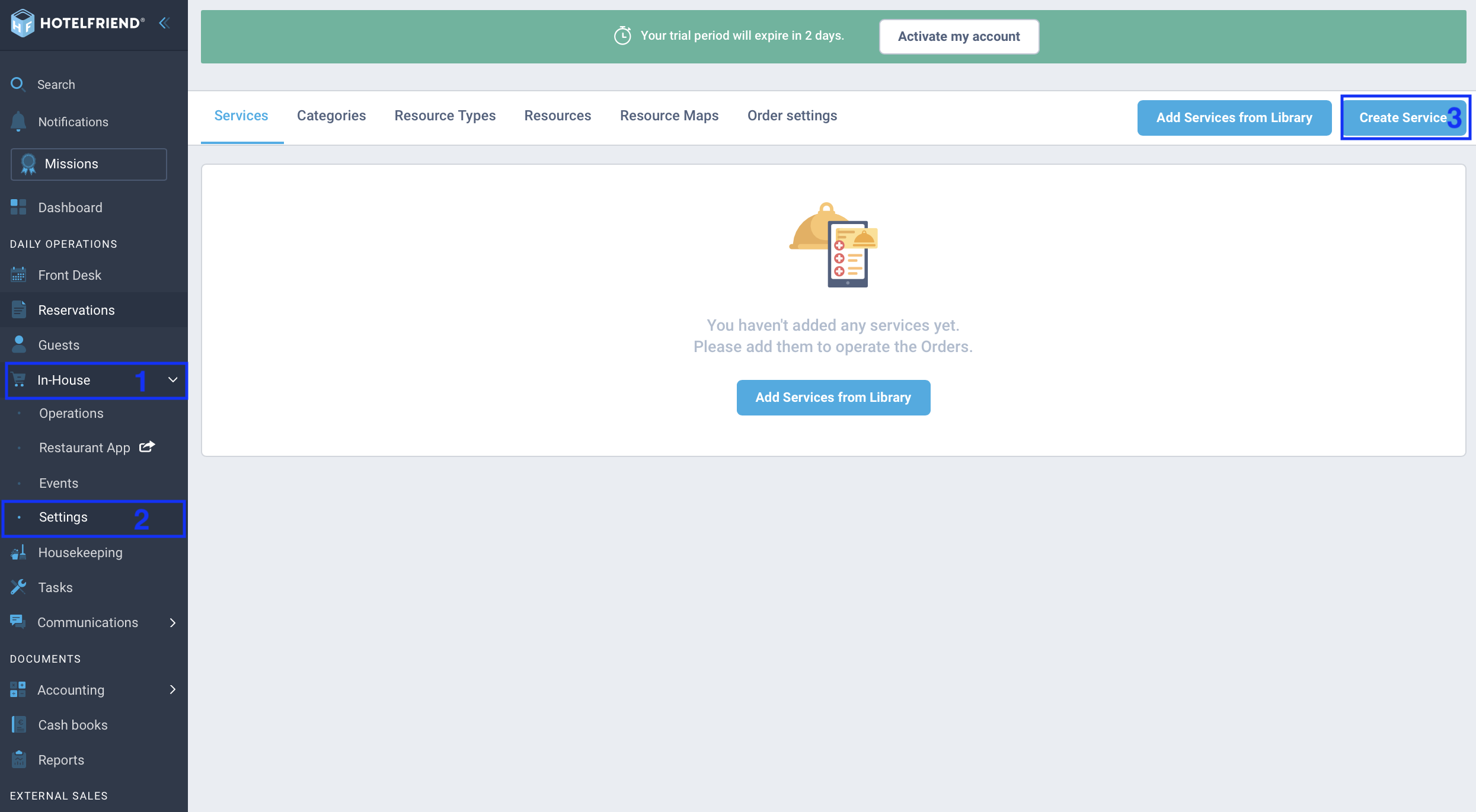
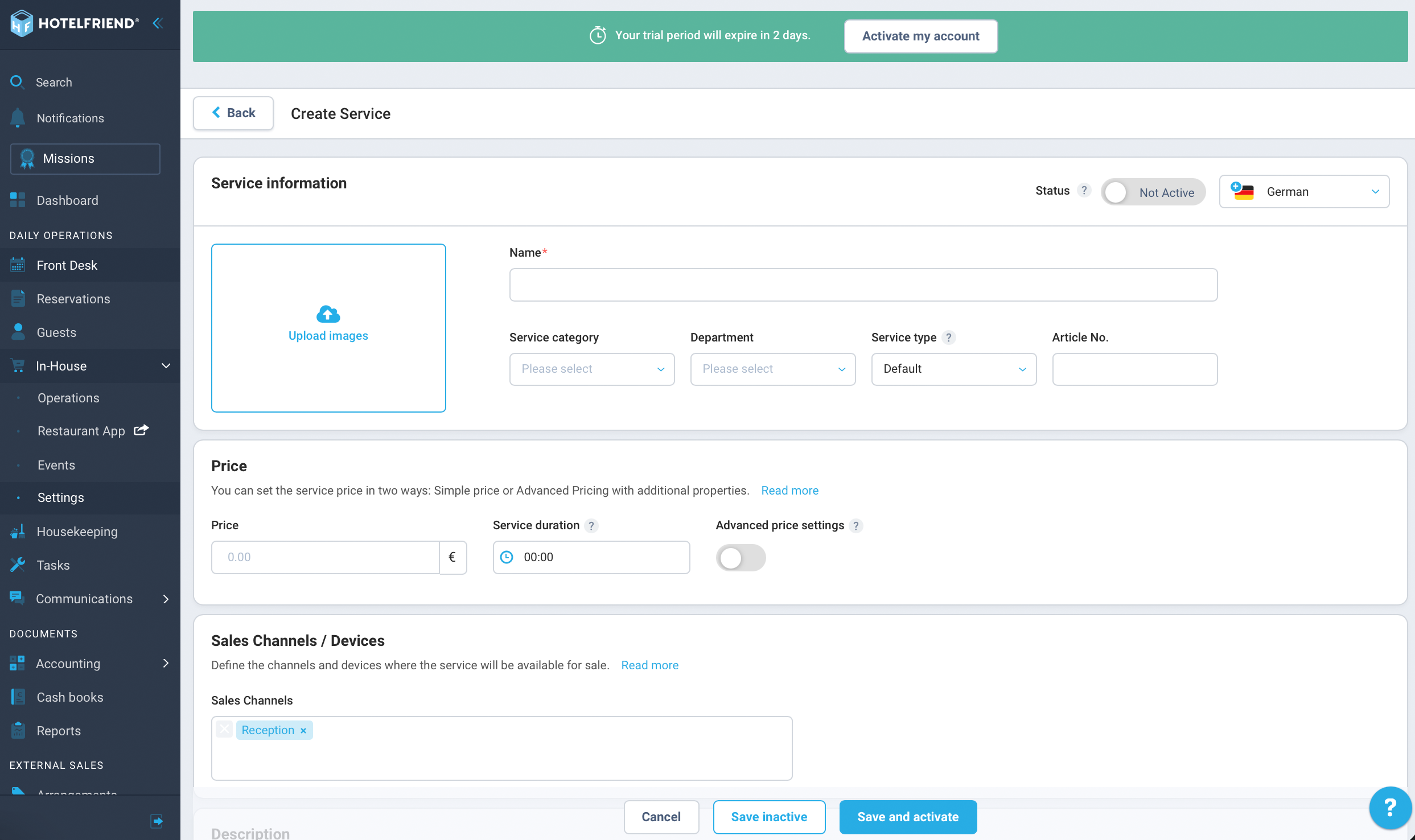
- Then you can click on In-House -> Settings -> Services and choose to Create Service.
- In this window you can now set up your service, set the description, images and sales channels, as well as set limits.
Option 2: Add services from the library
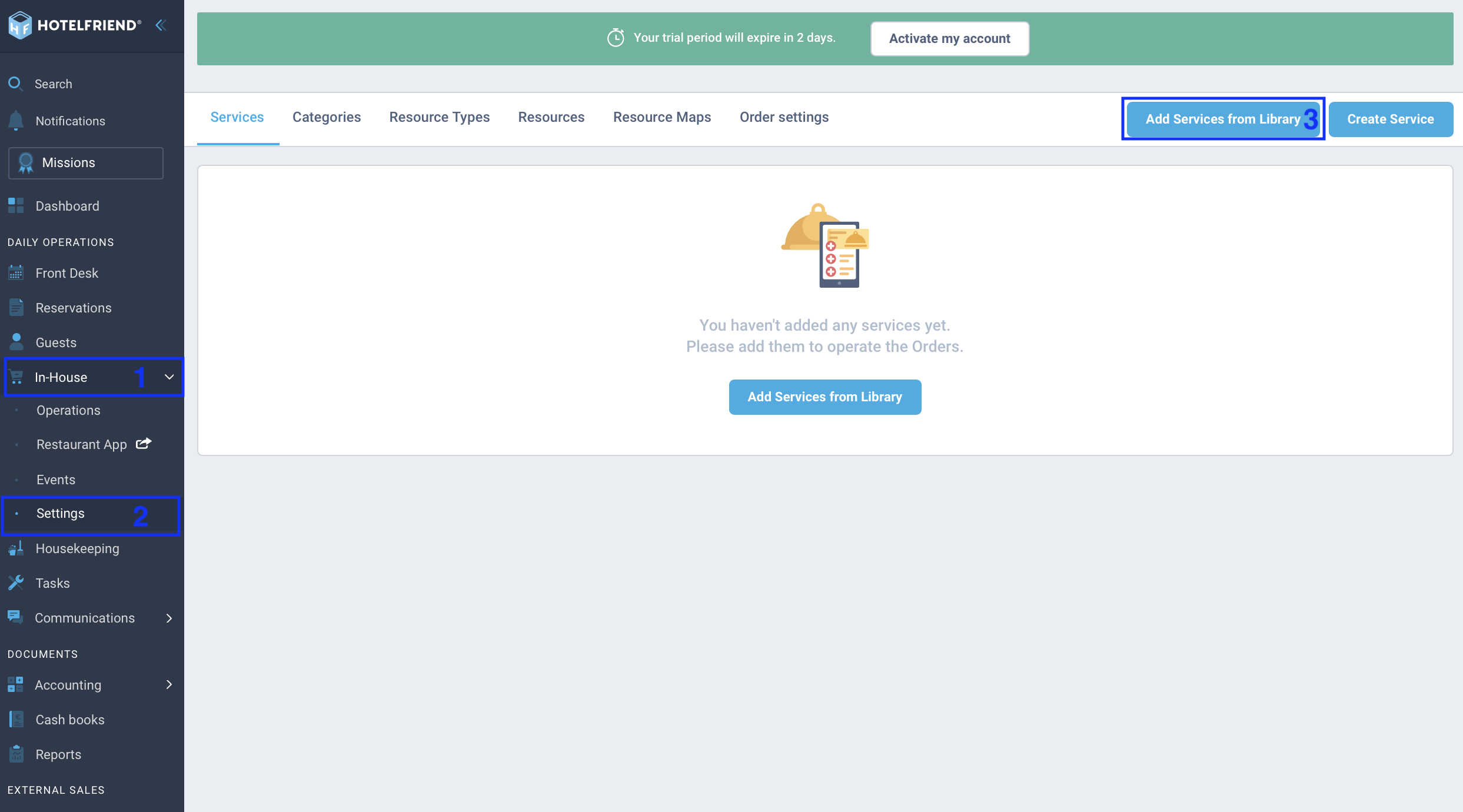
- Click here on In-House -> Settings -> Add services from library.
- In the next window, click on all the categories you need and in the next step on all the items you want.
- After that, you only have to enter the prices and check the VAT in the categories. Once you activate the services now, they are ready to be sold via the configured sales channels.
You also have the option to add services from our library where categories/images/descriptions are added independently.
Author:

