

How to set up Stock and Availability of Service
In the HotelFriend system, you can set up the number of services that you put out for selling. But there might be a case where you need to limit sales of certain services.
Here is how to do that in a few steps:
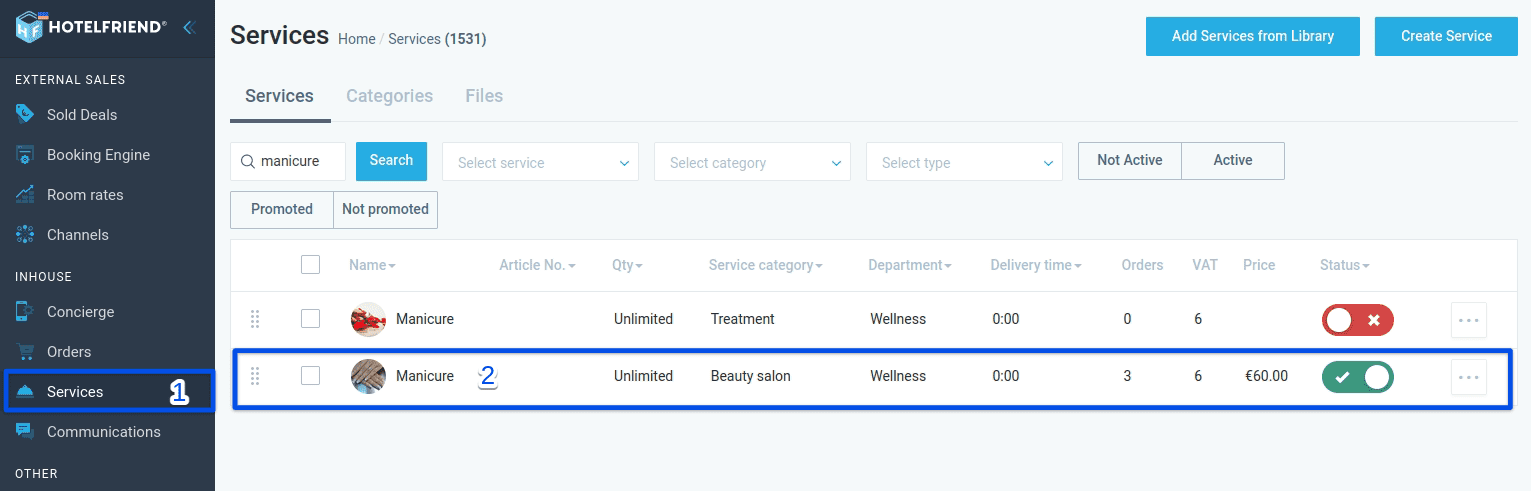
- In the menu on the left, select Services.
- Choose the required service from the list or find it via the search box.
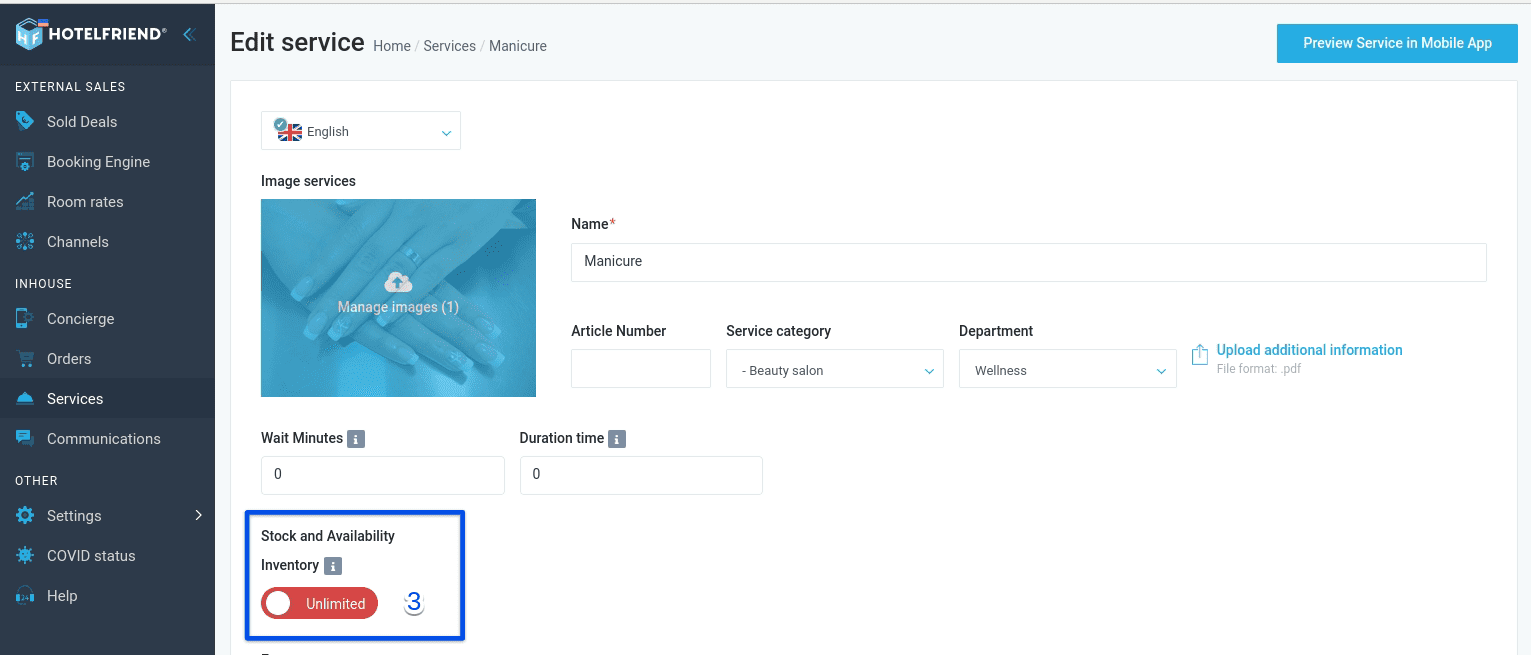
- To set the limit on service sales, turn on the toggle under Inventory in the Stock and Availability section.
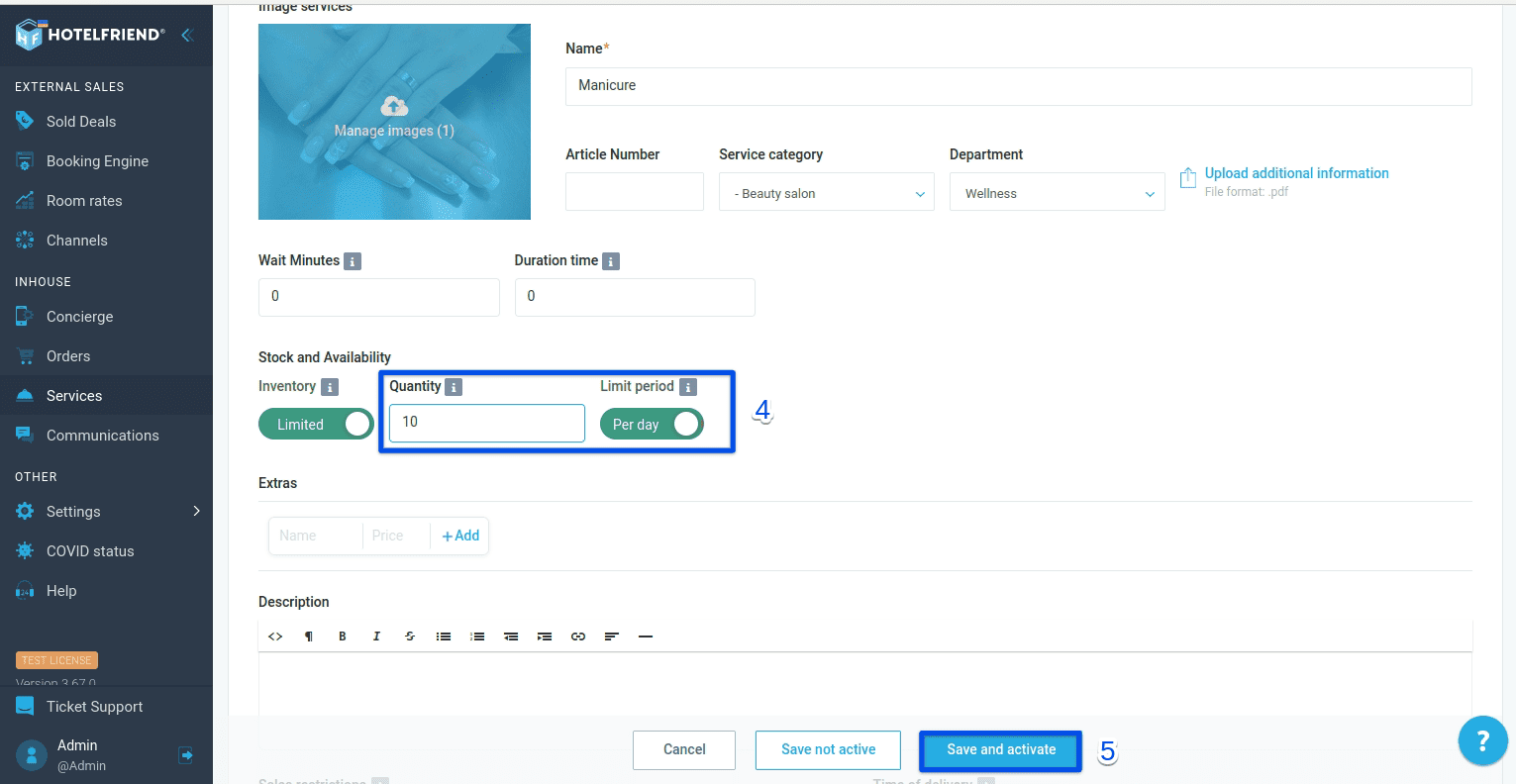
- In the Quantity box, enter the number of units available per day and turn on the toggle under Limit period.
- Check the information and select Save.
If you have any issues with setting up a limit on service sales, please contact our support team and we'll do our best to help you.
Author:

