How to set up the Resource Types
Resource Types help you keep track of items your hotel offers, such as massage tables, bikes, or meeting rooms. You can group these items into categories to make planning and scheduling easier.
For example, you can create a Resource Type called “Wellness” and add things like massage tables to it. This helps you organize your resources later in the Resource Planner and manage them more easily.
In this guide, you’ll learn how to set up Resource Types step by step, and how to add information in different languages if needed.
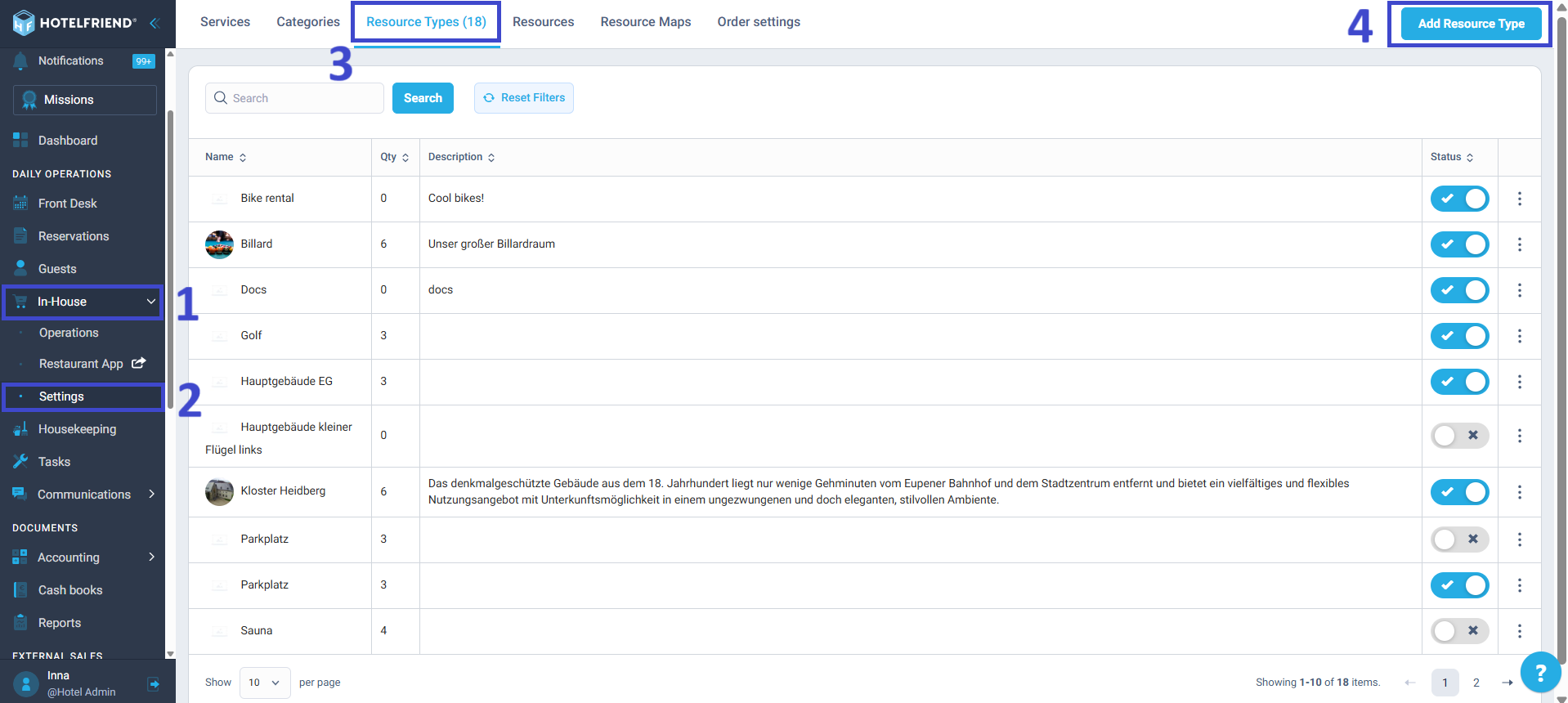
- Navigate to the left-hand menu and select the In-House module.
- Go to the Settings sub-menu section.
- Select the Resource Types tab.
- Click the Add Resource Type button in the upper-right corner.
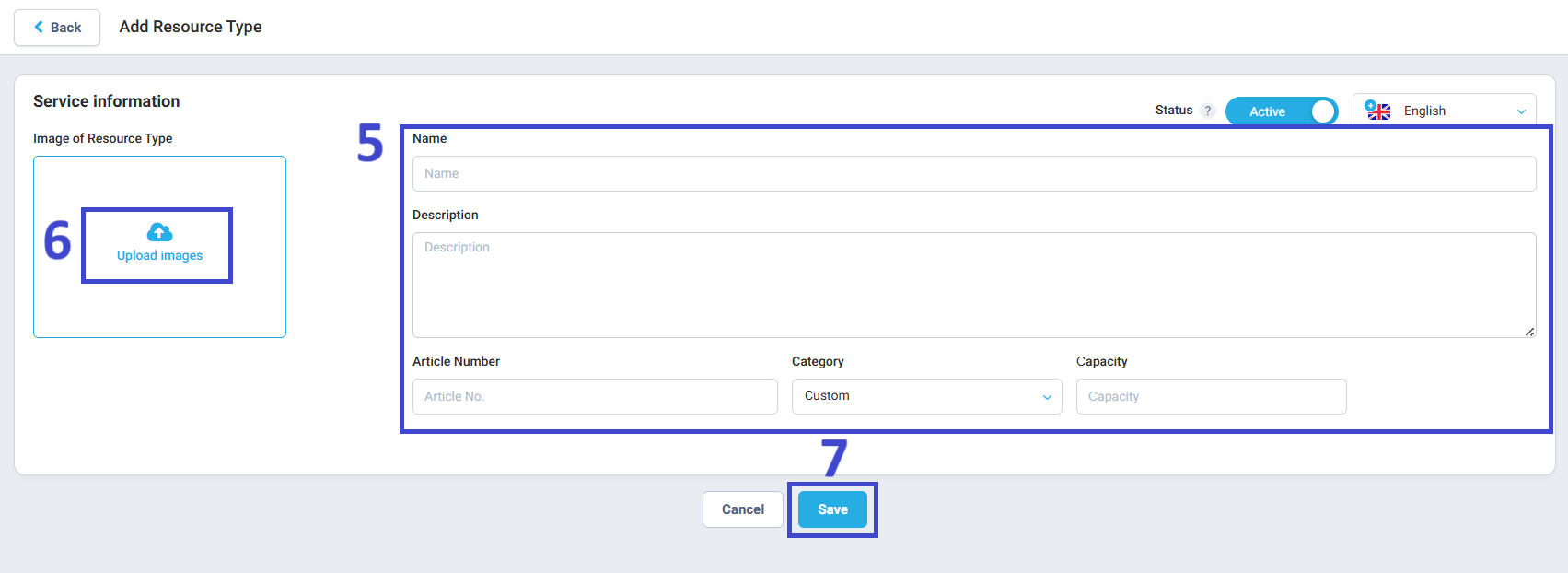
- Fill in the required details for your new Resource Type, including:
- Name
- Description
- Article Number (if applicable)
- Category
- Capacity
- Upload an image that visually represents your Resource Type.
- Click Save when finished.
How to set up Resource Types for your hotel
Note: Use the Status toggle to activate or deactivate the Resource Type.
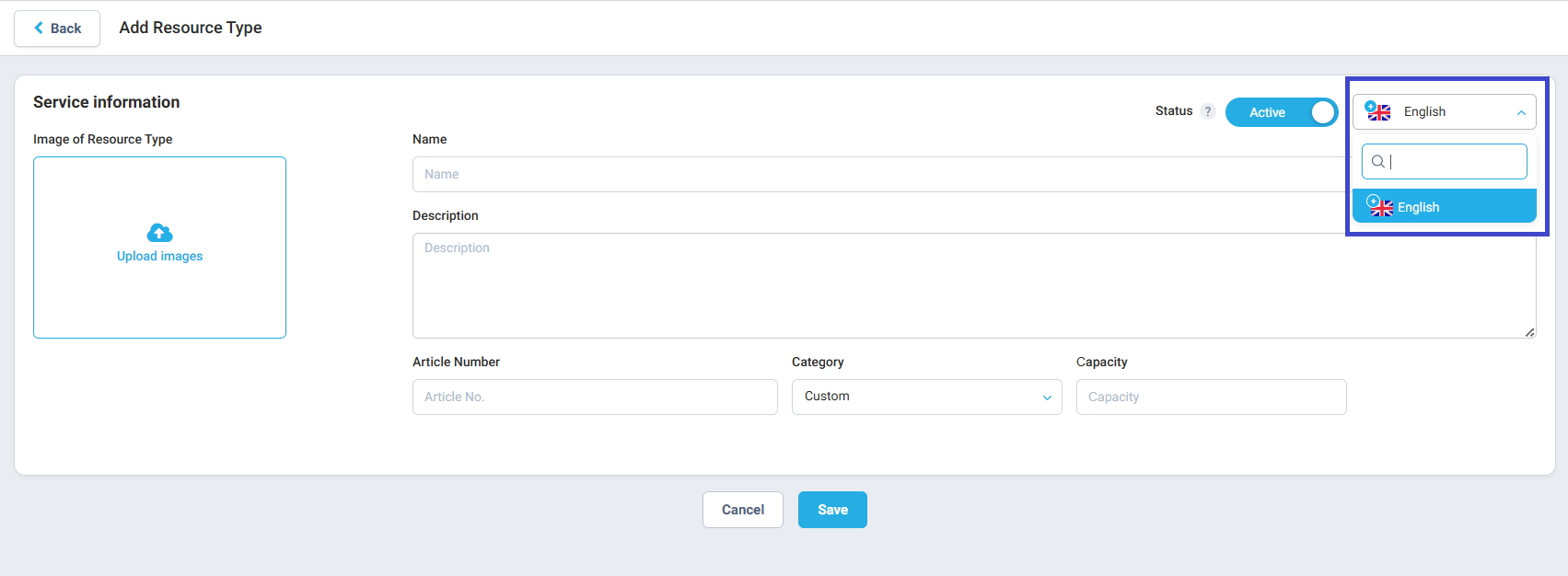
Managing additional languages
If your account supports multiple languages, switch to the desired language on the Resource Type page. Enter the information in the corresponding language to enhance the experience for your international guests, then save your changes.