

How to setup Feratel Integration
Feratel Integration streamlines the guest registration process by automating the collection and transfer of data for City Tax reporting directly from HotelFriend to Feratel's Electronic Reporting System.
Follow the steps below to set up the integration:
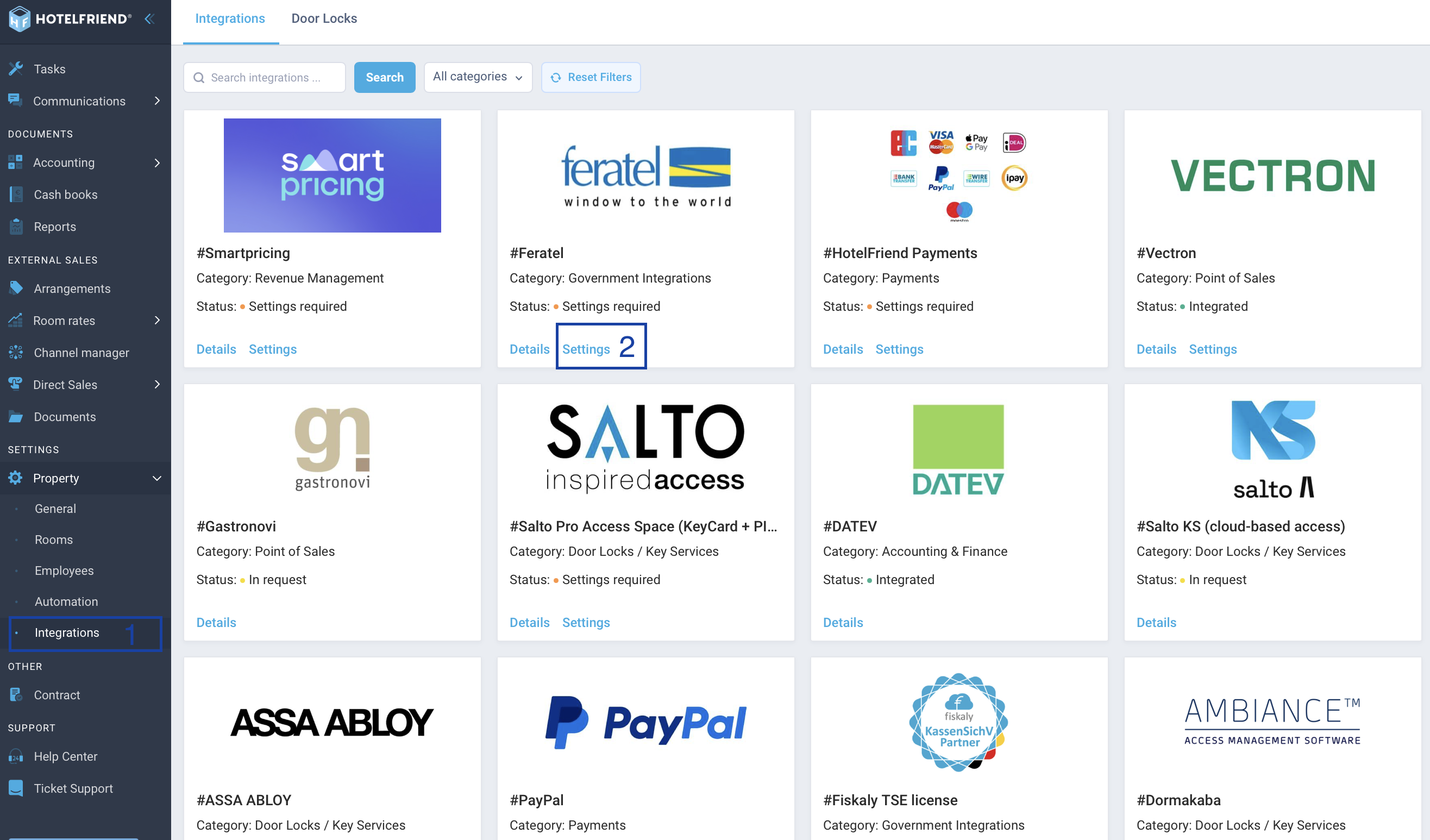
- Go to the Integrations module on the left-side menu.
- Locate the Feratel integration card.
- Click on Settings.
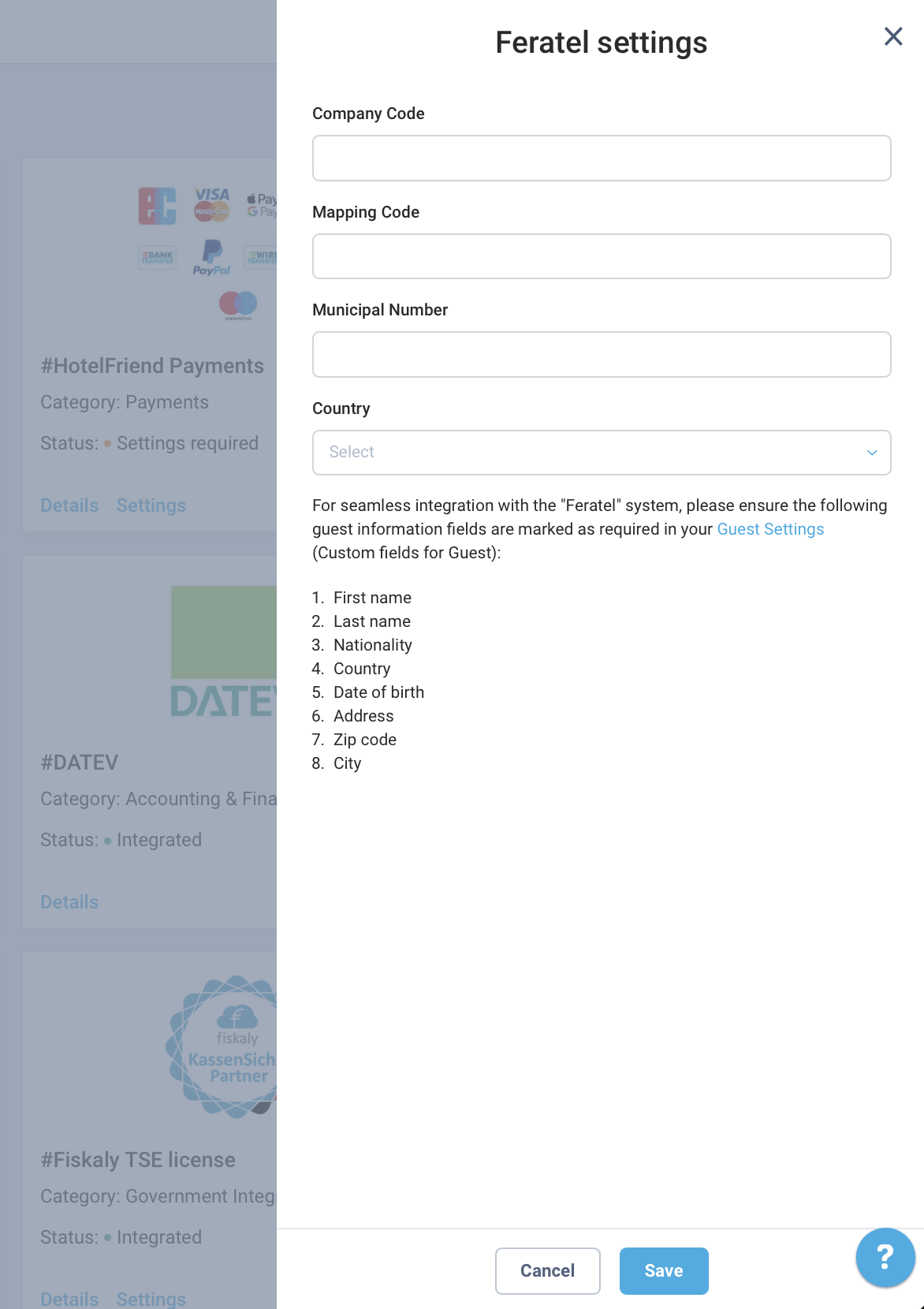
- In the settings window, fill out the following fields provided by Feratel:
- Company Code
- Mapping Code
- Municipal Number
- Click Save to connect.
- Verify that the status of the integration now reads Integrated.
Setup
How it works
Once connected, the integration automates visitor registration:
- Automated Reporting: When a reservation status changes to “Check-in” (from Due-in, Confirmed, or Booking Offer), a registration form is automatically created and sent to Feratel.
- Status Indicators:
- ● Green icons next to the booking number indicate successful transmission.
- ● Red icons indicate issues that require attention.
- Logs: You can view all logs related to the integration in the settings for greater transparency.
Author:

