

How to set up automated invoicing for long-stay guests
The long-stay billing logic allows you to automatically generate and send monthly invoices for extended stays (1 to 48 months). This article explains how to set up invoice automation for long-stay bookings in just a few steps.
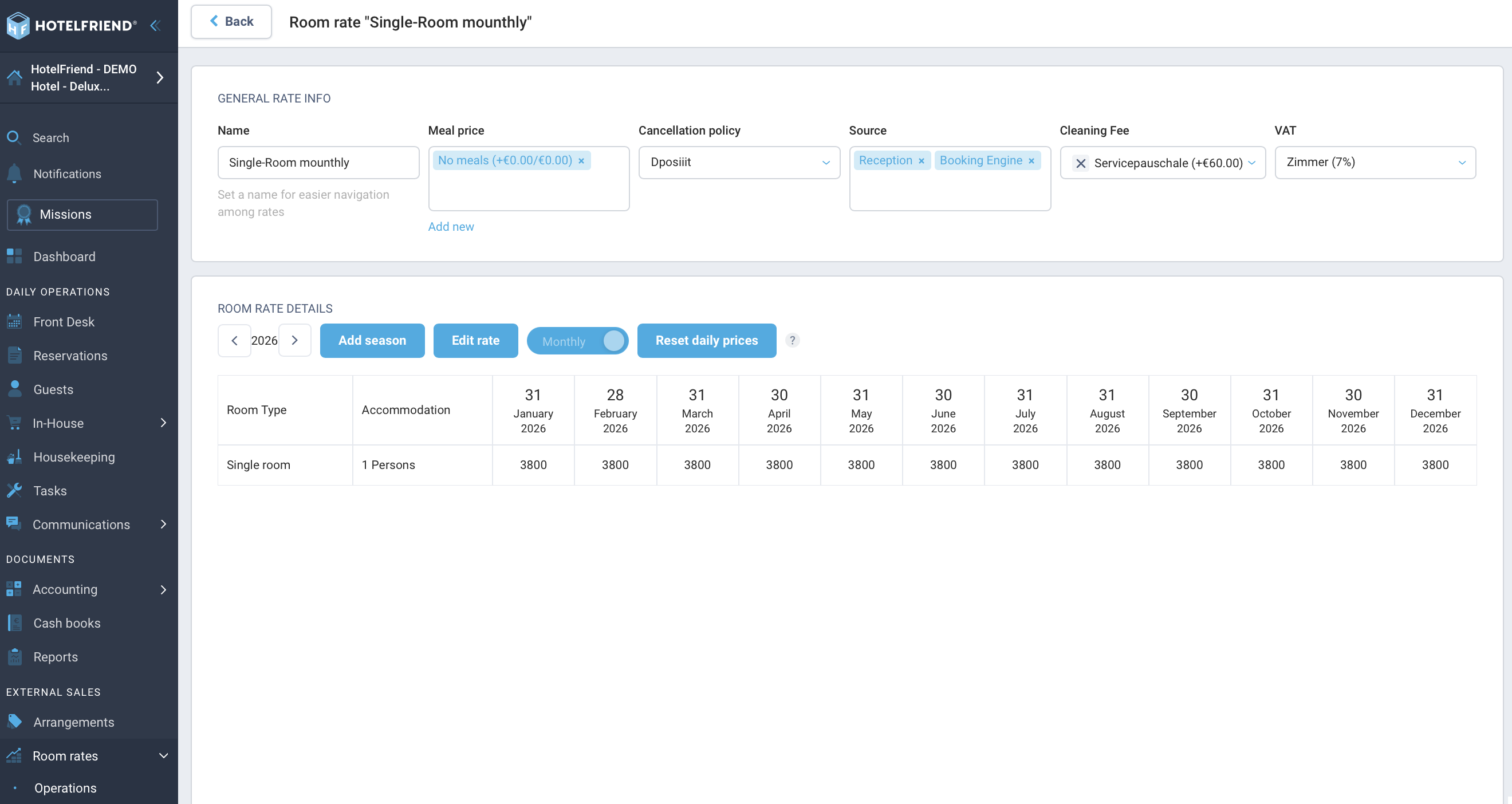
1. Configure Long-Stay Options
The system automatically calculates periods of 1 to 48 months, including exact daily prorating for partial months. A long-stay booking remains a single reservation, with the monthly invoices neatly attached to it.
- Open the rate configuration and select the desired monthly rate.
- Under the Long-Stay option, select whether the billing should be based on calendar month or booking date.
- Configure the billing schedule under Edit room rate → invoice cycle.
- Save your settings.
2. Enable Invoice Automation
The hotel-level automation („Monthly Invoice for Long-Stay Bookings“) controls the automatic sending and ensures that exactly one correct invoice is sent per billing cycle.
- Navigate to the Automations setup.
- Select the desired long-stay rates for the automation (multiple selection is possible).
- Set the sending time from the drop-down menu (Default: "on the day of the cycle start").
- Click Save.
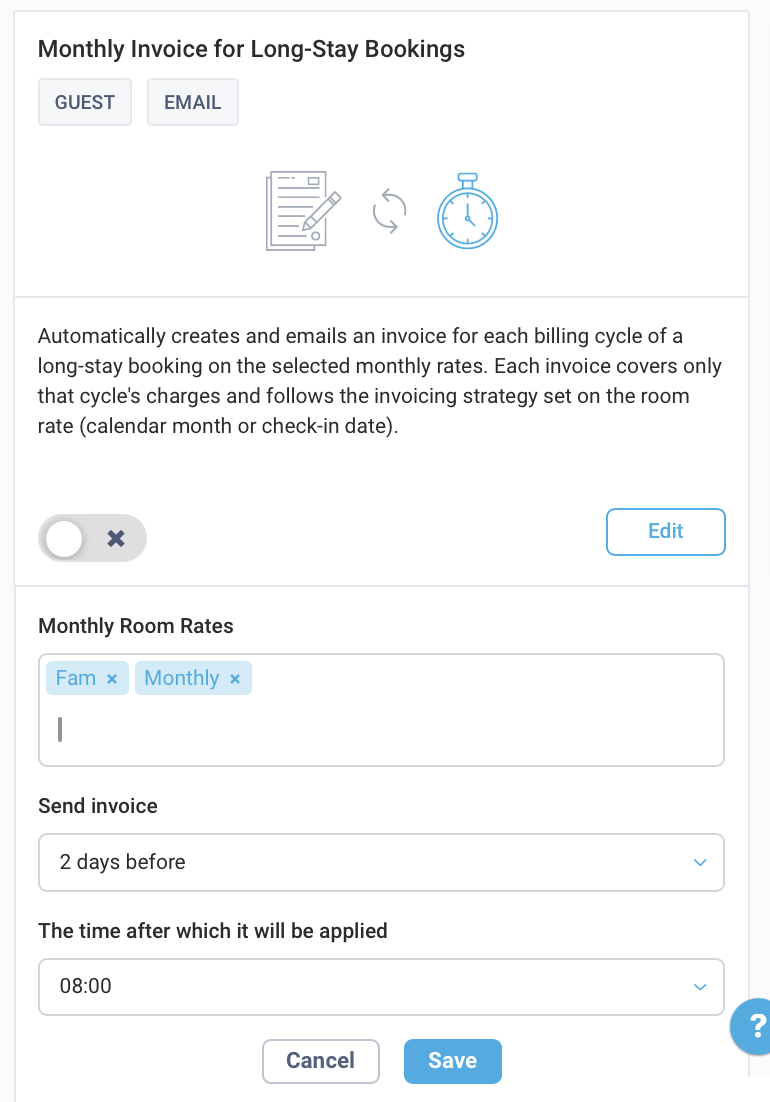
The automation is now active and ready to send invoices on schedule.
3. Set the Invoice Strategy for the Booking
When creating a new long-stay booking, you must select the correct invoice strategy in the backend for the monthly workflow to function.
- In the booking mask, check the Create invoice box.
- Change the option in the Invoice strategy drop-down from "Whole booking" to First rate.
- Complete the booking.
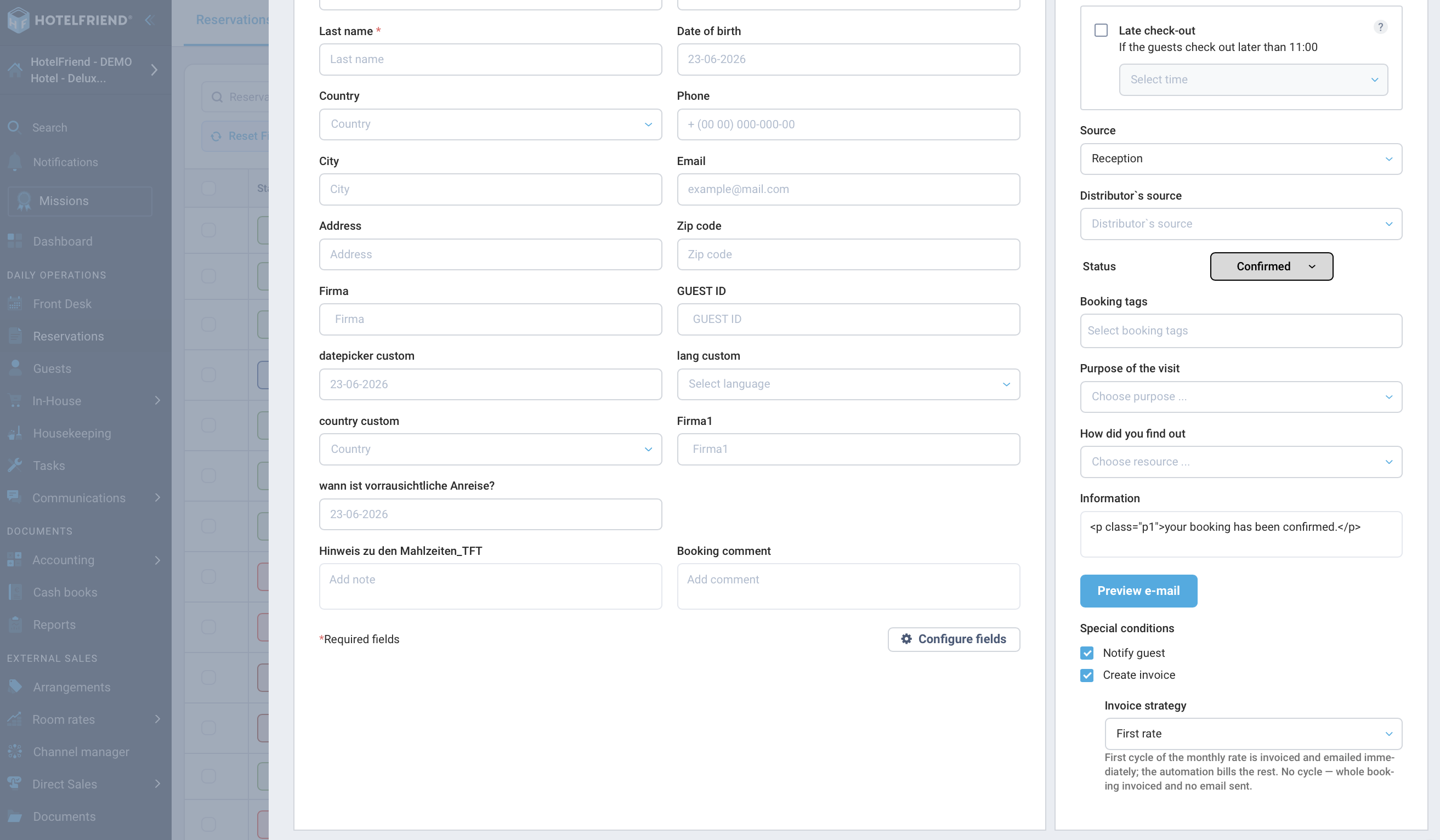
The invoice for the first month will be created and sent immediately. The active automation then automatically takes over the billing for all remaining cycles.
Note! The default setting "Whole booking" creates a single invoice for the entire stay without automatic sending. Always switch to First rate if you want to use monthly billing. Alternatively, you can leave the Create invoice checkbox unticked and leave the billing entirely to the automation.
Do you have any further questions? Contact us at support@hotelfriend.com or use the Live Chat.

