

How to track check-ins and check-outs
Managing arrivals and departures is one of the most important daily tasks at the front desk. HotelFriend PMS offers several tools to help you keep track of which guests are coming, staying, and leaving.
You can monitor this information directly on the Dashboard, filter reservations by dates, or generate and print out a structured daily report.
Guest Management widget
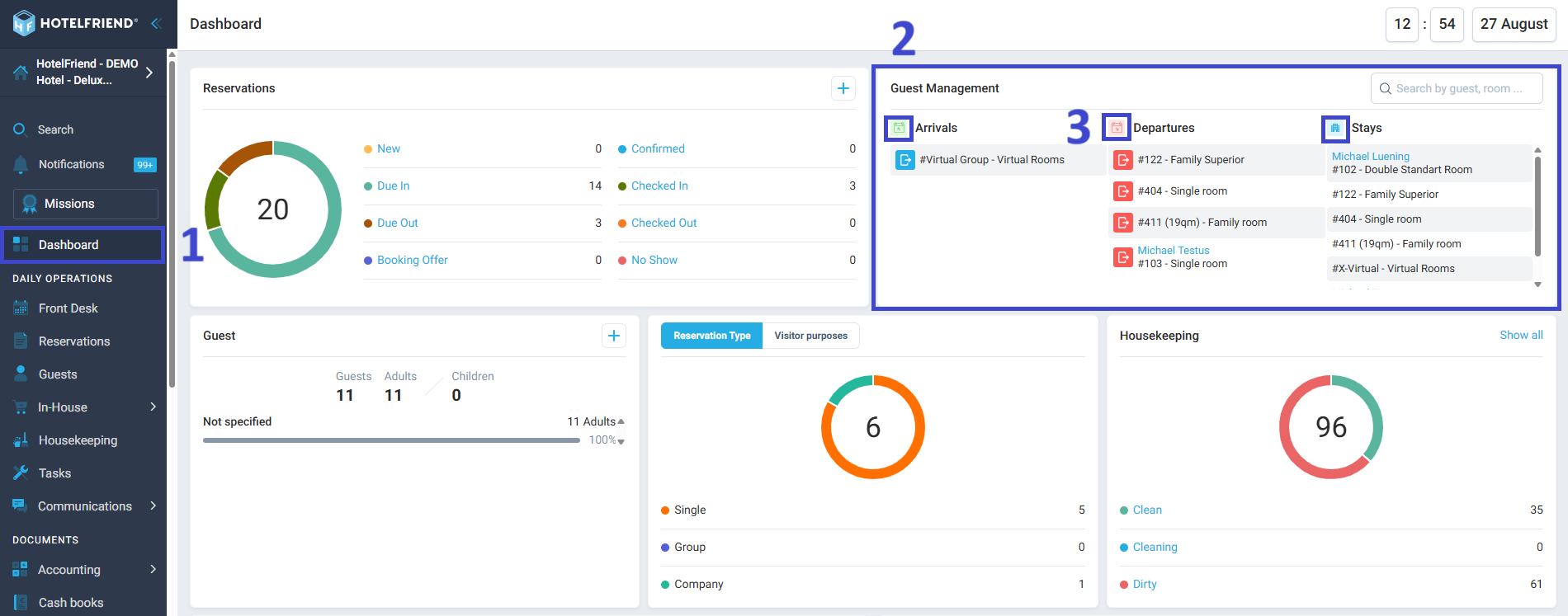
The Guest Management widget is located on your Dashboard and gives you a quick snapshot of today’s activity.
Here’s what you’ll see:
- Arrivals: The number of guests scheduled to check in today. Shows the rooms that will be occupied.
- Departures: The number of guests scheduled to check out today. Shows the rooms that will become available.
- Stays: The number of guests currently checked in and staying at your property. Shows the rooms that are occupied.
Here is how to use it:
- Open your Dashboard.
- Find the Guest Management widget.
- Click on the icon near Arrivals, Departures, or Stays.
- The system will open a filtered list of reservations that match this status for the date.
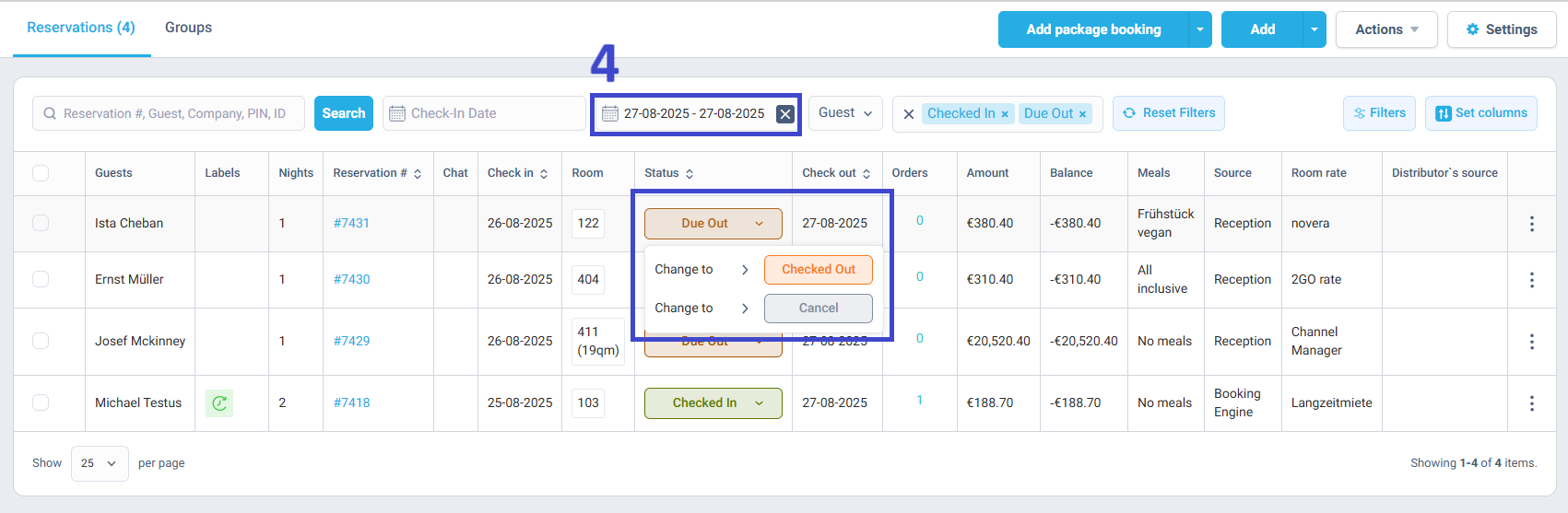
This way, you can go directly to the relevant reservation cards and complete the check-in/out process.
Filters in the Reservations module
For a more detailed view, you can use the Reservations module.
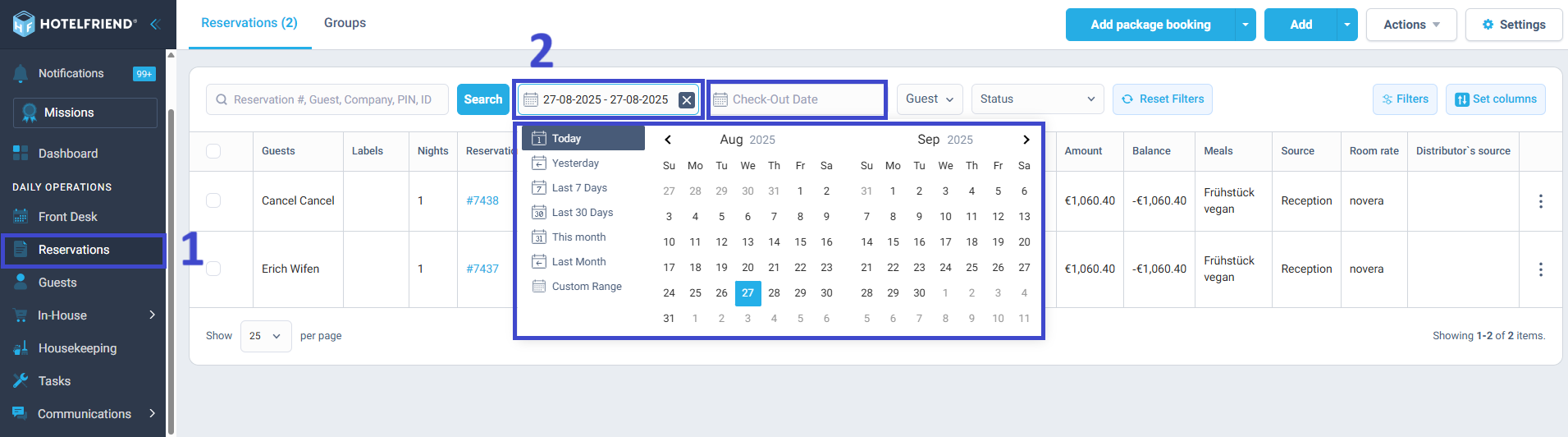
At the top of the reservation list, you’ll find filters for Check-in Date and Check-out Date. These let you quickly sort bookings based on their arrival or departure date
How to use it:
- Go to the Reservations module from the main menu.
- Select the necessary filter:
- Check-in Date – choose a specific day (e.g., today) to see all arrivals for that date.
- Check-out Date – choose a day to see all departures for that date.
- You can also filter by guest name, status, or other attributes (such as Company, Meals, Room No., etc.).
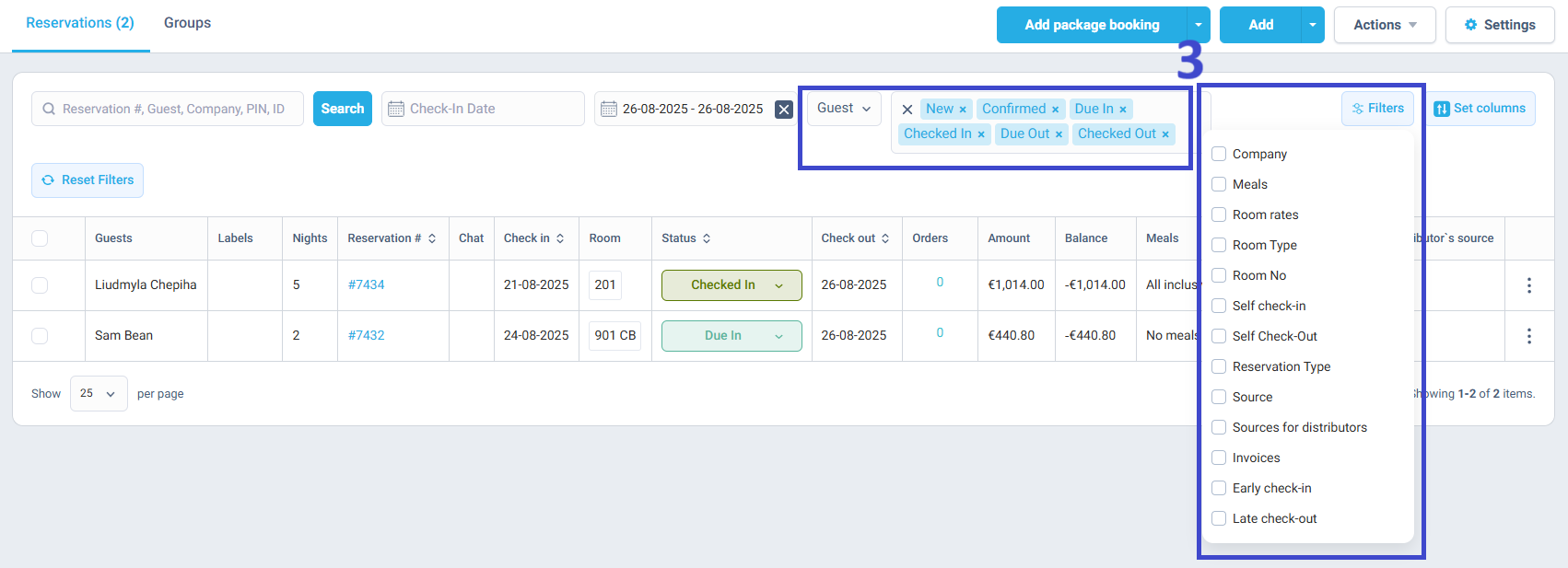
This option is especially useful when you need to manage reservations in detail – for example, to confirm booking information, edit guest details, or update statuses for multiple bookings at once.
Daily Check-in/Check-out report
The most structured way to track arrivals and departures is through Reports.
HotelFriend PMS provides a dedicated Check-in/Check-out Report that gives you a complete overview of expected guest movements for any chosen date.
Here is how to use it:
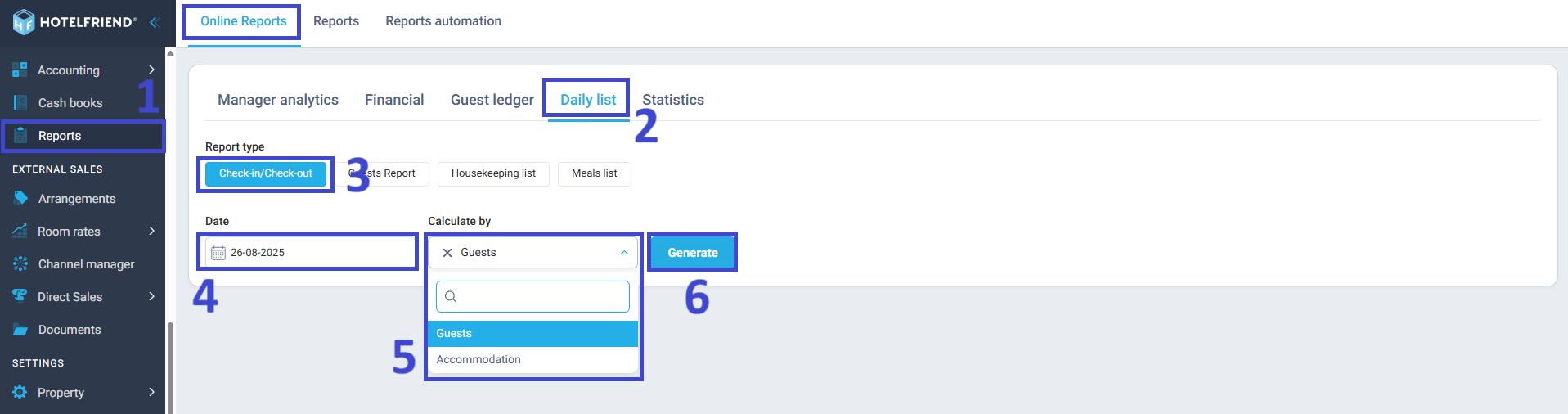
- Go to the Reports module in the main menu.
- Navigate to Online Reports and select the Daily list tab.
- Select the Check-in/Check-out report.
- Select the date you want to review (e.g., today or tomorrow).
- Choose whether you want to calculate by Guests or Accommodation.
- Click Generate.
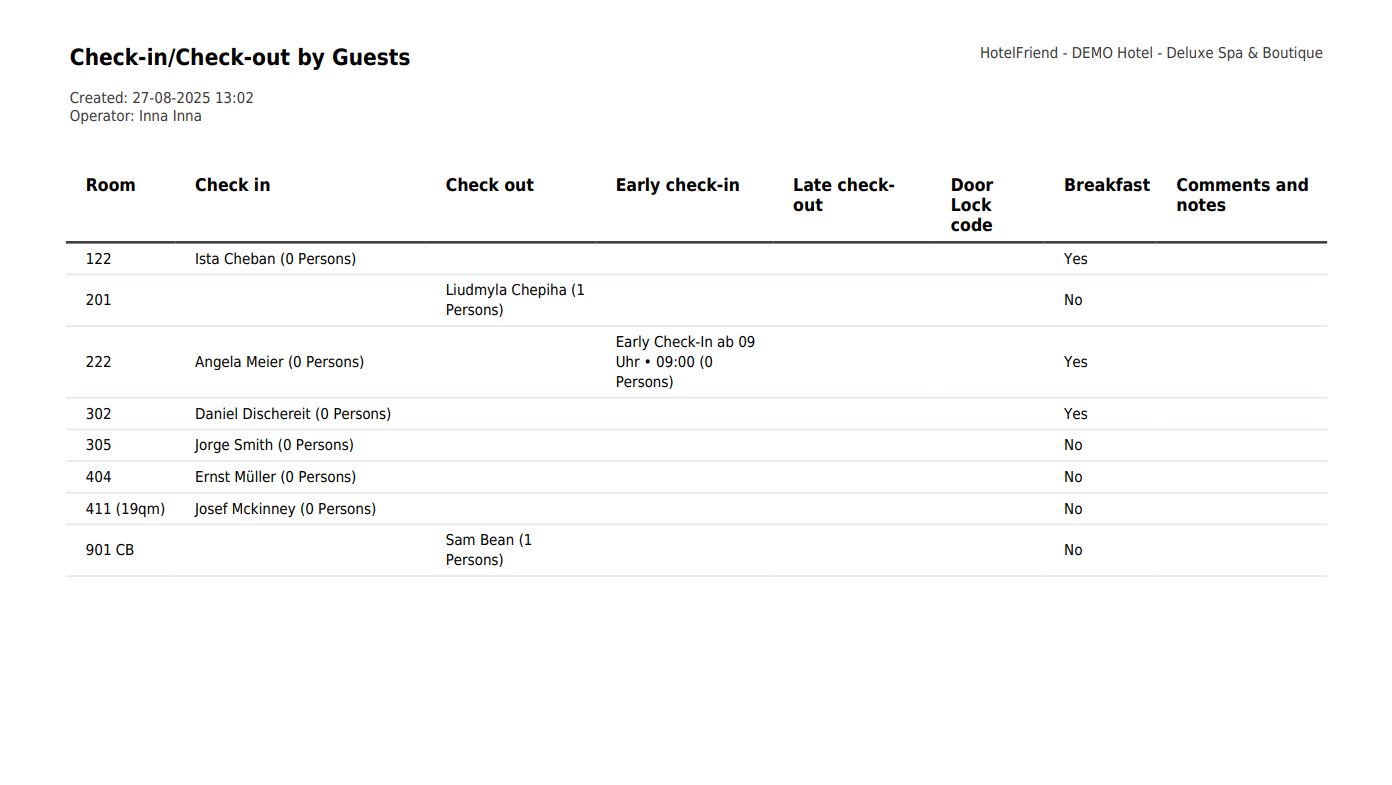
The report displays two main categories:
- Check-in (Arrivals): A detailed list of all guests expected to check in. This includes guest names, assigned rooms, whether they have late check-in/check-out and when, door lock code, whether they have breakfast and comments and notes.
- Check-out (Departures): A detailed list of all guests scheduled to check out. This also includes guest names, assigned rooms, whether they have late check-in/check-out and when, door lock code, whether they have breakfast and comments and notes.
Benefits of this report:
- It provides a structured overview of all arrivals and departures in one place.
- Ideal for the front desk team at the start of the day, as it shows which rooms need to be prepared for check-in and which will be vacated.
- Useful for housekeeping planning, since staff can immediately see which rooms will become available after check-out.
- Can be printed or exported, making it easy to share with other departments.
Summary
HotelFriend PMS provides three effective ways to track check-ins and check-outs:
- Use the Guest Management widget for a quick and brief overview.
- Apply date filters in the Reservations module for more detailed searches.
- Generate a Check-in/Check-out Report for a structured daily overview, ideal for front desk and housekeeping coordination.

