

How to manage Sales Channels for Deals
This article provides detailed step-by-step instructions on how to manage sales channels individually for each of your deals. By using this function, you gain the ability to precisely determine the specific channels through which your deals can be booked, thereby ensuring enhanced control and flexibility.
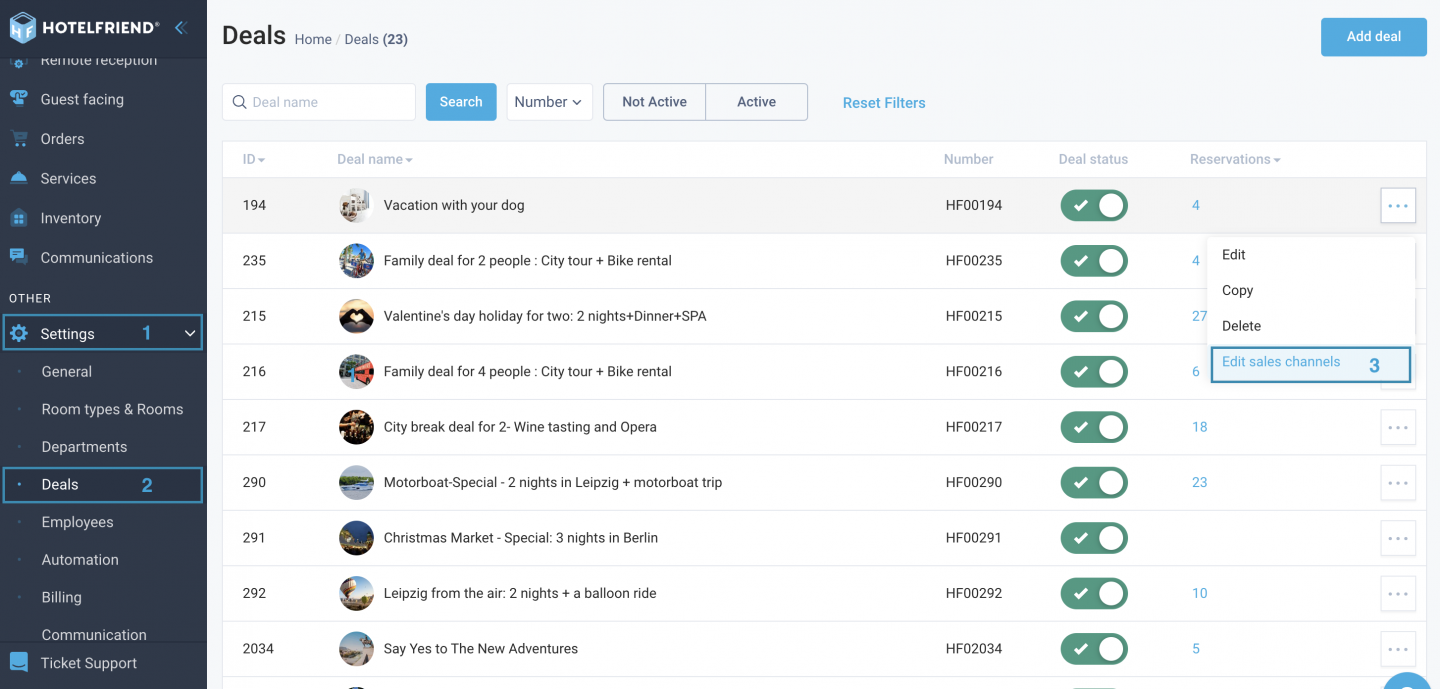
- Navigate to Settings.
- Select the Deals module.
- Click the actions menu opposite the specific deal and choose “Edit sales channels”.
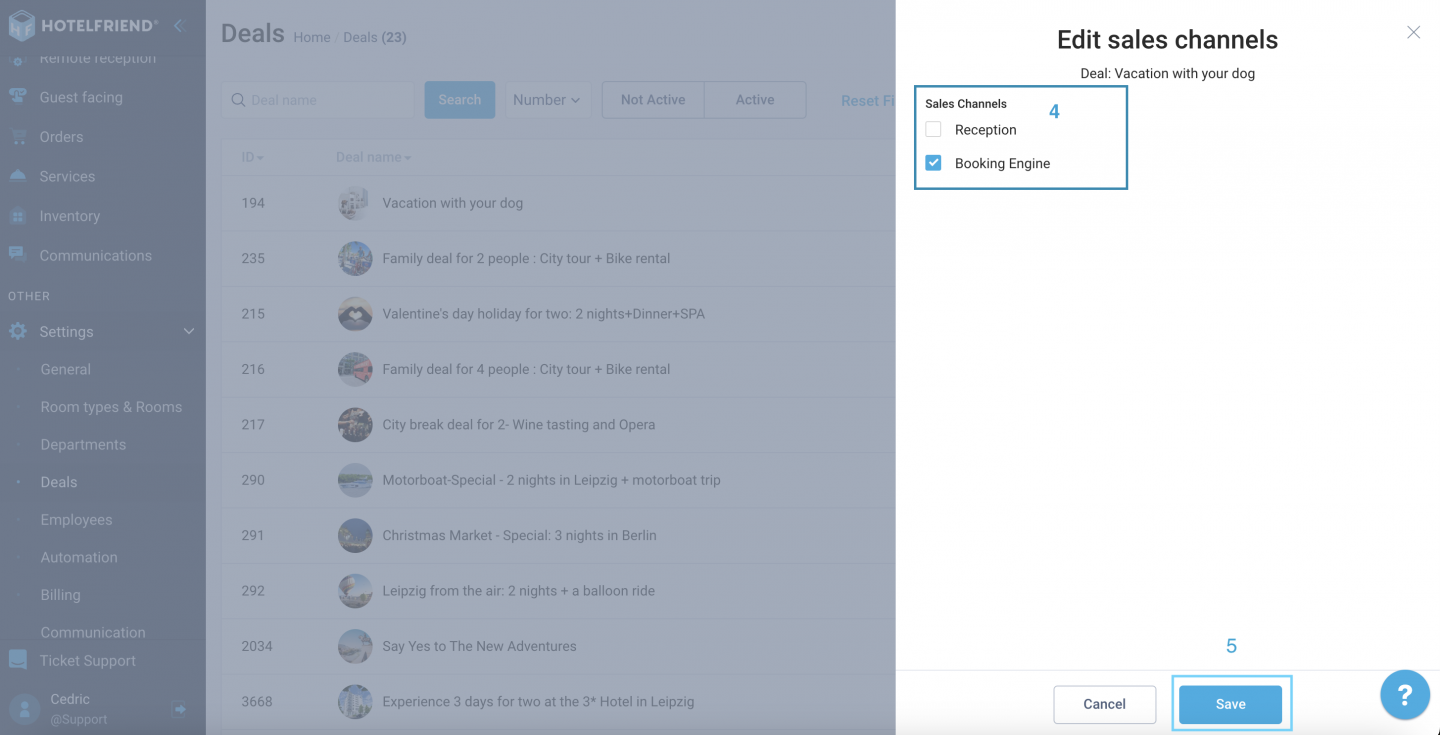
- Mark checkboxes for sales channels on which the deals should be offered.
- Click the "Save" button.
Author:

