

How to set up custom Gender Titles for guests in HotelFriend
One way to enhance the guest experience is by setting up custom gender titles to greet your guests appropriately. This guide will walk you through the steps of adding and managing these titles, ensuring your communication is personalized and considerate for every guest.
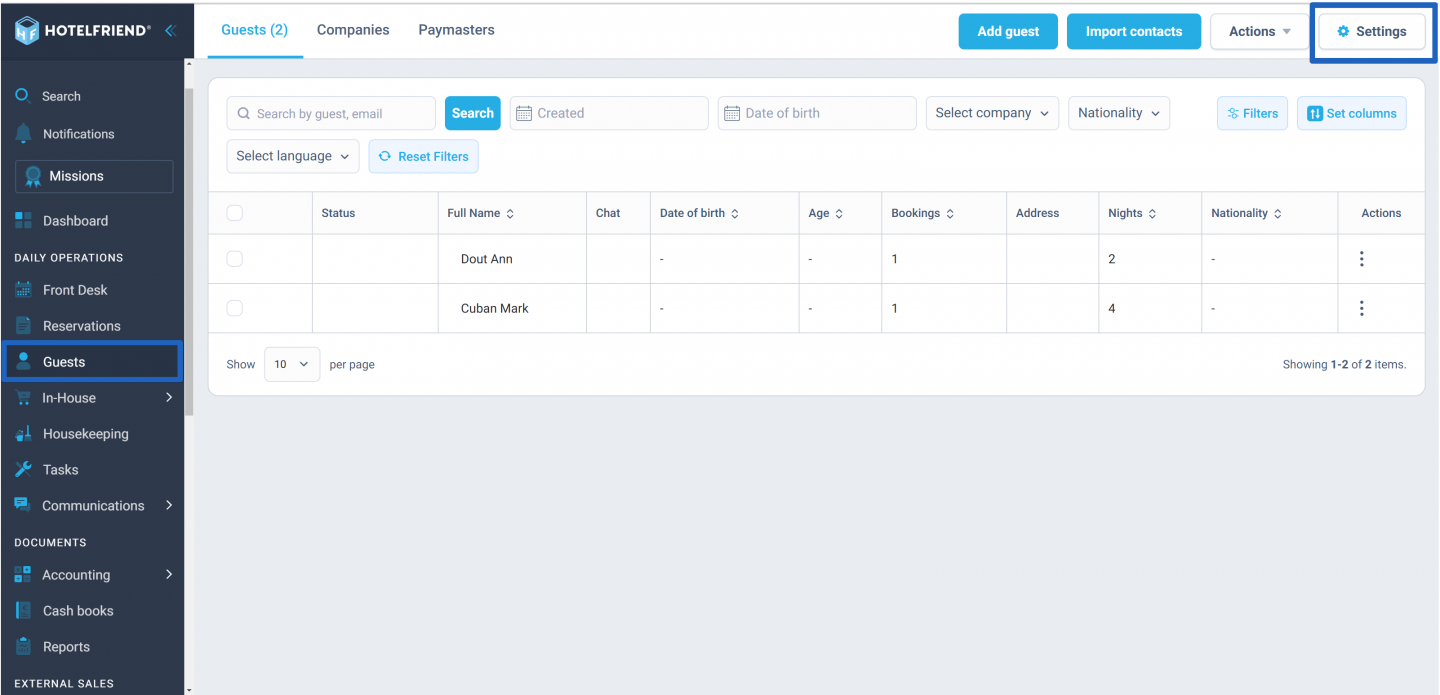
- In the menu on the left, click on the Guests module and select Settings.
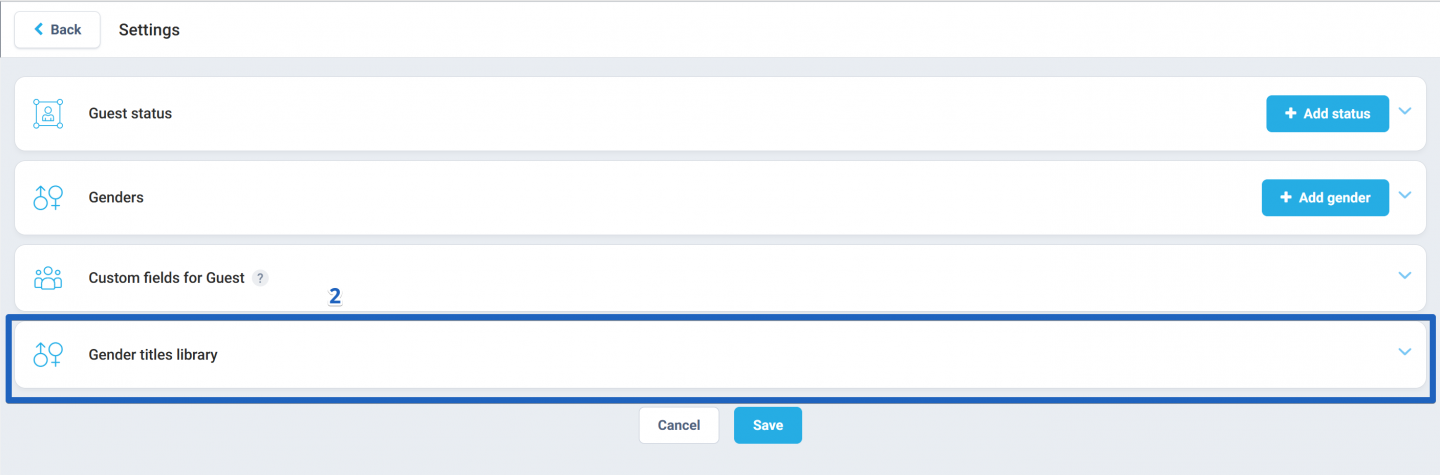
- Within the settings, click on the Gender titles library block.
- To add a new custom title, click the Add button.
- In the new field that appears, input the desired gender title.
- Click Save to ensure your new title is added to the system.
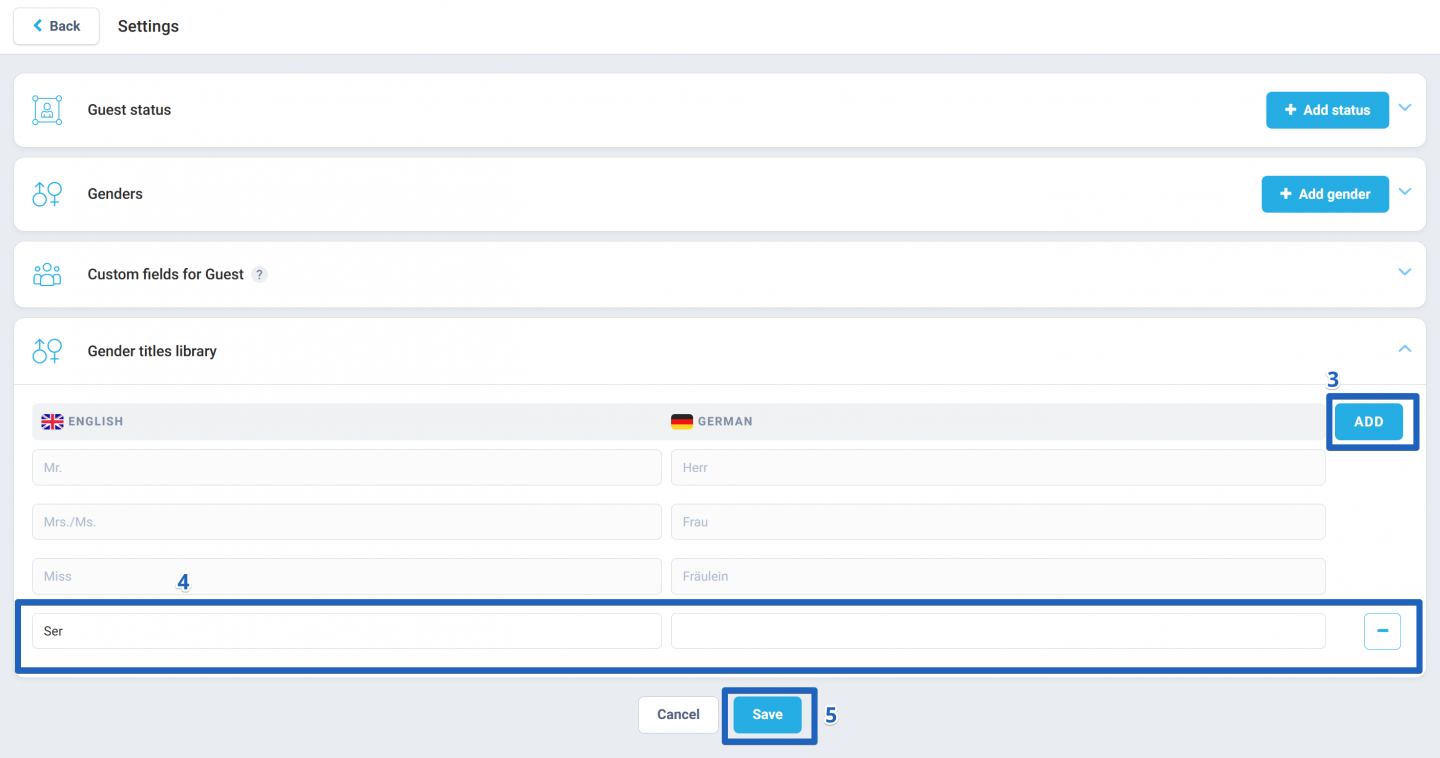
To maintain flexibility and accuracy, you can also delete custom gender titles. Simply click the "-" button next to the title you wish to remove.
Author:

