

How to add a Company
To create a company reservation, you need to add information about the company into the Hotel Management System. Here is how to set up company data:
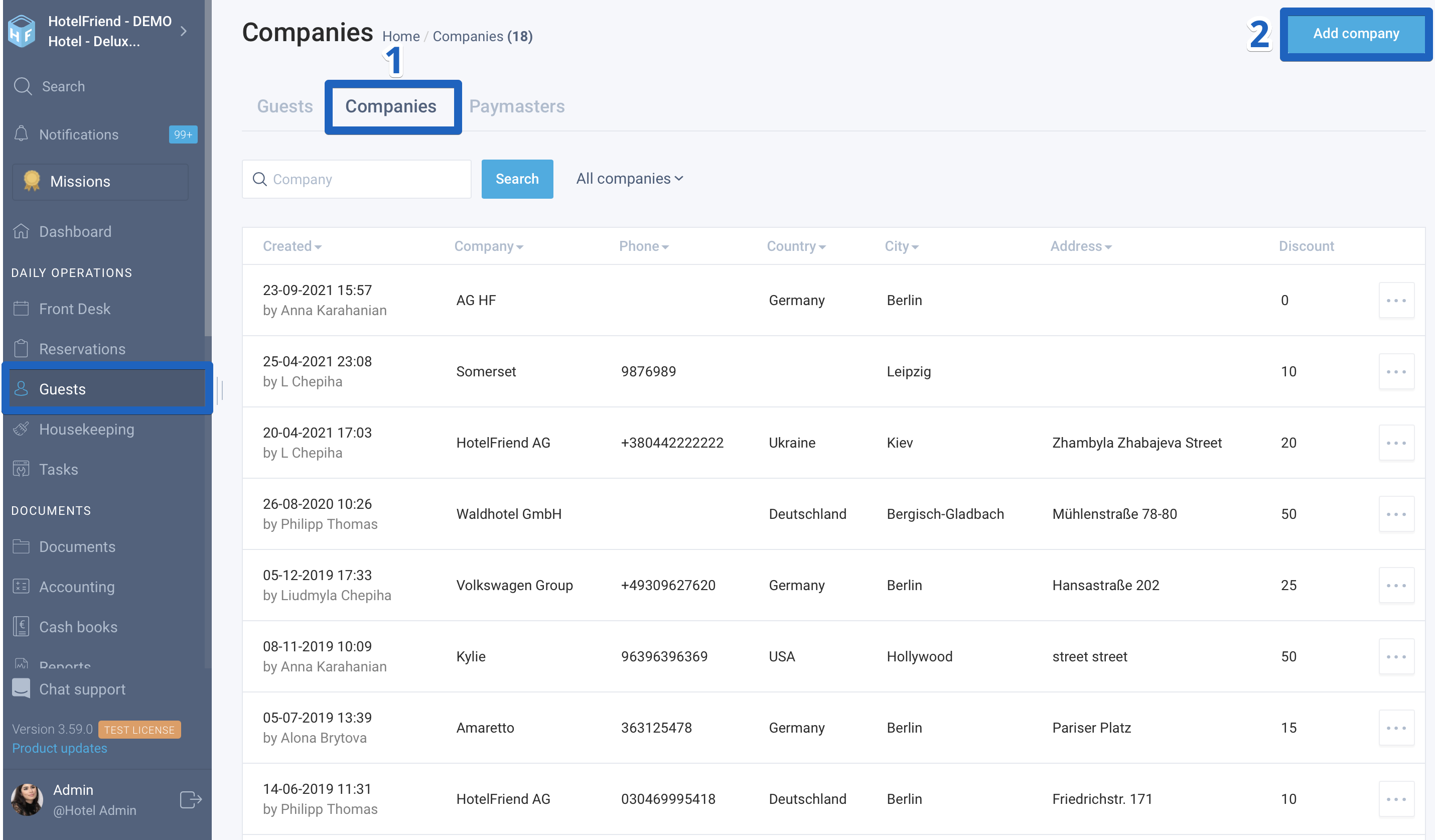
- In the menu on the left, select the Guests module and go to the Companies tab.
- In the upper right corner, click on the "Add company" button.
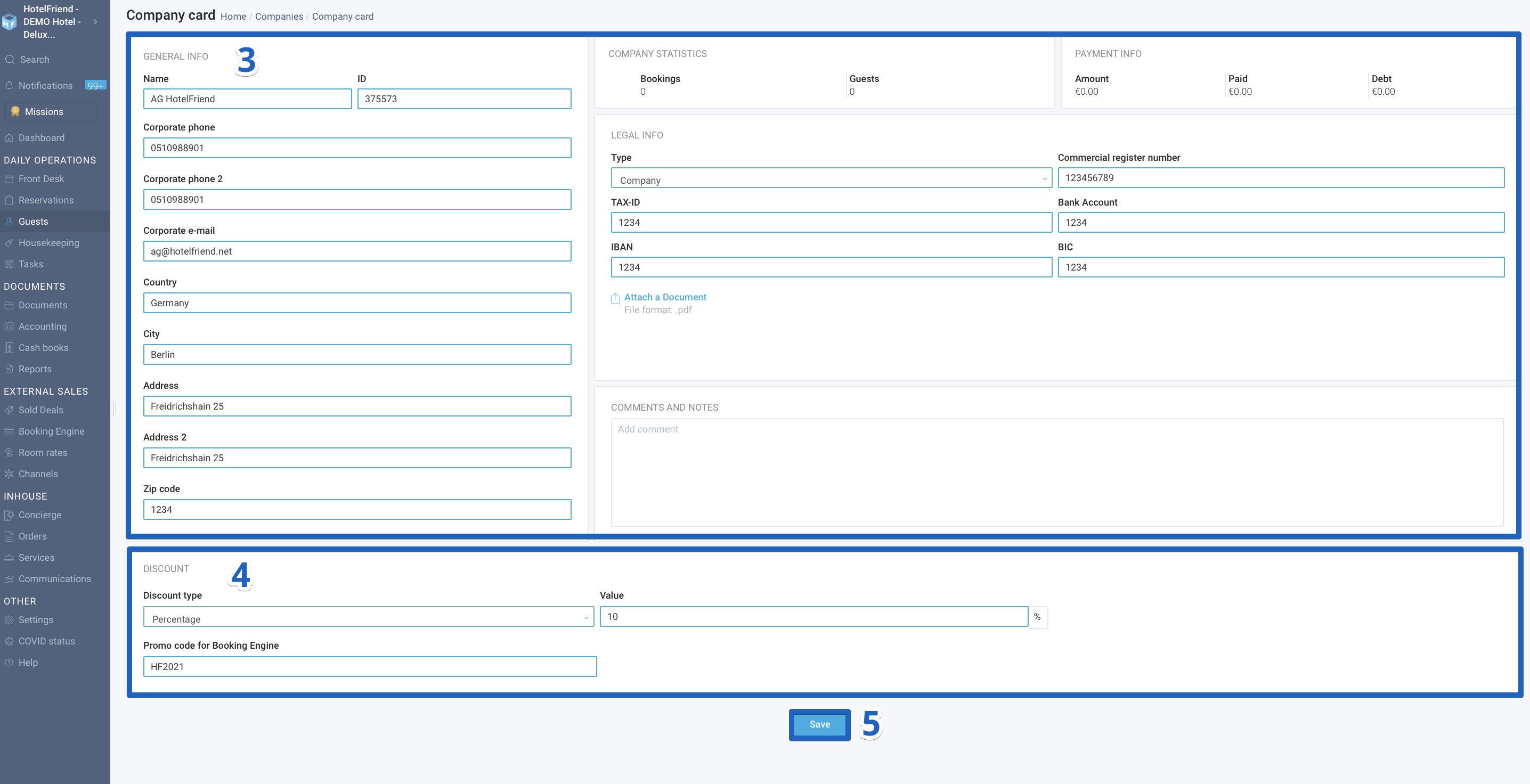
- Add the information about the company in the General info and Legal info sections.
- If necessary, in the Discount section, you can set up a company discount, which can be applied later when creating a booking. You must select the type of discount and specify its parameters. You can also set up an individual Promo Code.
- Click on the “Save” button.
You can add a comment here as well.
A company representative can use the Promo Code when creating a booking with the Booking Engine of the accommodation facility.
Author:

