

How to add a user for a specific POS (Point of Sale)
Ensuring seamless access for your employees to the hotel Points of Sale (POS) is crucial for efficient payment operations. This guide outlines the steps to create user access for a POS within the HotelFriend platform.
Important: Before proceeding, ensure that your hotel's account is equipped with the necessary functionality. If it’s not included, please contact your sales department or technical support to request the required features. Reach out to the sales department via email at sales@hotelfriend.de, or contact technical support using the Ticket Support form or by emailing support@hotelfriend.com.
Here is how to grant access to any POS available in your system:
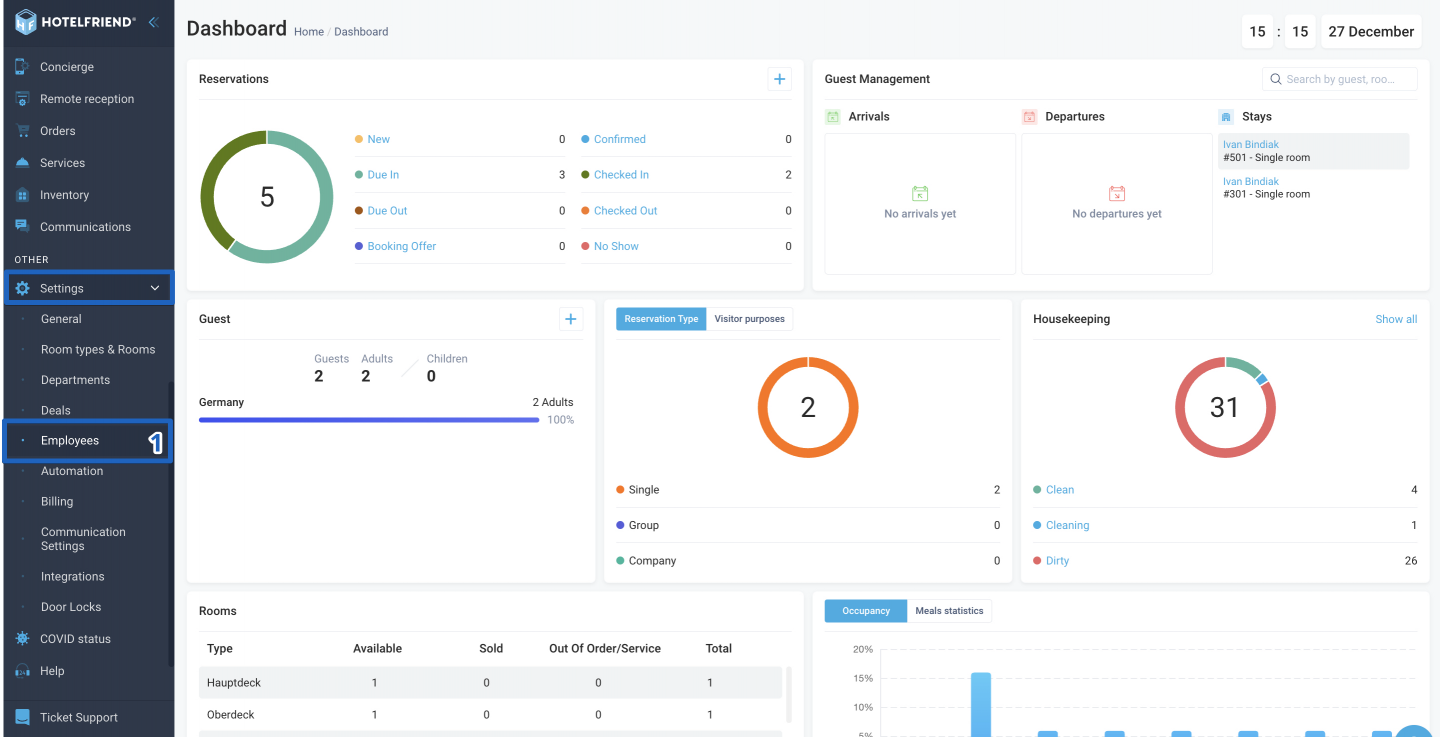
- On the left-side menu, locate and click on "Settings" and go to "Employees".
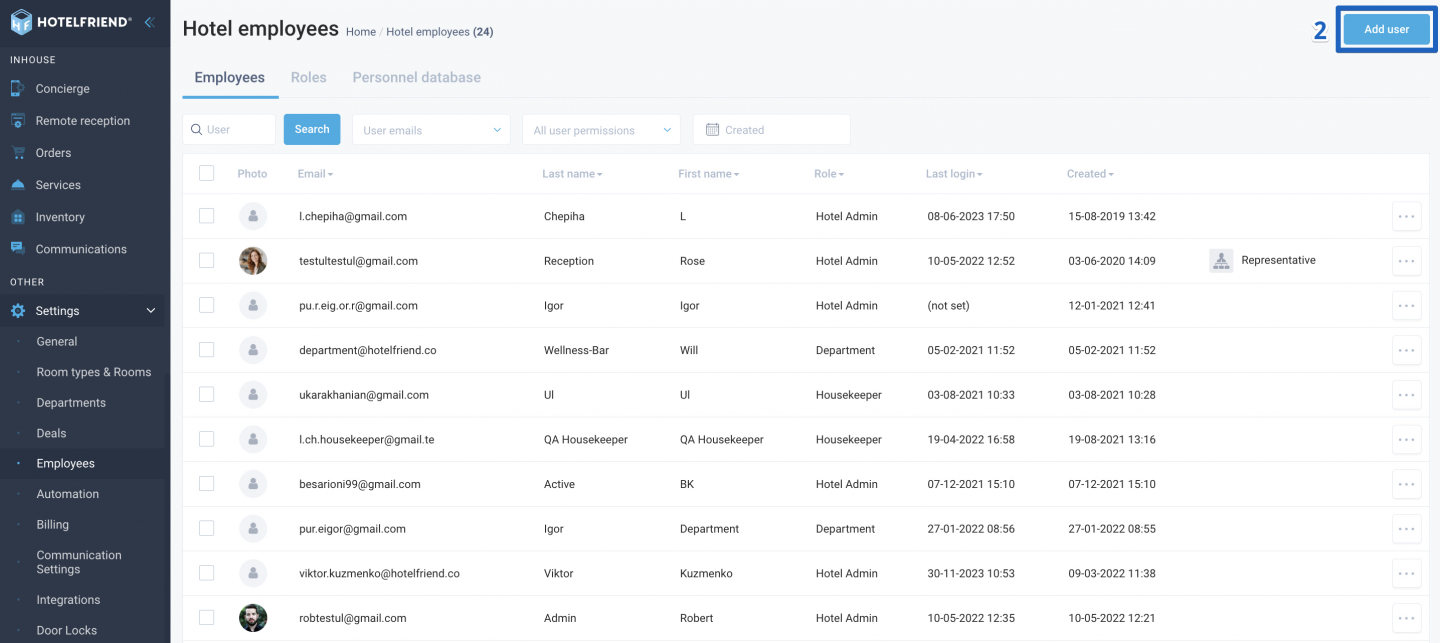
- In the upper right corner of the “Employees” page, click on the "Add user" button.
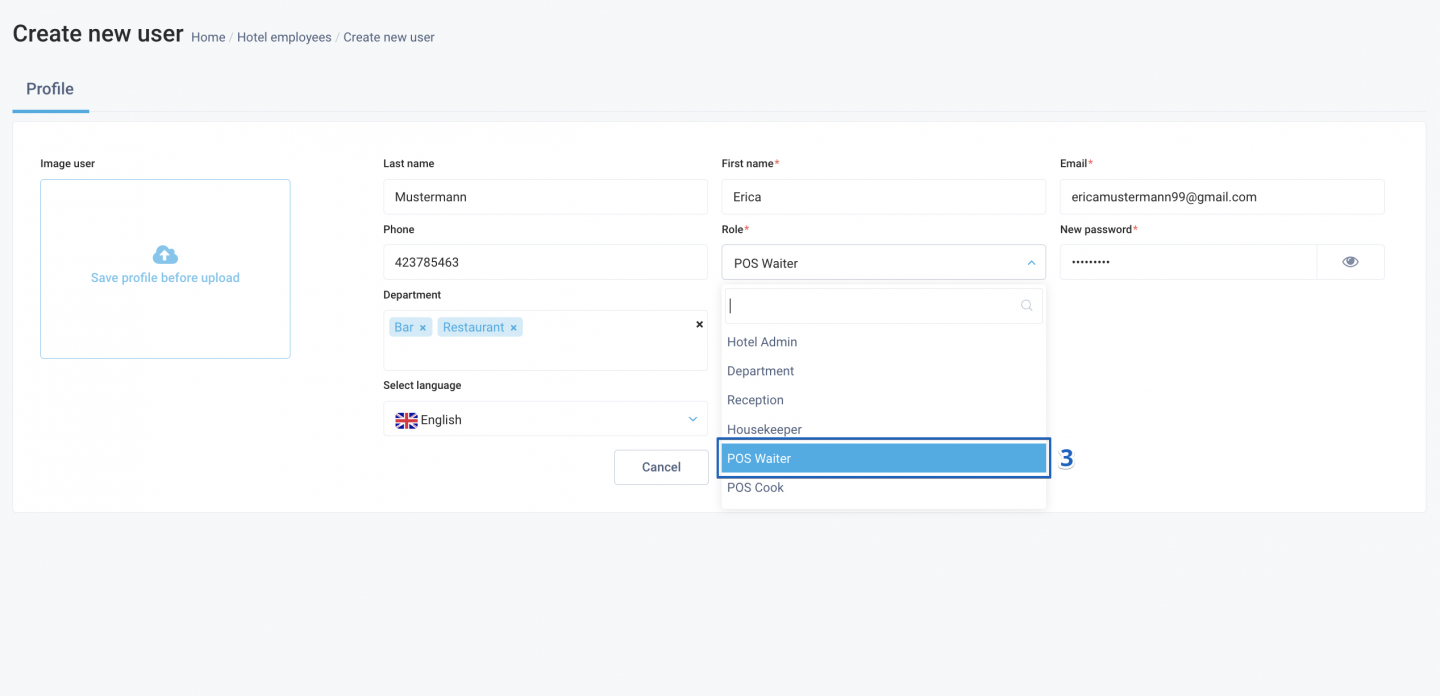
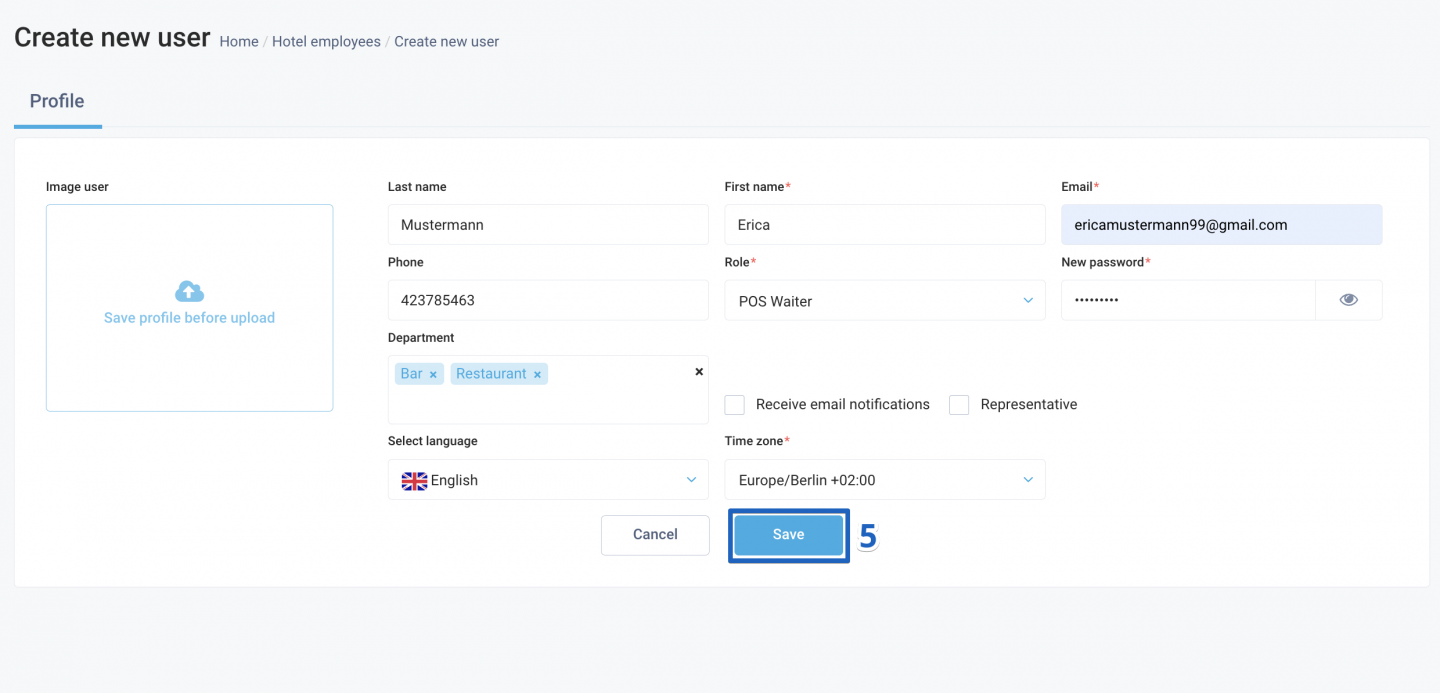
- Fill in the necessary user details in the provided fields. In the "Role" field, select the Point of Sale (POS) of interest.
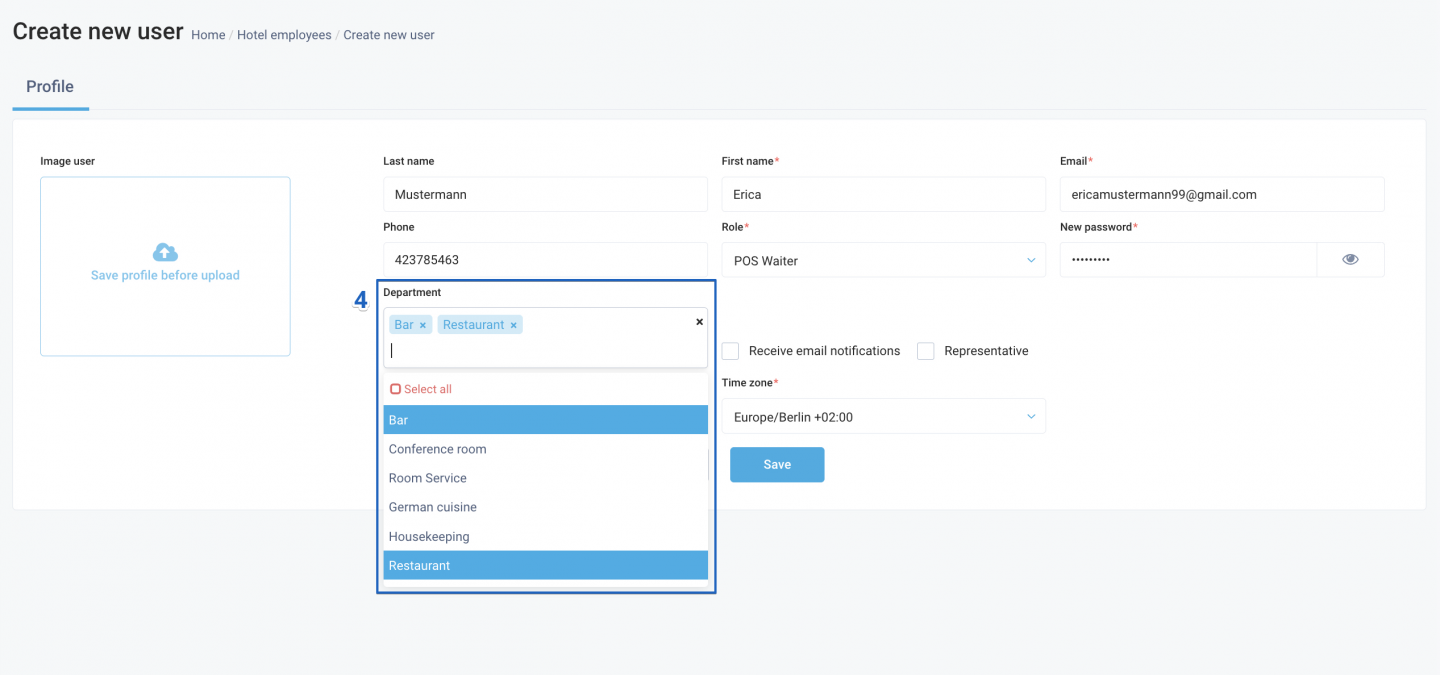
- Under the "Departments" field, select the specific departments to which the user should have access.
- Click "Save" to confirm and apply the changes.
Optional: Upload the user's photo
If needed, upload the user's photo from your device by clicking the "Upload photo" button.
Login information
The user can log in to the system via this POS link using the email and password created during registration.
By following these steps, you can successfully grant access for an employee to a specific Point of Sale, streamlining your hotel's payment processes. If you encounter any issues or require further assistance, feel free to reach out to our support team for help.
For additional support or inquiries, please contact our sales department at sales@hotelfriend.de or technical support at support@hotelfriend.com.

