

How to customize the validity period for Booking Offers
When creating a Booking Offer, it may be necessary to specify how long the offer should remain valid. This guide will walk you through the steps to set the expiry time for a Booking Offer and automate its cancellation if not confirmed by the guest.
Here is how to set the Booking Offer validity period in the HotelFriend system:
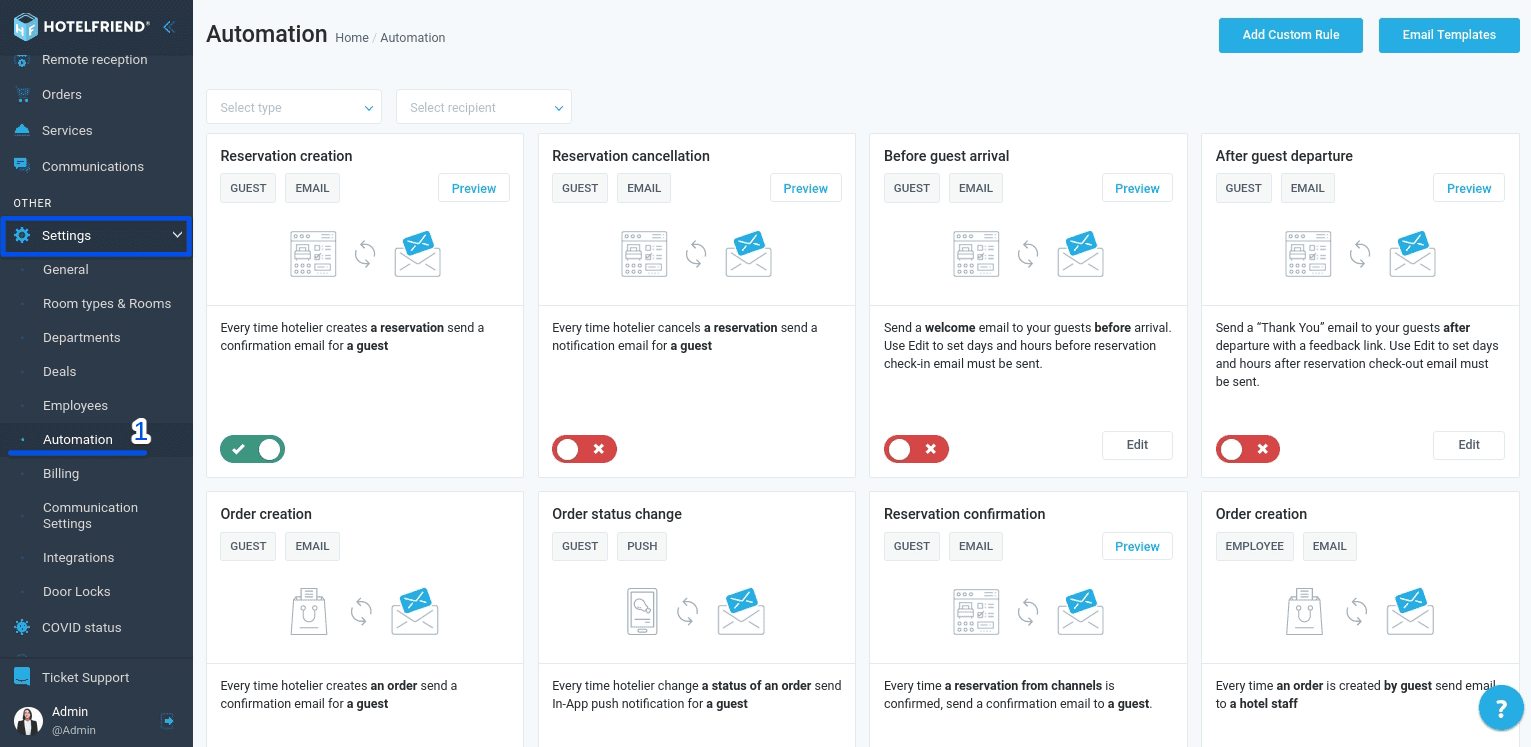
- In the menu on the left side of the screen, navigate to “Settings” and select “Automation”.
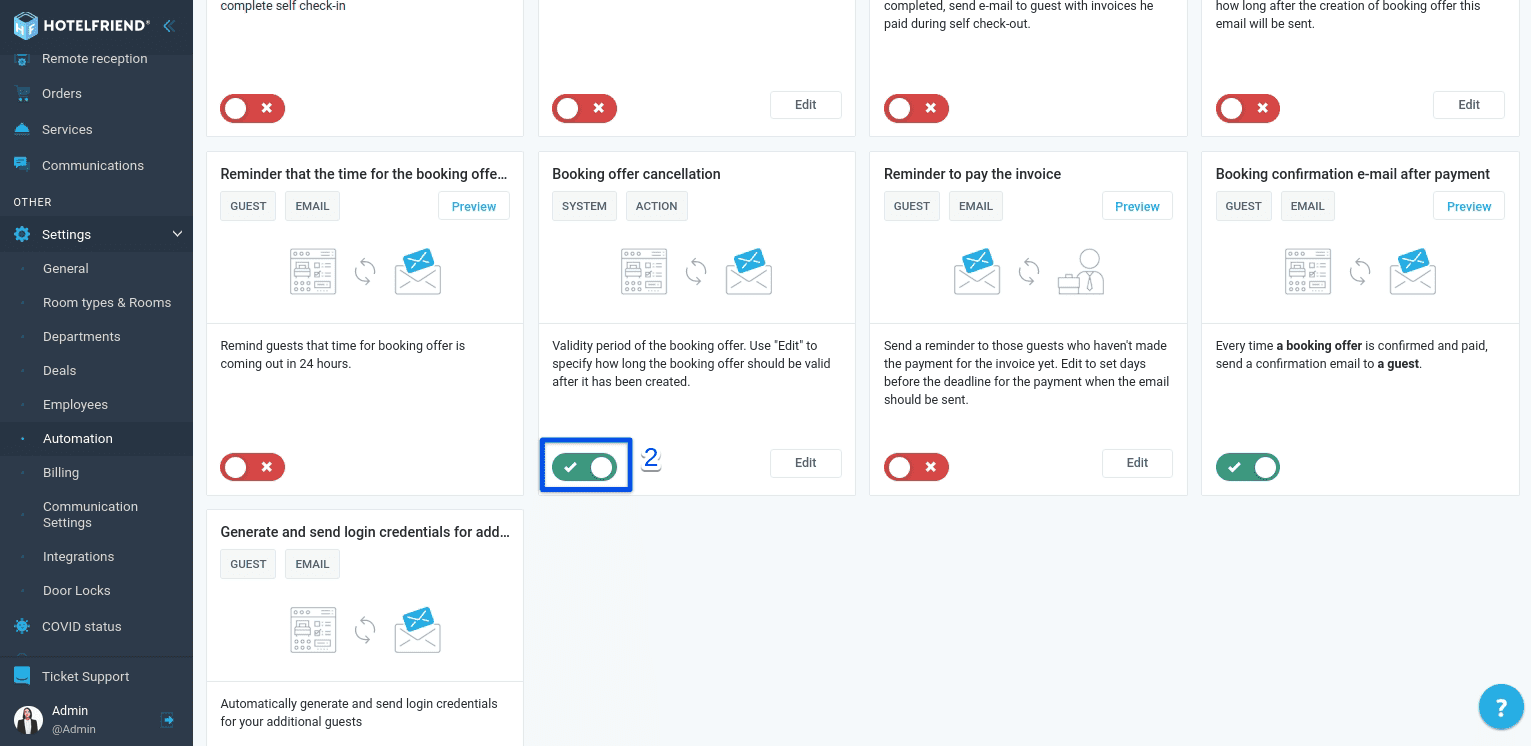
- Find the “Booking offer cancellation” block and turn on the toggle.
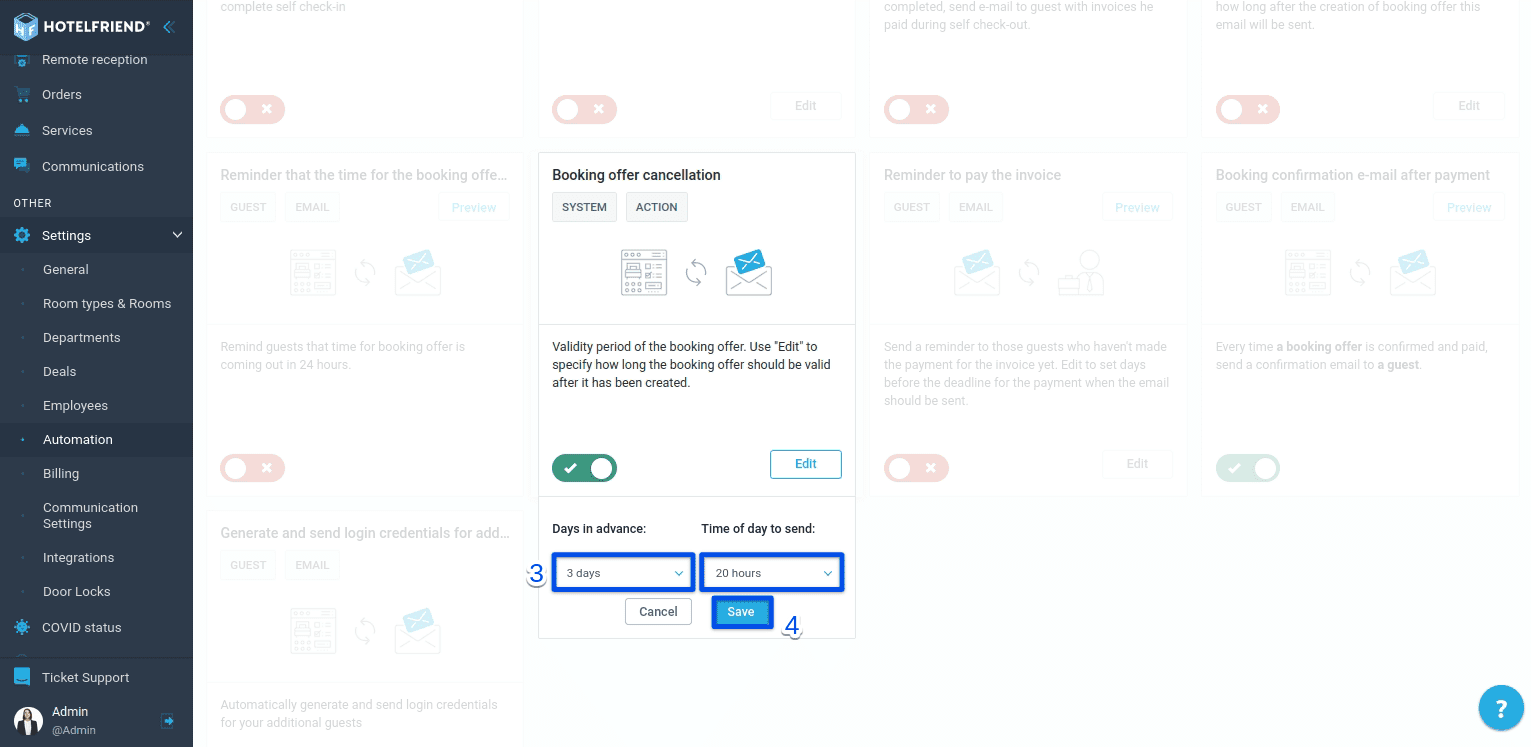
- Click “Edit” to configure the desired time frame for the offer's validity.
- Click "Save" to apply the changes.
Please note that any newly created Booking Offers will now adhere to the specified validity period. If a guest confirms the offer within this time frame, it will turn into a confirmed reservation. However, if the guest fails to respond or ignores the email, the Booking Offer will be automatically canceled once the configured period expires.
Author:

