

How to customize the Booking Engine
HotelFriend offers you the capability to customize your Booking Engine according to your unique needs. This empowers you to create a cohesive look and feel by syncing the color scheme, buttons, and links with your accommodation's website aesthetic.
To customize the suggested parameters for the Booking Engine, follow the steps below:
- Go to the Direct Sales, click Booking Engine.
- Locate and click on the Customization tab.
- Select the page Template from the dropdown list.
- In the Room Style field select the desired displaying style:
- Dynamic: A dynamic display of room options
- Detailed Table: A table format with detailed room information.
- Compact Table: A compact table format for a concise view of available rooms.
- To set your preferred color scheme for your Booking Engine, input a specific color code or select a color from the provided color grid.
- Click the Preview & Save button.
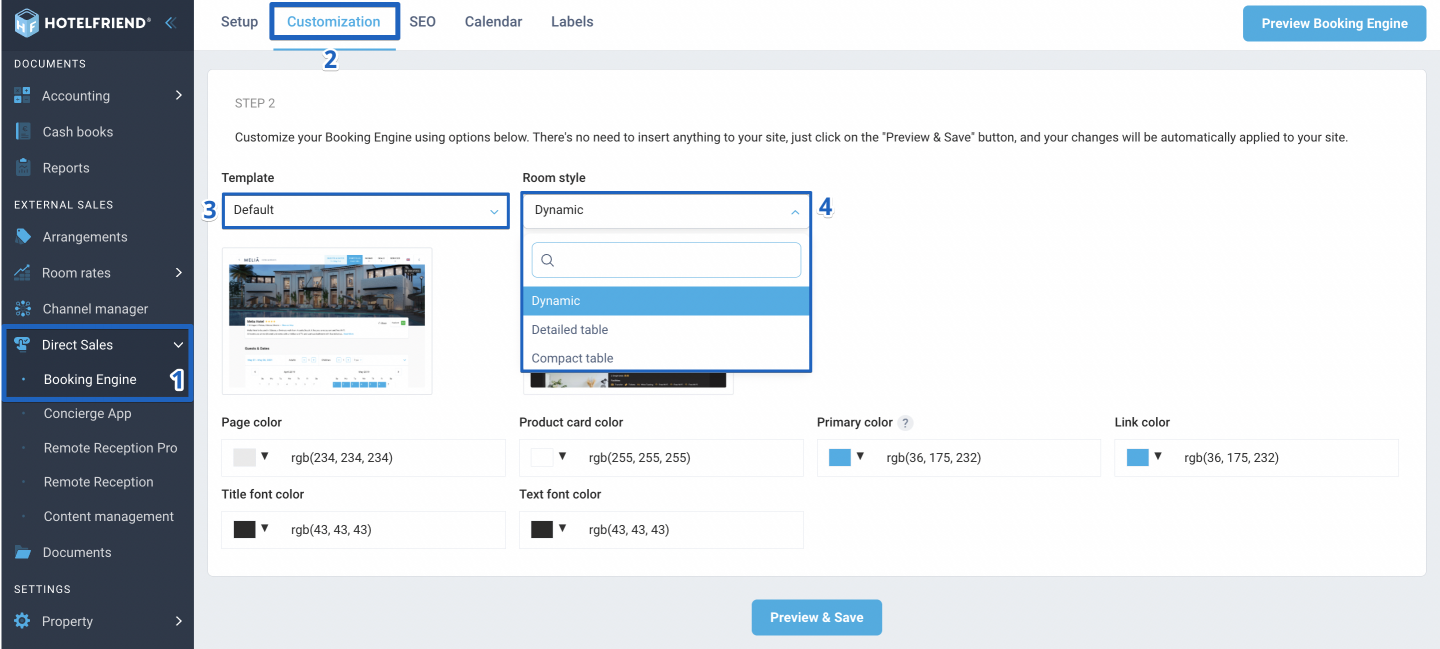
This will determine how room options are displayed on the booking page. If required, you can change the room style at any point.
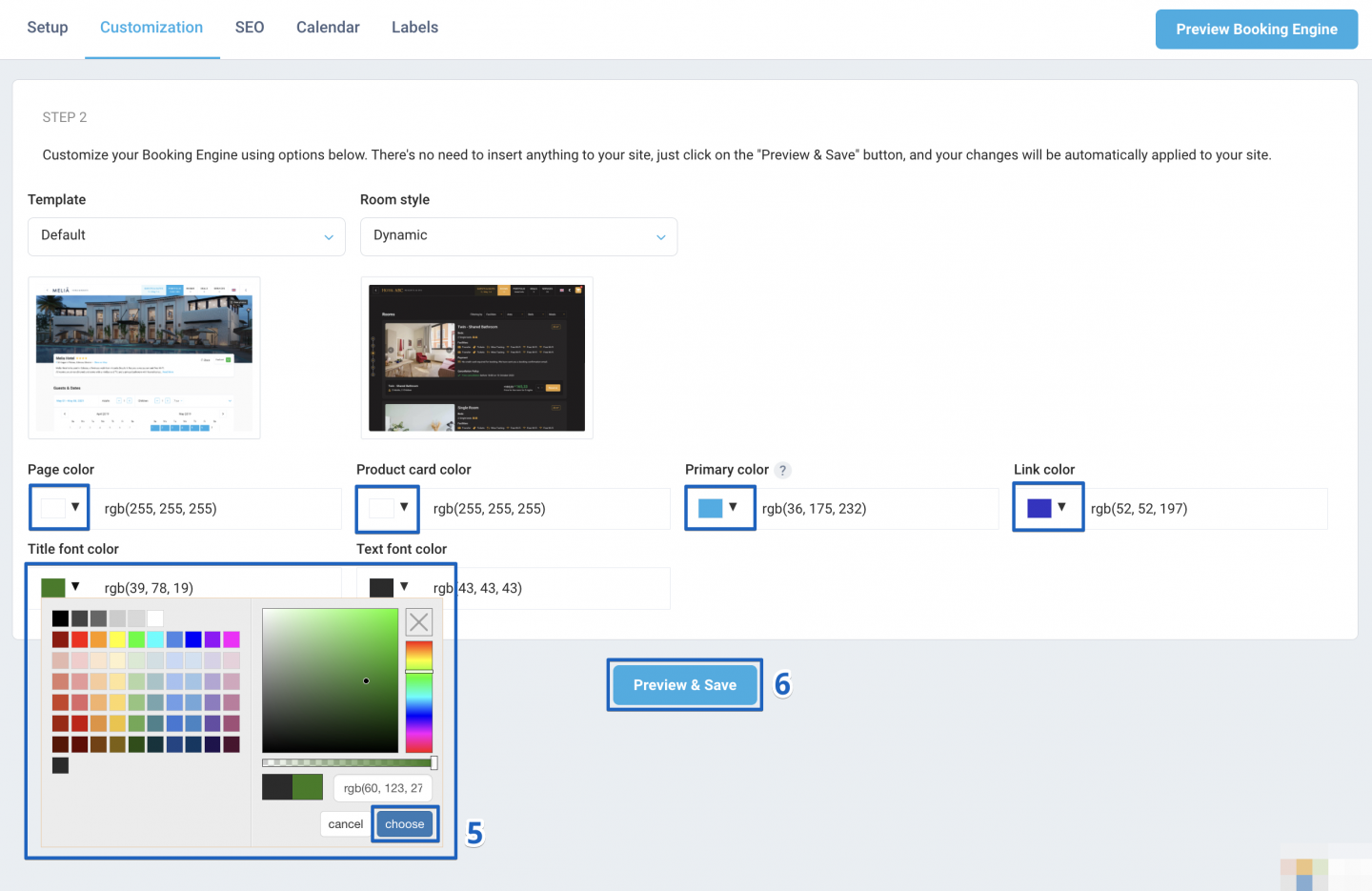
A new window will open allowing you to review the changes. If necessary, you can make additional adjustments to the colors, styles or other settings at this stage.
Author:

