

How to form a housekeeping list in the real-time
In the Reports module, you can form the housekeeping list for your housekeepers. Here is how to do it.
- In the menu on the left, select the Reports module.
- In the Online Reports tab, go to the Daily list section.
- In the Report type field, pull up the Housekeeping list item. Use the calendar to select a required date in the Date field and pull up the floor in the Floor field if necessary.
- Click on the “Generate” button.
- To generate a PDF document, click on the “Download PDF” button.
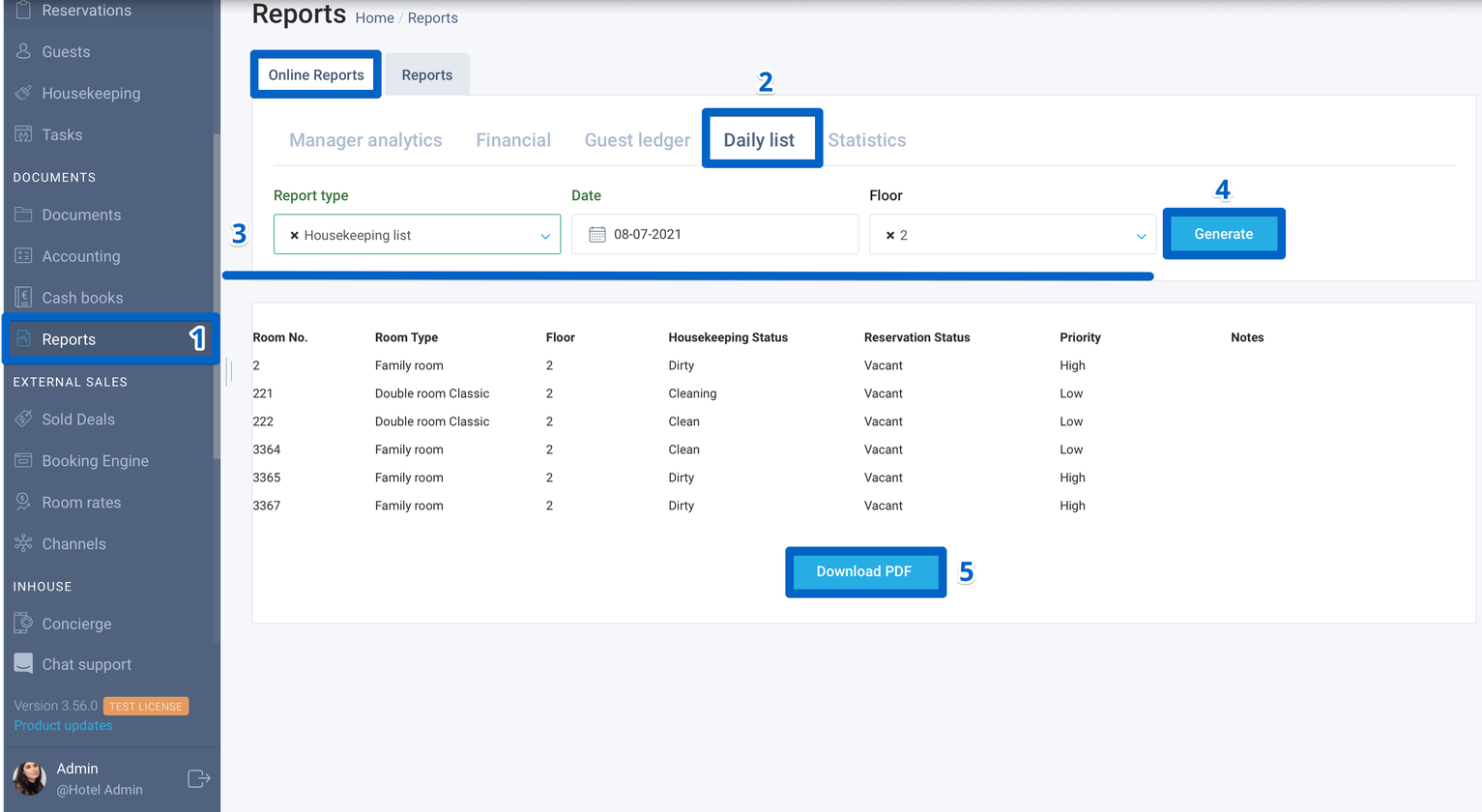
You can download and print the generated document to your device.
Author:

