

How to move reservations from one group to another
Each group booking in HotelFriend consists of several individual reservations. Sometimes guests change their plans, for example, part of the group may arrive on different dates or need to be billed separately. In such cases, you can easily move individual reservations from one group to another in just a few steps.
Moving reservations between groups
You can transfer one or more reservations to a new or existing group directly from the Groups tab in the Reservations module.
Follow the steps below:
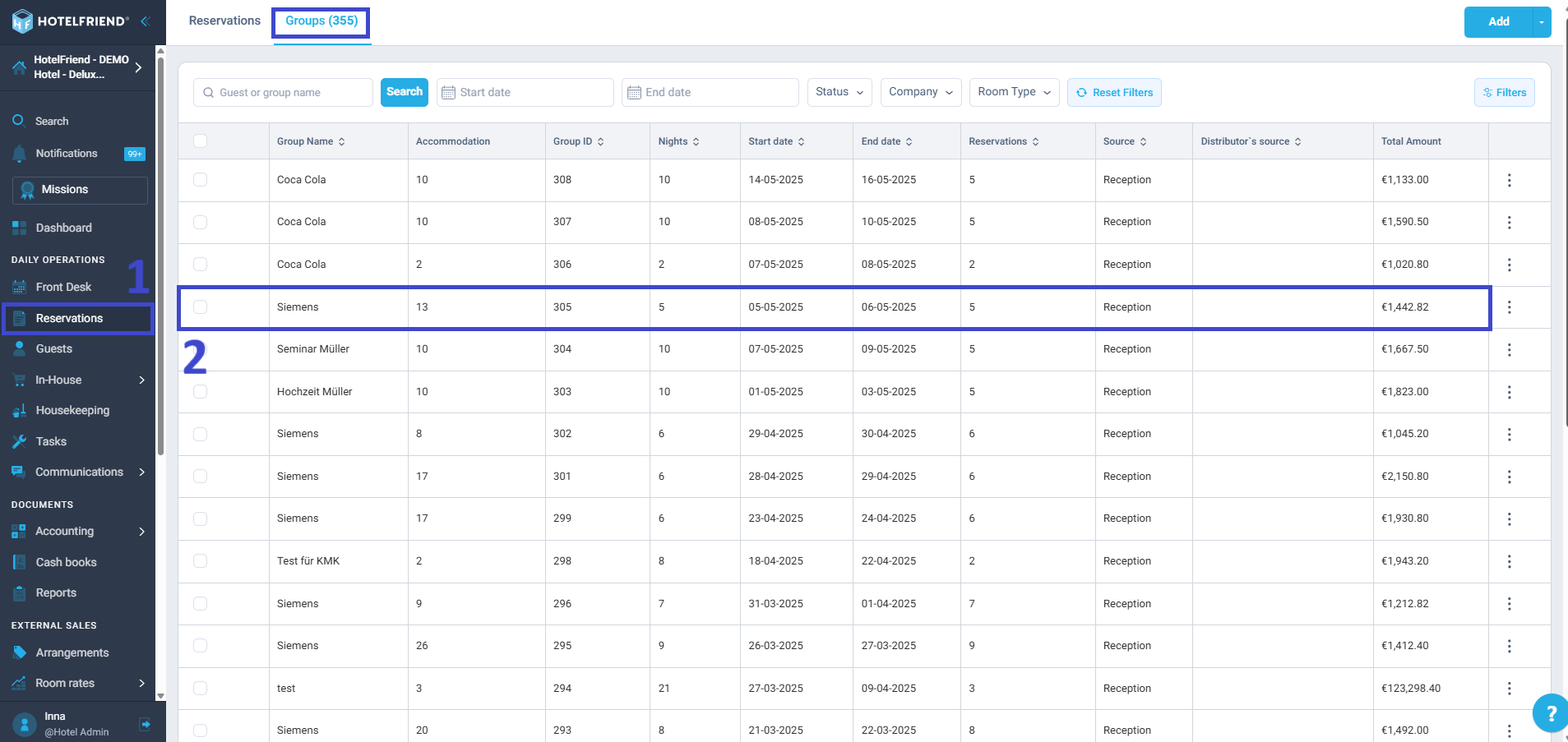
- Go to Reservations and open the Groups tab.
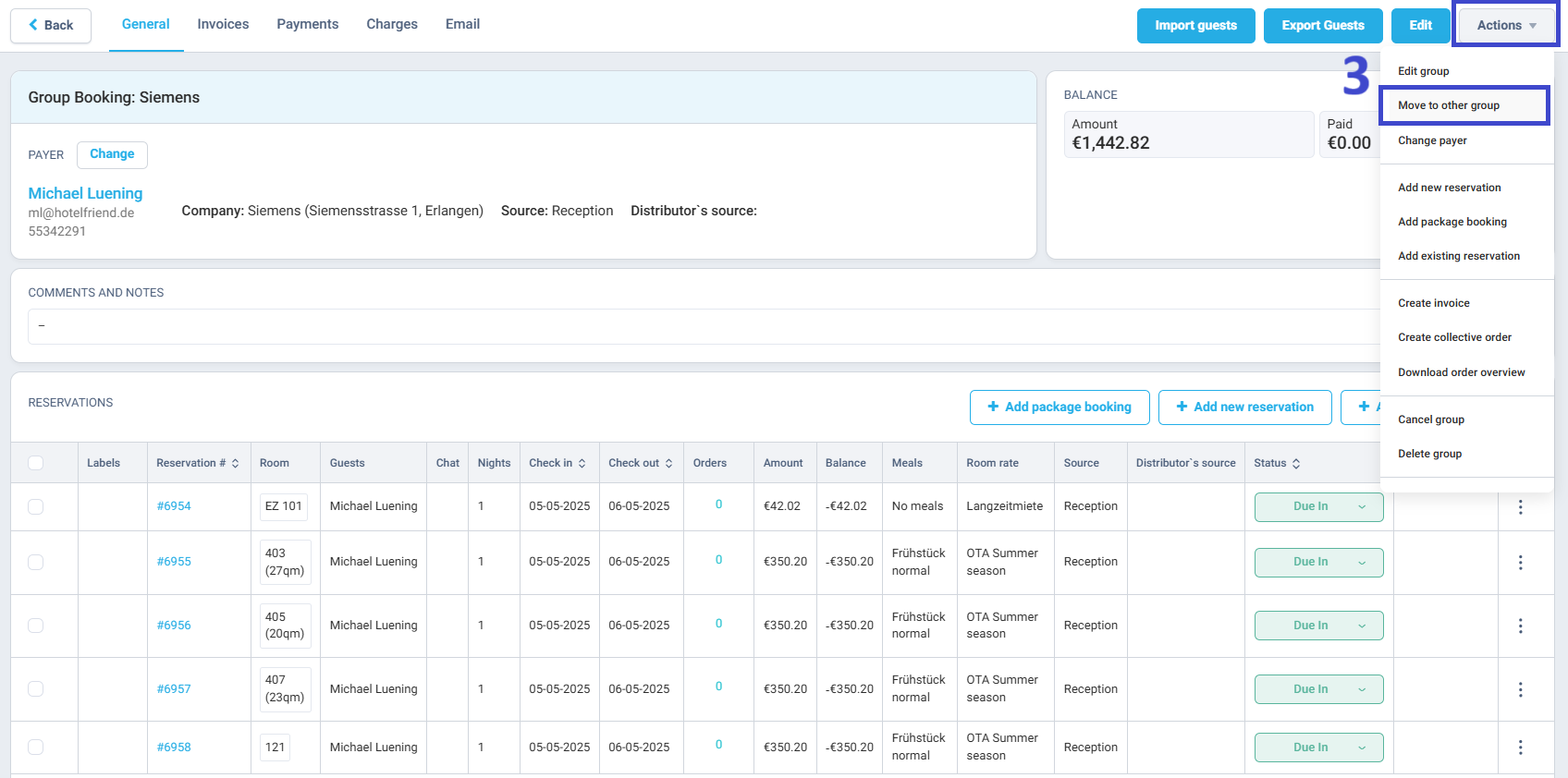
- Select the group booking you want to edit.
- In the Actions menu, choose Move to other group.
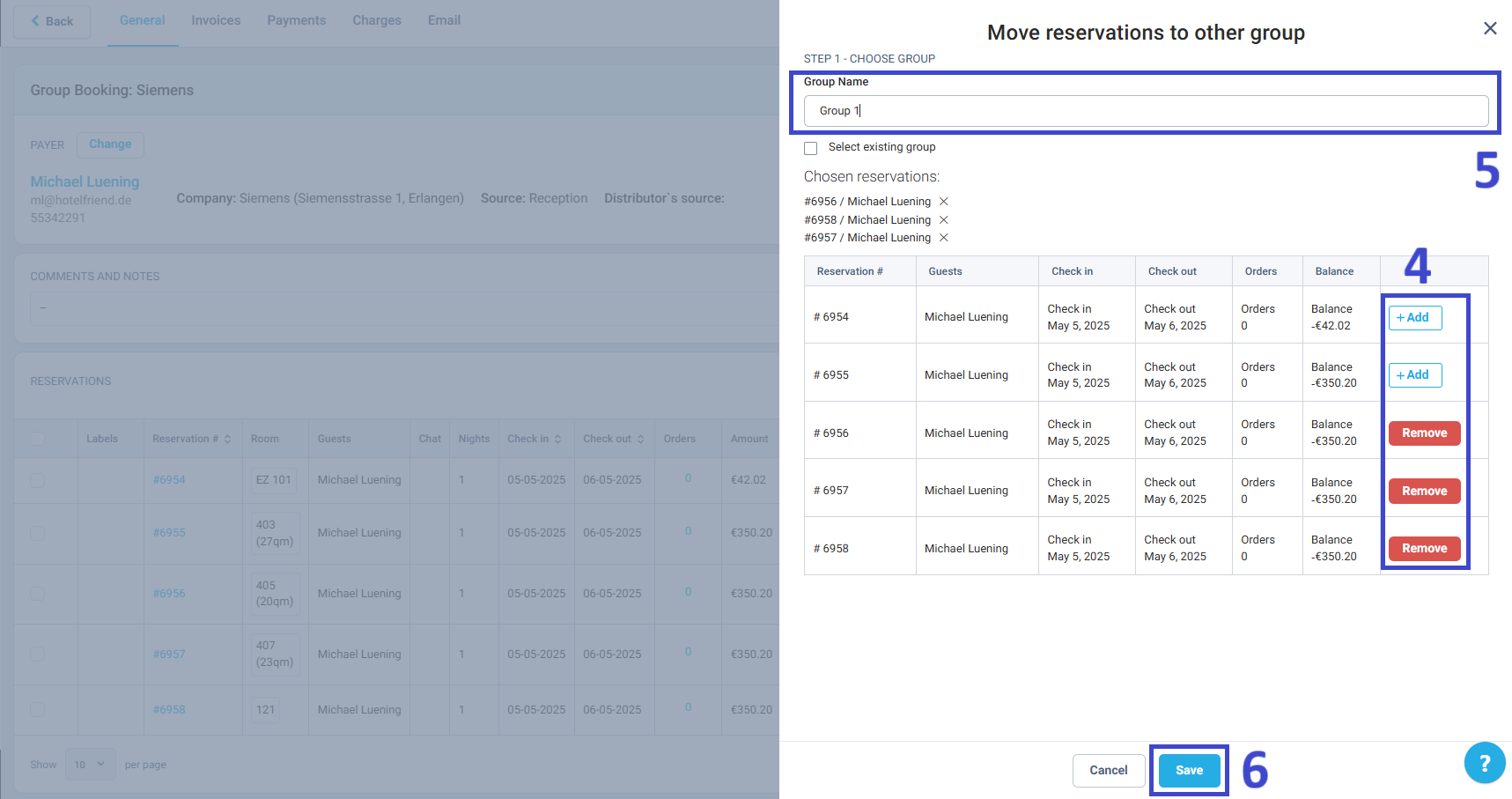
- In the list that appears, find the reservations you want to keep in the current group and click Remove next to each of them.
- Only the remaining reservations will be moved.
- Removing doesn’t cancel the booking, it just keeps it in the original group.
- Select where to move the reservations:
- Create a new group: Enter the new group name in the Group Name field.
- Move to an existing group: Tick Select existing group and choose the group from the list.
- Review the changes and click Save.
Once saved, the selected reservations will appear under the new group, while the others remain in the original one.
Need help?
If you run into any issues when managing group reservations, please contact our support team, and we’ll be happy to assist you.

