

How to set a reminder
The Maintenance module allows creating tasks for a specific day and time. The system notifies an employee that the task must be done by sending an email. Each employee can see two tabs - To Do and Done, and also has a possibility to communicate with colleagues in the general chat room.
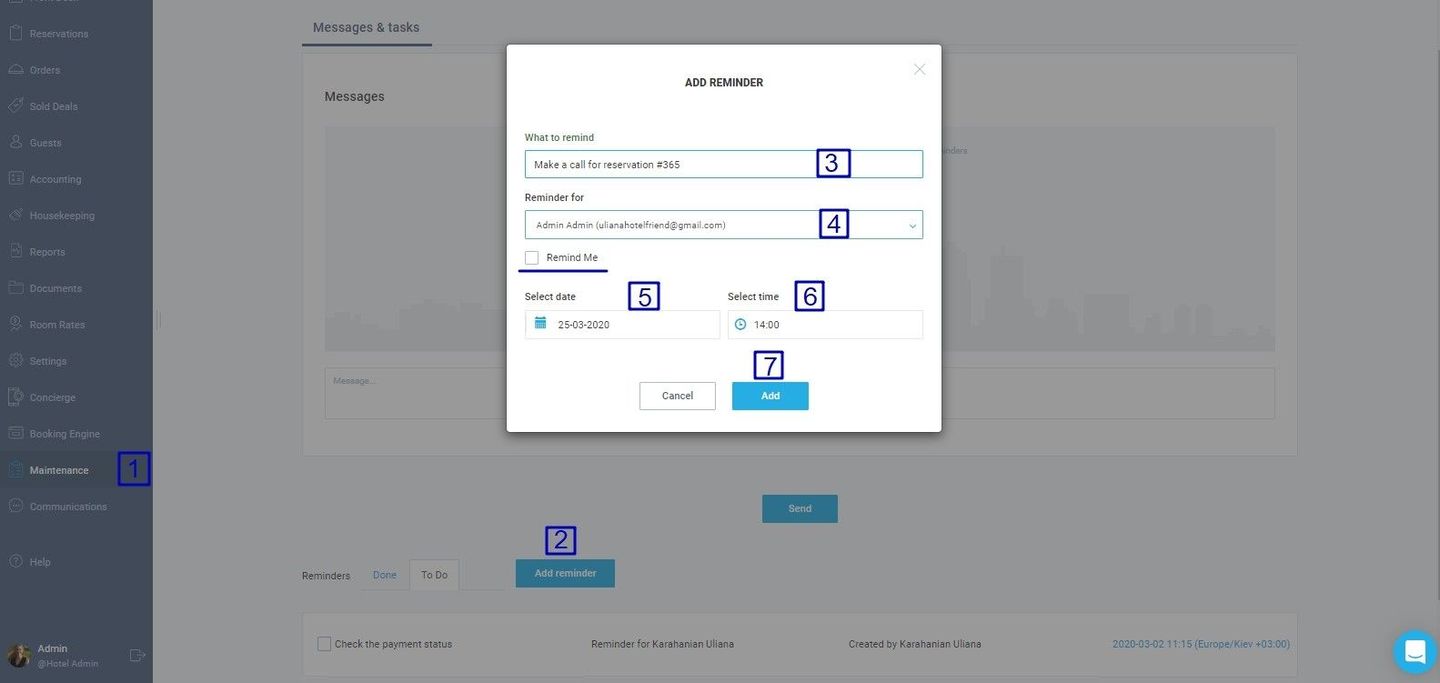
- Enter the Maintenance module.
- Press the Add reminder button.
- Add the task title.
- Select the employee for whom the reminder is created from the drop-down list. If you want to set a reminder for yourself, tick the Remind Me box.
- Select the reminder day in the calendar.
- Select the reminder time.
- Press the Add button.
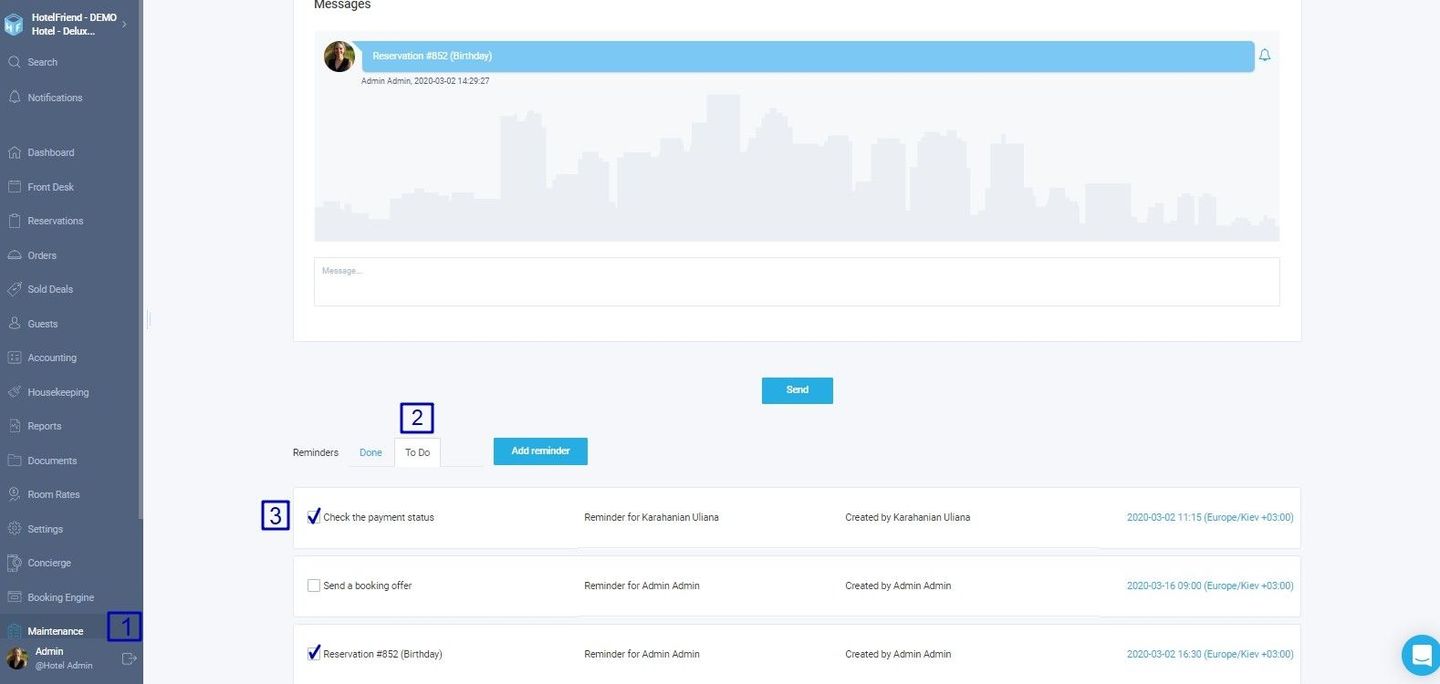
After the task is done, the employee must tick the check-box next to the created task. It will move the reminder from the To-Do to the Done tab. Besides, the employees of your property can chat in the Messages sectio. In the message section, employees can also create a reminder by сlicking the bell icon next to the message.
Author:

