

How to set up Tips
The HotelFriend system offers the ability to configure tips for a variety of services that your property provides. Properly setting up tips ensures compliance with tax regulations by automatically applying the correct VAT.
To set up and manage tips in the HotelFriend PMS, follow these steps:
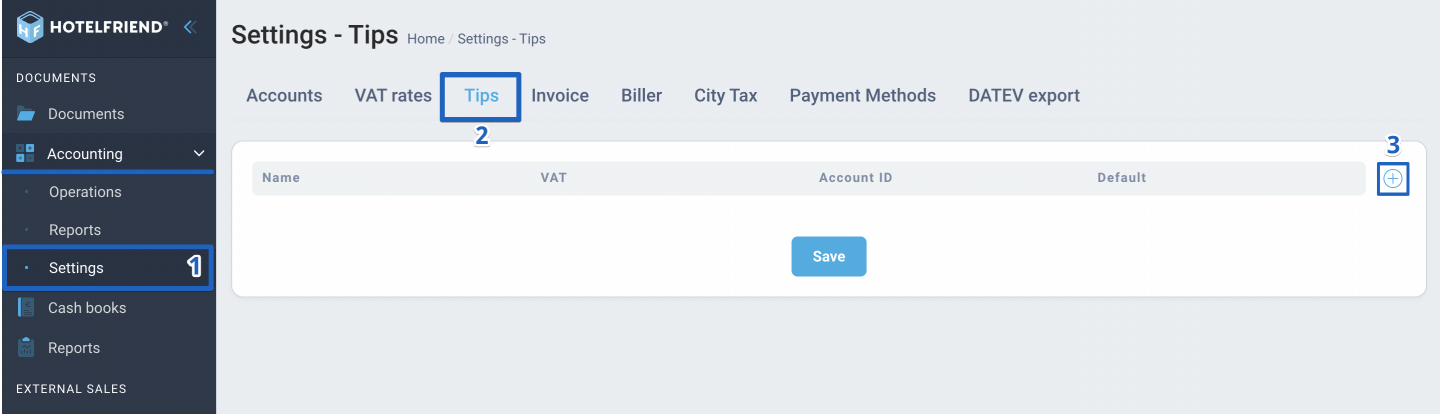
- Navigate to the left menu, select the Accounting module, and go to Settings.
- Go to the Tips tab.
- Click the “+” button to add a new tips category.
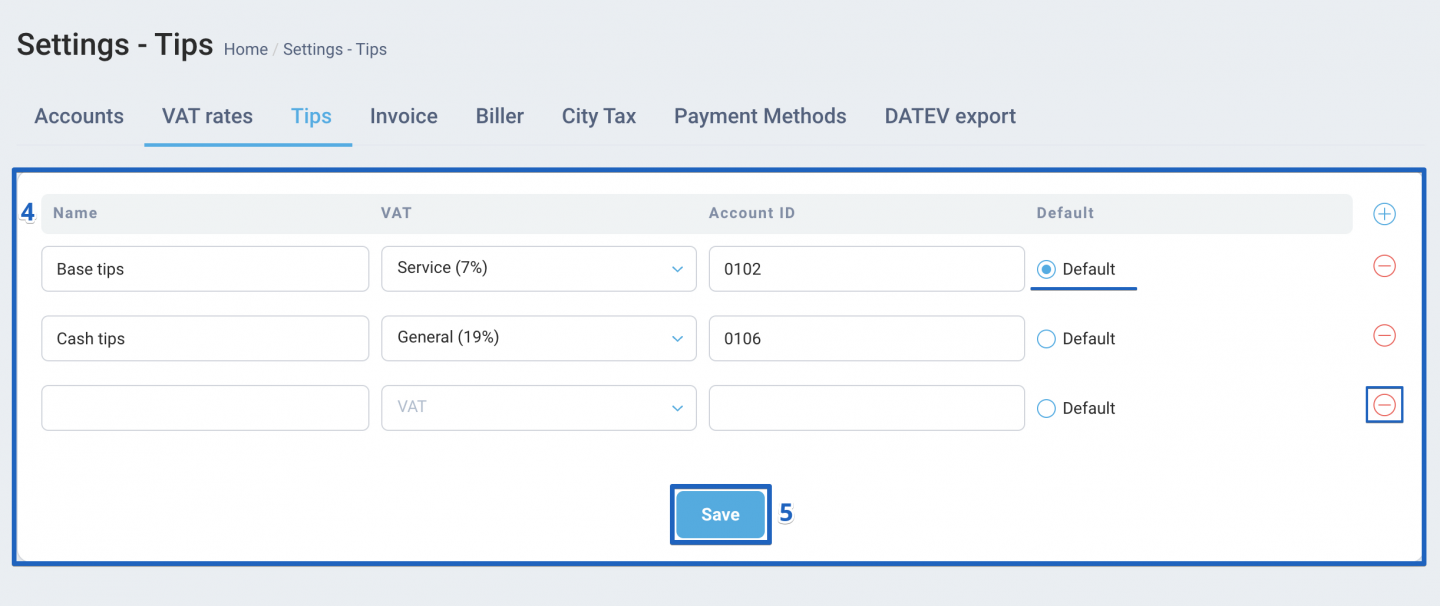
- Enter the tips category name, choose the VAT percentage, and input the Account ID.
- Click Save to confirm your settings.
You can set a tips category as the default by checking the box next to the desired category. To remove any of the created fields, click the “–” button.
Tips can be applied when creating an invoice, so it's important to select the correct VAT percentage for the tips.
Author:

