

Kitchen Plan and Meal Statistics
Combined planning report for kitchen and F&B – meals and service orders in one view, as PDF or automatically via email.
What is the kitchen plan?
The kitchen plan combines two data sources into one report that would otherwise have to be accessed separately:
- Meals from room rates (e.g., Breakfast, Half board)
- Food and drinks from the service module (e.g., Snacks, Bar orders)
This gives the kitchen an at-a-glance overview of everything that needs to be planned and prepared for a day or a specific period.
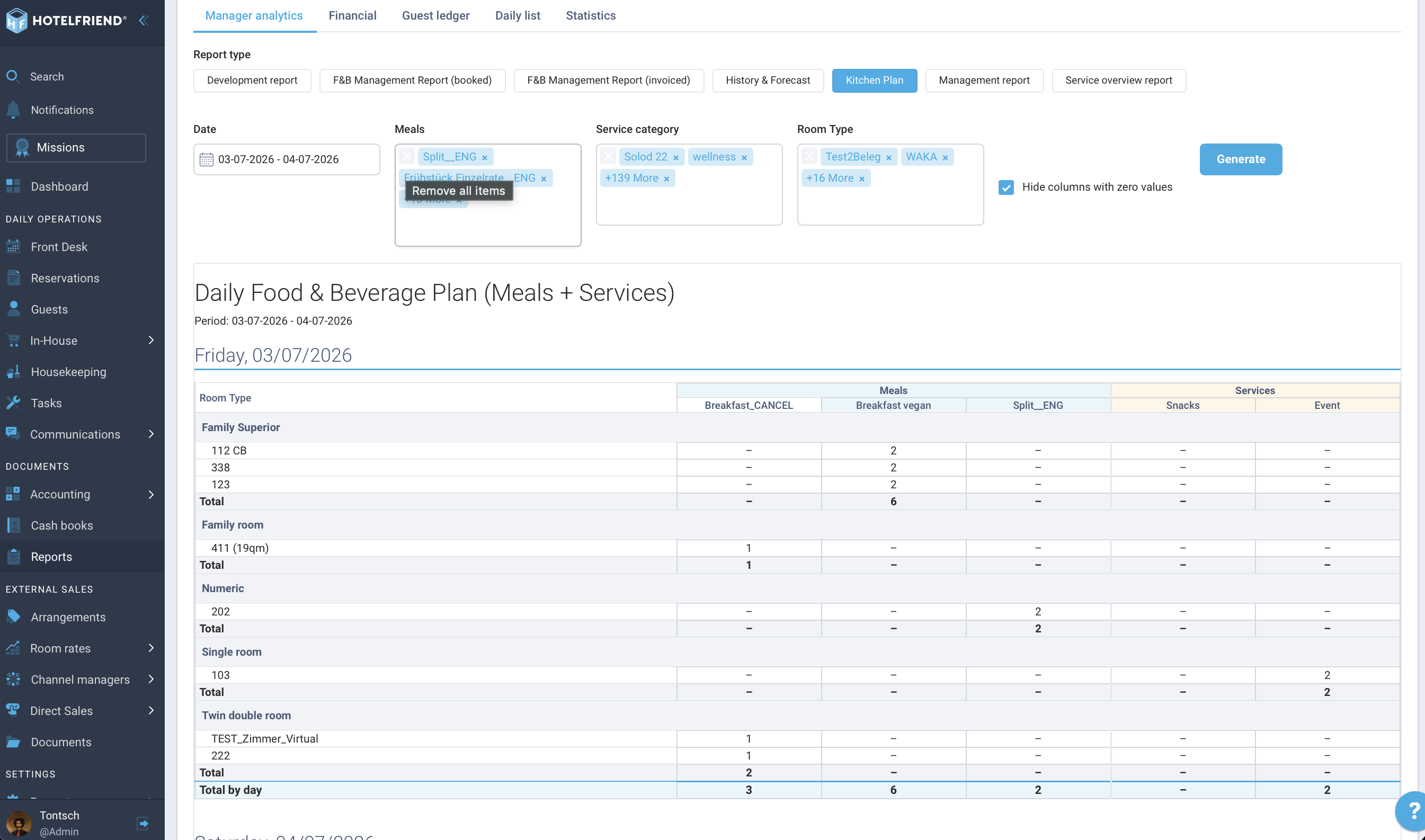
Path: Reports → Online Reports → Manager analytics → Kitchen Plan
Filters
Before generating, you can narrow down the report:
- Date (Mandatory): single day, multiple days, or date range
- Room Type: restrict to specific room types (optional)
- Meals: select one, several, or all active meal types
- Service category: select one, several, or all categories
- Hide columns with zero values: Meals and services without orders are not displayed
At least one meal or service category must be selected for the report to be generated.
Structure of the report
The report is structured as follows:
- One section per day
- Within the day: grouped by Room type → Room
- Subtotal per room type
- Separate block "Without room" for orders not linked to a room (e.g., external restaurant guests)
- Daily total at the end of each section
Which reservations and orders are included?
- Meals: Reservations in the statuses New, Confirmed, Arrival today, Checked-in, Departure today, Checked-out
- Service orders: Status Action needed, Confirmed, Completed
New from version 4.33: The kitchen plan now counts meals from bookings with the status New and Confirmed – i.e., even before check-in. This allows the kitchen to plan earlier without having to wait for the actual check-in time.
Export and automatic delivery
- Generate the report and download it as a PDF.
- Alternatively: Set up automatic delivery via email under Reports → Report automation – e.g., every morning for the head chef.
Meal statistics (new from version 4.33)
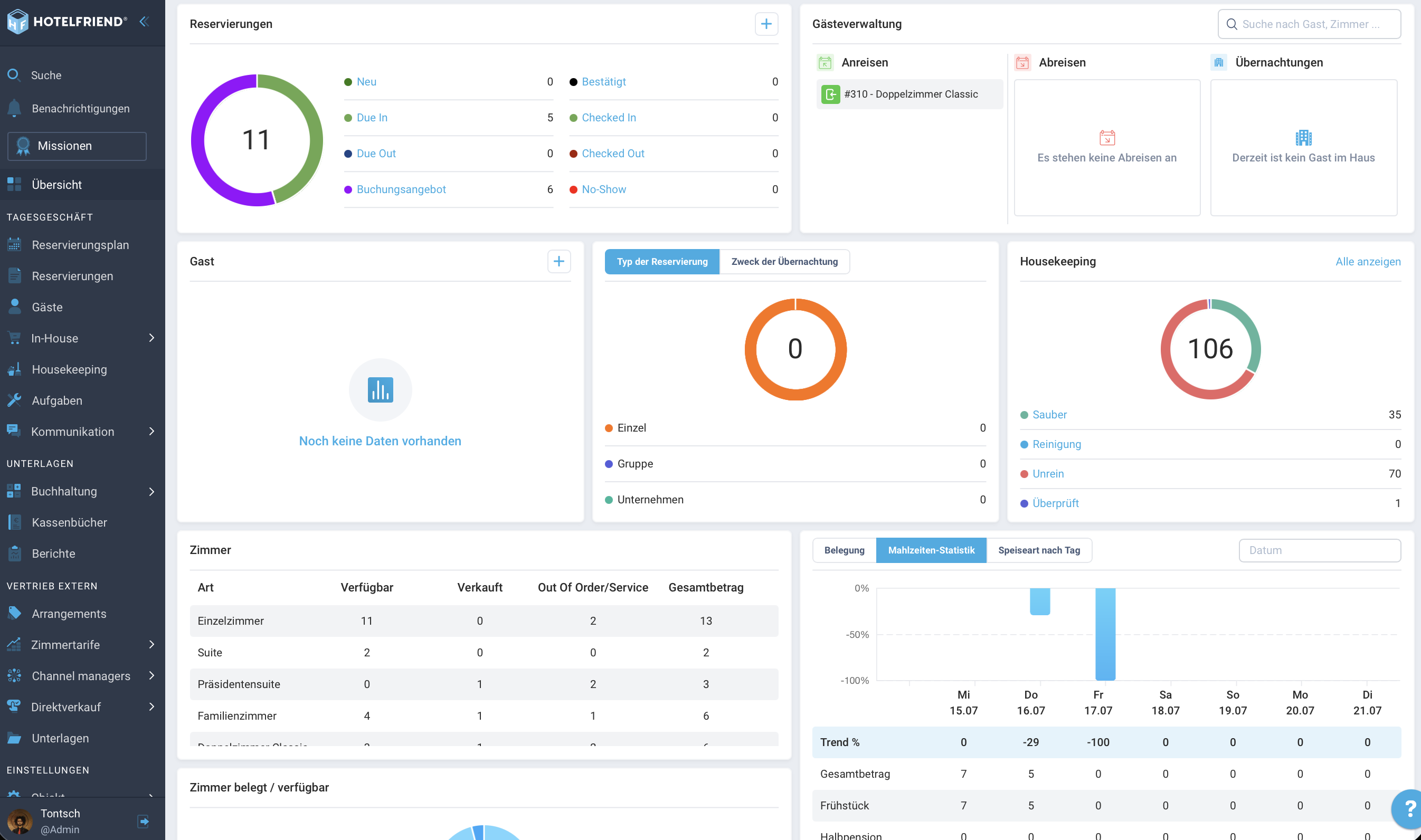
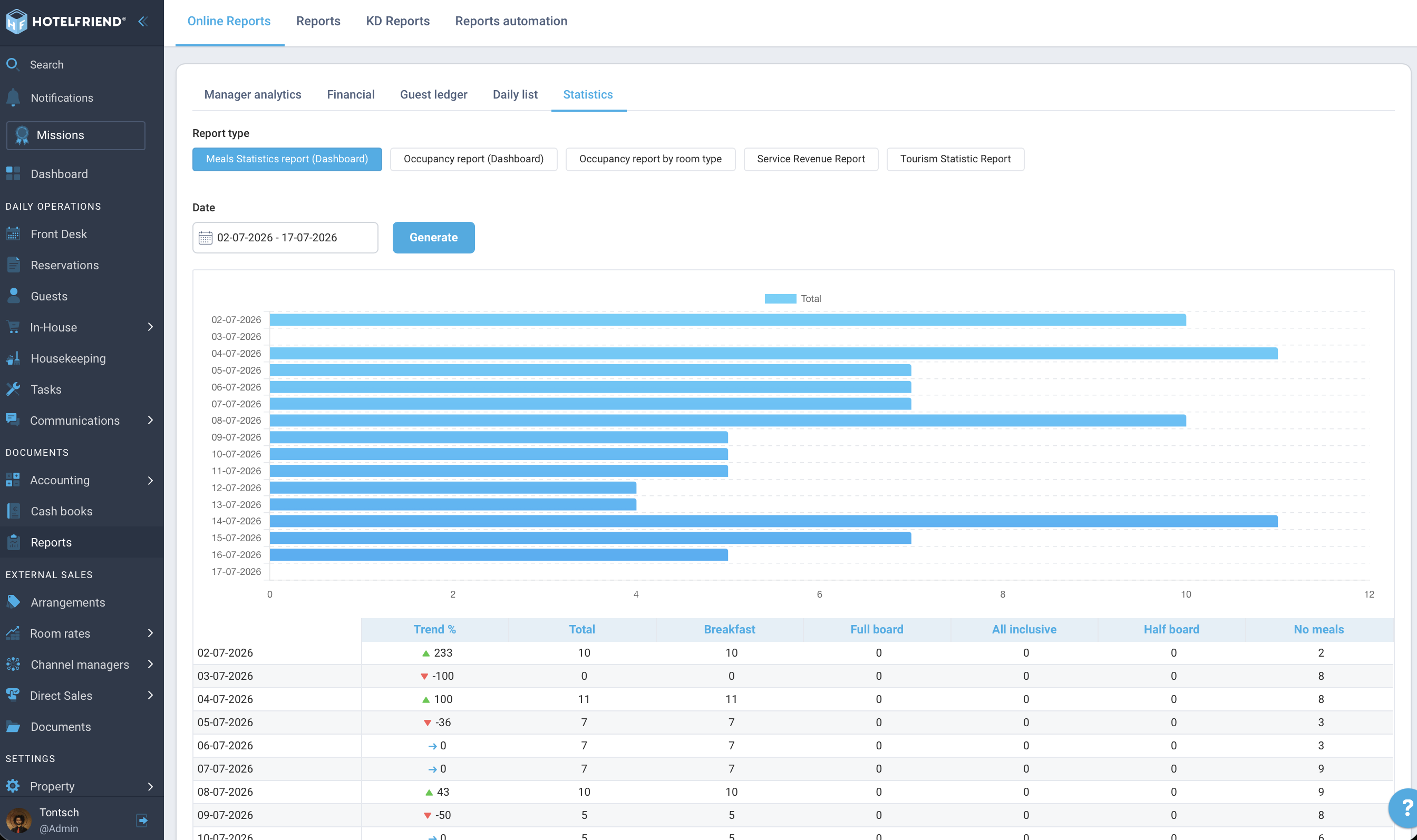
The meal statistics show aggregated data on booked board types – as a downloadable PDF report with a selectable date range. You can find it in two places:
- Dashboard → Meals statistics widget
- Reports → Online Reports → Statistics → Meals Statistics report (Dashboard)
Required permissions: Daily reports and Hotel dashboard.
Important Notes
- Prerequisite: Meals must be set up in the room rates (Room rates → Settings).
- Check-in/Departure logic: The kitchen plan maps meals to the booking start date – not the actual meal day. This can lead to deviations for short stays.
- Kitchen plan vs. Meals list: The meals list is a nominal guest list for ticking off. The kitchen plan is a planning report for quantities and service orders.
Do you have any further questions? Contact us at support@hotelfriend.com or use the live chat.
Author:

