

Meals List
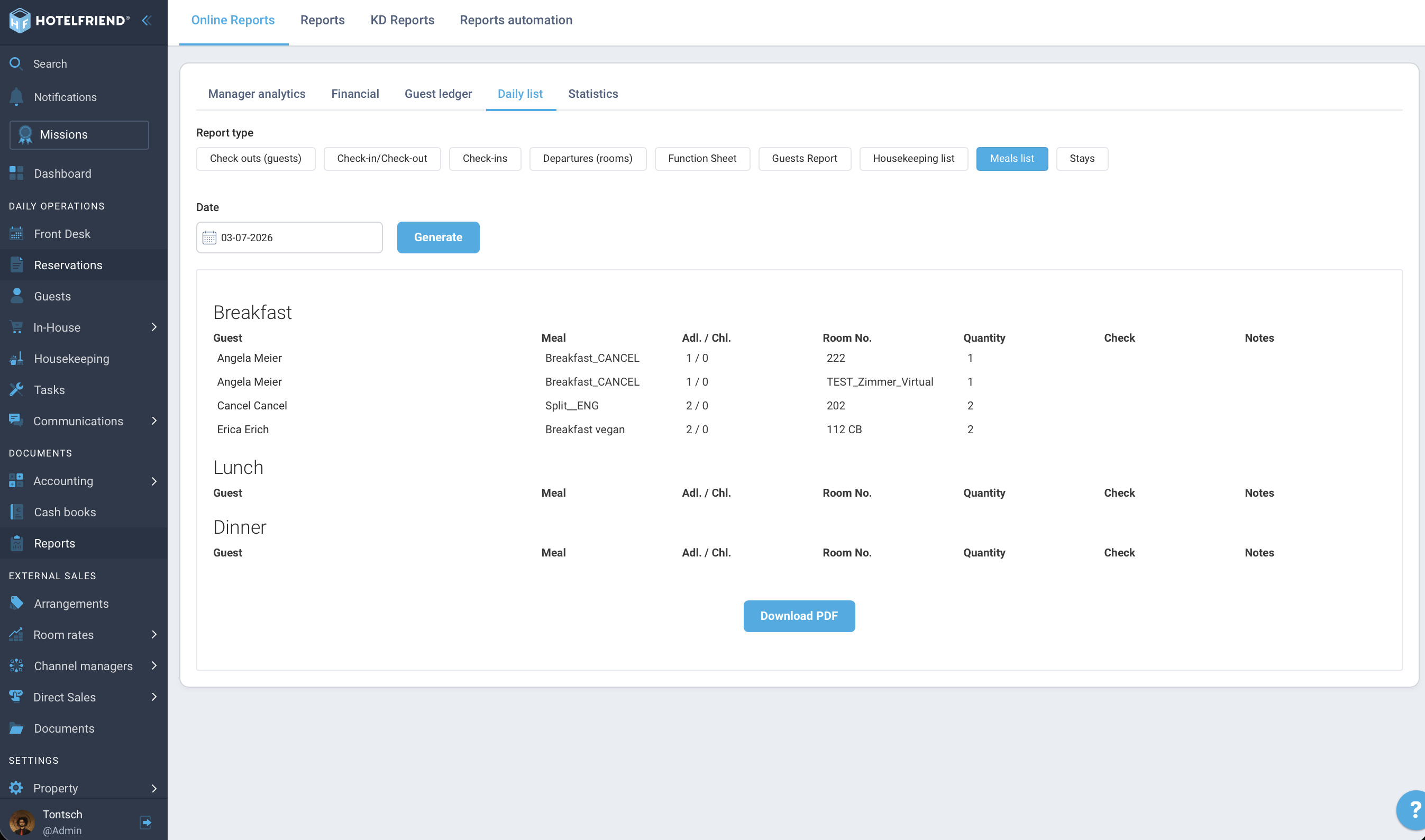
Daily overview of all guests with booked meals – for ticking off and as a PDF for kitchen and service.
Note: You can find the report under Reports → Online Reports → Daily list → Meals list. Prerequisite: Meals are set up in the room rates.
What does the meals list show?
The meals list gives you a daily overview of all guests who have booked meals. The report is divided into three blocks:
- Breakfast
- Lunch
- Dinner
For each block you see: Guest, Meal, Adl. / Chl. (Adults/Children), Room No., Quantity, a "Check" column for manual ticking off, and "Notes" from the guest profile.
Which reservations are included?
The report takes into account bookings in the statuses Arrival today, Checked-in, and Departure today.
Meal logic: When is which meal counted?
Depending on the board type and day of the stay, the following rules apply:
- Breakfast: Counted on the departure day, not on the arrival day.
- Lunch / Dinner: Counted on the arrival day, not on the departure day.
The four board types at a glance:
| Board Type | Included Meals |
|---|---|
| Breakfast | Breakfast |
| Half board | Breakfast + Dinner |
| Full board | Breakfast + Lunch + Dinner |
| All-inclusive | Breakfast + Lunch + Dinner |
Call up and export report
- Go to Reports → Online Reports → Daily list.
- Select the Meals list tab.
- Select the desired Date.
- Click "Generate".
- Via "Download PDF" you can print the report for the kitchen or service staff.
Do you have any further questions? Contact us at support@hotelfriend.com or use the live chat.
Author:

