

How to move a reservation without changing the invoice
Adjusting reservations due to various circumstances like changes in guest plans or availability of rooms is a quite common task. However, it's often crucial that these changes do not affect the already issued invoices, especially for accounting or administrative reasons.
The HotelFriend system offers a seamless way to edit or move reservations while keeping the original invoice intact. Here is how to move a reservation without changing the invoice in only four steps:
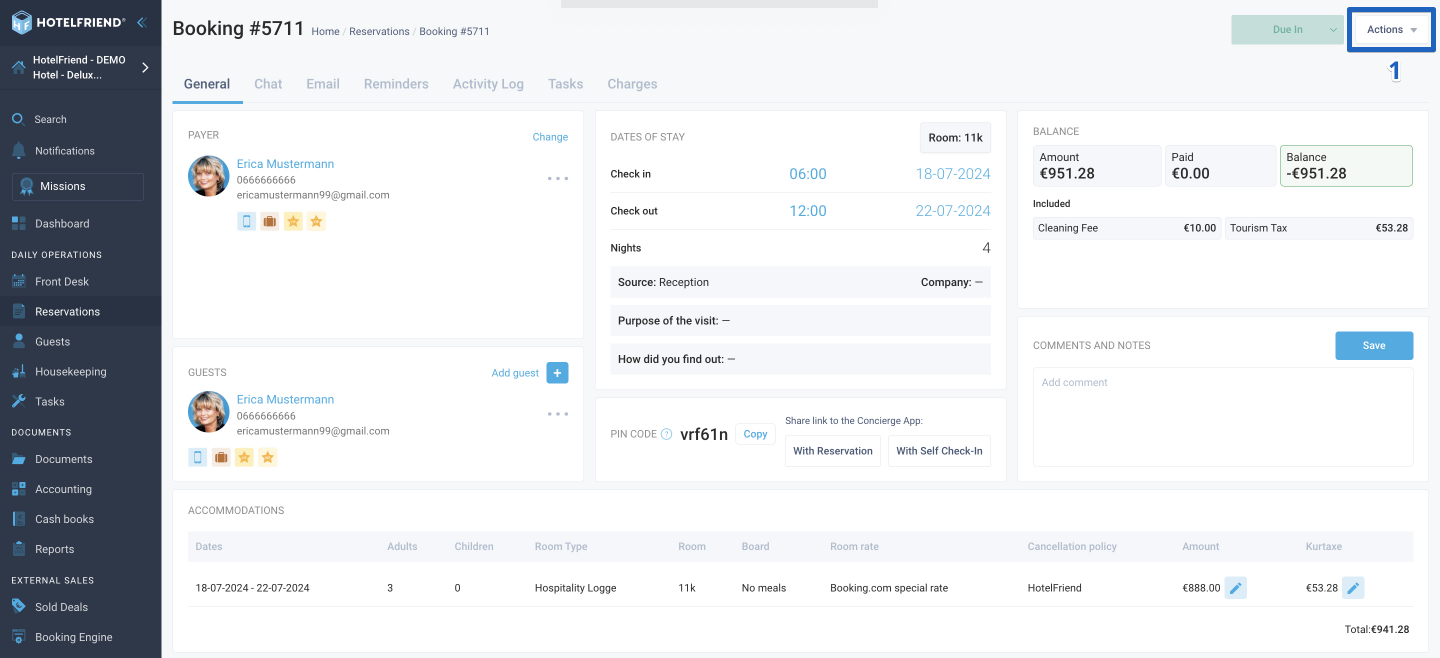
- In the reservation card in the upper right corner, click on the Actions menu.
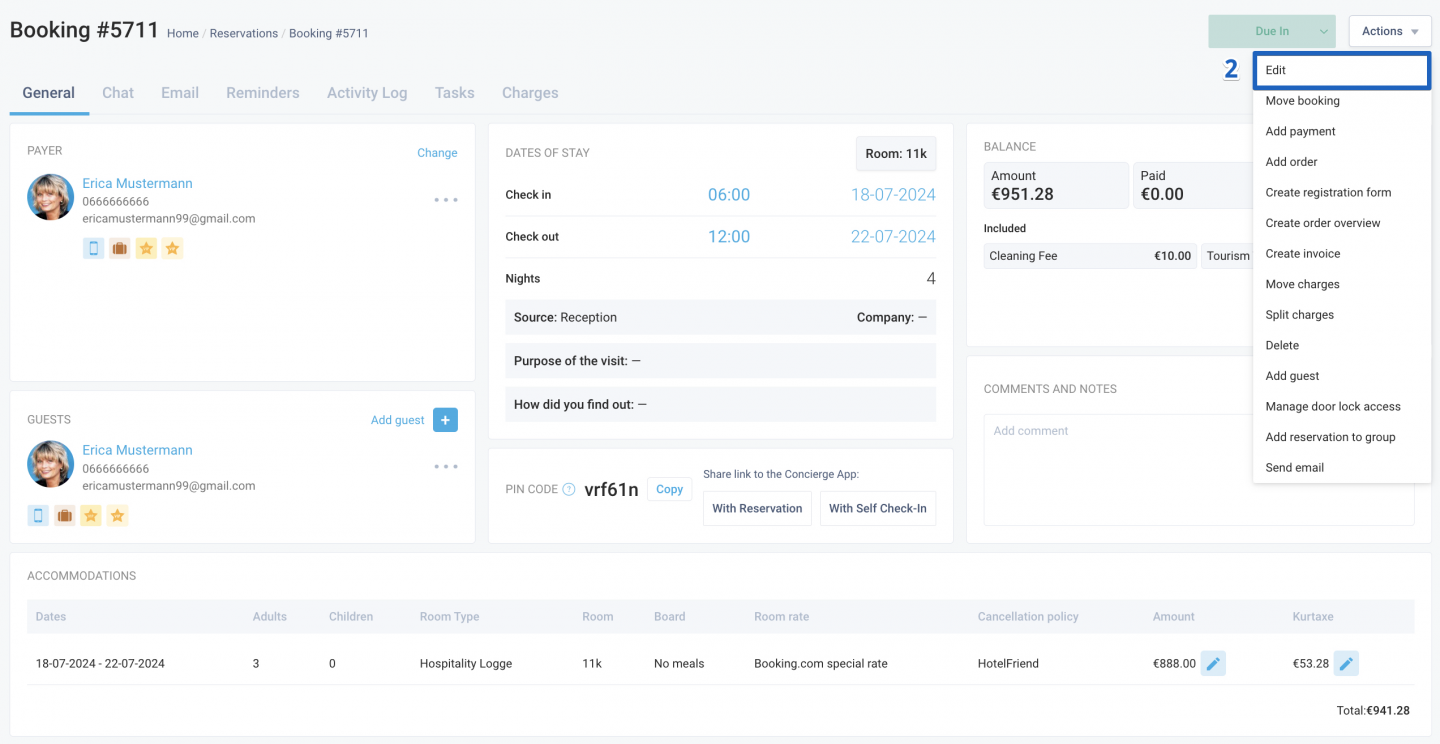
- From the dropdown menu, select Edit.
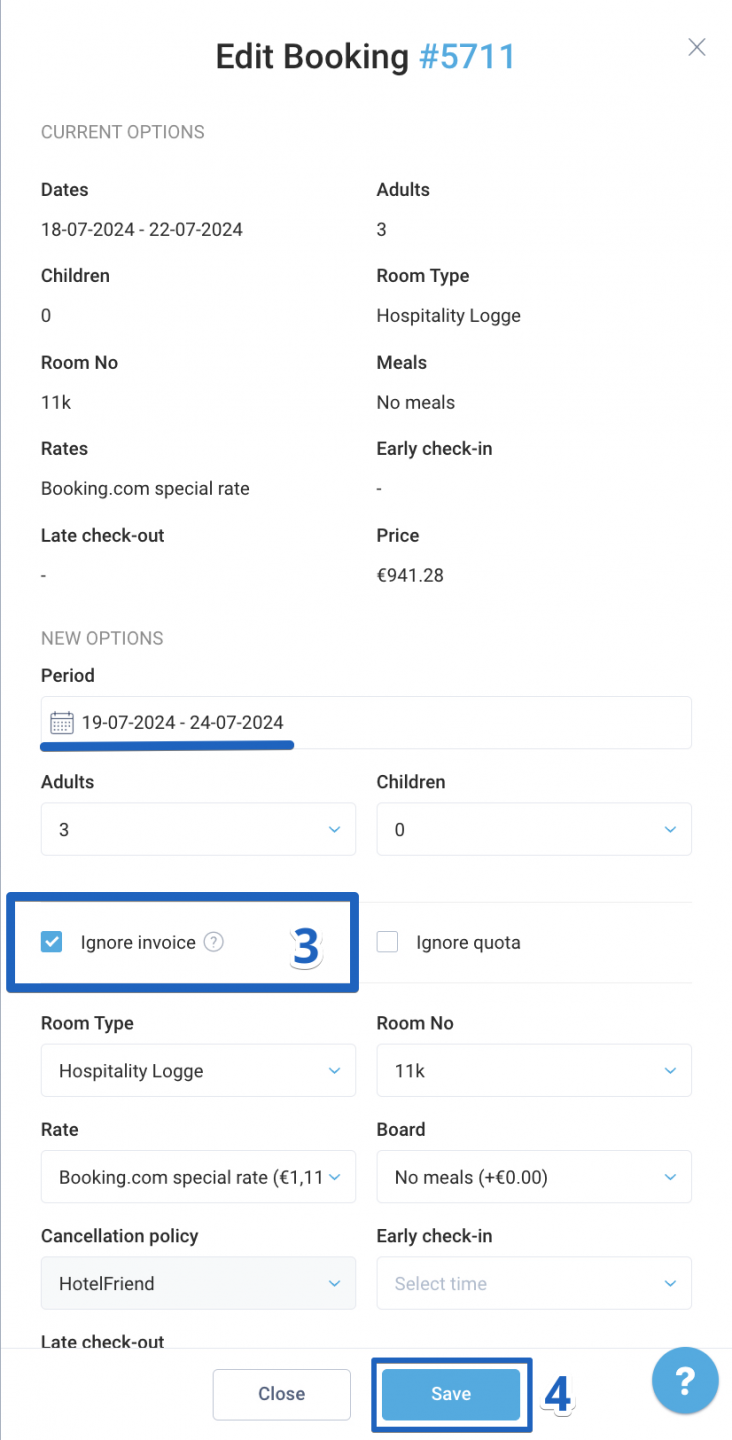
- In the new window, make the necessary adjustments to the reservation details and check the box labeled Ignore invoice.
- After reviewing your changes, click Save.
Author:

