

Accessing and reviewing Payment history
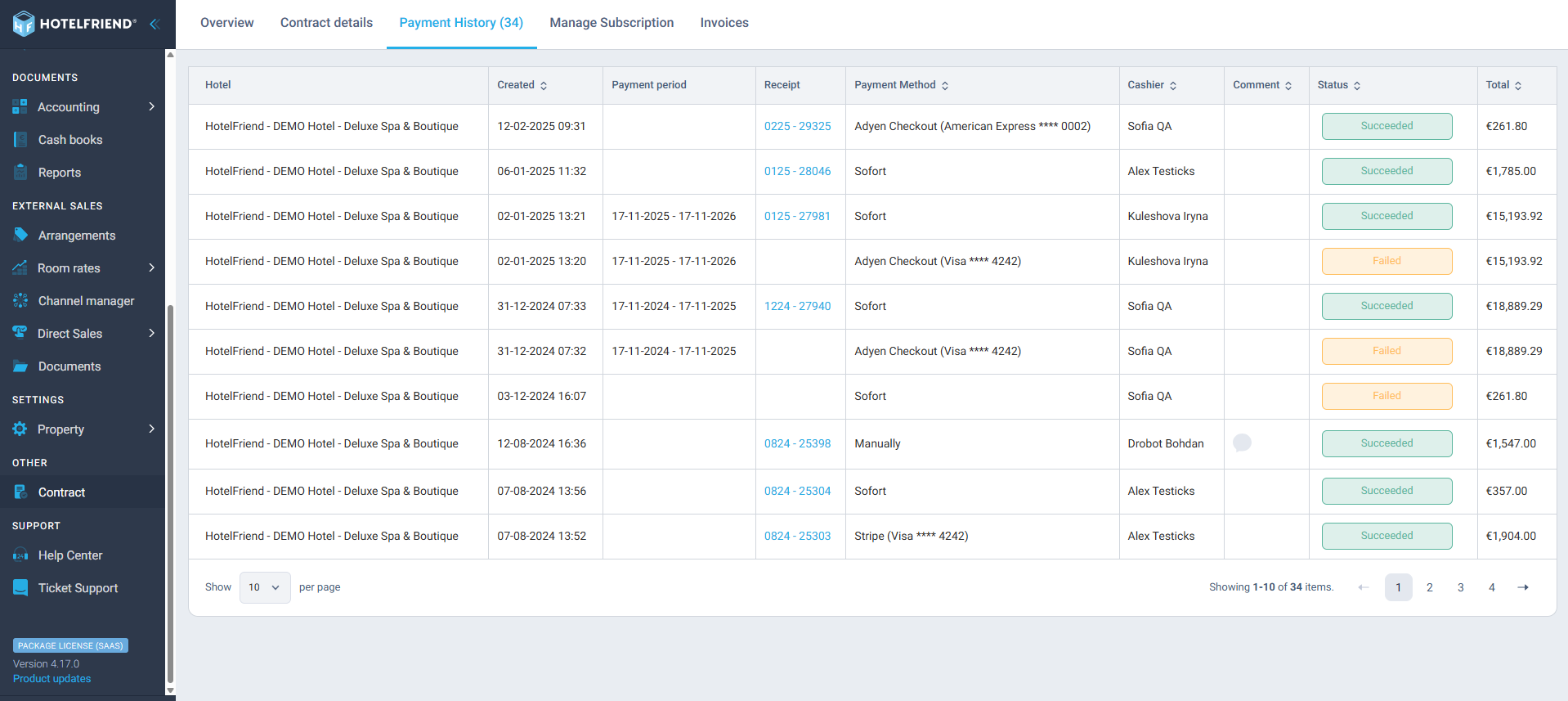
The Payment History tab provides a detailed overview of all transactions related to your subscription or services. It allows you to easily track payments, verify their status, and access related documents.
What information is displayed
In the Payment History table, you can find the following details:
- Hotel – the property name associated with the payment.
- Created – the date and time when the payment record was created.
- Payment period – the period for which the payment was made.
- Receipt – the unique receipt number. Click on it to open the corresponding invoice in PDF format.
- Payment method – the method used for the transaction (e.g., Adyen Checkout, Sofort, Stripe, or Manual).
- Cashier – the name of the staff member who processed the payment.
- Comment – any additional note or comment related to the payment.
- Status – indicates whether the payment Succeeded or Failed.
- Total – the total amount of the payment.
At the bottom of the table, you can adjust how many records are displayed per page and navigate through multiple pages of payment entries.
Downloading an invoice
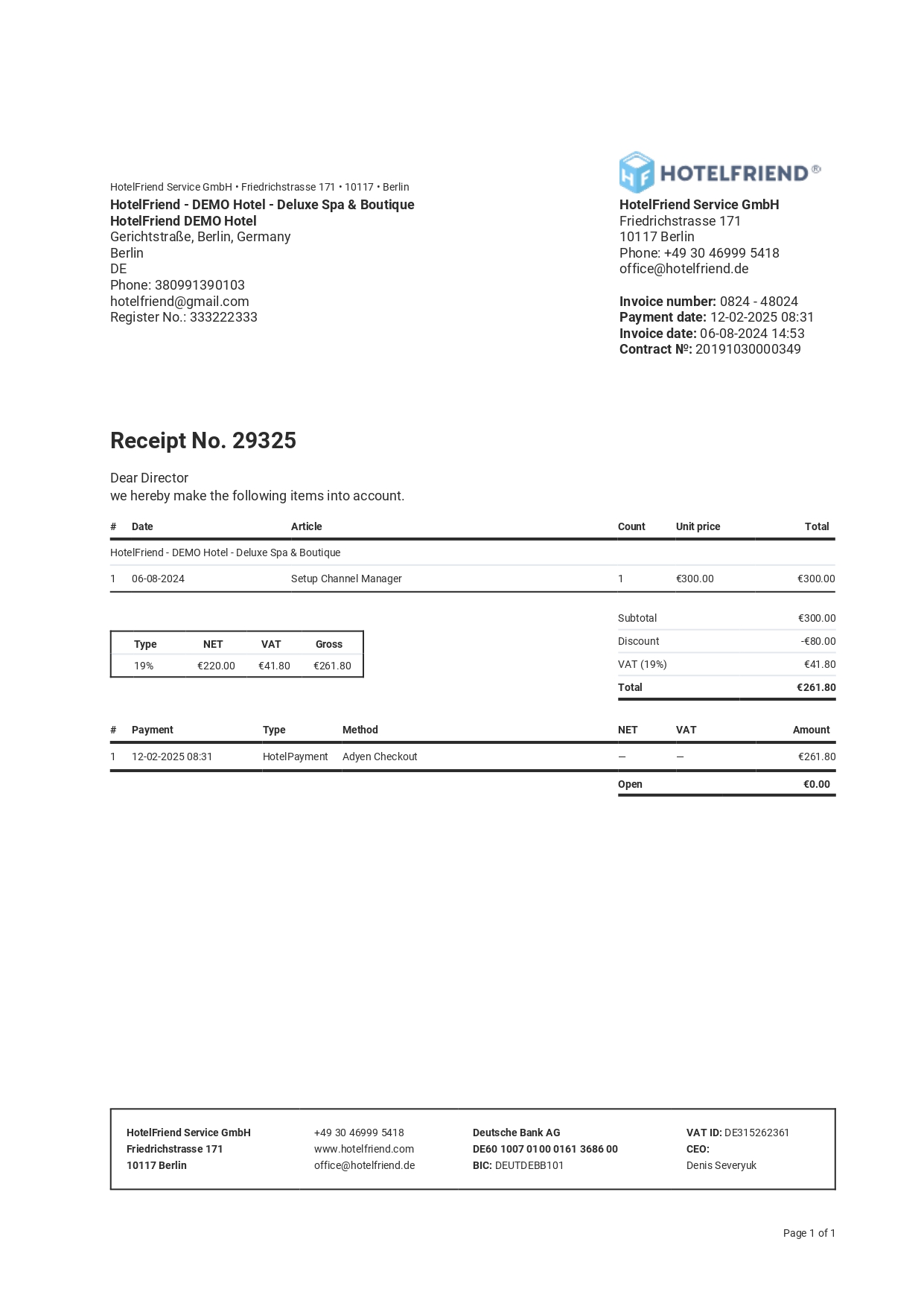
To download an invoice, click on the Receipt number (e.g., 0225-29325). The invoice will open as a PDF file, which you can save to your device.
Making a payment
If you need to make a payment and don’t know how to do it, please check out this article: How to make an online payment for your HotelFriend subscription.
Author:

