

How to set up reservation status colors in HotelFriend
Customizing reservation status colors in HotelFriend helps you quickly identify and manage reservations at a glance. By setting unique colors for different reservation statuses, you can enhance the efficiency of your workflow and keep your operations organized. This article provides a step-by-step guide on how to easily set up and customize reservation status colors to suit your needs.
Here is how to set custom colors for reservation statuses:
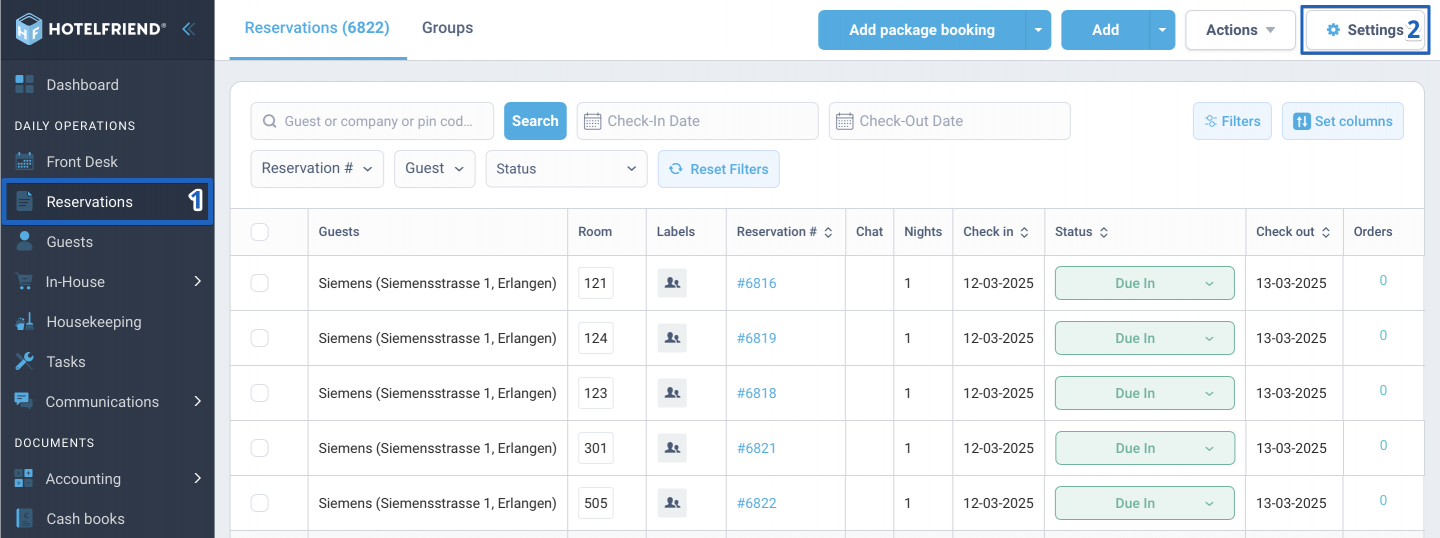
- In the menu on the left, click on the Reservations module.
- In the upper right corner, click on the Settings button.
- Scroll down and expand the section labeled Custom colors for Reservation statuses.
- Select the color for each status by clicking on the corresponding color box and choosing your preferred color.
- Click Save to apply your changes.
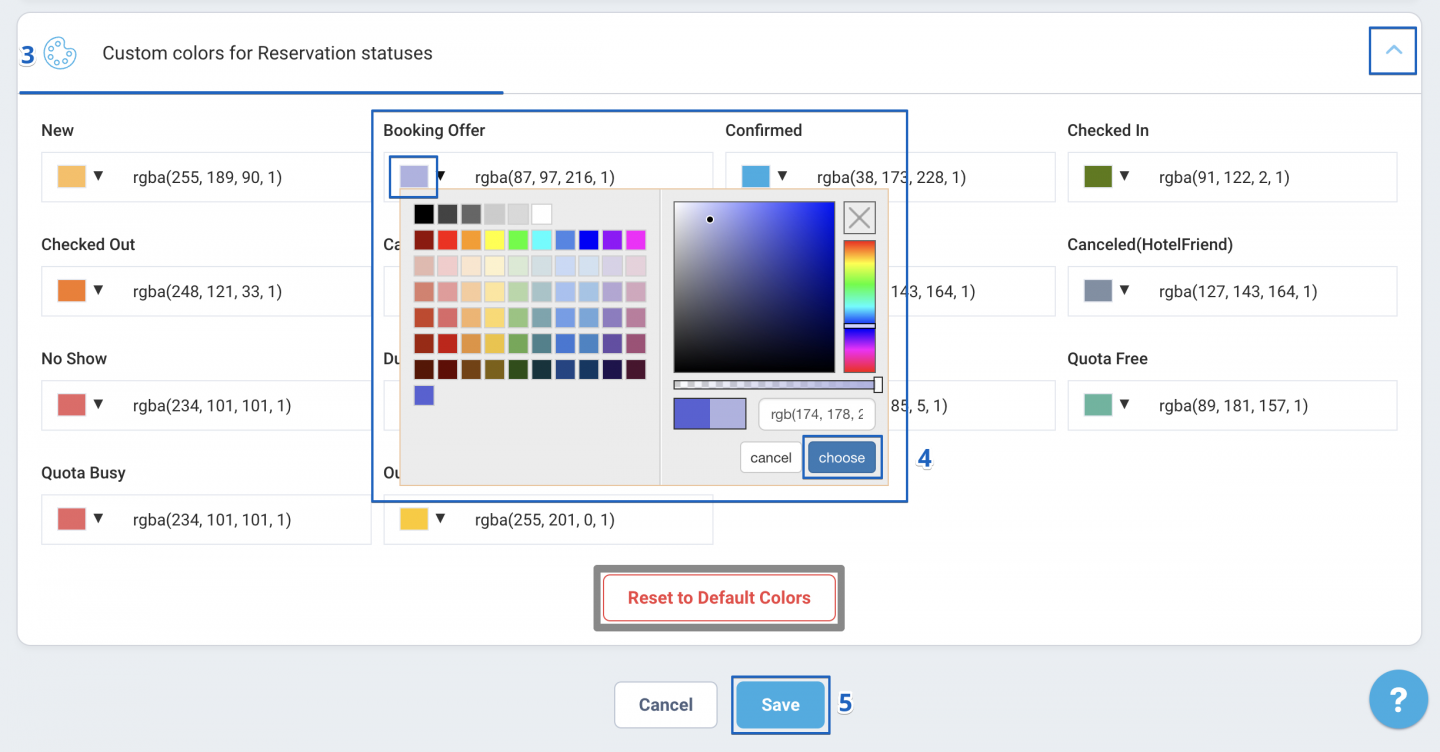
If you want to revert the colors back to the default settings, click the Reset to Default Color button.
Author:

