

How to make a Self Check-in request with Digital Contactless Reception
Concierge Remote Reception is designed to let guests self check-in. Guests can use the tablet installed in the public area of the accommodation and send a request for Self Check-in in a few steps.
Here is how a guest can make a Self Check-in request
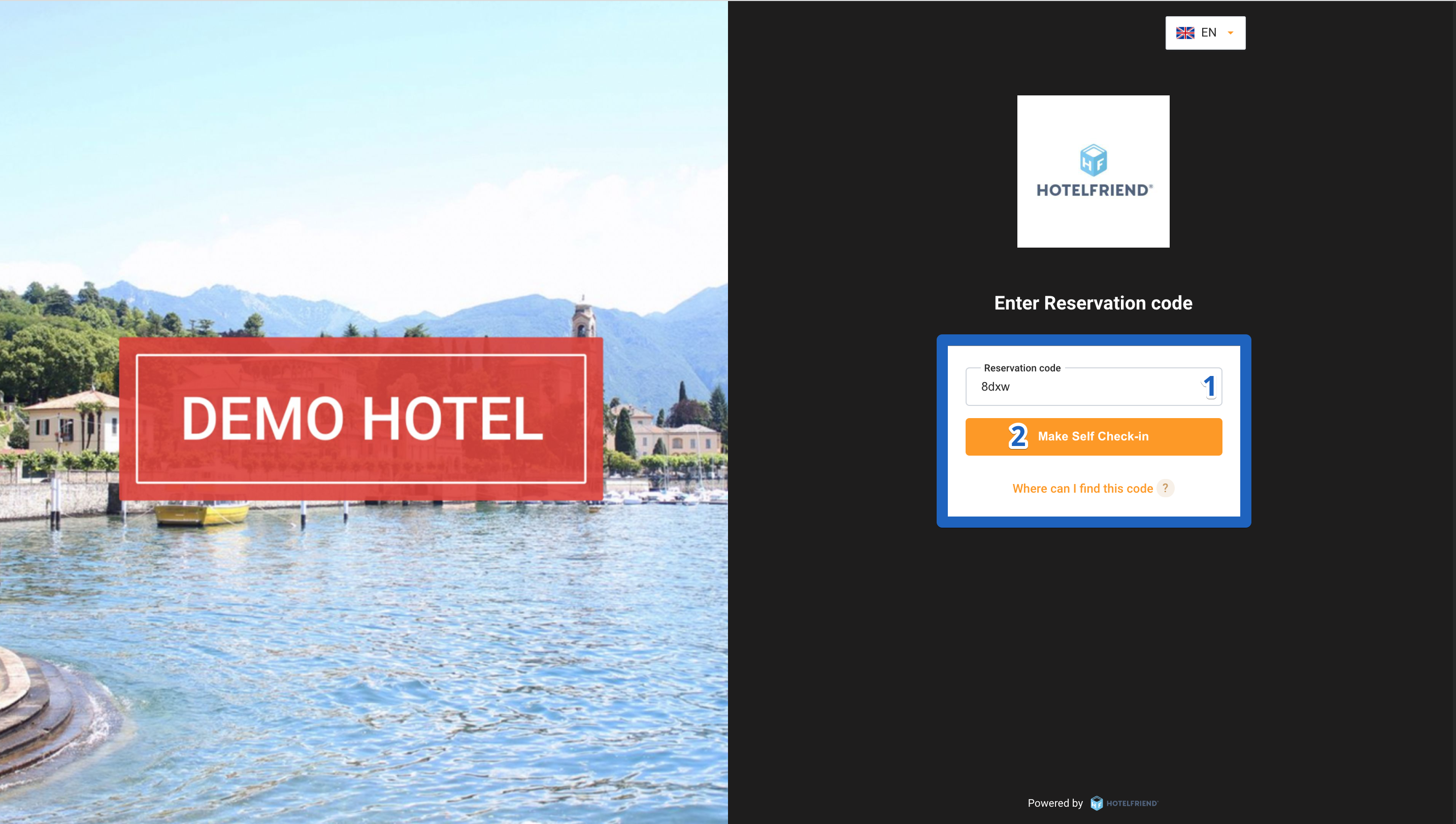
- On the device of the accommodation, go to the self check-in page and enter the Reservation Code received in the booking confirmation email.
- Click on the Make Self Check-in button.
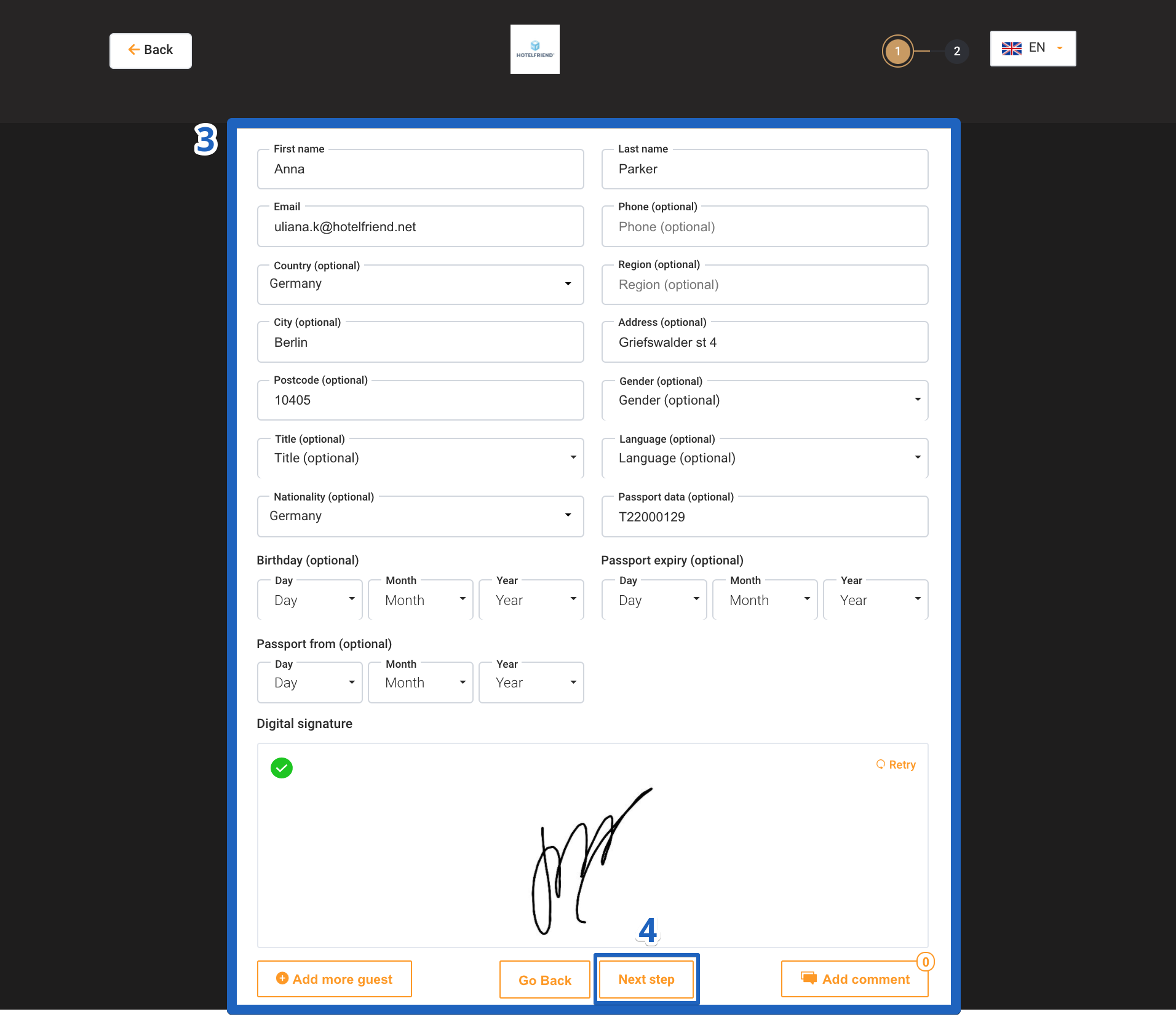
- Fill in all the fields with the guest data.
- Click on the Next button.
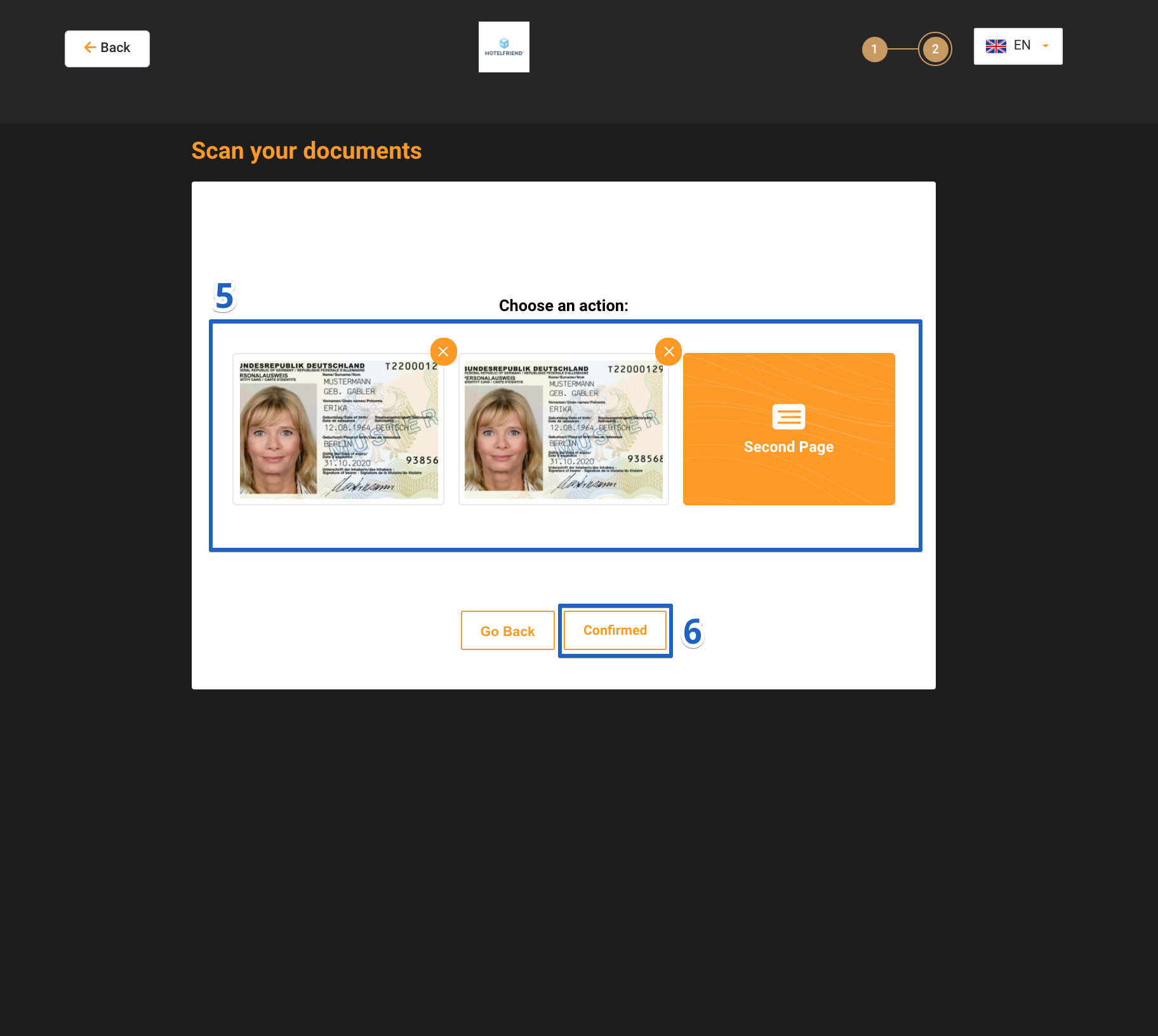
- Scan pages of the document with guest data.
- Click on the Confirmed button.
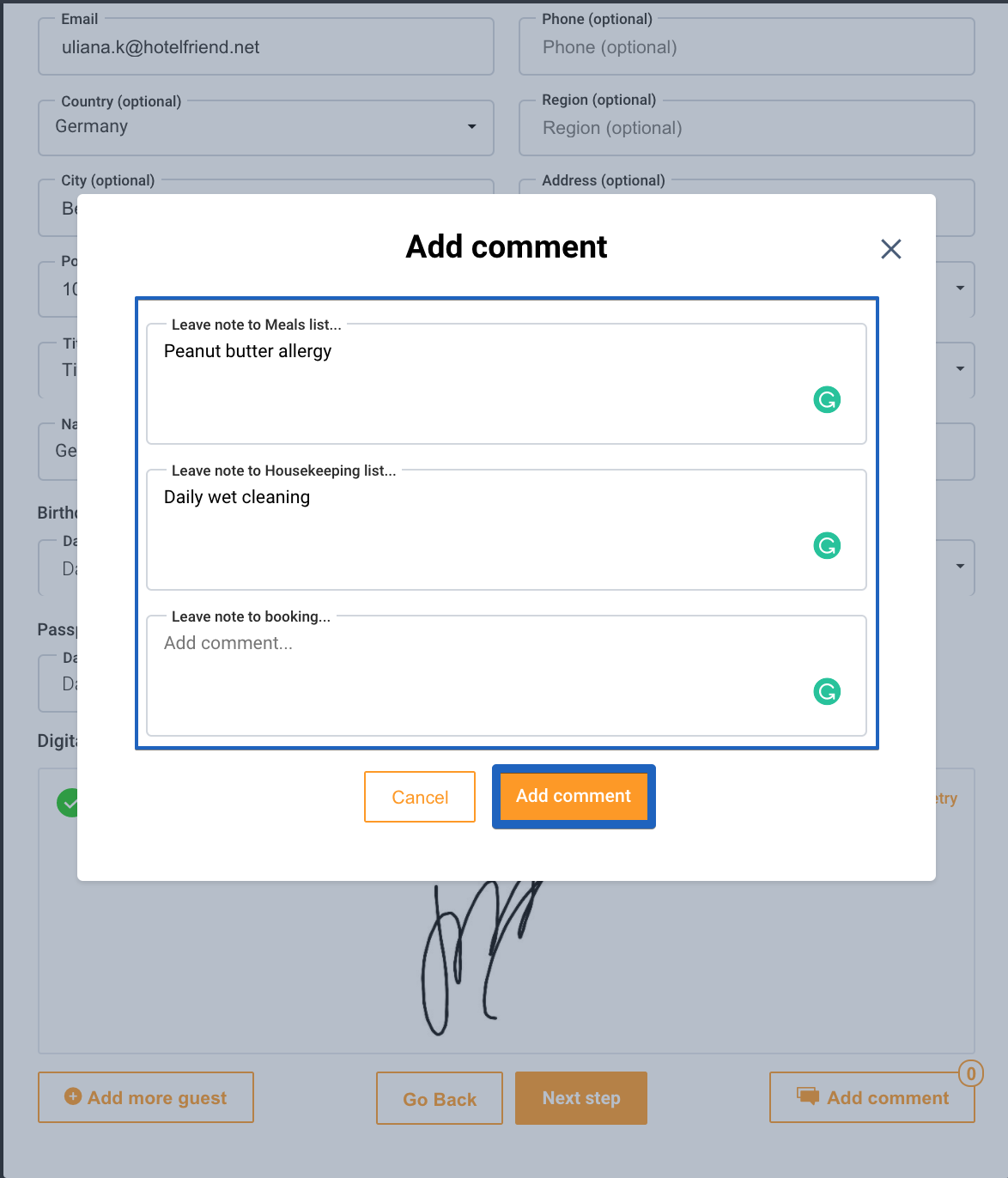
It is possible to add a comment if necessary.
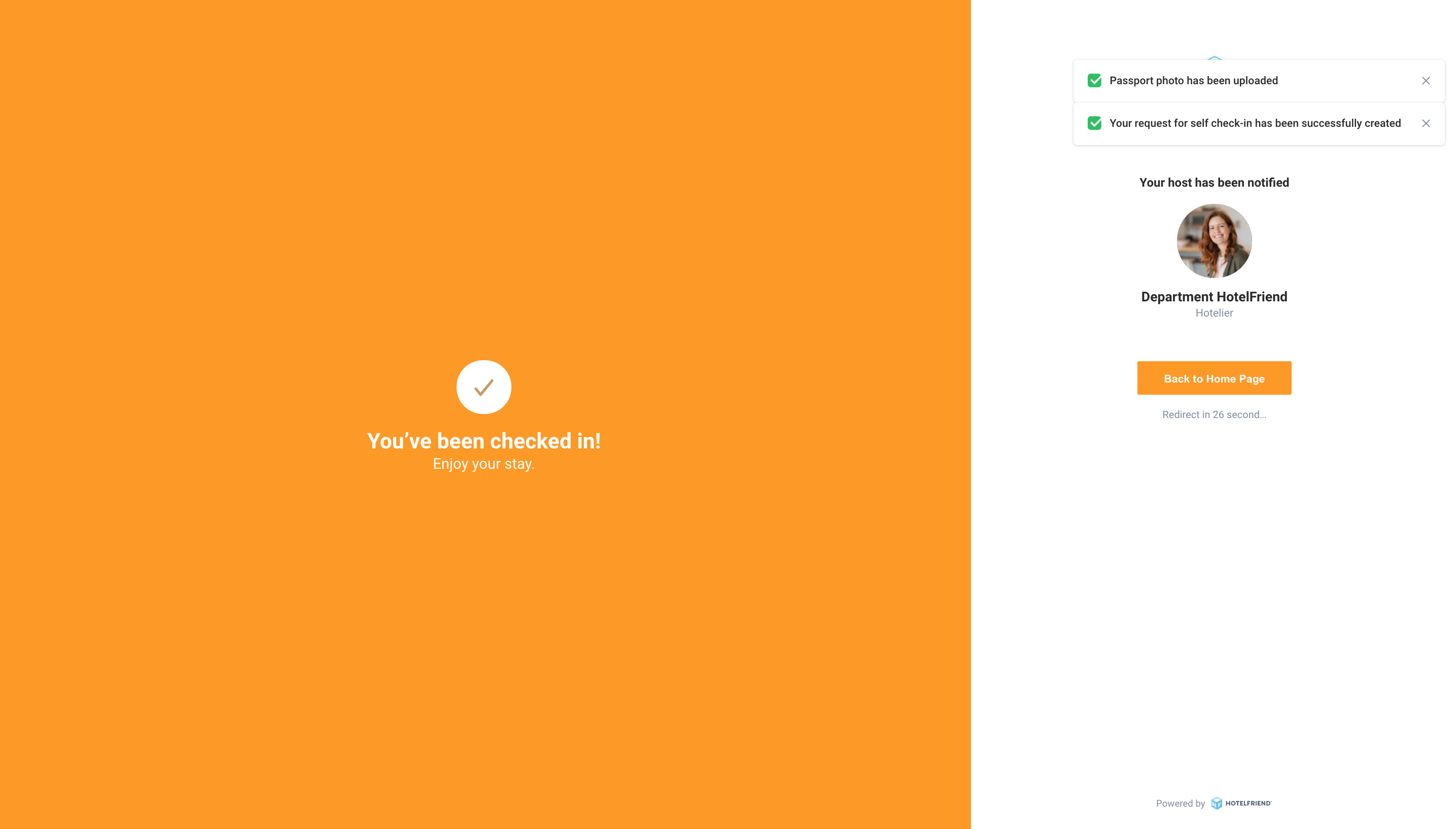
Make sure that the Self Check-in request has been sent. For this, the system will display a corresponding notification on the device screen.
Concierge Remote Reception is available for devices running iOS 14.5 version and above. Older versions are not supported.
If you need any extra explanations, please reach out to our support.
Author:

