

How to create GoBD Reports
GoBD are the basic principles for the proper keeping and storage of financial books, recordings, and documents in electronic form and for data access. These principles state that the created invoice cannot be changed. To prove this, you must create a receipt with all items from all invoices.
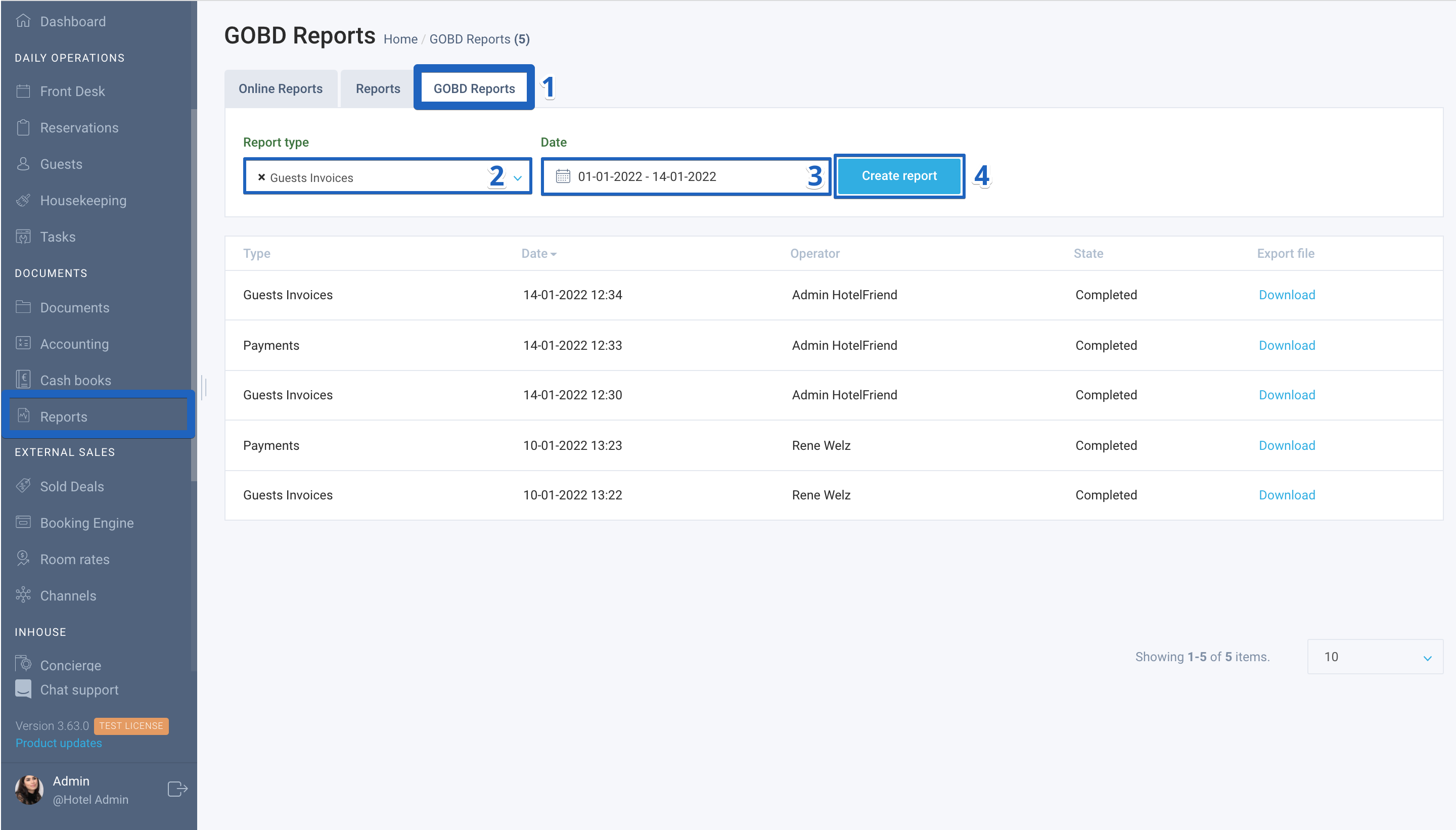
Here is how to create a GoBD Report:
- In the menu on the left, click on the Reports module and go to the GoBD Report tab;
- In the Report Type field, select the type “Guests Invoices” or “Payments”;
- In the Date field in the calendar, select the period of interest;
- Click the “Create Report” button.


The system will display an “Export scheduled” notification and the report status will be set to “In progress”. After that, the hotelier can proceed to other work. As soon as the report is generated, the system will display the notification “FIBU Report Completed” for all employees.
Author:

