

How to add Tourism Statistic Report
For accurate analysis of tourism statistics, it is essential to fill in the guest cards with relevant data. This kind of report requires the display of country of origin in the guest card.
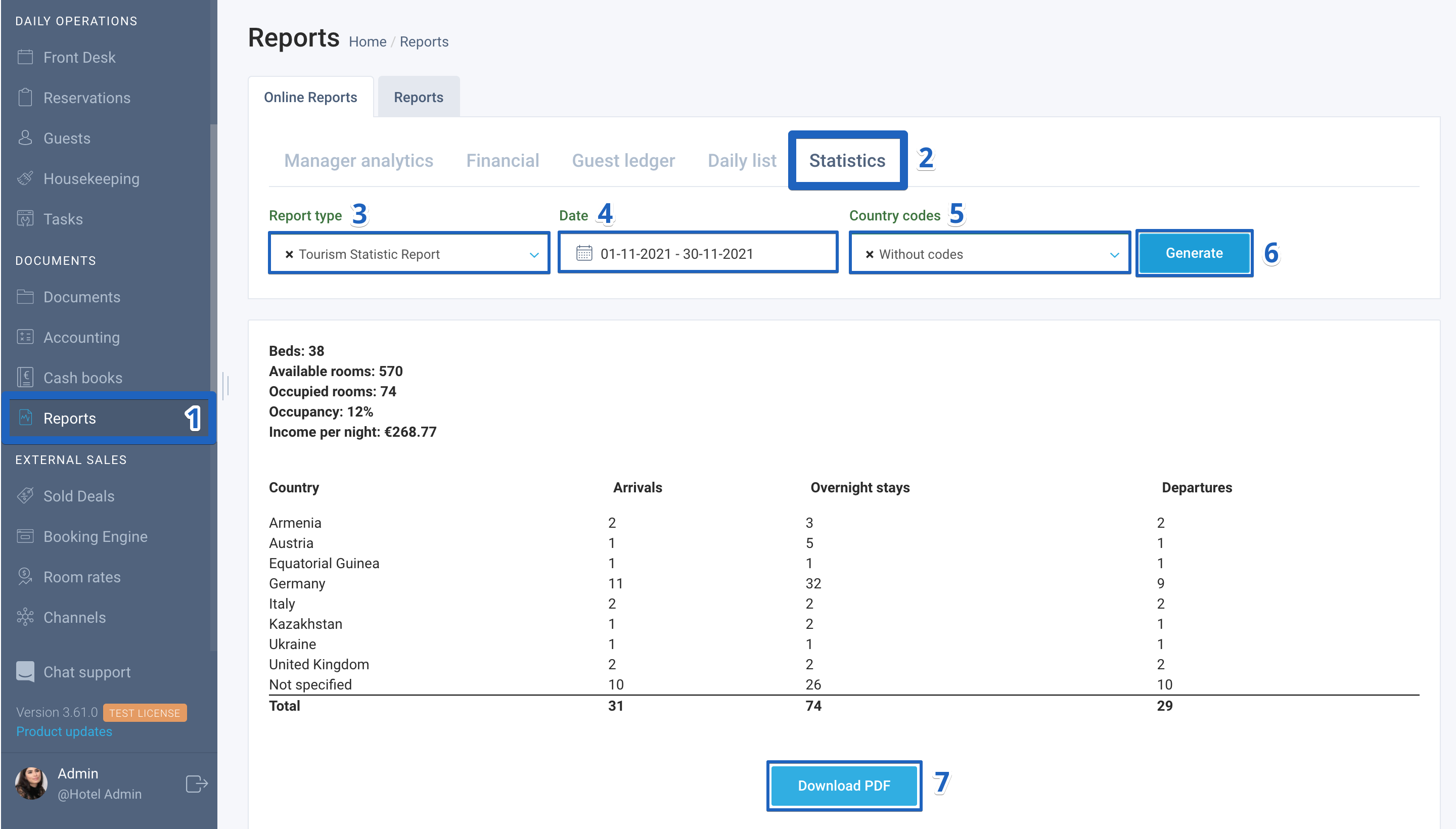
Here is how to generate a Tourism Statistic Report:
- Find the Reports module in the menu on the left;
- Go to the Statistics tab;
- In the Report type field, select Tourism Statistic Report;
- In the date field, select the necessary time frame;
- In the Country codes field, choose the necessary type of information display;
- Click on the Generate button and review the information.
- To download the report, click on the Download PDF button.
If you have any difficulties at any stage of generating a report, please reach out to our support.
Author:

