

How to create group invoices
With the group invoice function, you can efficiently create invoices for multiple bookings at once. This is particularly useful for travel groups, company bookings, or family celebrations.
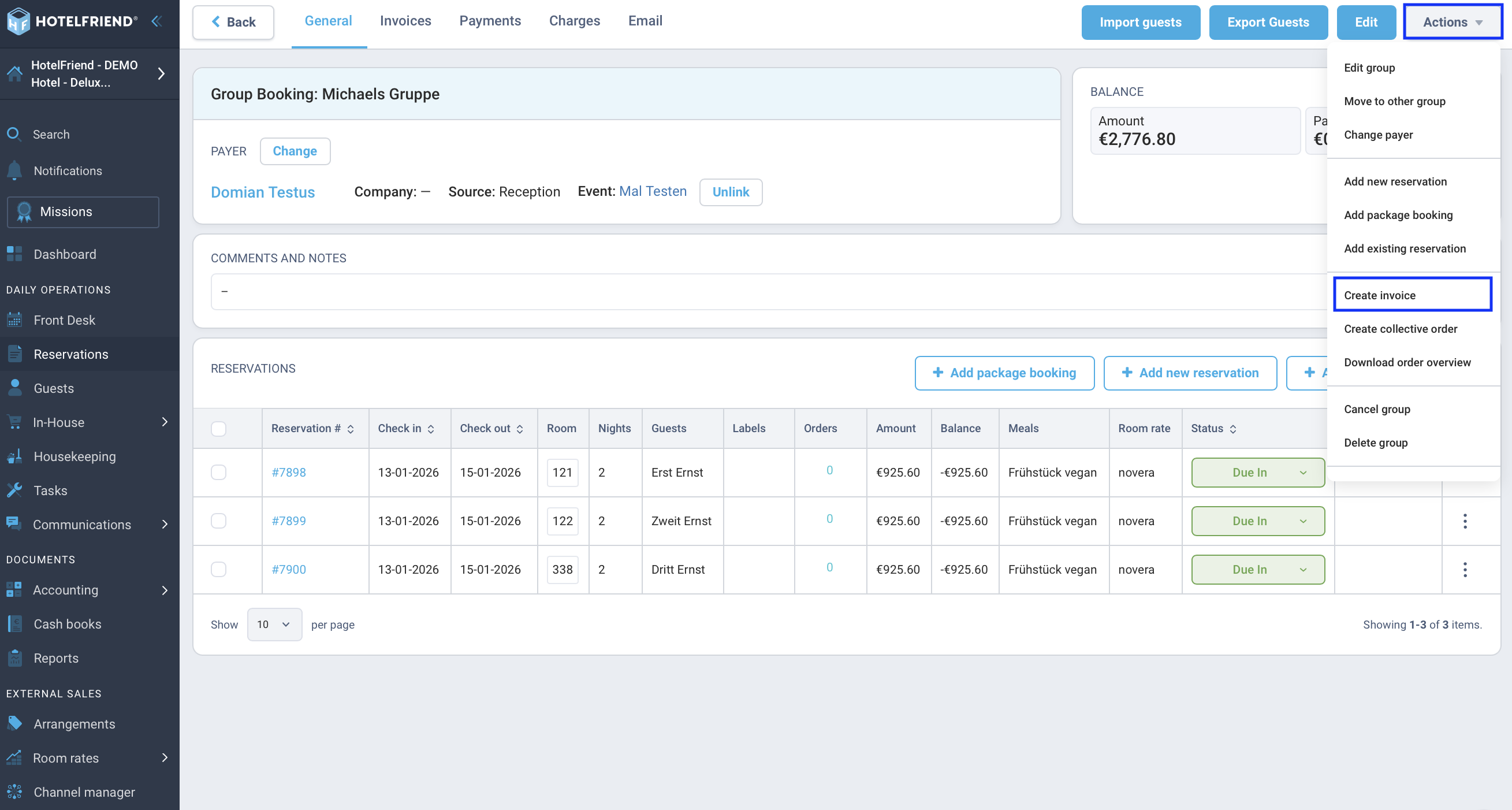
Option 1: Create invoice for an existing group
- Navigate to Guests and then Groups in the main menu.
- Open the desired group.
- Click on the Actions button in the top right.
- Select the option Create invoice from the dropdown menu.
Option 2: Create invoice for selected reservations
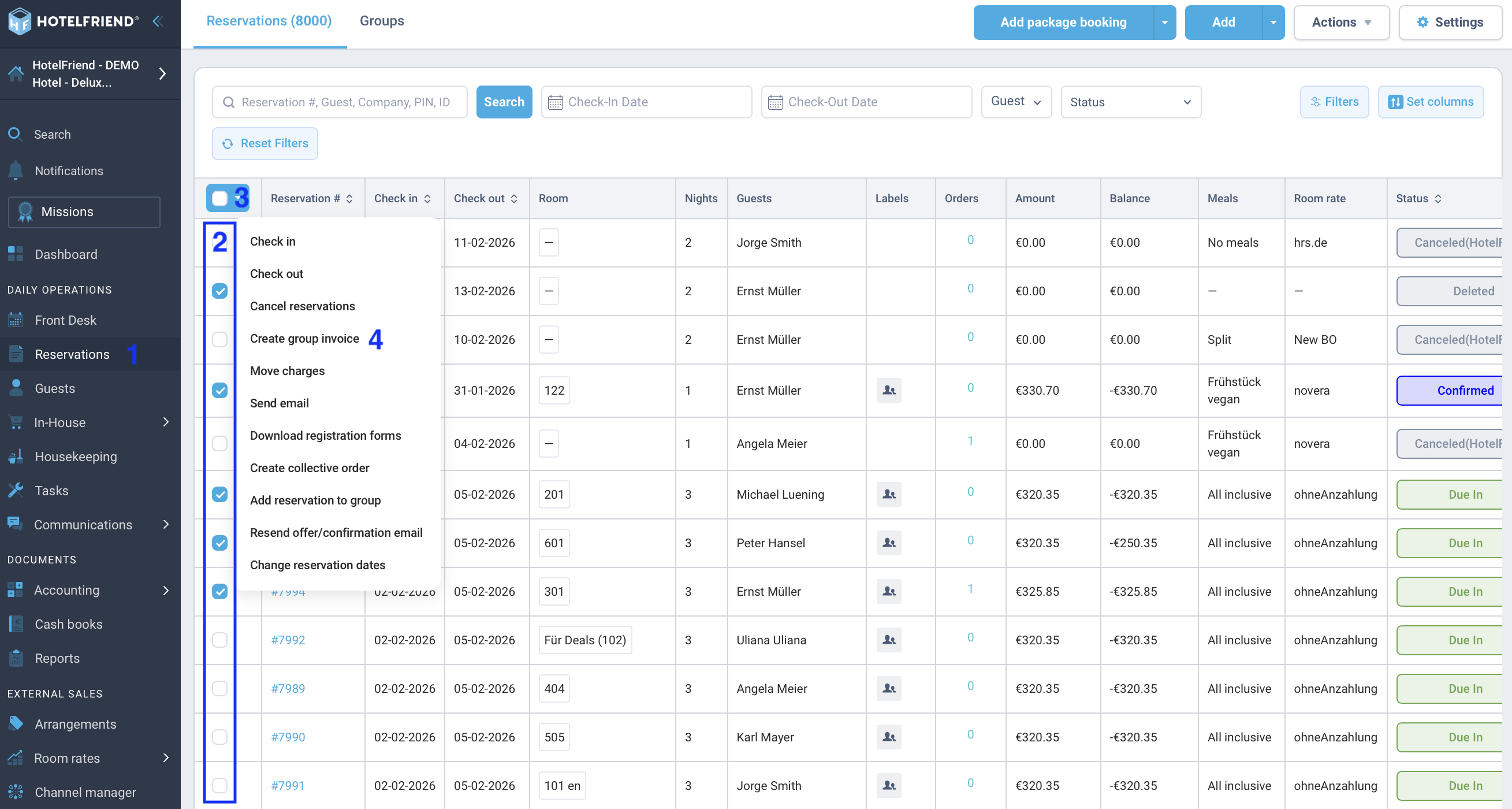
If you haven't created a formal group yet, you can also start a group invoice directly from the reservation overview:
- Go to the module Reservations (or Bookings).
- Select all reservations in the list that should be on the joint invoice.
- Then click on Actions at the top.
- Select Create group invoice.
Adjust Invoice Details
After you have initiated the invoice creation, a dialog box opens where you can define further details:
- Add items: In the field "Add items from guests", you can select which services (e.g., accommodation, breakfast, extras) should be transferred from the individual bookings to the group invoice.
- Select Payer: Determine who will pay the invoice (e.g., a company or a tour operator).
- Payment Method: Set the desired payment method.
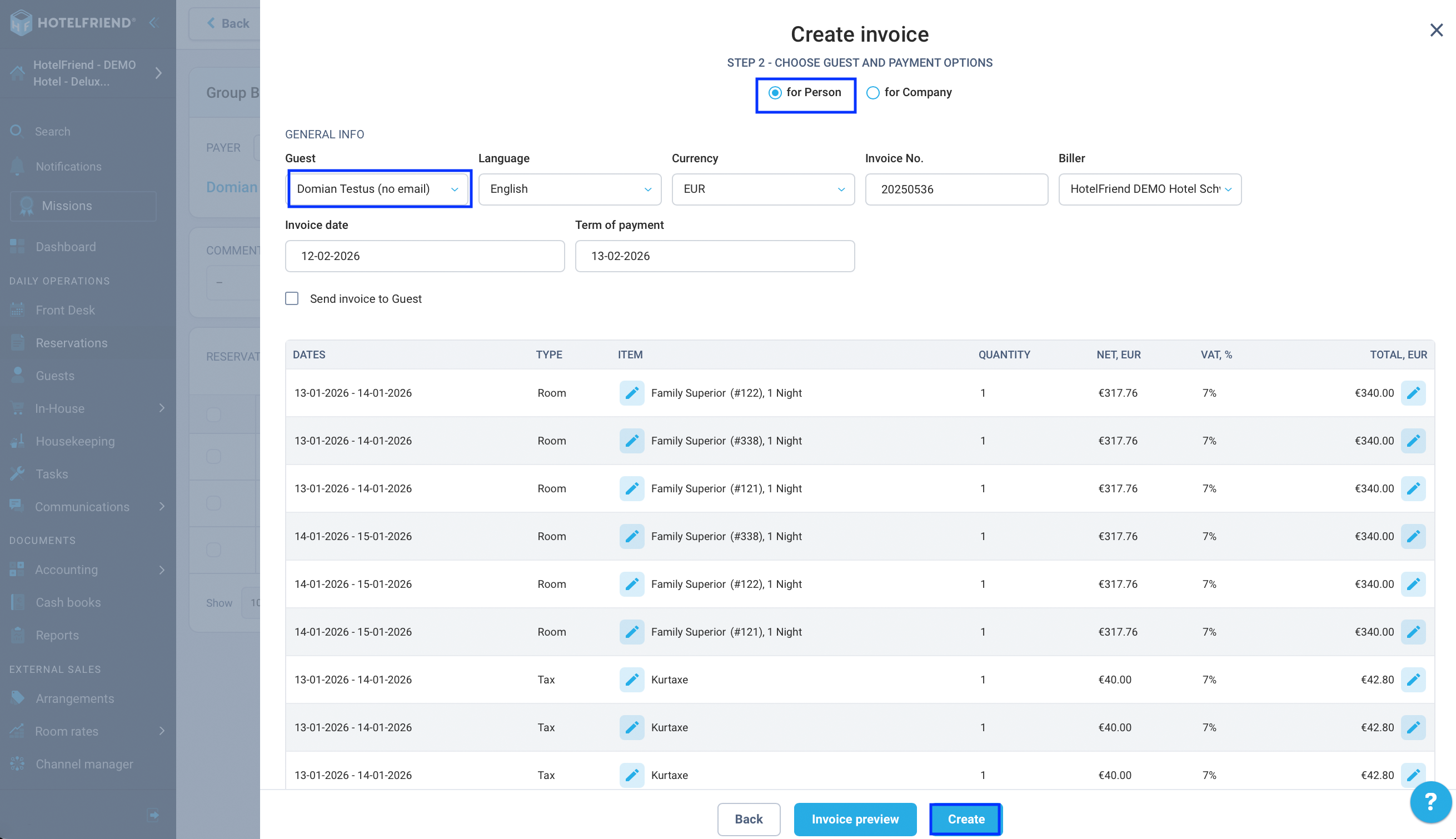
Click on Create to generate the group invoice.
Further Assistance
Here you will find detailed instructions from our Help Center:
Author:

