

How to create in-app Push
This module allows sending notifications to guests of special offers, discounts, or other important information. The notification will appear both in the hotel mobile app and on the screen of the mobile device.
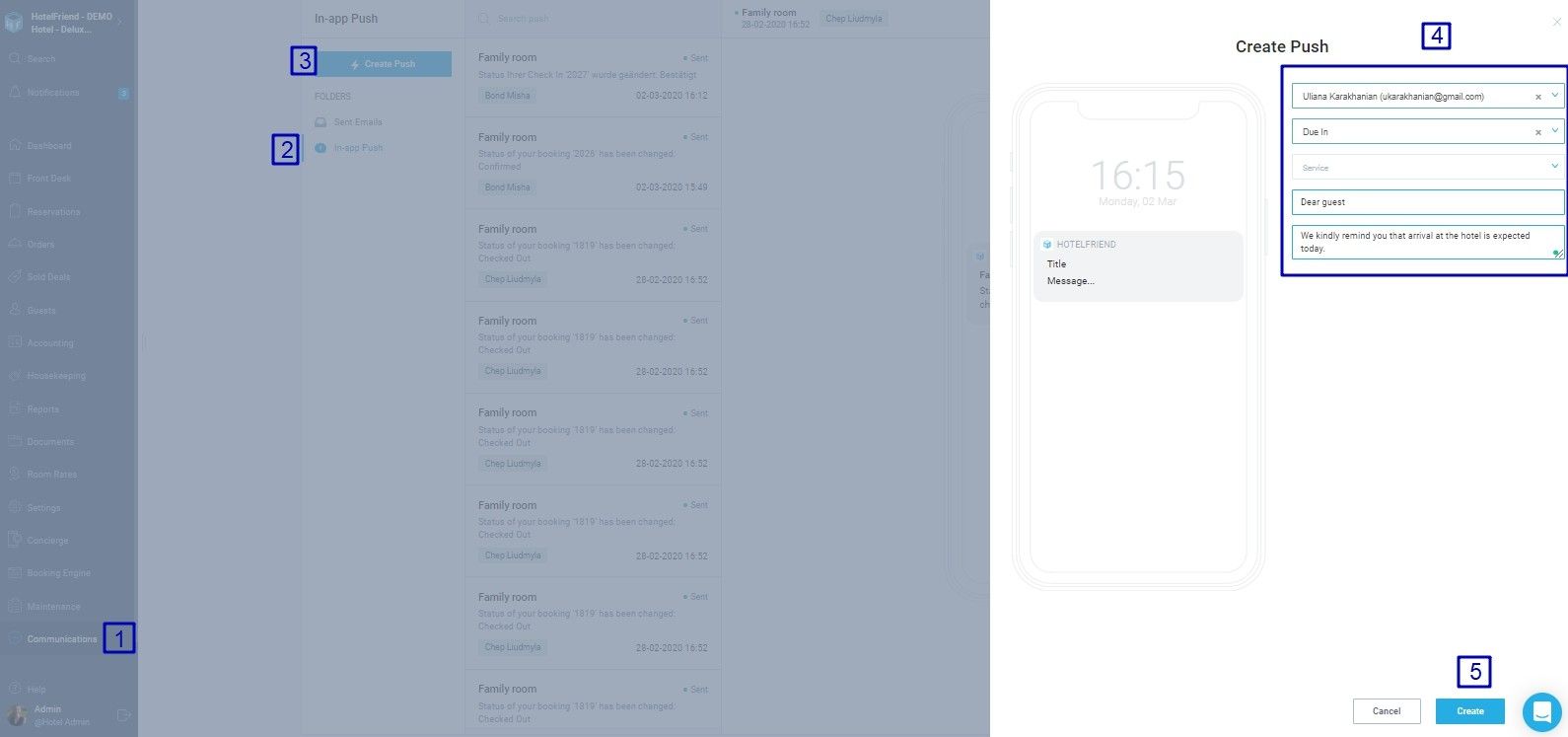
- Enter the Communications module.
- Select In-app Push in Folders.
- Press the Create Push button.
- Fill in the data necessary for the notification:.
- Select a guest using email/name or select the booking status from the drop-down list;
- select a service if necessary;
- add the notification title;
- add the notification description.
- Press the Create button.
When selecting the booking status, please note that the notification will be sent to all guests with the respective booking status.
Author:

