

How to disable selling a service on a selected channel
The HotelFriend system allows you to enable or disable services for sale on specific channels. All enabled services are displayed on the following channels: Reception, Booking Engine, Concierge guest app, and HotelFriend website.
Here is what you need to do to stop displaying services on a specific sales channel:
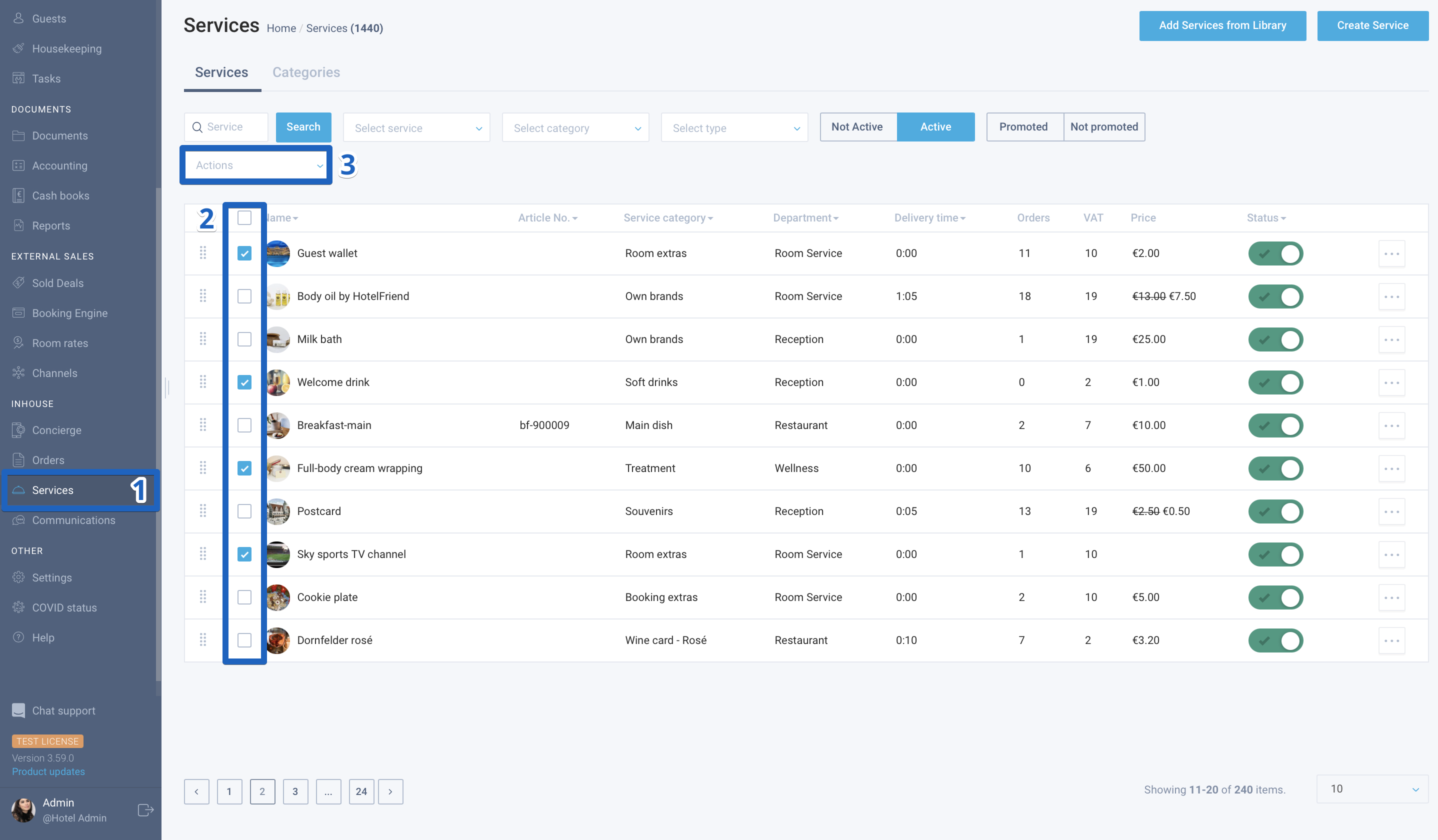
- Go to the Services module.
- Select the services to be disabled.
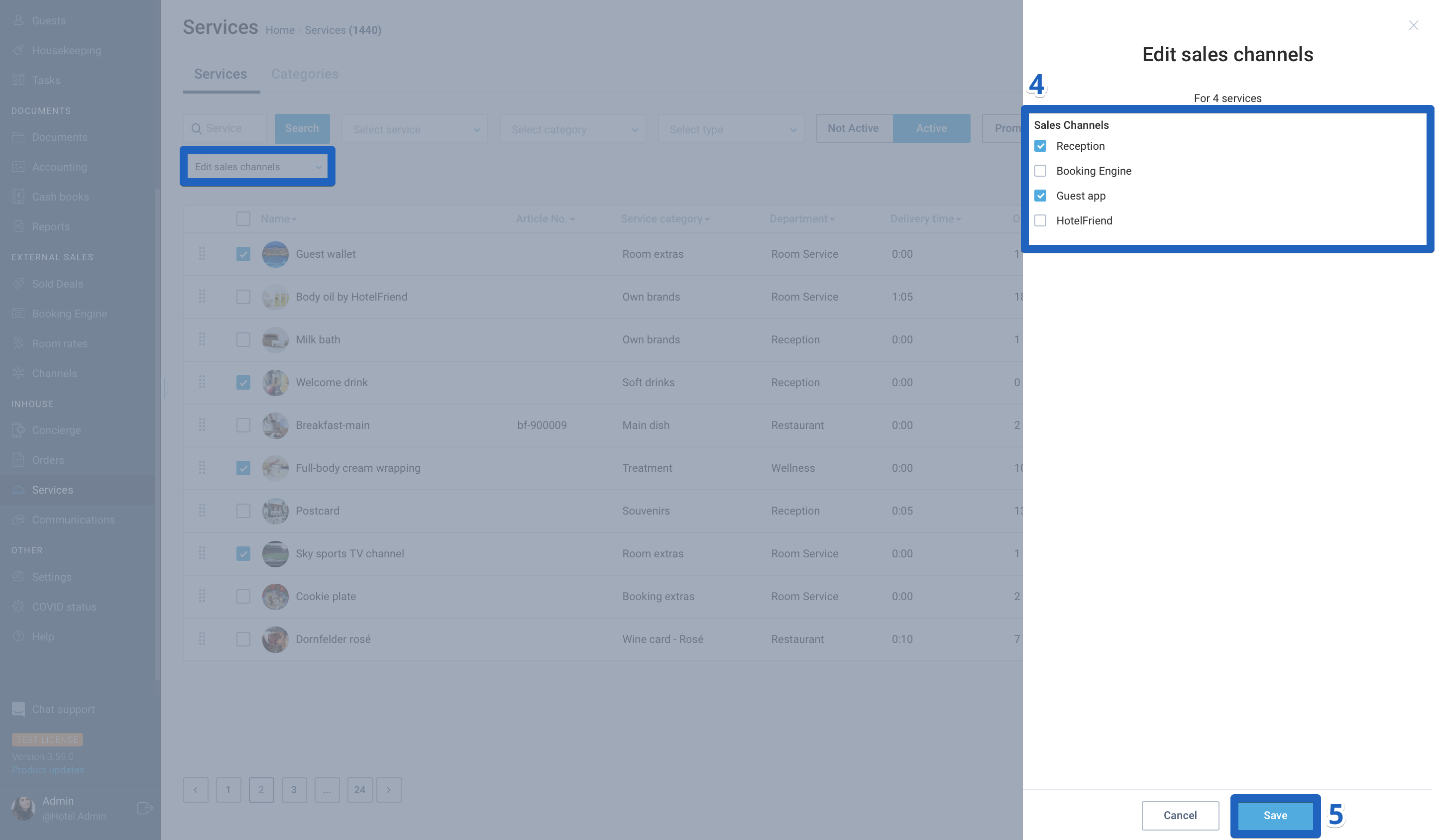
- In the action menu, select the item "Edit sales channels".
- Uncheck checkboxes of all channels, except for "Reception".
- Click on the "Save" button.
If you have any additional questions or need assistance, please, reach out to our support.
Author:

