How to set up a Discount in the Service
Discounts always work to sell more services. See how to set a discounted price in our hotel management suite.
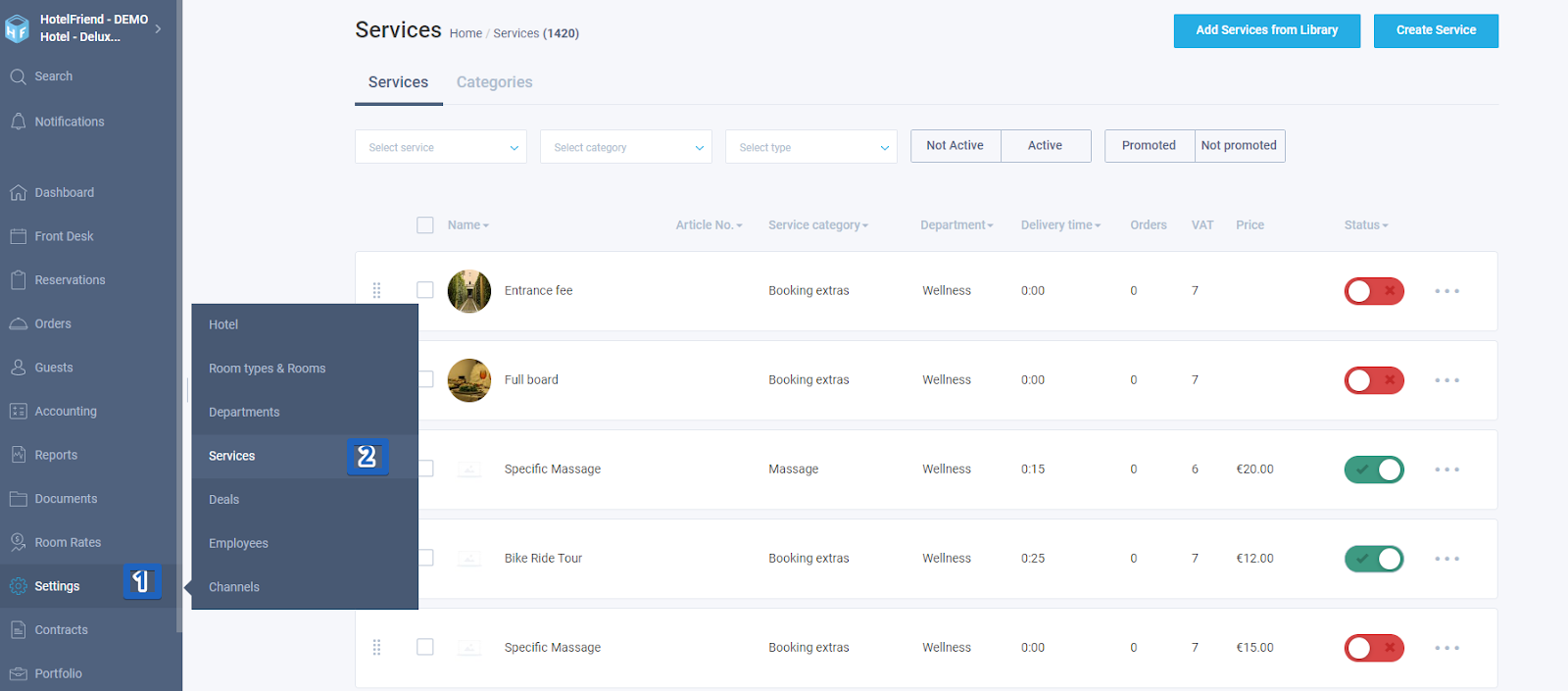
- In the menu on the left choose "Settings" -> "Services".
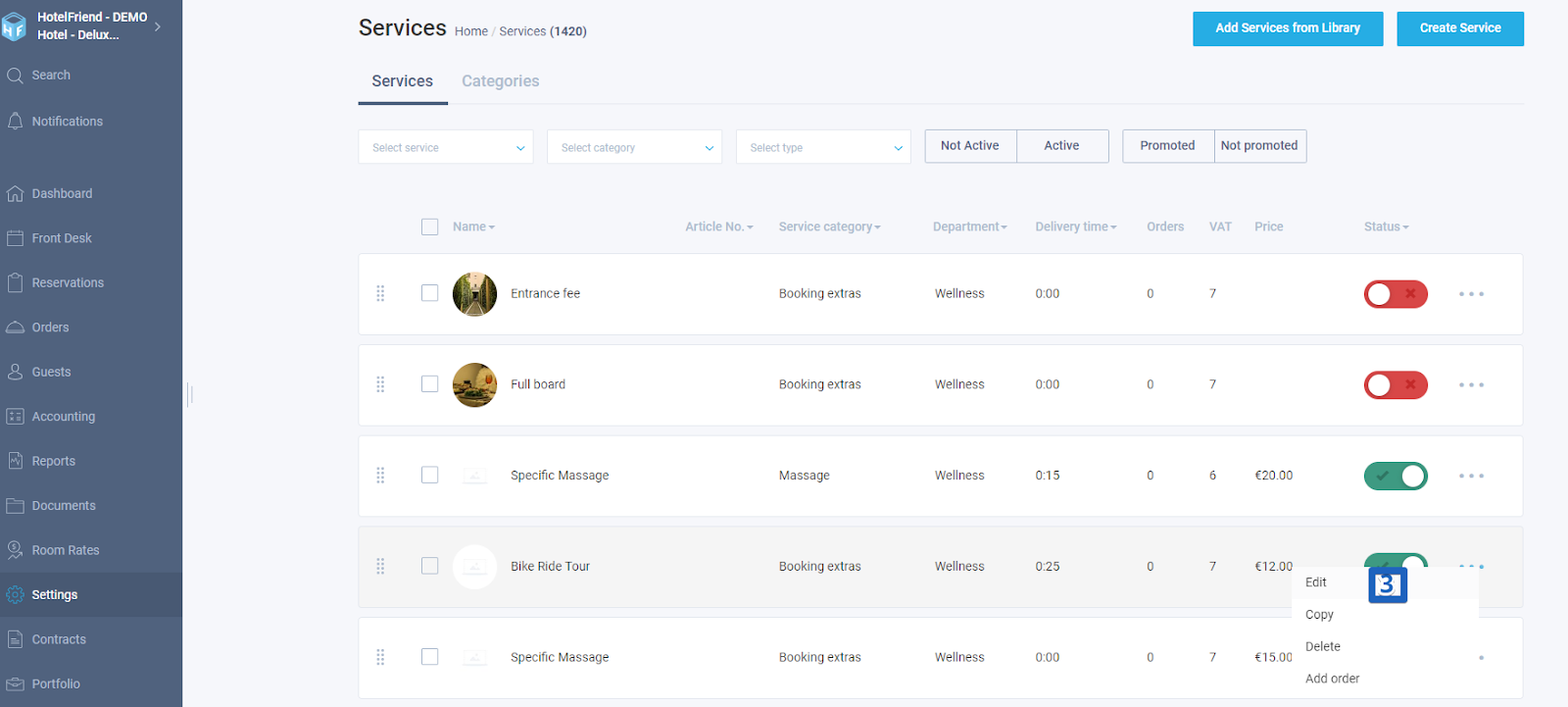
- In the menu (three points) on the right opposite the service you want to set discount for click on Edit.
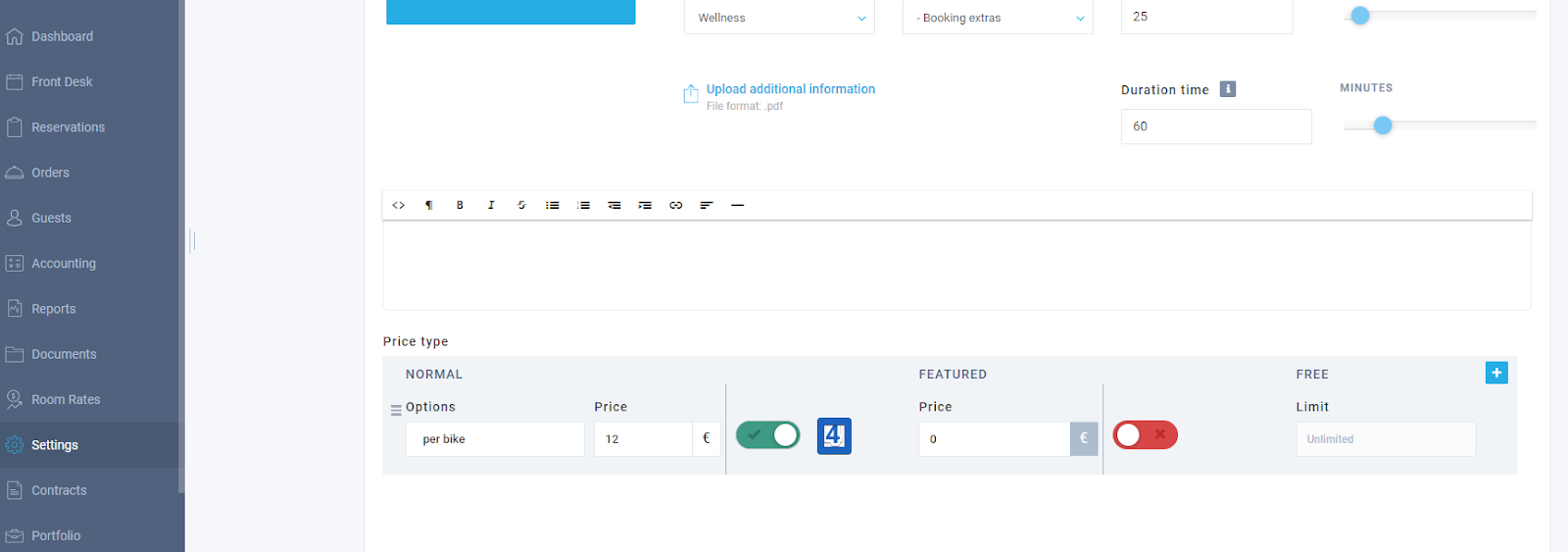
- At the bottom of the page in the field “Price type” in the section “Normal” move on the switch (it has to be green).
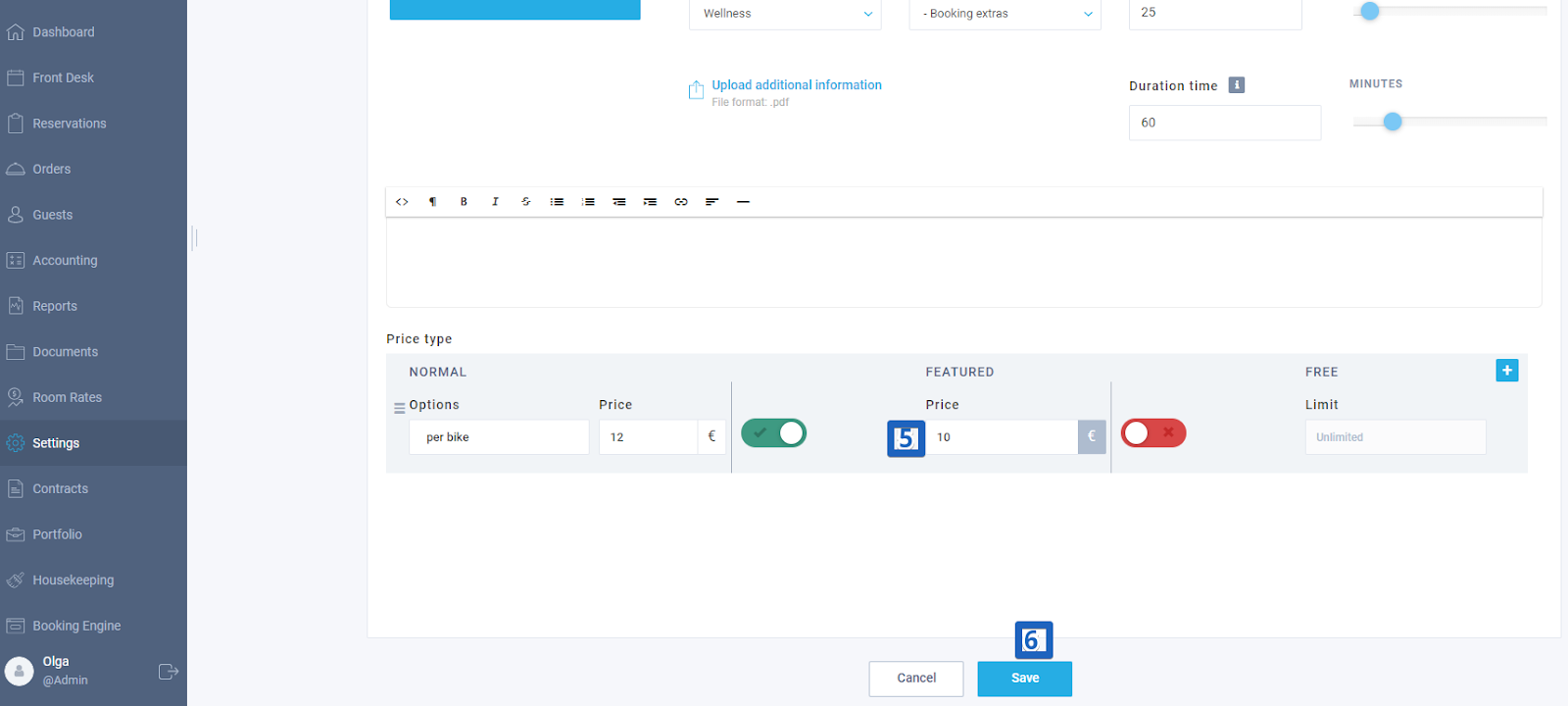
- Then in the field Price type in the section “Featured” set the new price.
- At the bottom of the page click on "Save".
Author: