

How to rename tabs and buttons of the Booking Engine
In HotelFriend, you can rename some user interface elements on your booking page to make it fit your unique brand. This guide will walk you through the steps to change a standard tab or button's name.
Here is how to rename a standard tab or a button:
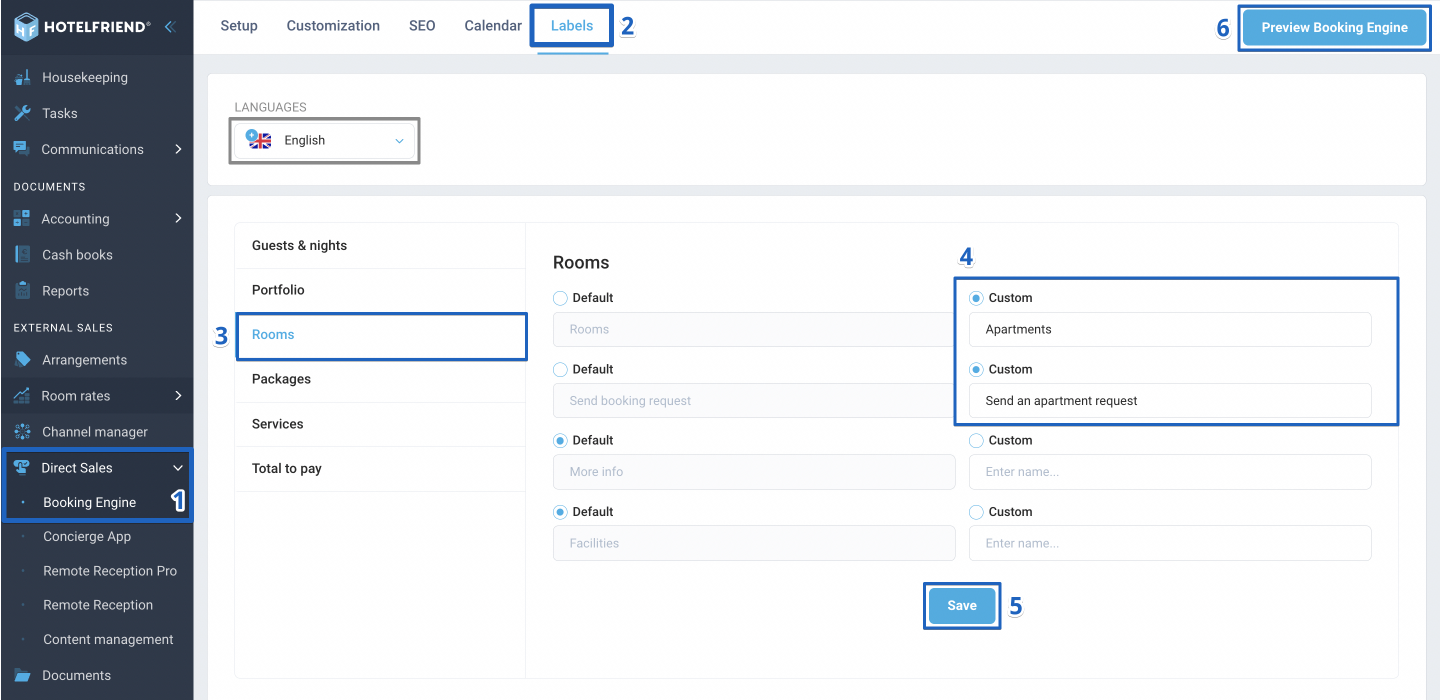
- In the menu on the left click Direct Sales and select Booking Engine
- Go to the Labels tab
- Select the block to which you'd like to make changes.
- After the proper block is chosen, select the Custom option and enter your preferred name in the field provided.
- Click Save to apply your changes.
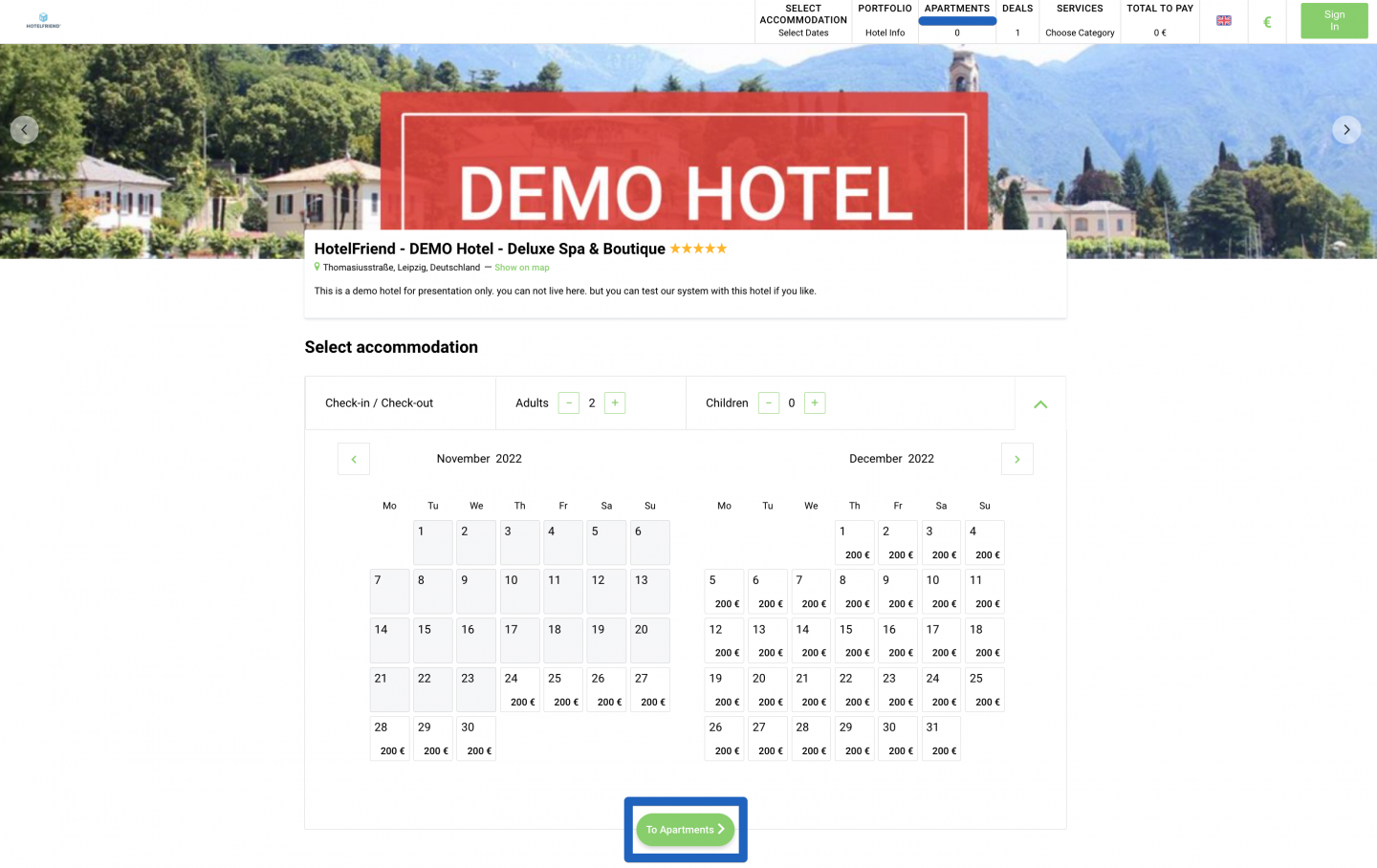
- Finally, click on Preview Booking Engine to confirm the newly customized information is to your liking.
Important: First, you need to make any changes using the language set up as default. If you offer your guests content in other languages, you need to switch to them in the Languages block and then enter new namings in these languages.
This guide should make it easy for you to personalize your booking page in HotelFriend. But if you run into any problems along the way, our support team is always available for help.
Author:

