

How to set up Out of Service status
Out of Service is a function that allows you to close a room from sale on specified dates. Also, it prohibits assigning a reservation in a room with the Out of Service status.
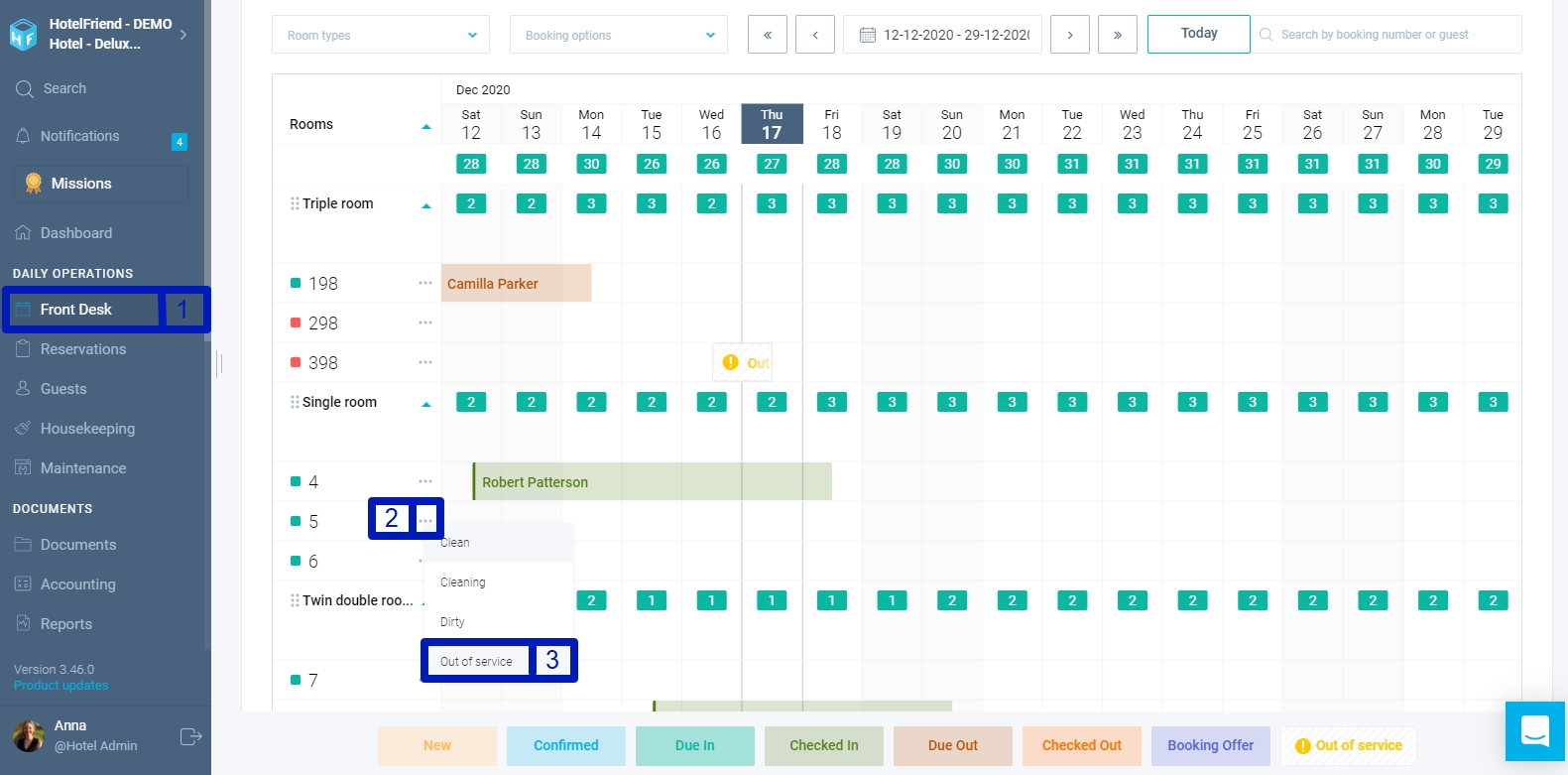
- Go to Front Desk.
- Click on the action menu opposite the number.
- Select Out of Service status.
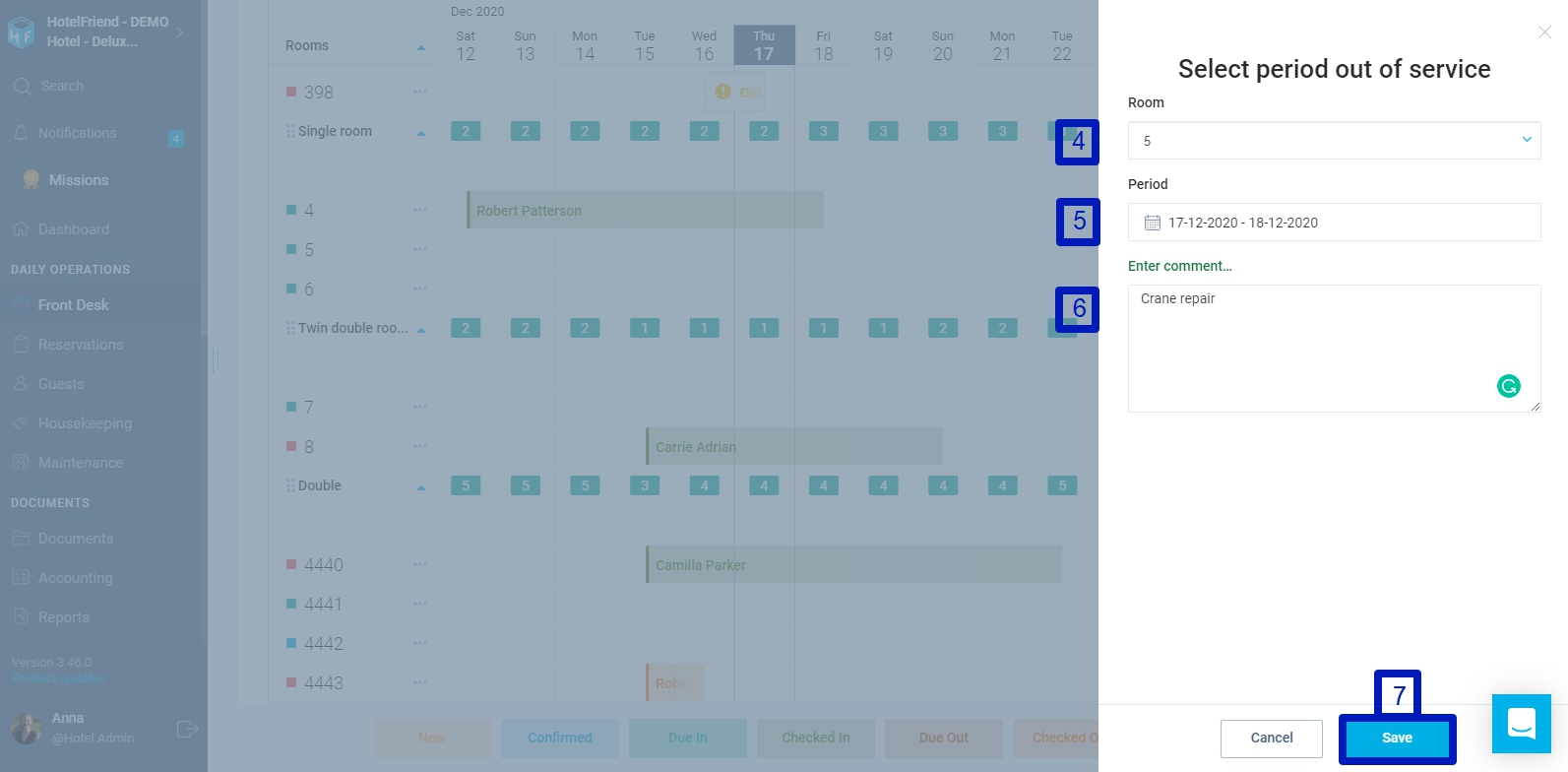
- In the opened window, check or pull up the room.
- Select the required period in the calendar.
- Enter a comment in the relevant field if necessary.
- Click on the “Save” button to save the changes.
This information will be displayed on the Front Desk in the same manner as the booking, but with the status out of service. By clicking on the Out of Service, you can edit the period, delete it, or view all the periods to which the Out of Service was created.
Author:

