

How to split VAT for Meal Types in Room Rates
HotelFriend’s PMS supports VAT splitting for meal types added to room rates. This feature is especially useful for hotels operating in regions with differentiated VAT rates for food and beverages, such as those introduced under the Third Coronavirus Tax Assistance Act in Germany.
By assigning separate VAT rates to meals, you can ensure accurate tax reporting and compliance with local tax laws.
Important: Before applying VAT splits, ensure all applicable VAT rates have been added in Settings → General.
How to split VAT for Meals
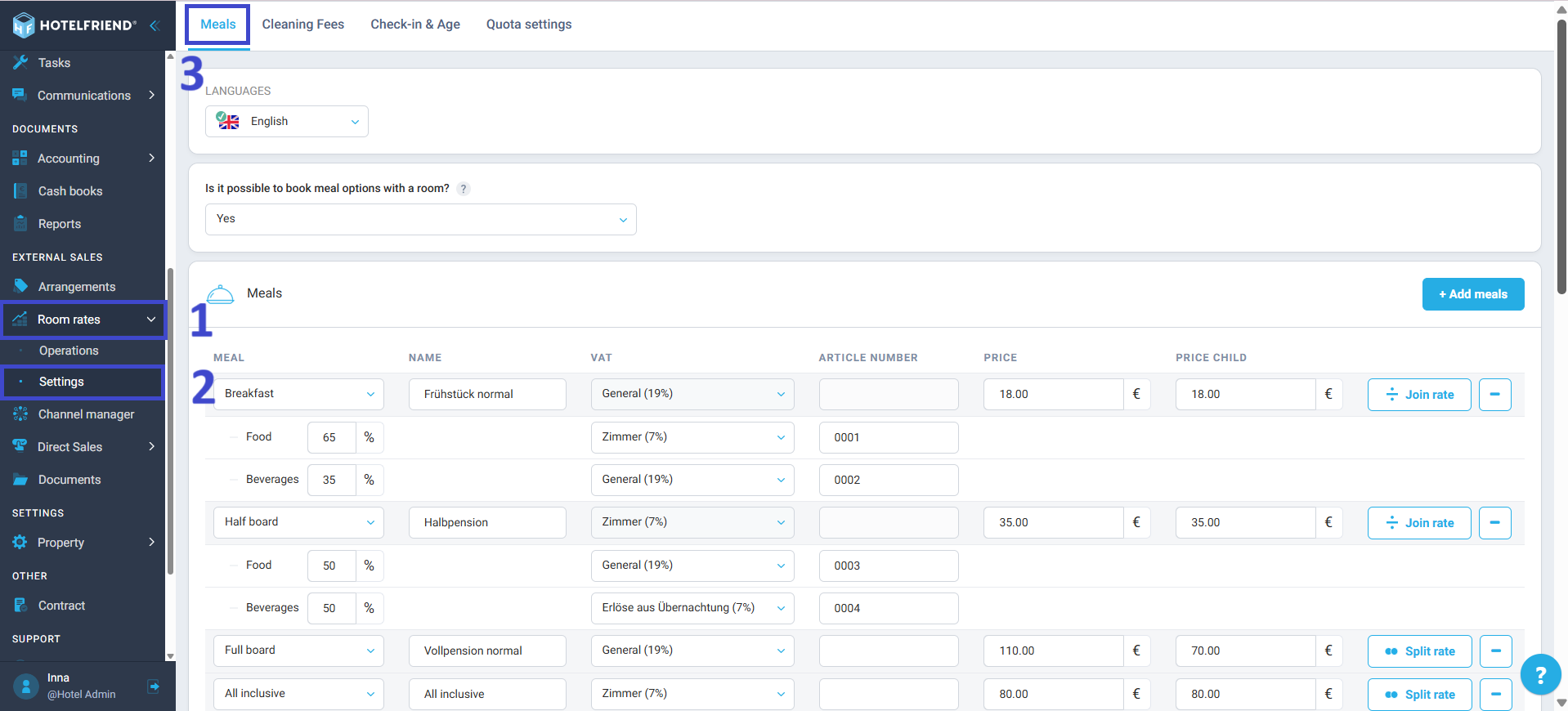
- Go to the Room Rates module using the menu on the left.
- Click on the Settings section.
- Open the Meals tab.
- Find the meal rate you want to configure and click Split rate.
- In the VAT fields, select the appropriate tax rates from the drop-down lists:
- One for Food
- One for Beverages
- If required, enter the Article Number for each tax rate.
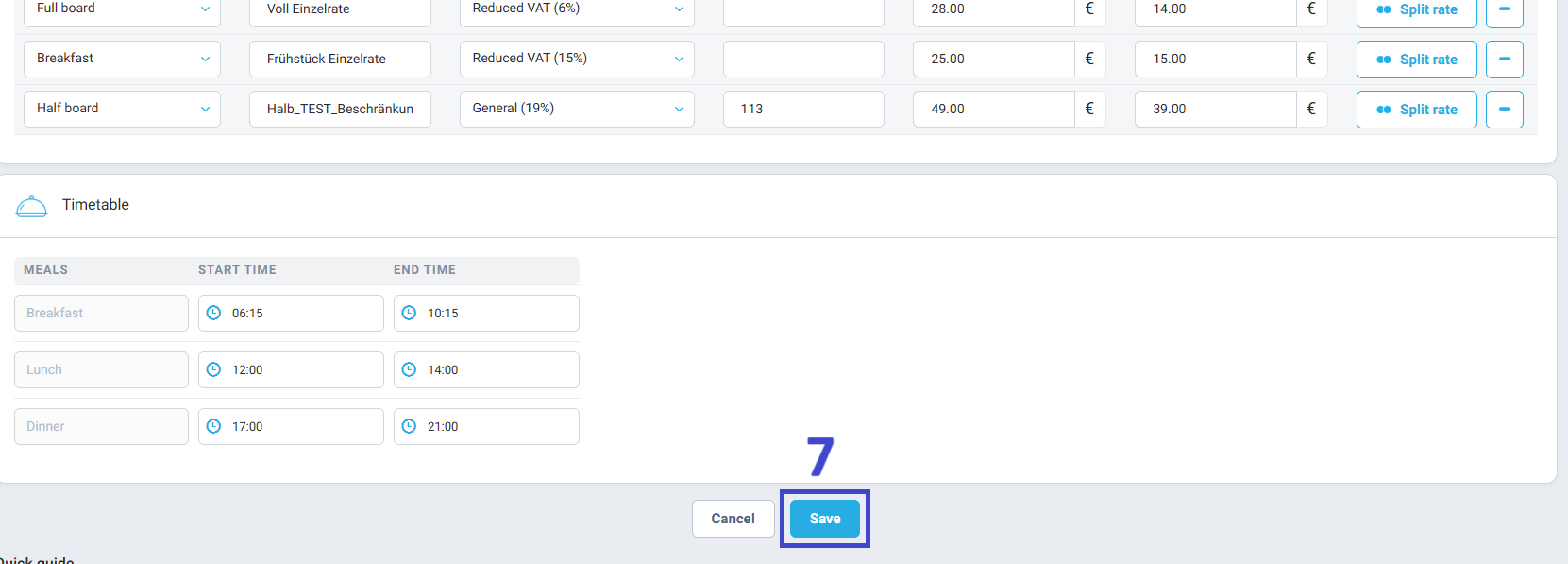
- Click Save to apply the changes.
Follow these steps to apply different VAT rates to food and beverages:


Verify during invoicing
When generating an invoice that includes meals, double-check the VAT values for Food and Beverages to ensure the correct tax amounts are applied.
Author:

