

Processing payments for reservations that came via the Booking Engine
While making a reservation via the Booking Engine, the guest enters their credit card details. This allows the hotel to charge the guest's credit card if the hotel's Stripe account is connected to the HotelFriend system.
Please note that Stripe can’t charge the guest's card if their card has 3D Secure option enabled.
In the near future, we will enable instant online payments right when creating a booking.
Here’s how the hotel can charge money from the guest’s credit card:
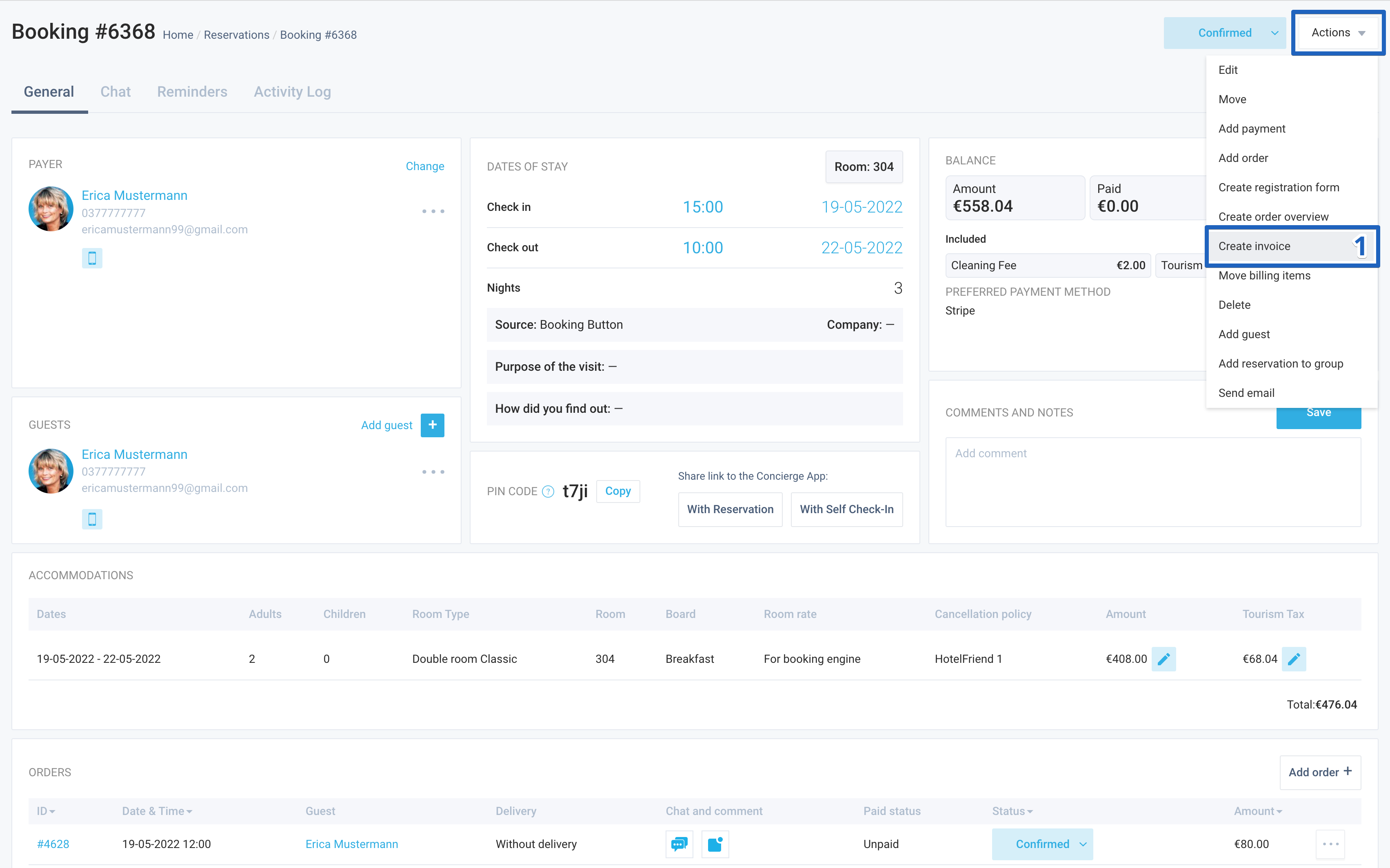
- In the booking card, click on the Actions menu and select the Create Invoice function.
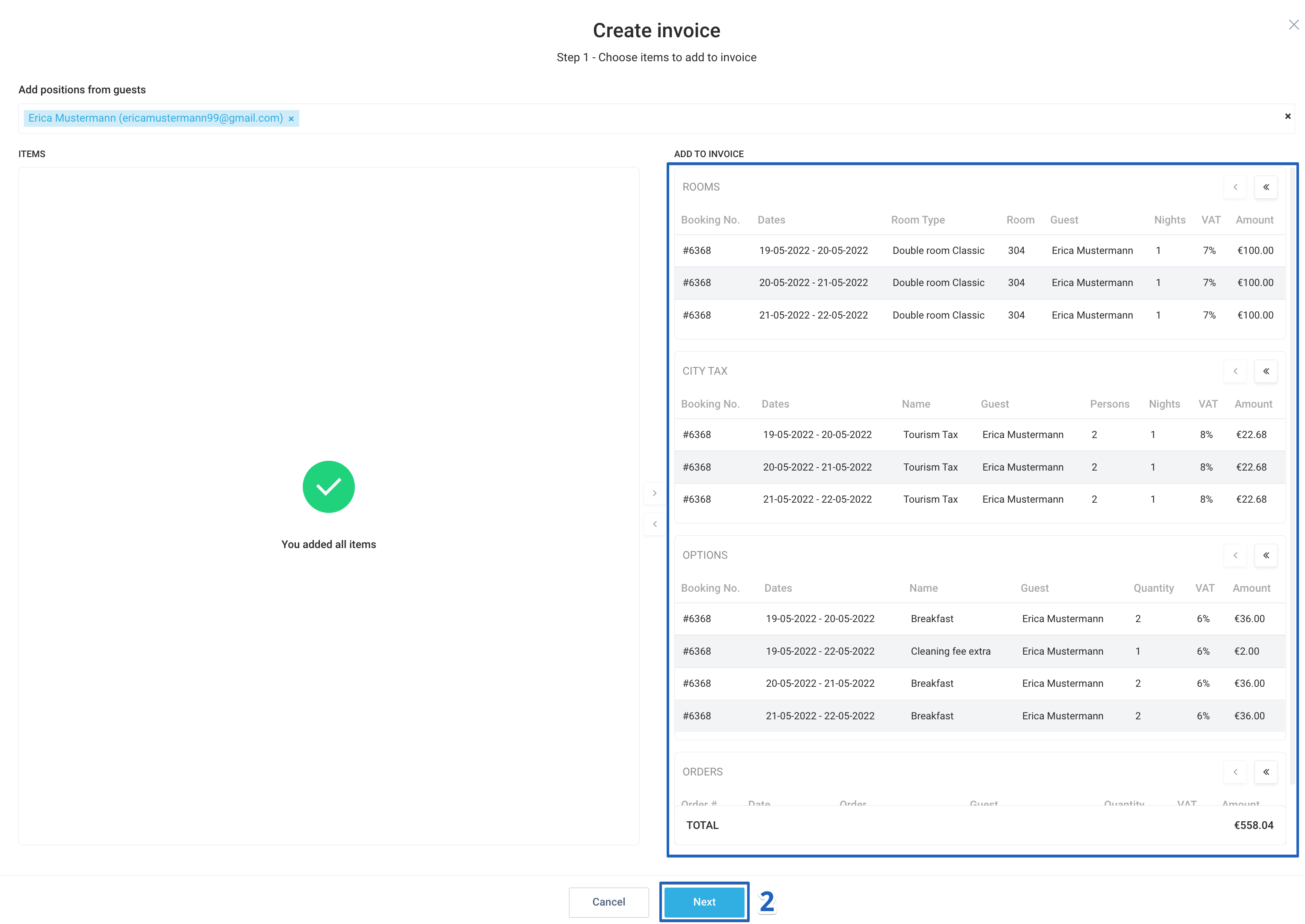
- Select the items to be included in the bill and click Next.
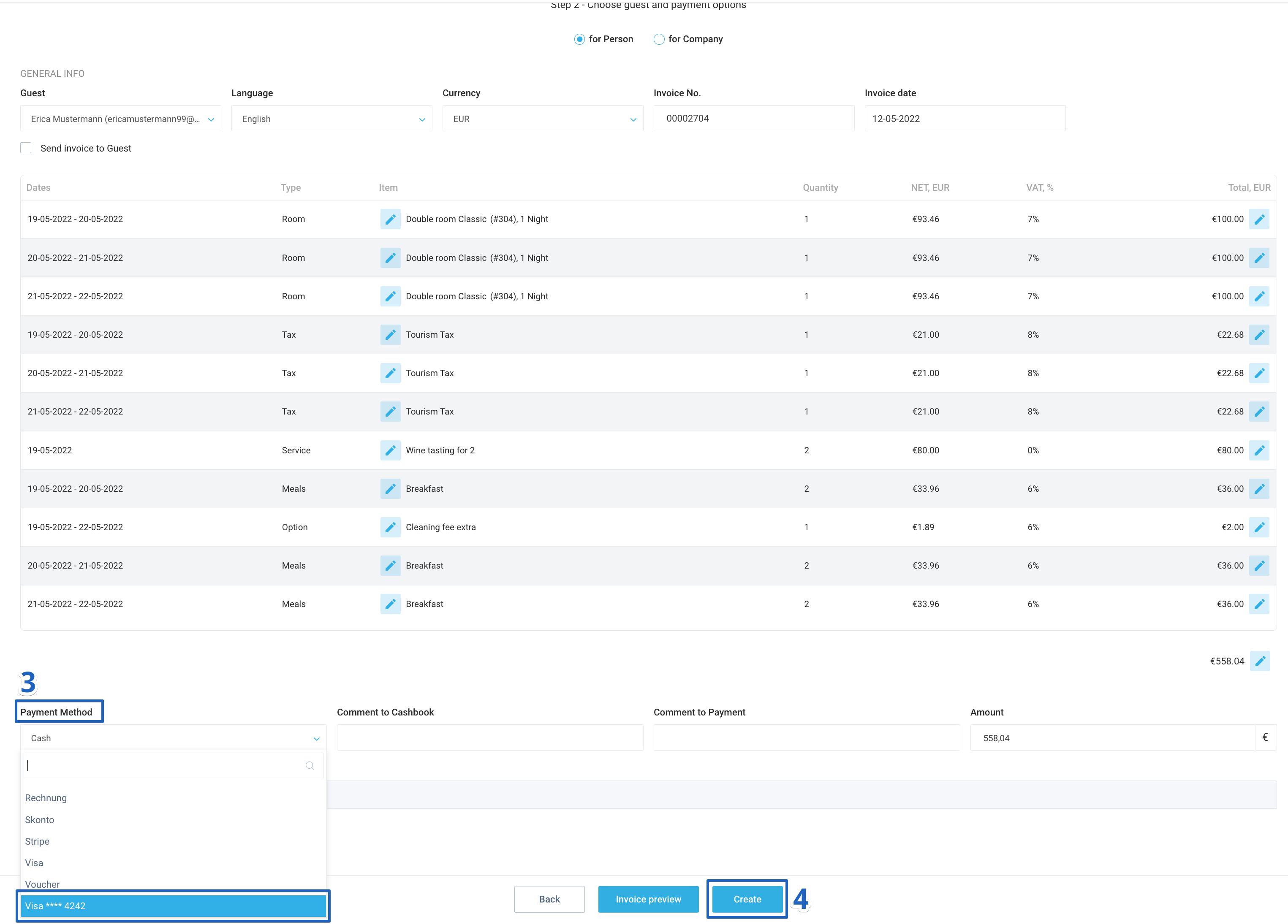
- In the Payment Method field, scroll down and select the credit card that your guest used to make a booking.
- If necessary, enter the additional data and click Create.
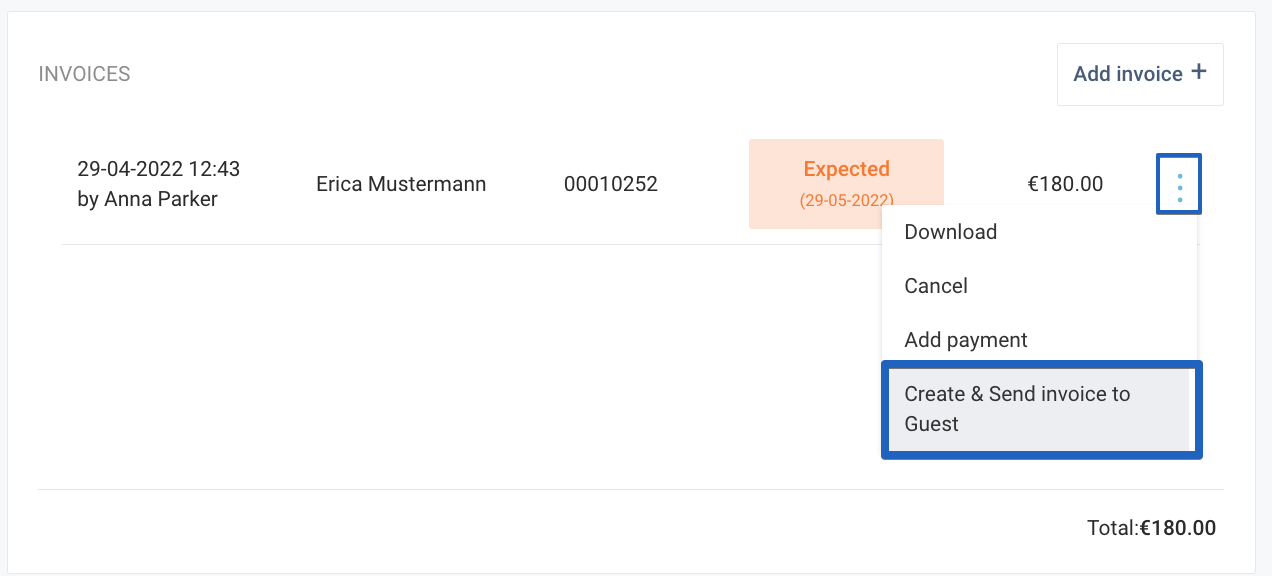
After that, please check the payment status. If the 3D Secure option is enabled on the guest’s card, payment won’t be charged. In this case, we recommend using the “Create and invoice to Guest” function instead.
Author:

