

Check-in Report
Check-in Reports are designed to streamline your administrative tasks. From now on, the hotels can select specific data columns to display in their reports, tailoring reports to match their unique needs and preferences. This customization ensures that you see only the information that's most relevant to your operations, making it easier to analyze and act upon key insights.
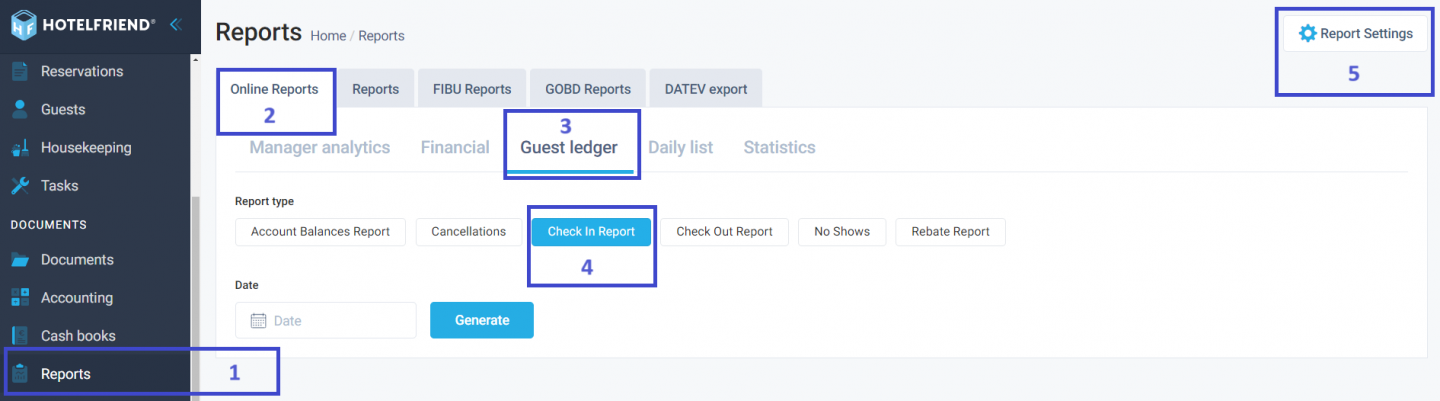
To access the Check-in Report section
- Choose the Reports section.
- Choose the Online Reports section.
- Go to the Guest ledger tab.
- Click the Check in Report button.
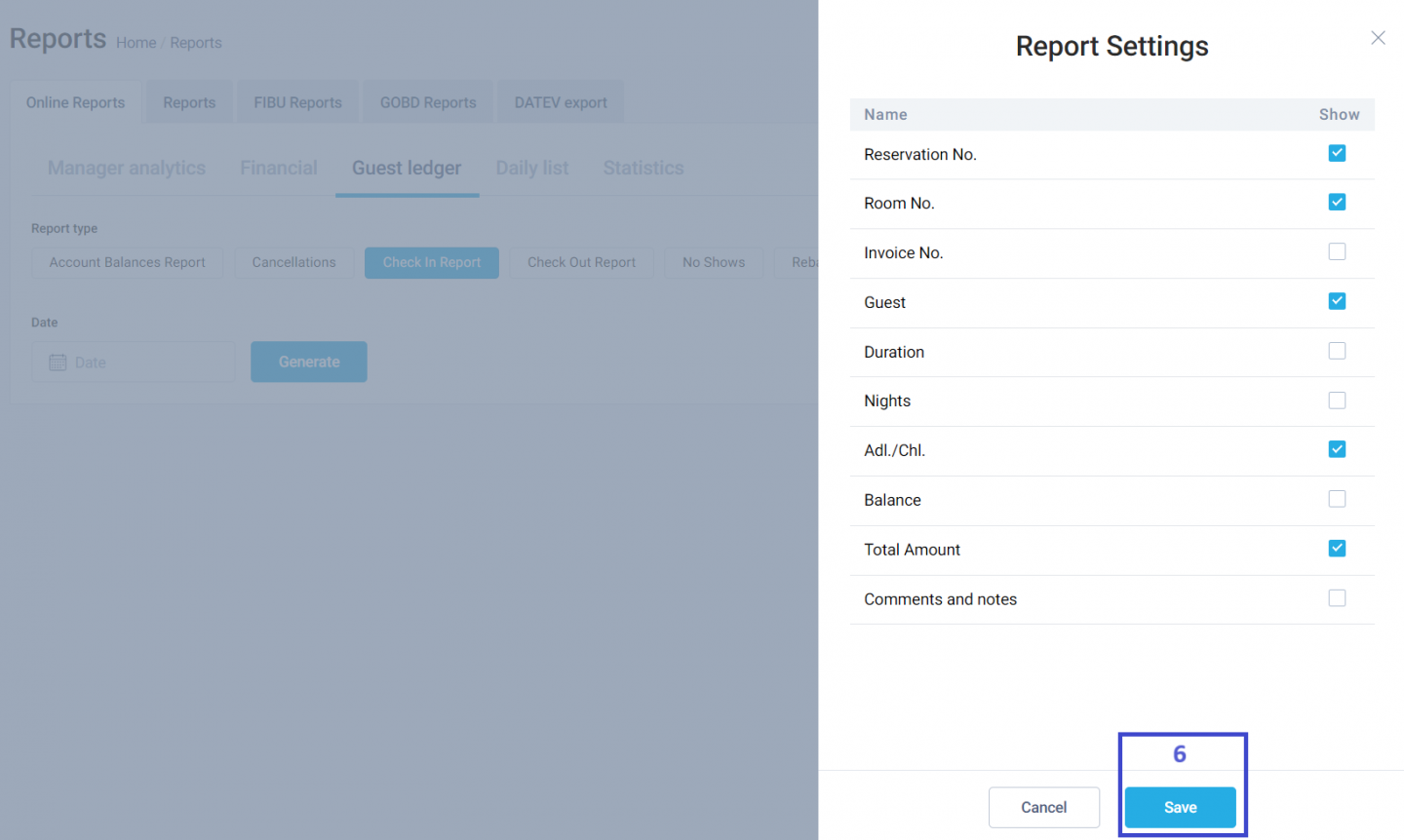
- Click the Report Settings button in the top right corner.
- Configure the report settings required for the report and click Save.
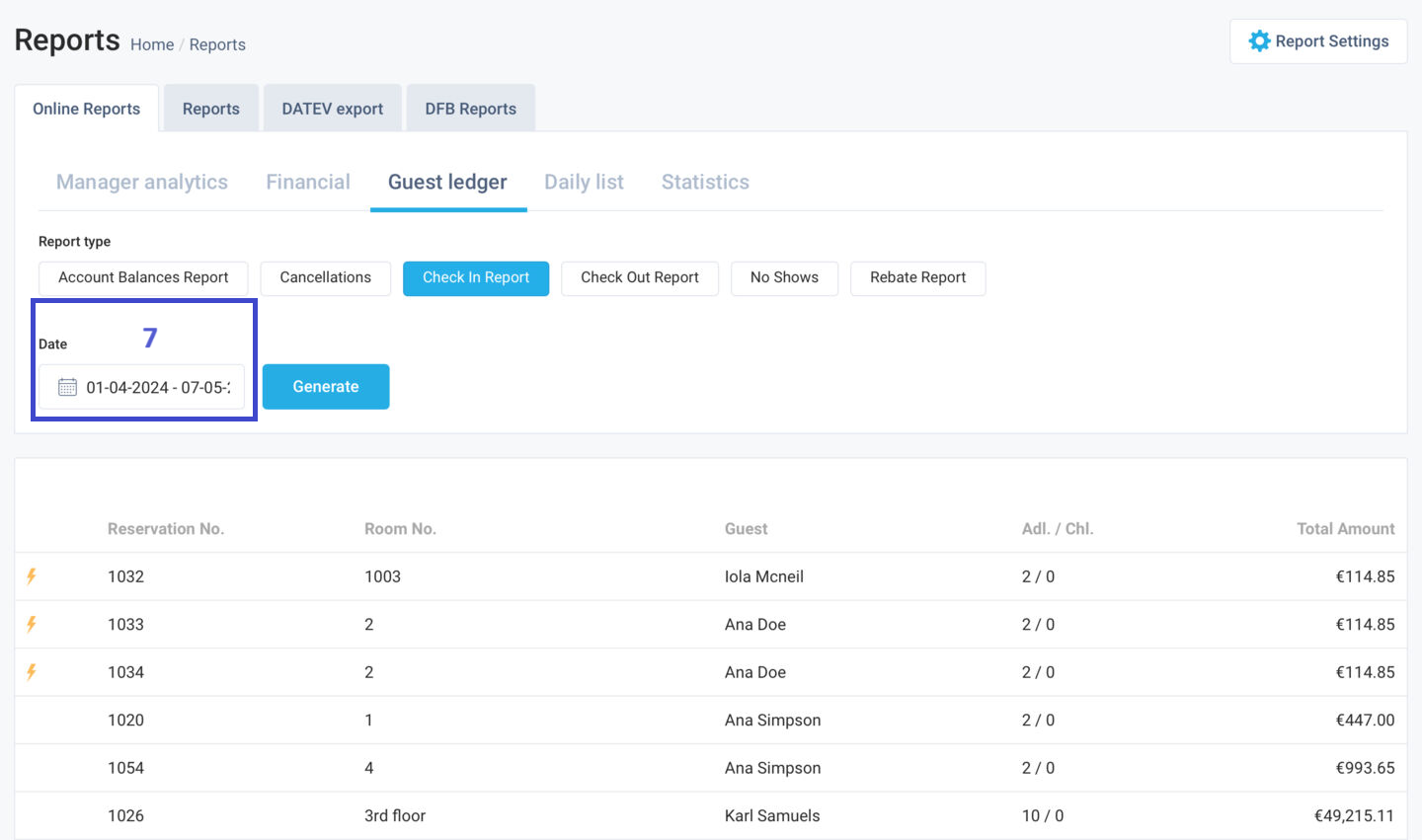
- Choose the Date parameter to configure the date range of the report.
- Scroll to the bottom of the page to see the Download PDF button to download the report.
For additional support or inquiries, please contact our sales department at sales@hotelfriend.de or technical support at support@hotelfriend.com.
Author:

Uliana Karakhanian
Head of Customer Support
Uliana is an influential voice behind our blog's informative content. With 5 years of experience, she takes pride in empowering our clients and witnessing their success with our solutions. Beyond her role in customer support, Uliana finds joy in sports and exploring the depths of psychology. Expect insightful articles reflecting her commitment to simplifying your daily workflow.
