

How to automate report creation and send it to an employee
HotelFriend provides the ability to automate the process of creating and sending reports to your accommodation facility's employees.
Here is how to set up report automation in a few simple steps:
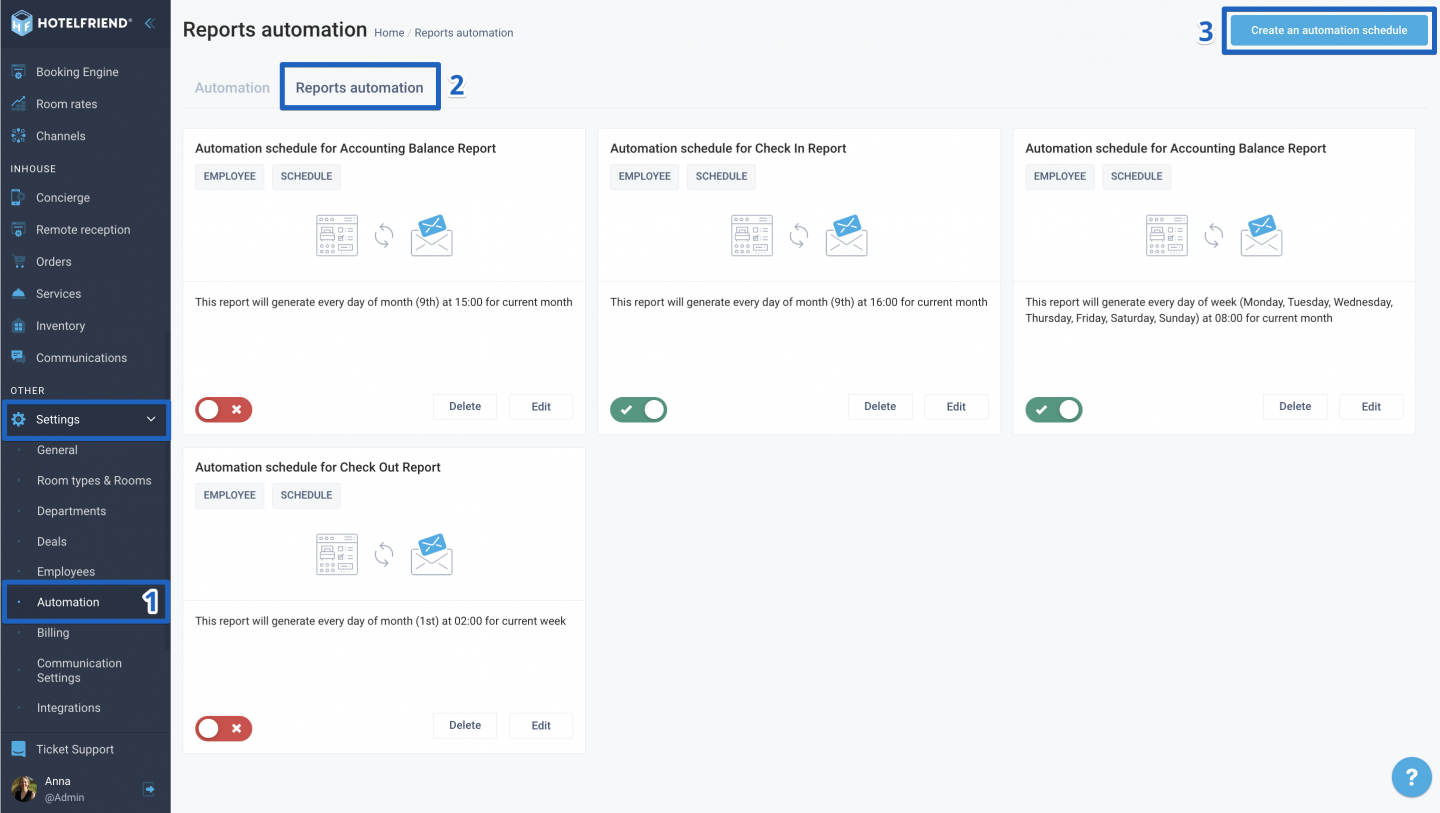
- Navigate to the left-side menu and go to Settings > Automation.
- Click on the Reports Automation tab to proceed.
- In the upper right corner, click on Create an Automation Schedule.
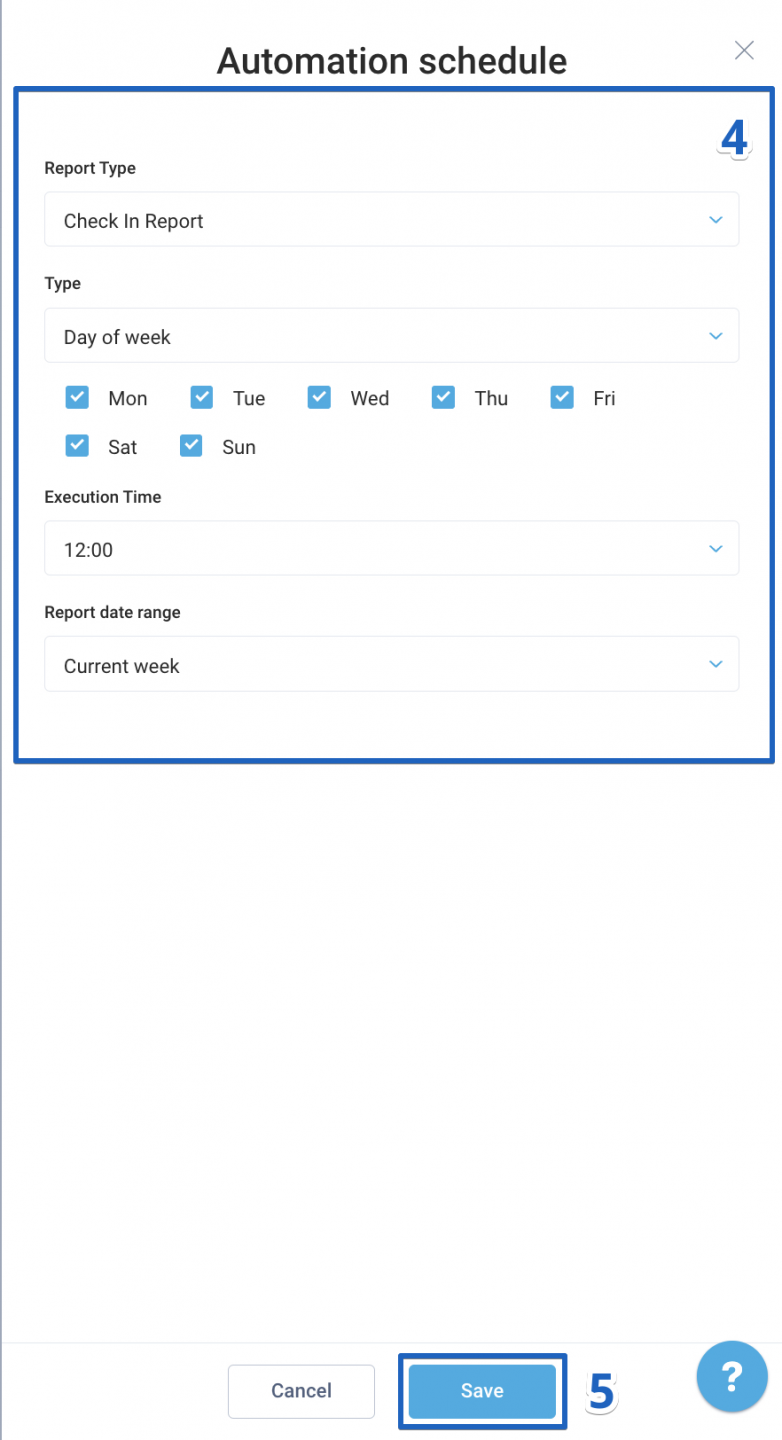
- In the new window, choose the desired report and fill in the parameters for the remaining fields.
- Click Save.
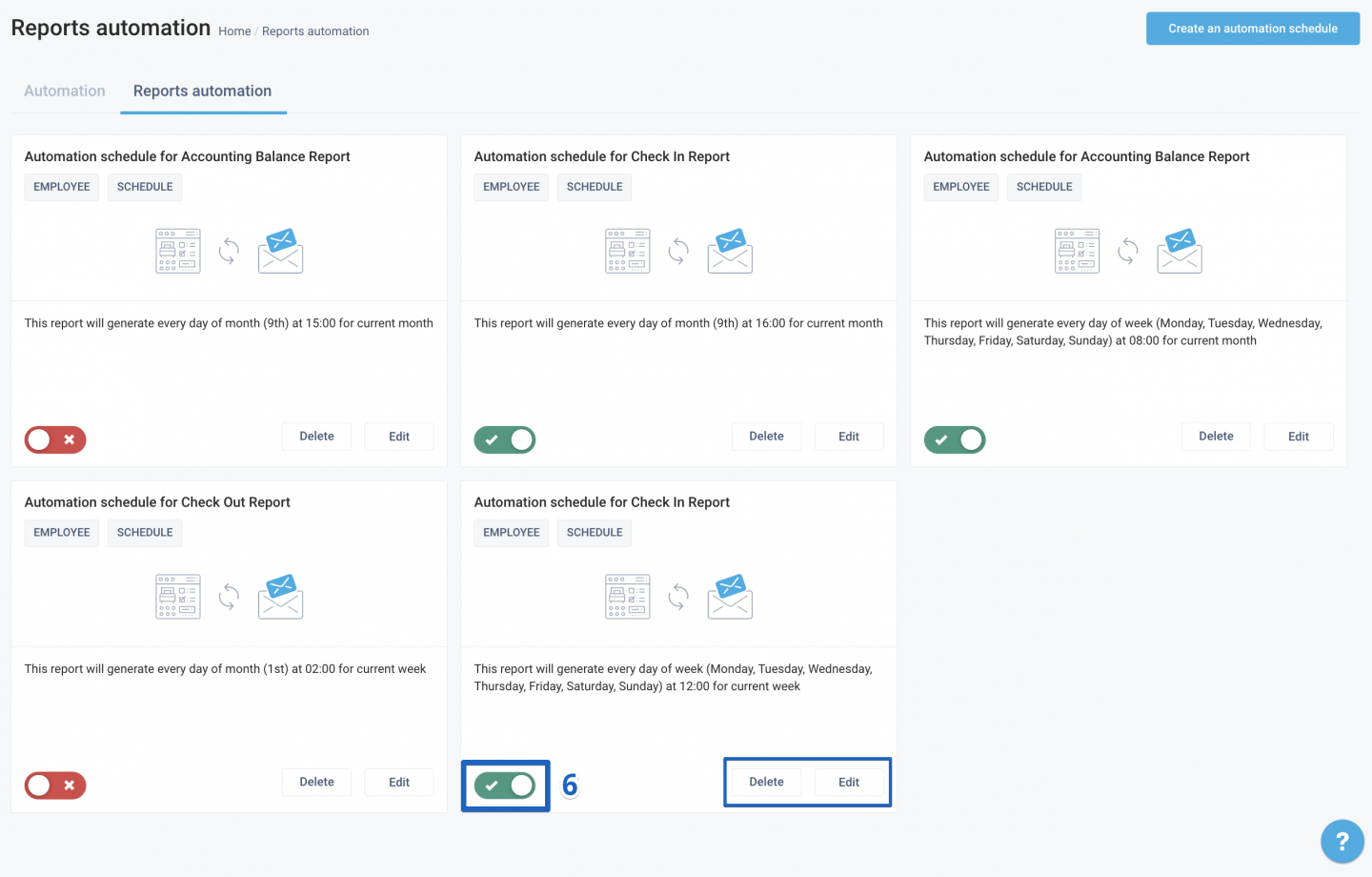
- Turn the toggle on to enable automation. Similarly, to disable automation, just turn the toggle off.
Managing report automation
Edit automation parameters
To make changes to your automation settings, click the "Edit" button. Adjust the necessary parameters and save the changes.
Delete automation
If you wish to remove automation for a specific report, click "Delete". Confirm the action and the automation will be deactivated.
Author:

